HCM Group Enhancements
The View Group Members page now displays a person's assignment number. So if group membership is granted based on a nonprimary assignment, those individuals will also appear as group members, and time and labor administrators might see more than one row for a worker with multiple assignments.
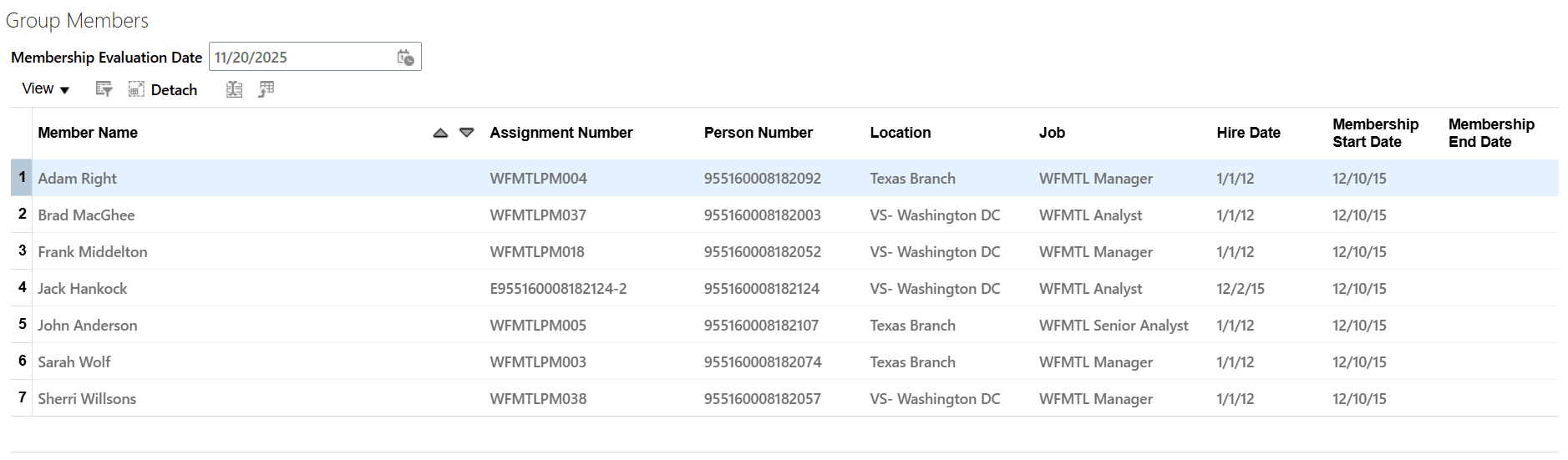
Group Members Page with the Assignment Number Column
Also, the old alternatives Include in Refresh All Groups Process and Locked properties are now discontinued for a clearer process eligibility. Instead the simplified group statuses let you control when or how groups can be updated.
- Draft: Only full update is available for the specific group.
- Active: The group can be refreshed either incrementally or by performing a full update.
- Inactive: The group can no longer be refreshed.
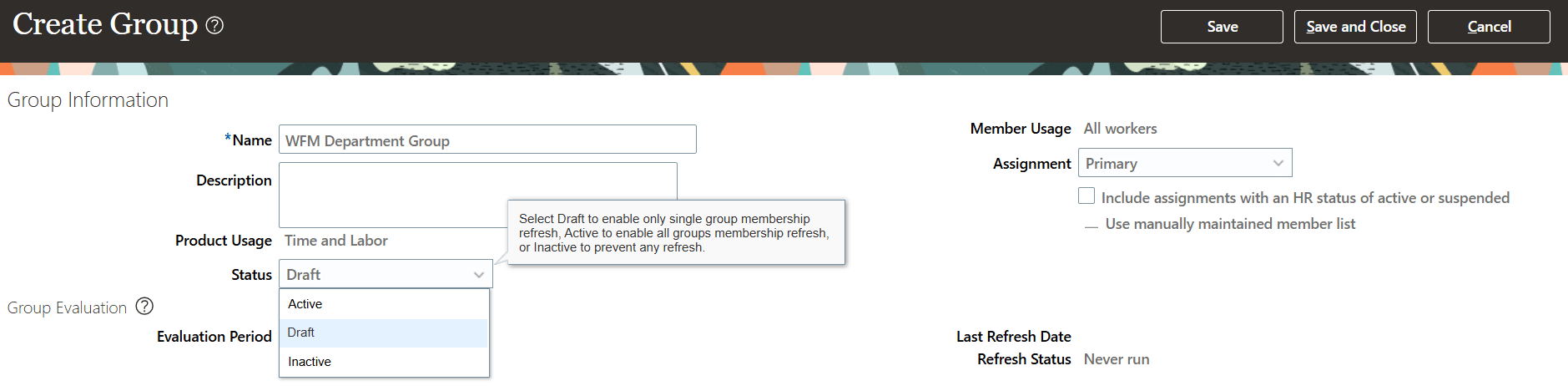
Create Group Page Showing the Status Options
Finally, launching the Evaluate Group Membership process with the full refresh option, you can refresh the group membership for a given group or refresh a person membership to all groups, but can't refresh a person's membership to one specific group only. You can select either the person name or the group parameter. This ensures memberships are accurately maintained for a group when run for a group or the membership of a person is validated across all groups when run for a person name.
These enhancements help time and labor administrators discover all group memberships in one convenient place, even where a person has multiple assignments. Streamlining options and clarifying the status logic make it easier to maintain accurate, up-to-date membership lists, resulting in more consistent group management and reporting.
Steps to enable and configure
Create and update your HCM groups for worker time entry profiles and worker time processing profiles.