Team Schedule Enhancements
The Team Schedule page now helps you see a complete picture of team workforce availability. Recent enhancements introduce two major improvements:
- Unpublished, in-progress shifts now show up along with published ones, so you know what is coming and can track shifts still under review.
- Partial unavailability—such as appointments or training—appears clearly for each worker, making it easier to avoid scheduling conflicts.
You can view details for any shift with a right-click. And event types such as approved absence, pending absences, and in-progress shifts follow a clear color pattern, helping you more easily interpret the team’s schedule.
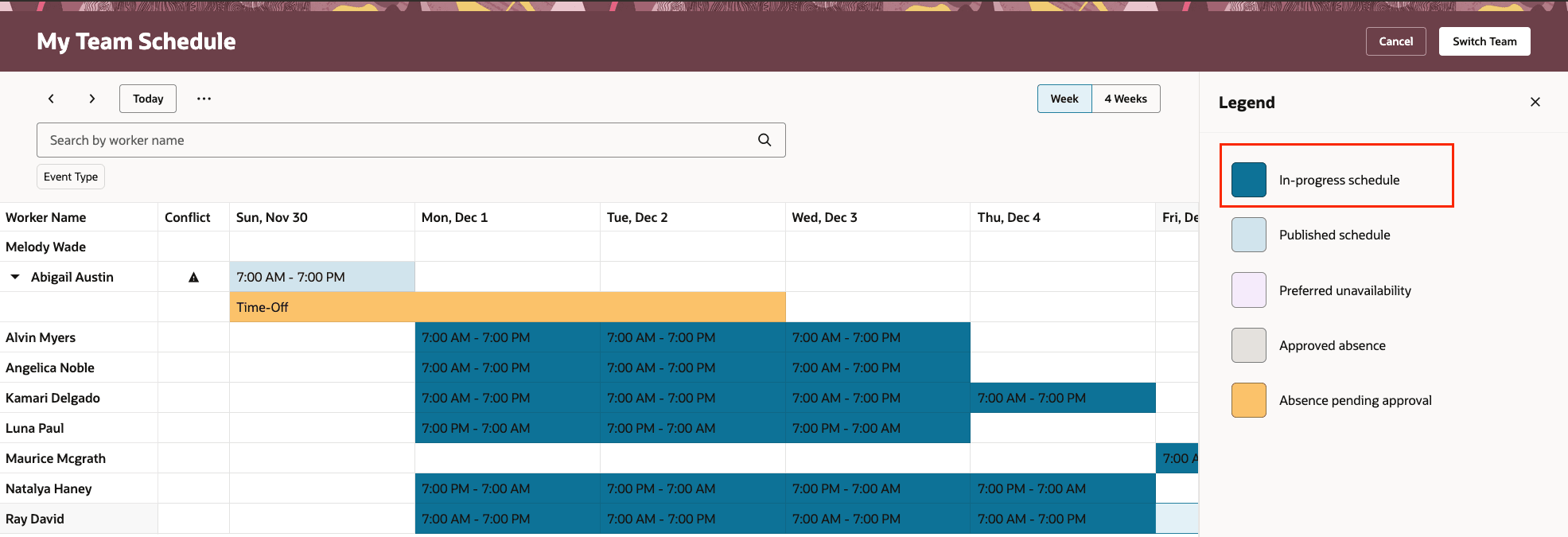
Team Schedule Page Showing In-Progress Schedules
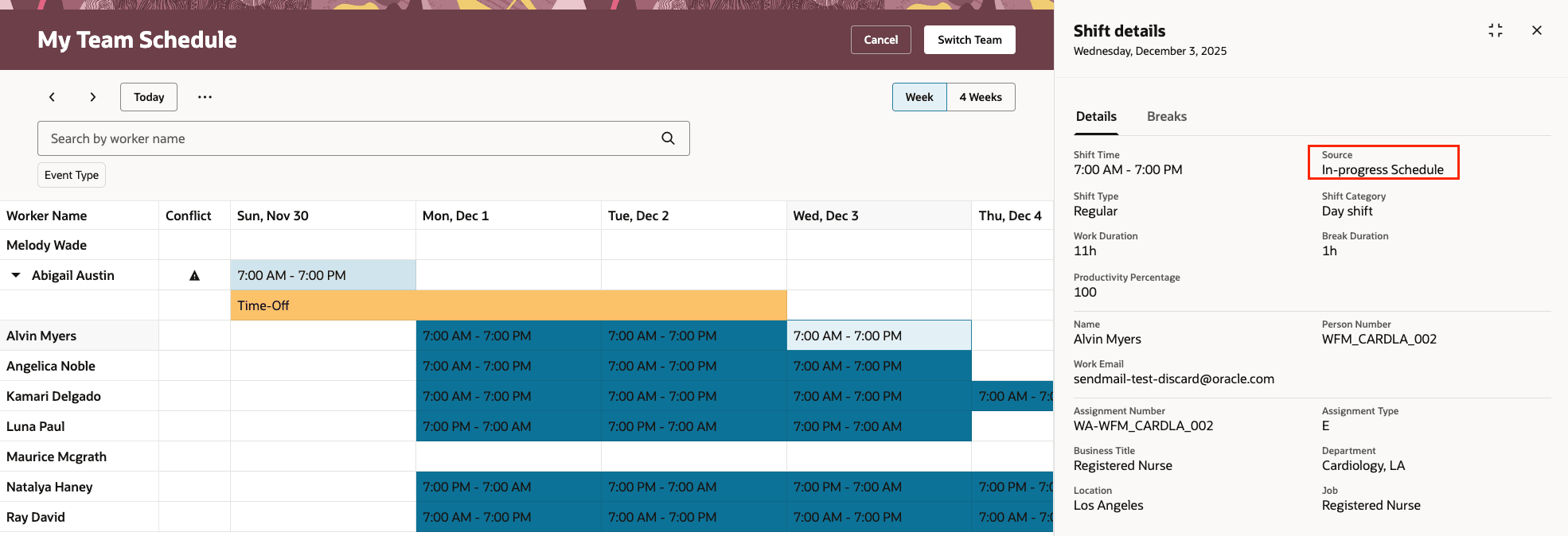
Shift Details Drawer showing In-Progress Schedule as a Shift Source
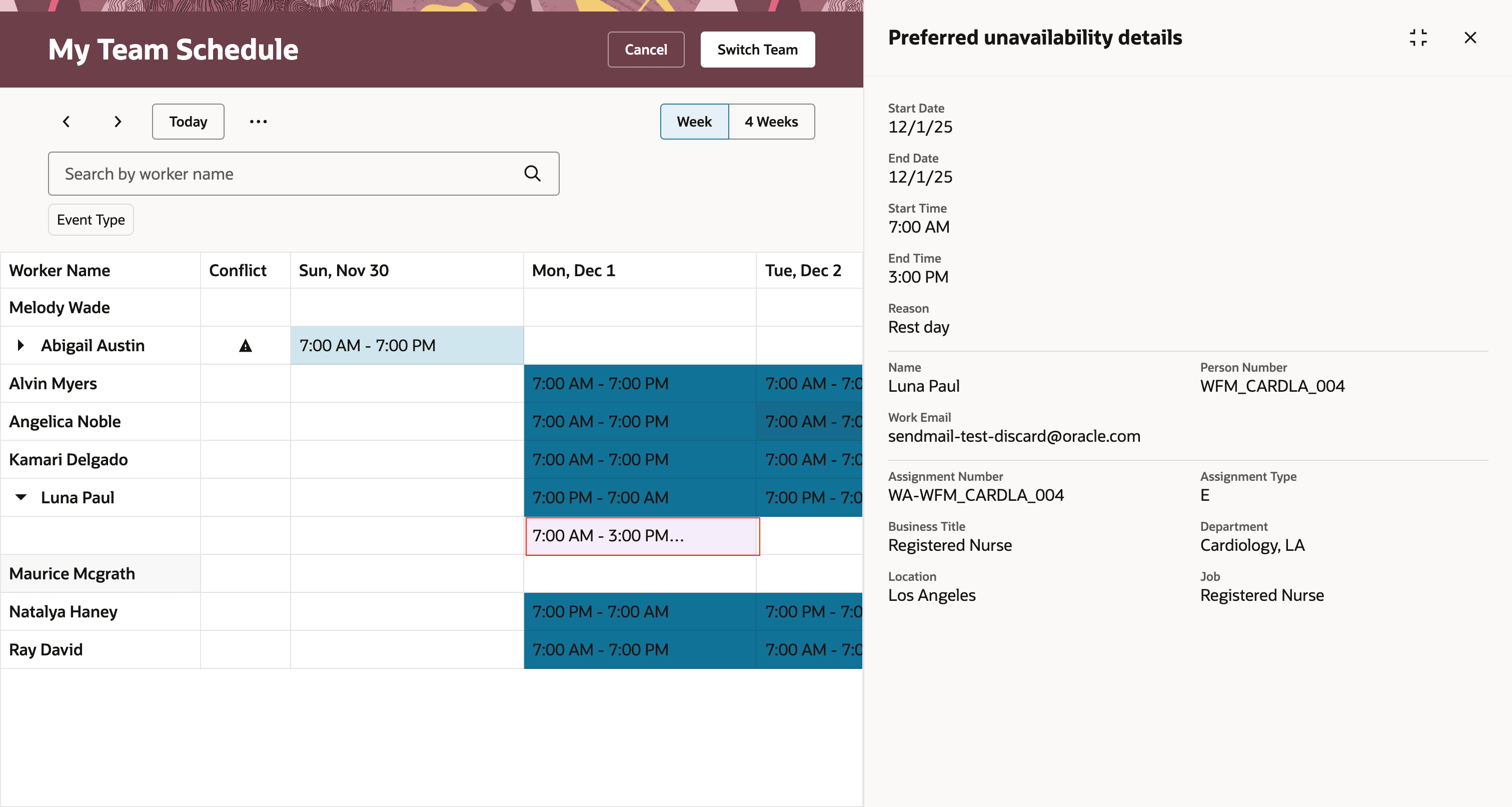
Team Schedule Page Showing Partial Unavailability
This enhancements let managers track draft and final schedules in one place, reduces schedule ambiguity, and ensures partial staff unavailability do not cause conflicts during day-to-day planning.
Steps to enable and configure
You need to configure security. See the Access Requirements section.
Tips and considerations
- Review all shifts—both published and those still in progress—whenever you are building or updating schedules. This practice makes sure you account for everyone’s current and future assignments before sharing a roster with your team.
- Look for events in the Team Schedule that are marked as partially unavailable. These flags alert you to possible conflicts with shift assignments and help respect team members’ personal needs and preferences.
- Event color coding and the layout help you quickly see what is scheduled. Paying attention to these signals keeps your team schedule accurate, fair, and consistent for everyone.
- If there's no published workforce schedule, the period will show in-progress schedules. For days when there's no in-progress schedule, the worker's work pattern will show.
Access requirements
The delivered Line Manager role includes this new privilege. You need to add the privilege to any corresponding custom roles.
| Privilege Name | Code | Description |
|---|---|---|
|
View Team Schedule by Line Manager |
HTS_VIEW_TEAM_SCHEDULE_BY_LINE_MANAGER_PRIV | Allows line manager to view team schedule. |
The delivered Time and Labor Administrator and Time and Labor Manager roles include this new aggregate privilege. You need to add the privilege to any equivalent custom roles and regenerate your data roles.
| Privilege Name | Code | Description |
|---|---|---|
| View Team Schedule by Time and Labor Manager | ORA_HTS_VIEW_TEAM_SCHEDULE_BY_TIME_AND_LABOR_MANAGER | Allows time and labor managers to view team schedules. |