Flexible Swap Dates and Unavailability Display for Shift Swaps and Covers
You can now pick any date range in the scheduling period--instead of just the week with the shift that you're swapping--so you can find more matching options with coworkers. Real-time indicators surface both your own unavailability and that of other team members before you submit a request, so you know about conflicts ahead of time.
Here’s an overview of the updates:
- Date ranges: Pick any dates between the schedule period start date (or today, if later) and the schedule period end date. You can adjust the dates as needed to explore a broader list of options..
- Real-time unavailability displays:
- Before you request a swap, you can see your own unavailability that overlaps with shifts you might get
- When you ask a coworker to cover your shift, you’ll see their unavailability for any part of that shift, including partial or overnight overlap.
- Labels like You're unavailable 7:00 AM to 7:00 PM appear so you can spot the best days and colleagues to approach.
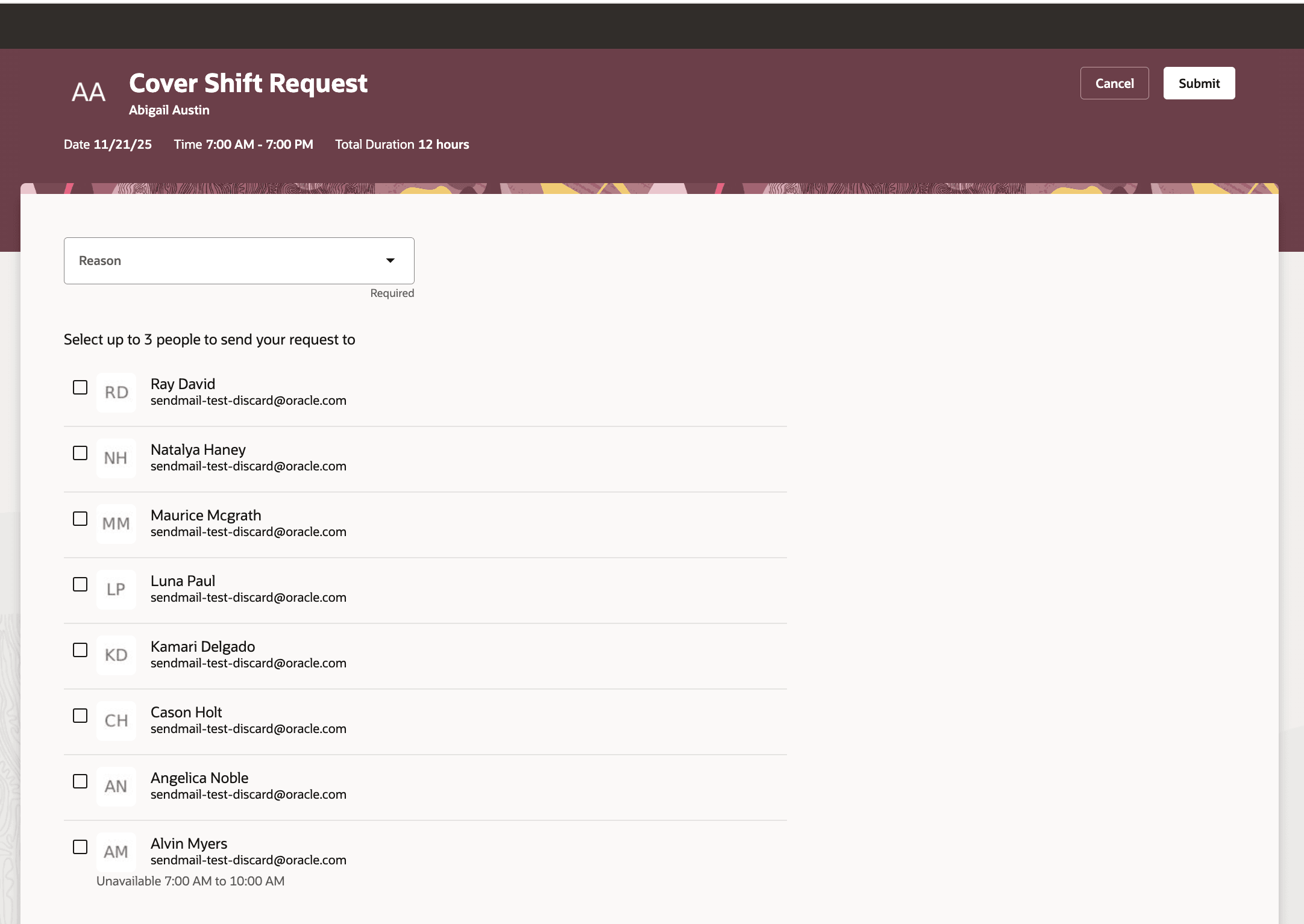
Cover Shift Request Showing Unavailability for 1 Coworker
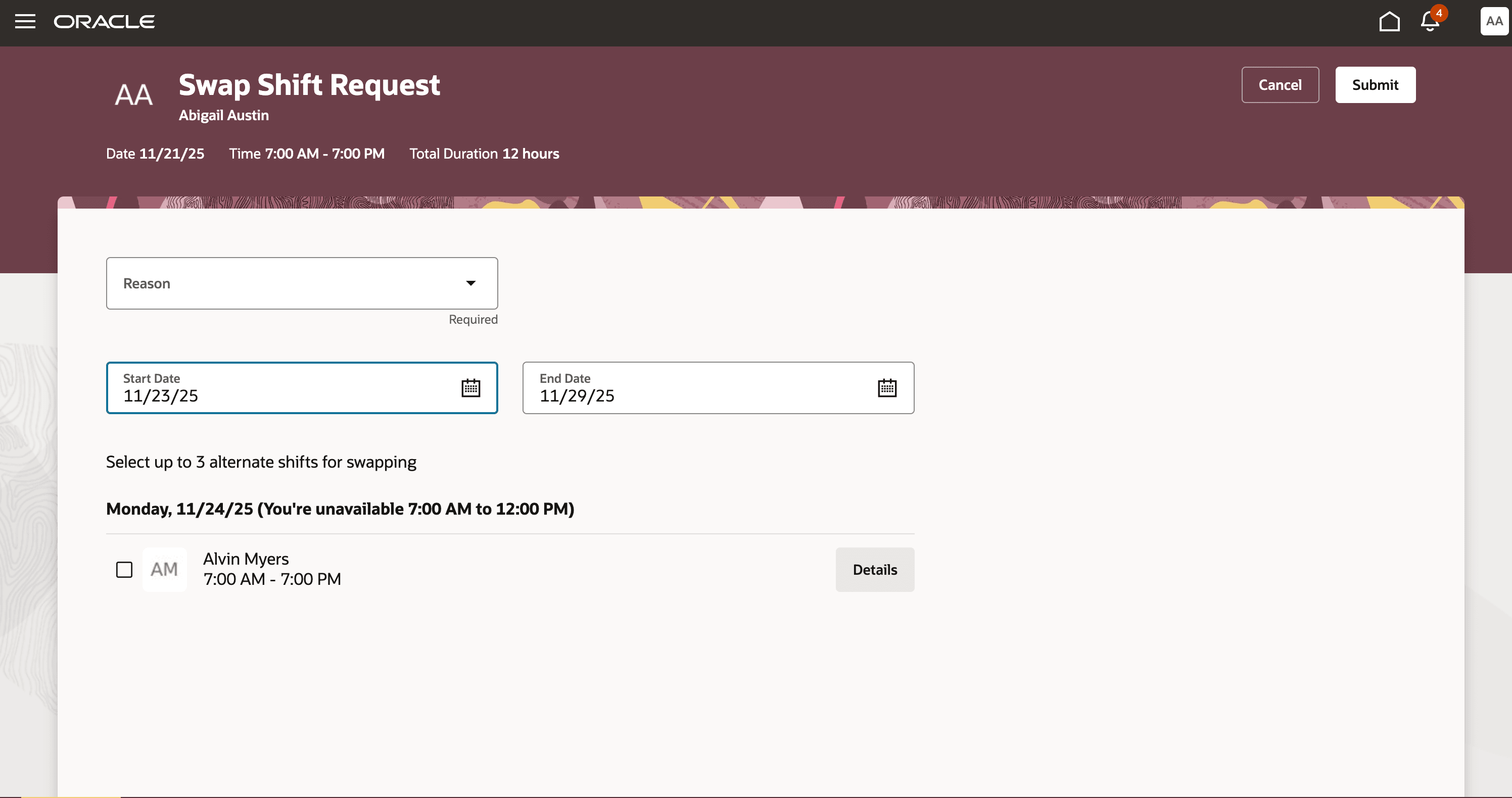
Swap Shift Request Showing the Requestor's Unavailability Overlapping with a Potential Shift
This enhancement gives workers greater control over their schedules. It improves the success rate of shift swaps and covers by revealing key unavailability in real time. Workers can handle their own adjustments more efficiently, reducing unnecessary manager involvement and achieving better work-life balance.
Steps to enable and configure
You don't need to do anything to enable this feature.
Tips and considerations
- Only coworkers with qualified access and compatible schedules appear as potential swap or cover candidates.
- Stay proactive—early swap requests are more likely to succeed!
Key resources
For more workforce management resources, see Oracle HCM Cloud Readiness documentation.
Access requirements
To use this feature, workers need existing permissions to request shift swaps and covers. No extra privileges are required—the enhanced features are ready for everyone who can already use the shift swap and cover functionality.