View Absence Bids on Your Calendar
You can now view your submitted absence bids directly on your personal calendar alongside your regular shifts. And you're automatically prevented from doing any shift actions that conflict with pending absence requests.
- View submitted absence bids alongside scheduled shifts on your calendar.
- View details for each bid in the calendar drawer, including bid preference and status.
- Approved absence bids automatically update to regular absences; rejected bids disappear from the calendar, and those needing action remain visible for fixes and resubmission.
- Automatic validations make sure you can’t request coverage from or swap shifts with coworkers if their pending absence bids overlap with your offered shift.
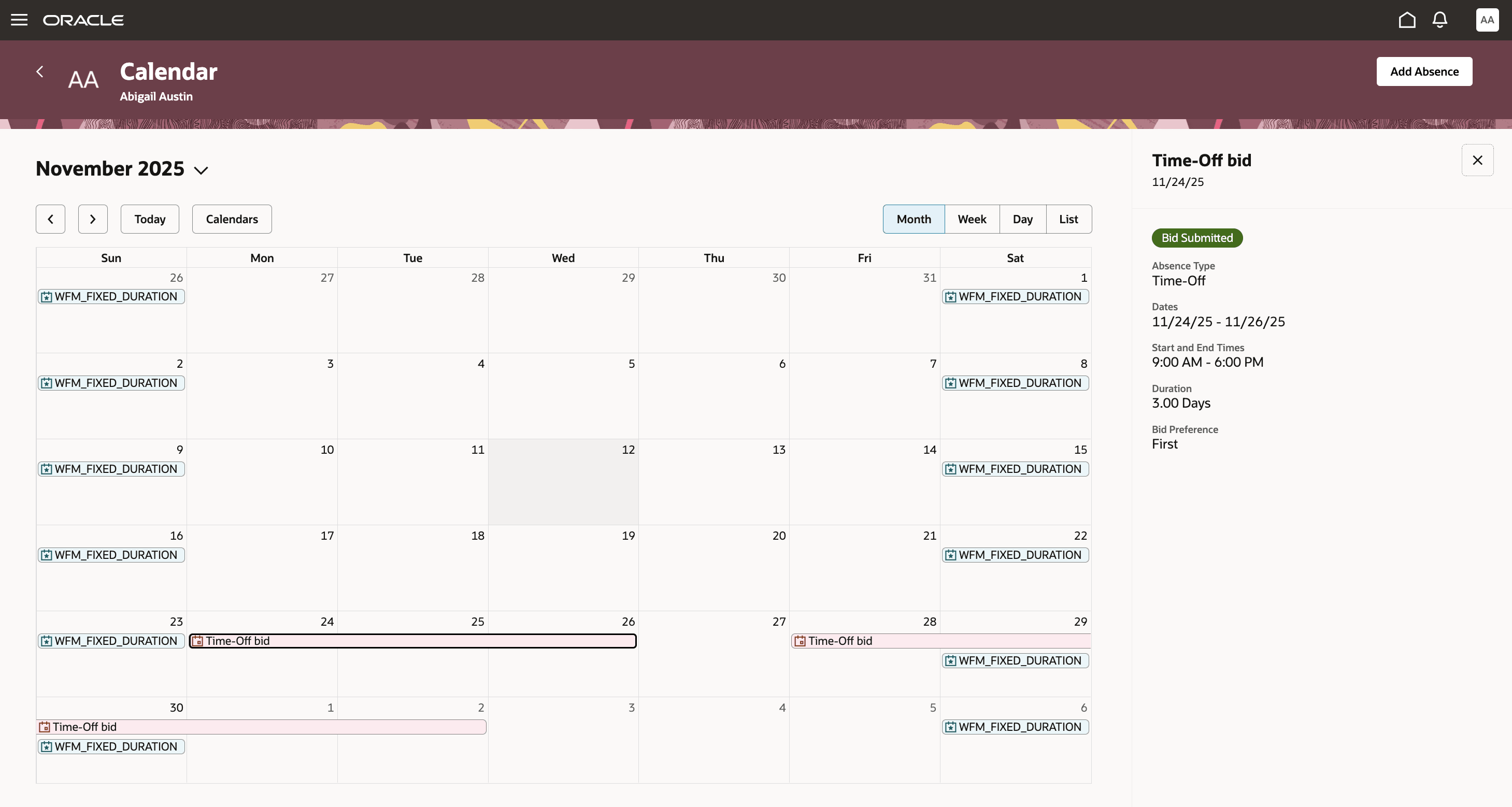
Worker's Personal Calendar Showing Absence Bids and Bid Details Drawer
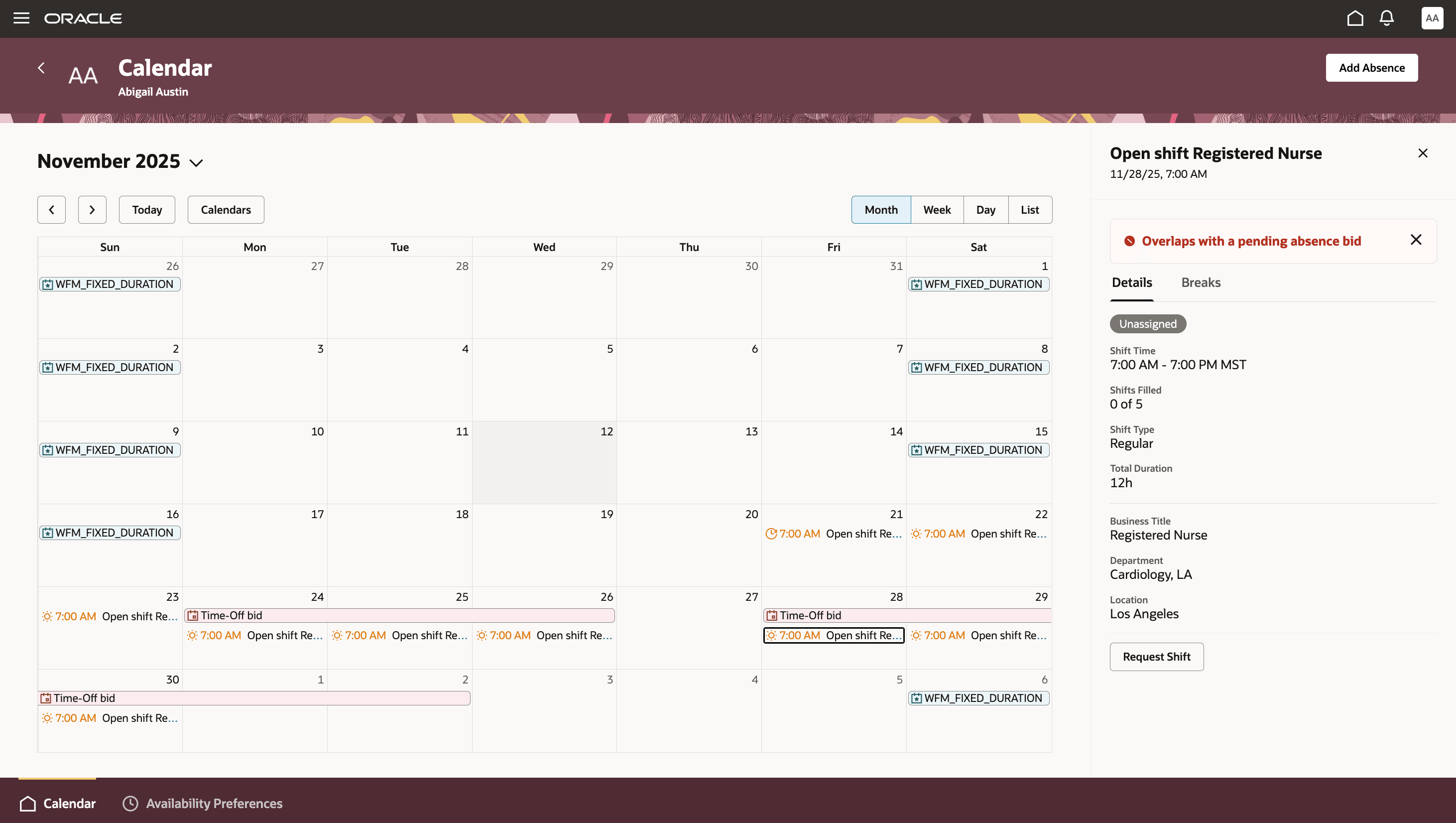
Worker's Personal Calendar Showing How They Can't Request an Open Shift Because It Overlaps with a Pending Absence Bid
This improvement helps workers avoid scheduling mistakes by keeping all absence bids visible in one place and by preventing shift actions that may overlap with those bids. It supports a smoother, more accurate scheduling process and reduces confusion or double-booking. Workers and managers both gain clearer, real-time insight into who is available.
Steps to enable and configure
You don't need to do anything to enable this feature.
Key resources
For more information about absence management and worker scheduling, see this resource in the Oracle Fusion Cloud HCM documentation:
Access requirements
- Standard worker access is sufficient—if you already request absences or swap shifts, you will have this feature automatically.
- No special permissions are needed beyond current scheduling and absence request access.