Life Event Name Displayed in the Redwood Benefits Enrollment Guided Flow
You can now display the life event name directly within the Redwood Benefits Enrollment guided flow. This feature ensures that users can clearly see which life event is associated with their current benefits enrollment. Administrators can easily enable this capability using a simple true or false constant in Visual Builder Studio.
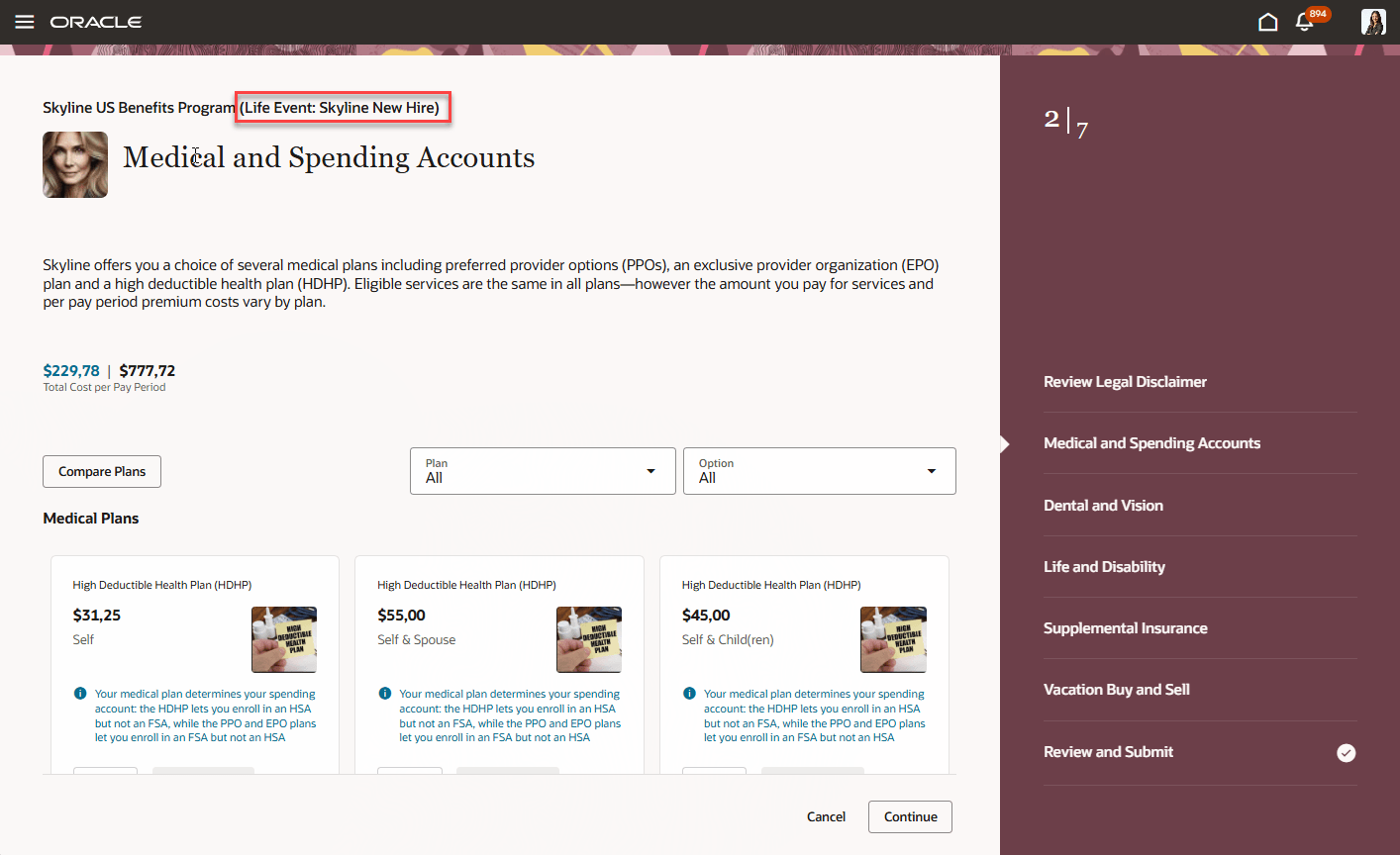
Self-Service Benefits Guided Enrollment Flow
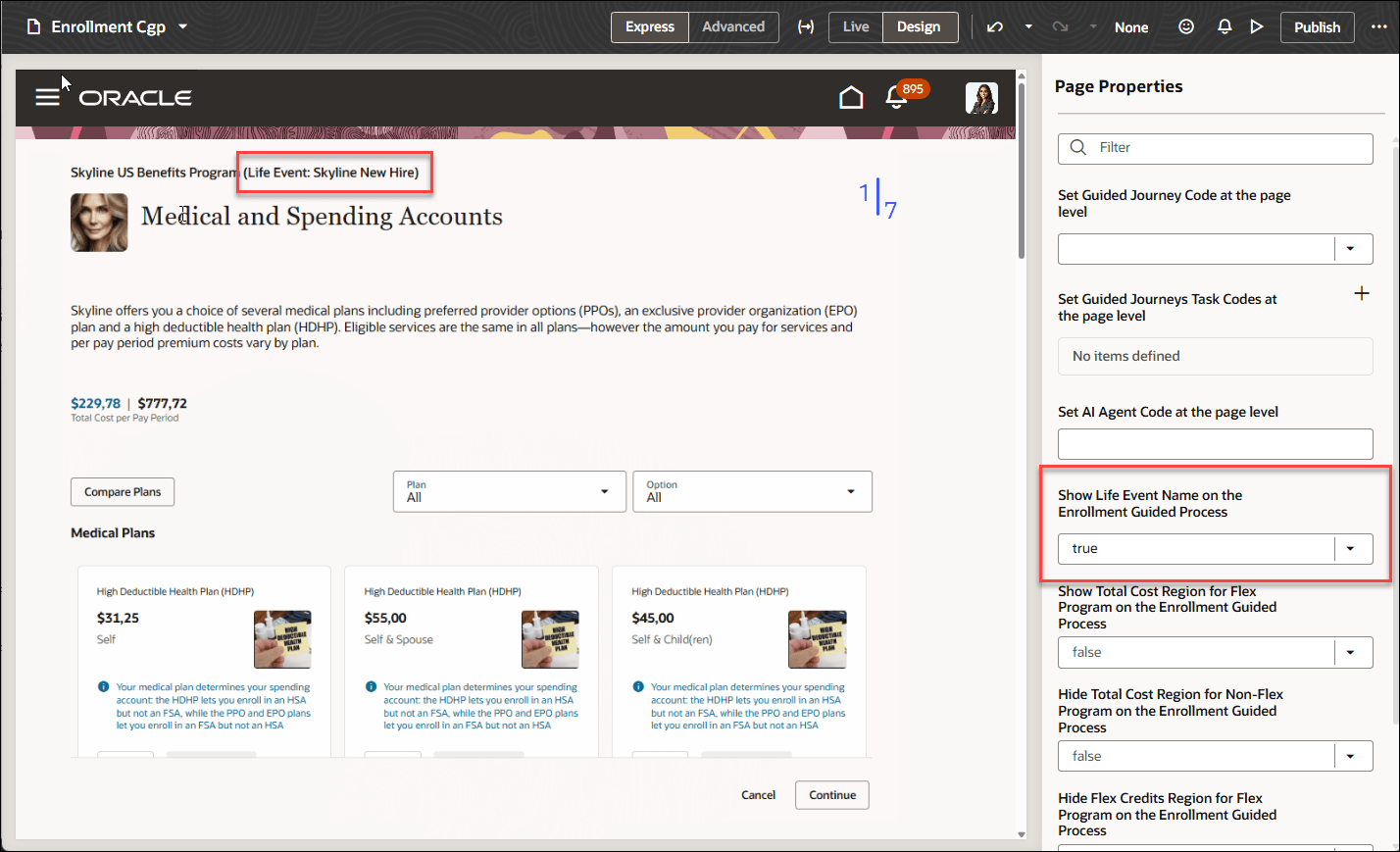
Visual Builder Studio - Show Life Event on the Enrollment Guided Process
This feature provides clear contextual guidance by displaying the relevant life event name during the enrollment process, ensuring employees understand the reason for their benefit changes, reducing confusion and supporting more accurate selections throughout the enrollment process.
Steps to enable and configure
You need to configure security to use this feature. See the Access Requirements section.
How do I adopt Redwood for Benefits?
How do I enable a profile option?
Extending Redwood Applications for HCM and SCM Using Visual Builder Studio
Tips and considerations
- The constant defaults to false.
- When enabled, name appears for all life events.
Key resources
- Administering Visual Builder Studio
- Start Here- Learning opportunities to get started with Benefits Redwood Adoption
Access requirements
To use Visual Builder Studio, ensure that your user account is linked to this job role:
- Application Implementation Consultant (ORA_ASM_APPLICATION_IMPLEMENTATION_CONSULTANT_JOB)
As an administrator, you must have certain privileges to assign the necessary roles:
-
- These privileges are required for everyone who assigns Oracle Cloud Applications roles to their users:
- Cloud administrator
- Service administrator
- Application administrator
- In Oracle Identity Cloud Service (IDCS), you must have either an Identity Domain Administrator or User Administrator role. You only need these roles if IDCS role synchronization has been turned off and you need to assign the VB Studio IDCS roles manually.
- These privileges are required for everyone who assigns Oracle Cloud Applications roles to their users:
This table shows the mapping between the VB Studio IDCS roles and the Oracle Cloud Application roles:
| Oracle Cloud Application Role | VB Studio IDCS Role |
|---|---|
|
VB Studio administrator (DEVELOPER_ADMINISTRATOR) |
|
VB Studio user (DEVELOPER_USER) |