Atom Feeds for Benefits Enrollments
Atom feeds enable you to keep track of any changes made to feed-enabled resources in Oracle HCM Cloud. Atom feeds are now available for these Benefits Redwood pages and actions:
- Self-service benefits home page.
- Self-Service enrollment journey page.
- Enroll in benefits that matters to you step on the Self-service enrollment journey page.
- Elections guided journey pages of self-service enrollment and Benefits Activity Center.
- Successful submission of elections in self-service pages and Benefits Activity Center.
For these Redwood pages and actions, person context, logged-in user details, and additional details will be captured.
For any updates that might be of interest for downstream applications, such as new hires, terminations, employee transfers, and promotions, Oracle HCM Cloud publishes Atom feeds. Your applications will be able to read these feeds and take appropriate action.
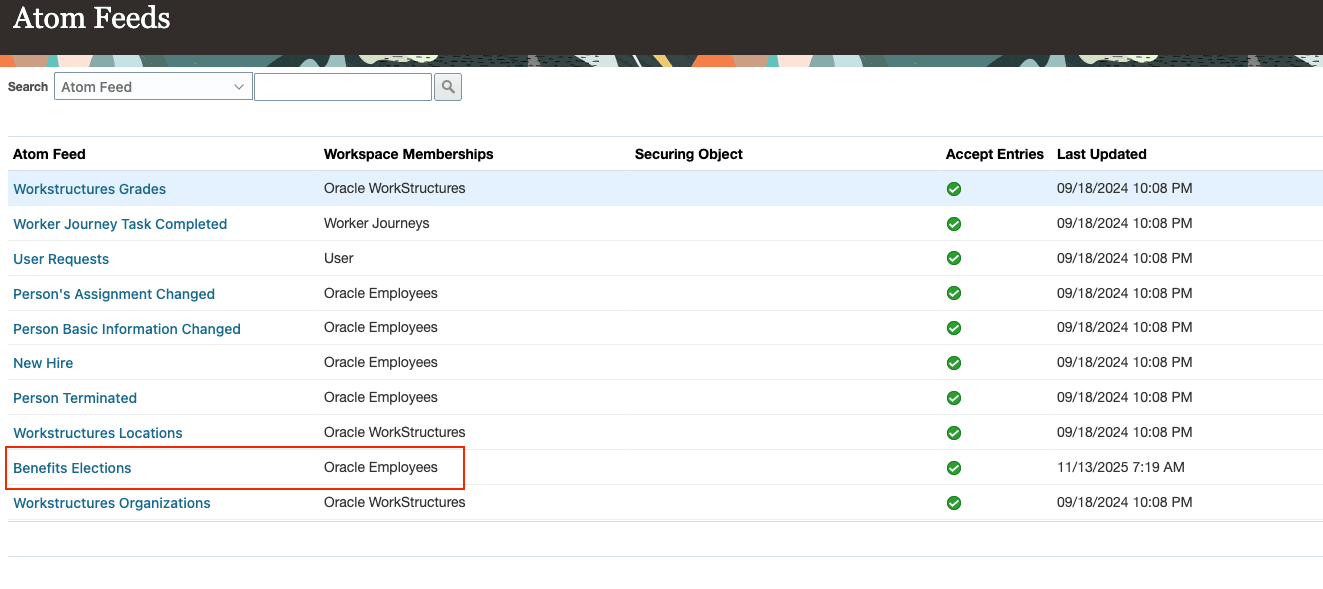
HCM Atom Feeds Page
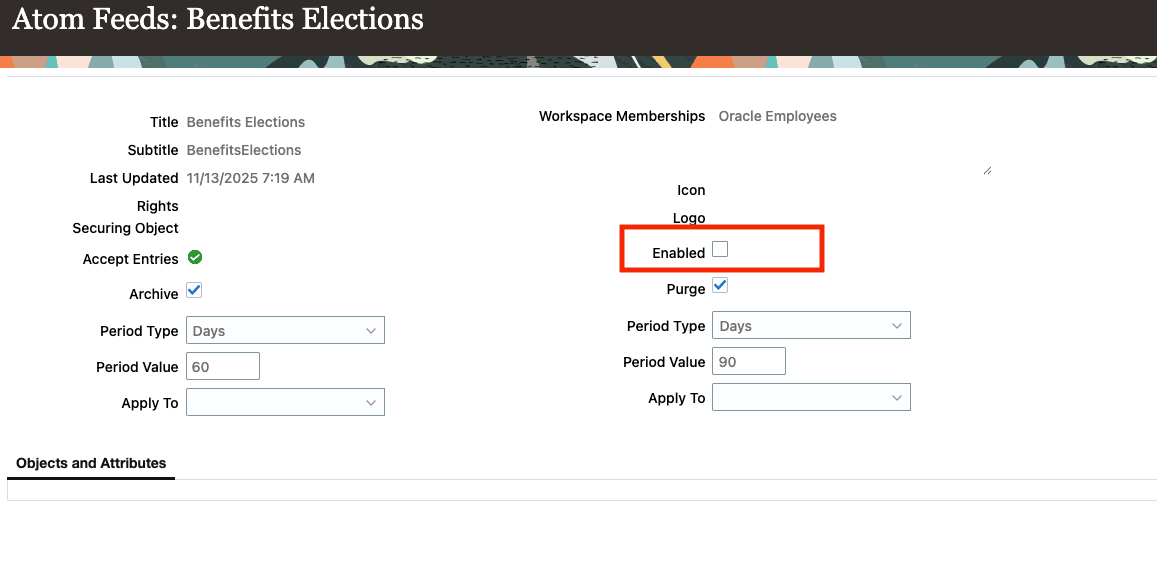
Benefits Elections Atom Feed
This enhancement supports several critical business scenarios, such as:
- Tracking of enrollment submission timing: Employers want timely insights into which employees have submitted their benefits elections during key periods, such as the first week of open enrollment, supporting proactive communication and compliance initiatives.
- Change comparison year-over-year: Quickly identify what changes an employee has made in their benefits selections compared to the prior year. For example, newly added dependents, increased coverage levels, or dropped plans.
- Monitoring inactivity: Identify employees who haven’t taken any action during the open enrollment window to provide targeted reminders and ensure maximum participation.
Steps to enable and configure
By default, feeds are not enabled for the Benefits elections. You must enable feeds to opt-in for this feature. Changes on the Objects and Attributes tabs are not supported for Benefits elections feed.
Here are the steps to configure the atom feeds:
Ensure that you have the Manage Atom Feeds privilege HRC_MANAGE_ATOM_FEEDS_PRIV
-
Navigate to the Manage HCM Atom Feeds task in the Setup and Maintenance work area.
-
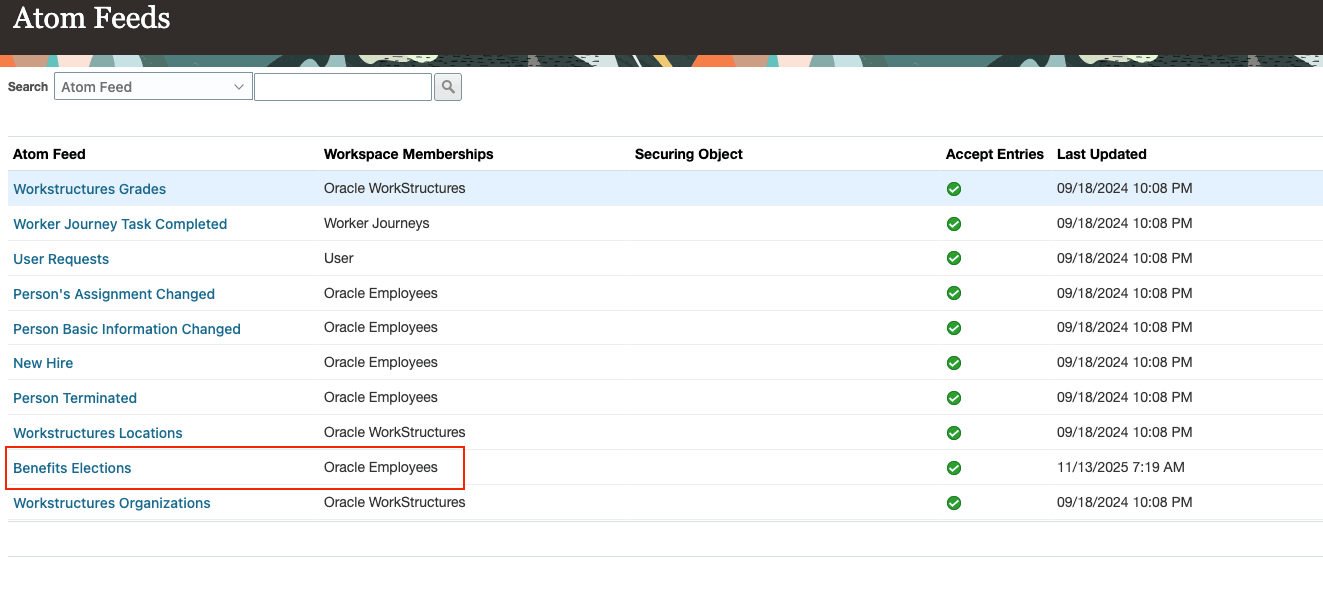
Select the Benefits Elections atom feed.
-
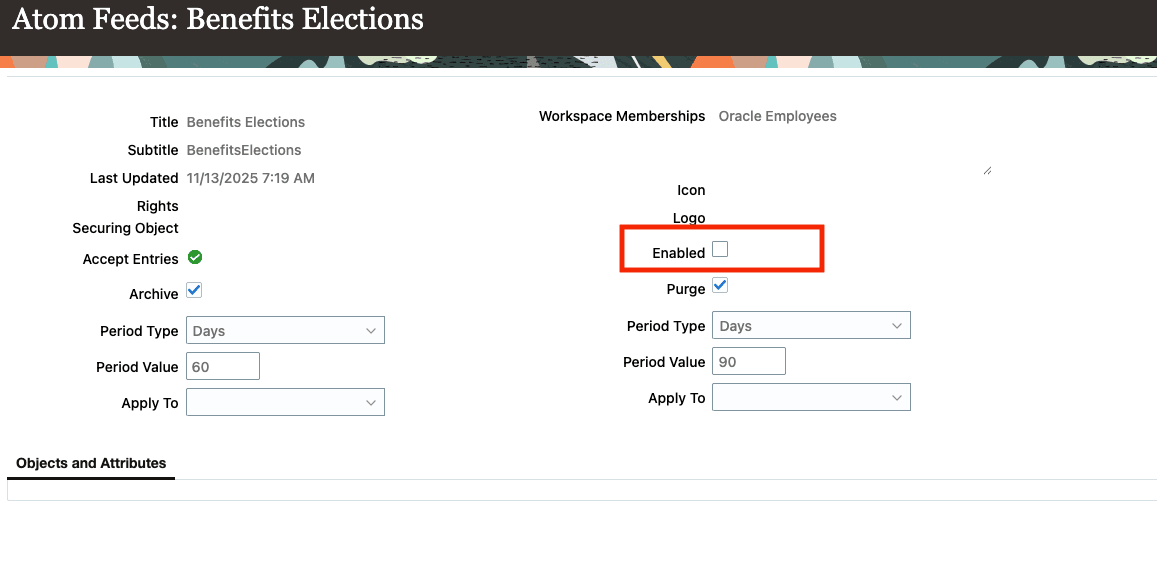
To enable or disable the feed, select or clear the Enabled check box.
-
Save your changes.
How do I access Benefits elections atom feeds?
Archive and Purge Settings for Benefits Elections feed
To run the process on a single collection, provide the fully qualified name of the collection to be purged, such as employee/benefitsElections.
For more information on managing archive and purge settings, see the Atom Feeds chapter in REST API for Oracle Fusion Cloud HCM.
Atom Feeds
Atom Feeds
Key resources
For more information on Read, Navigate, and Poll actions, see the Atom Feeds chapter in REST API for Oracle Fusion Cloud HCM
Access requirements
Ready-to-use access has been granted to the HCM Integration Specialist role to allow access to the Atom feeds.
To access this feature, you need the following privilege and roles:
ORA_BEN_REST_SERVICE_ACCESS_BENEFIT_ENROLLMENTS_RO (Use REST Service - Benefit Enrollments Read Only.
More Information
REST API for Oracle Fusion Cloud HCM