Personal Contribution AI Agent
Employees can now use the AI Agent to enroll in new personal contributions. They can contribute to eligible plans and options, view current and future contribution details, and start new contributions in accordance with plan rules and organizational policies.
Submitted personal contributions are routed for approval. Based on your configuration, employees may also be allowed to submit additional contributions while a prior request is still pending approval.
Here are a few interaction snapshots with the AI Agent:
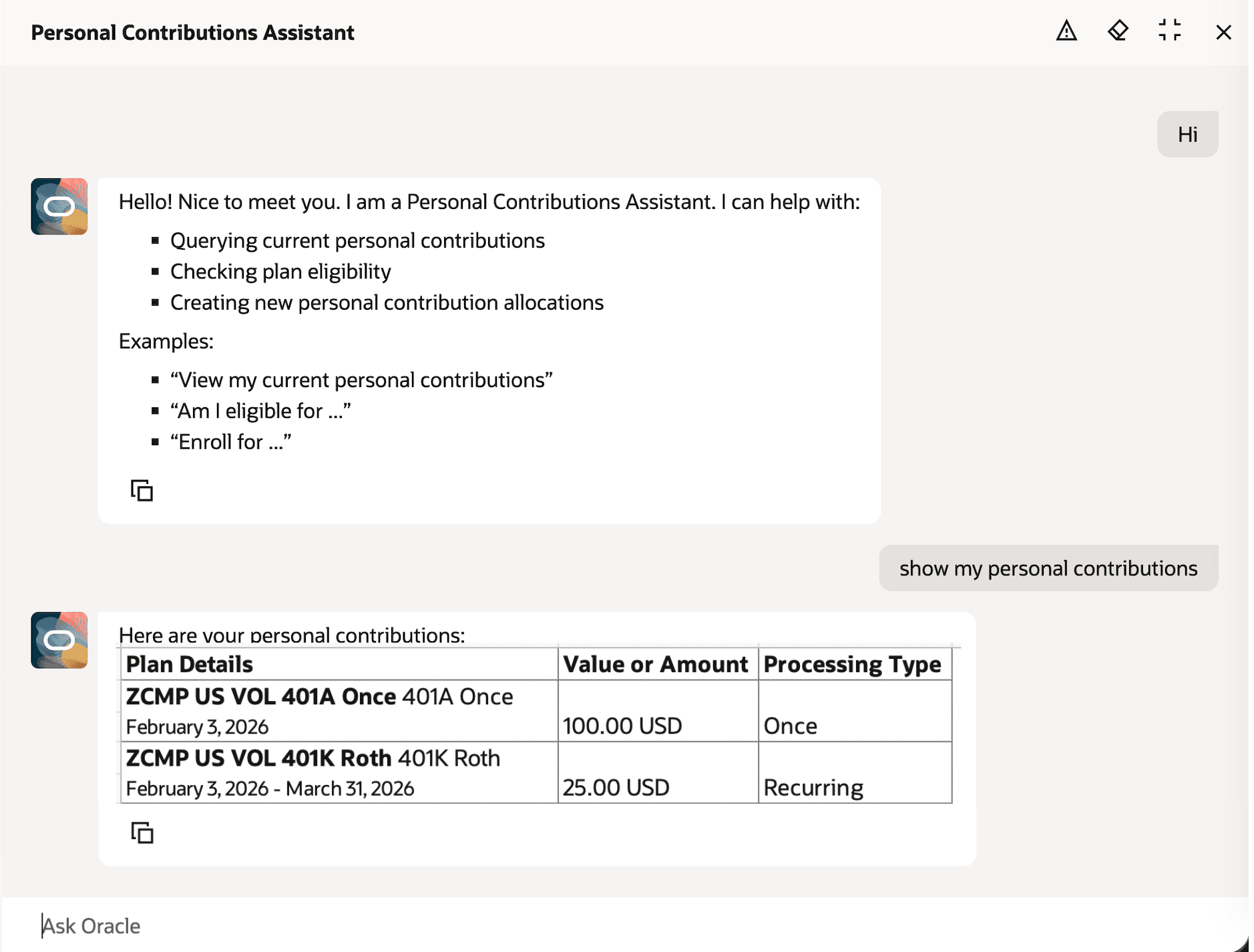
AI Agent Showing Current Personal Contributions
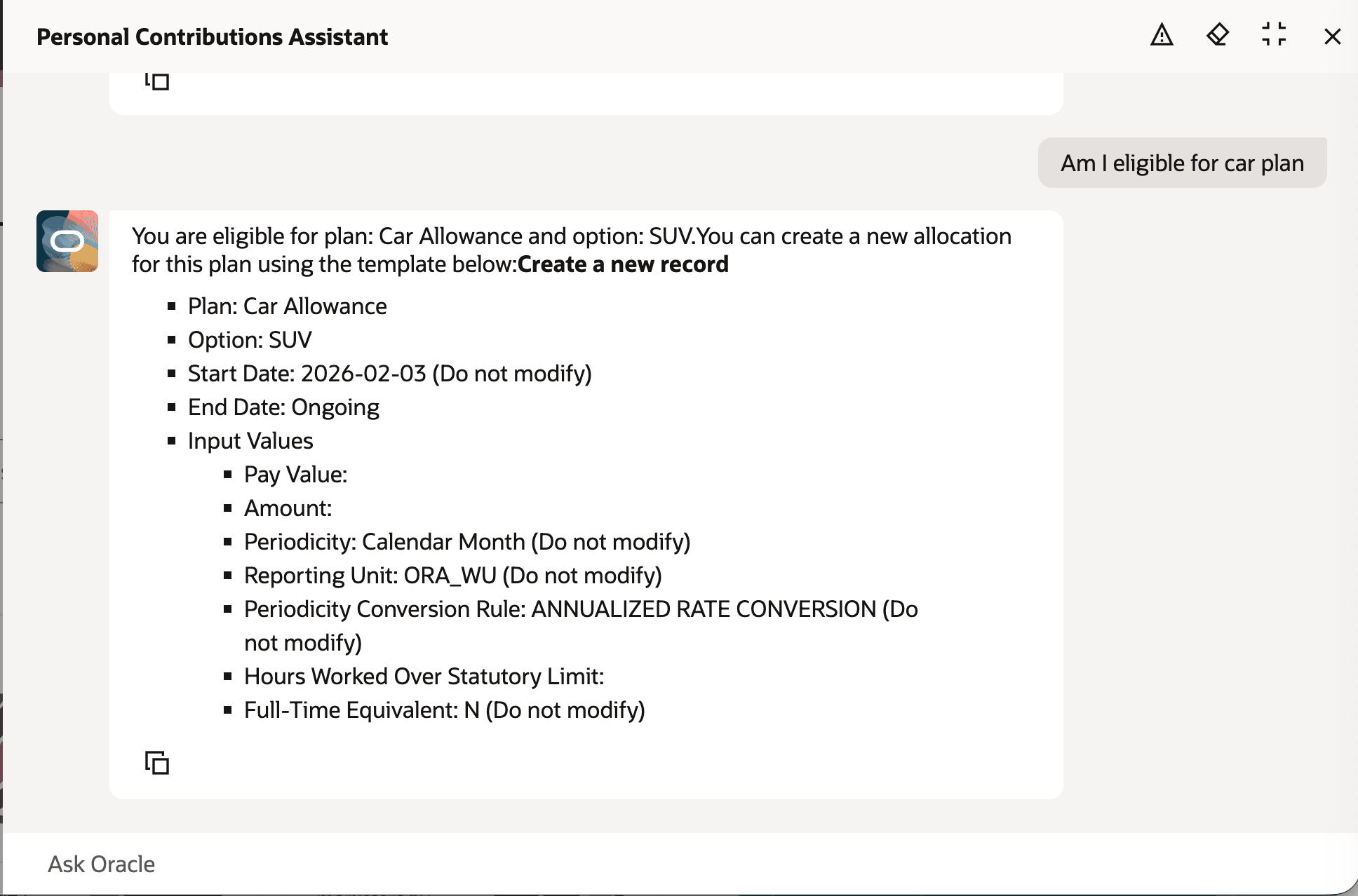
AI Agent Checking Eligibility and Providing Template for New Allocation
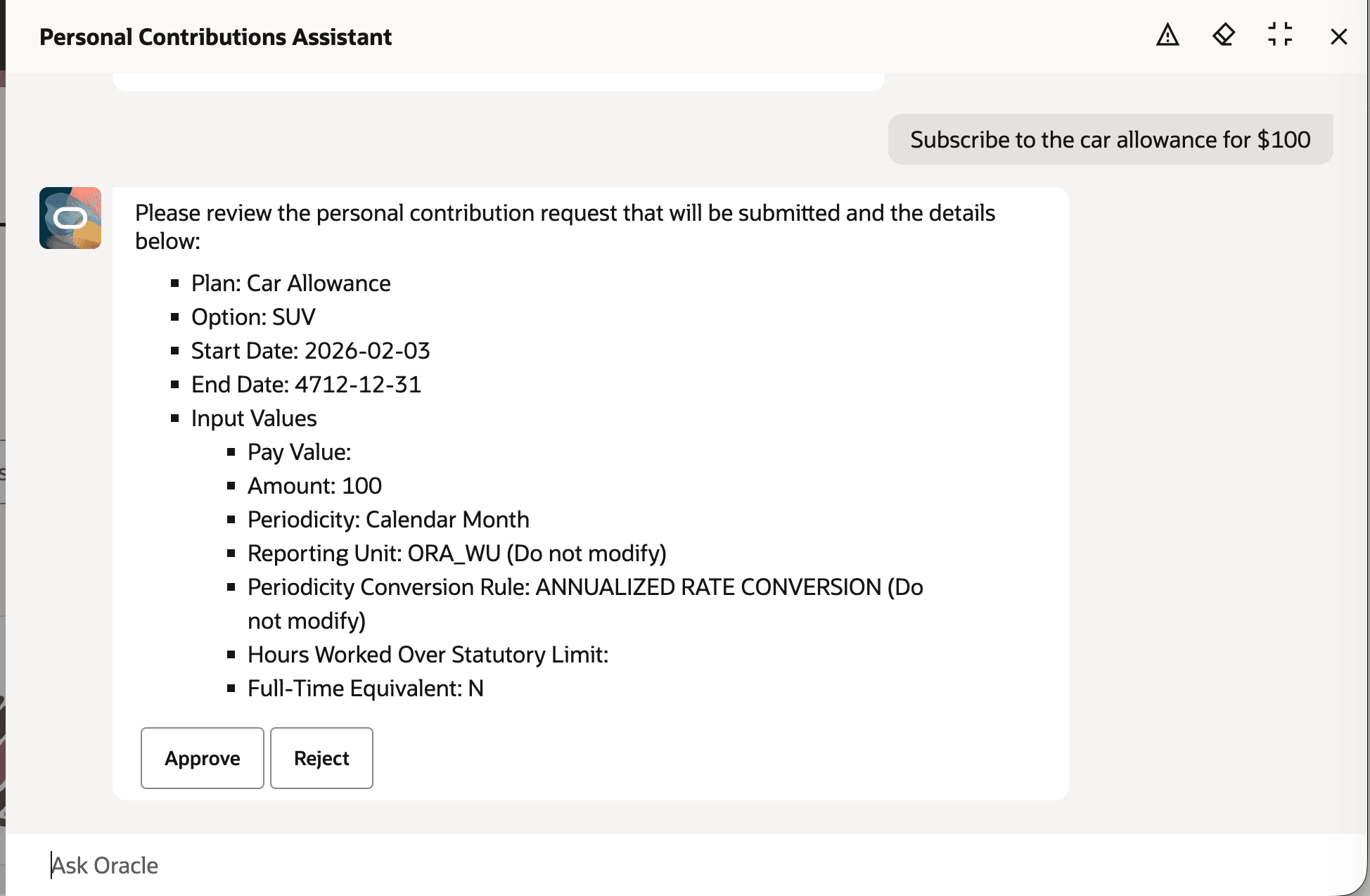
AI Agent seeking Approval to Submit Car Allowance Plan Enrolment
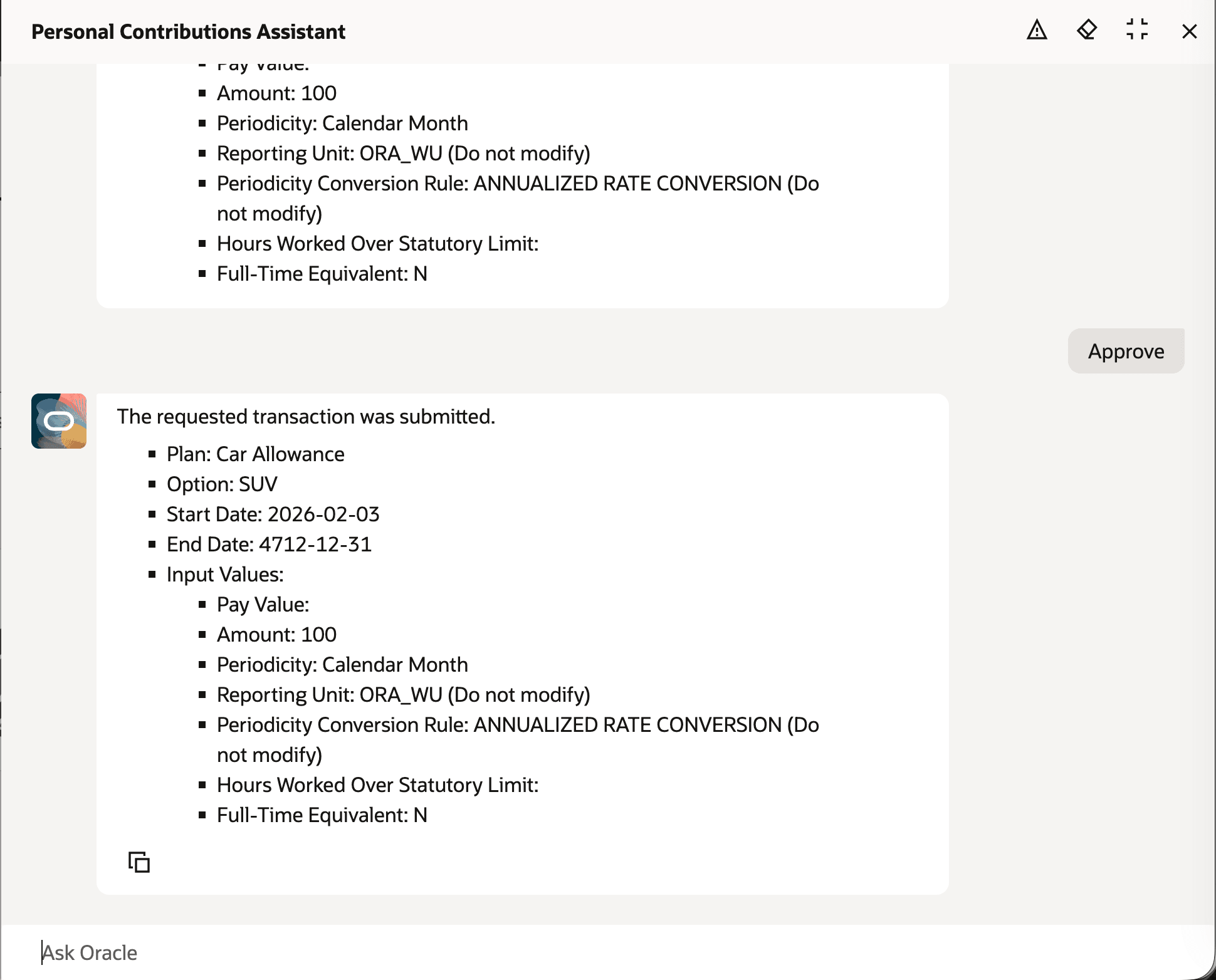
AI Agent Confirmation after Submission
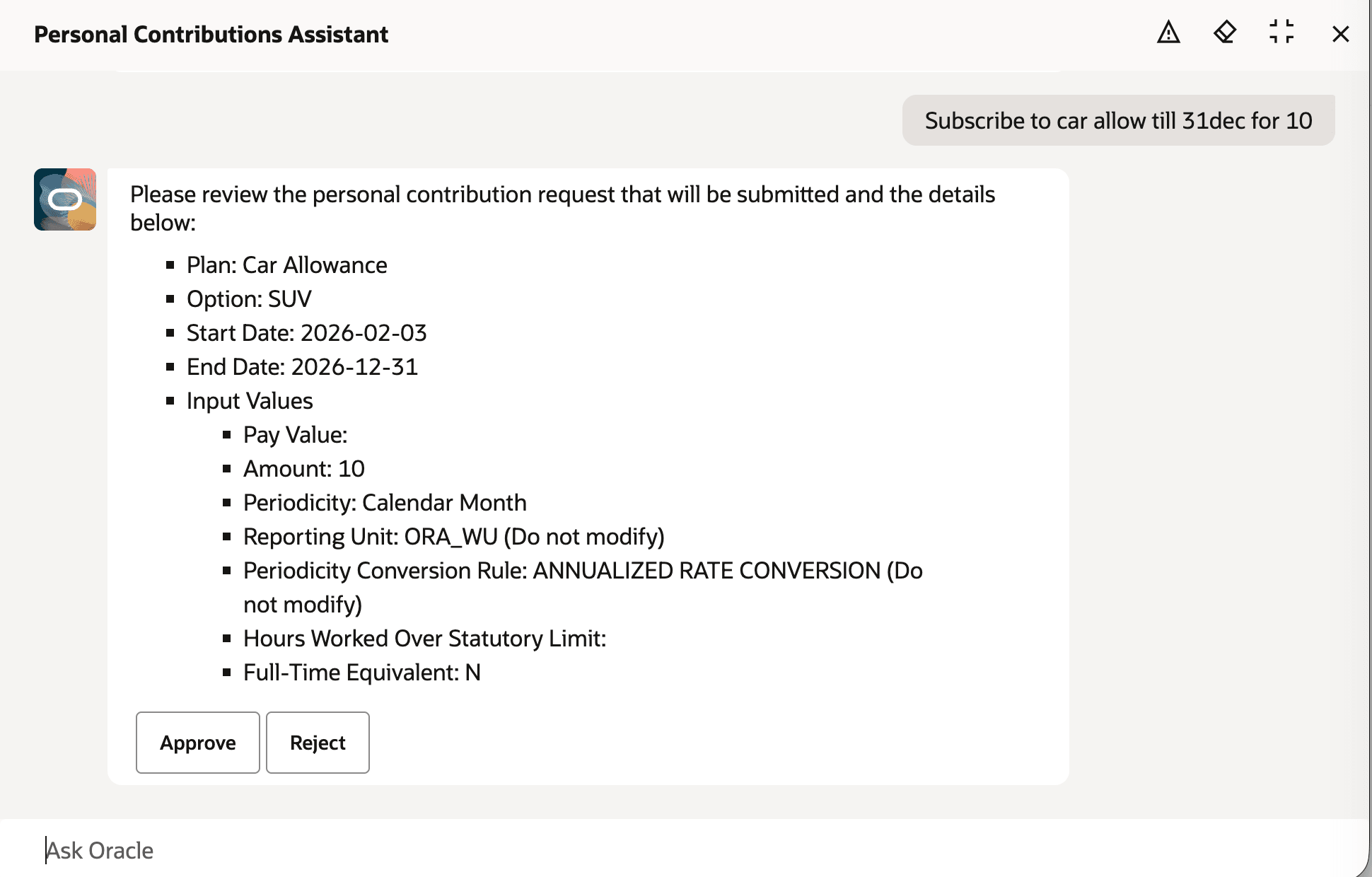
AI Agent Mapping the End Date
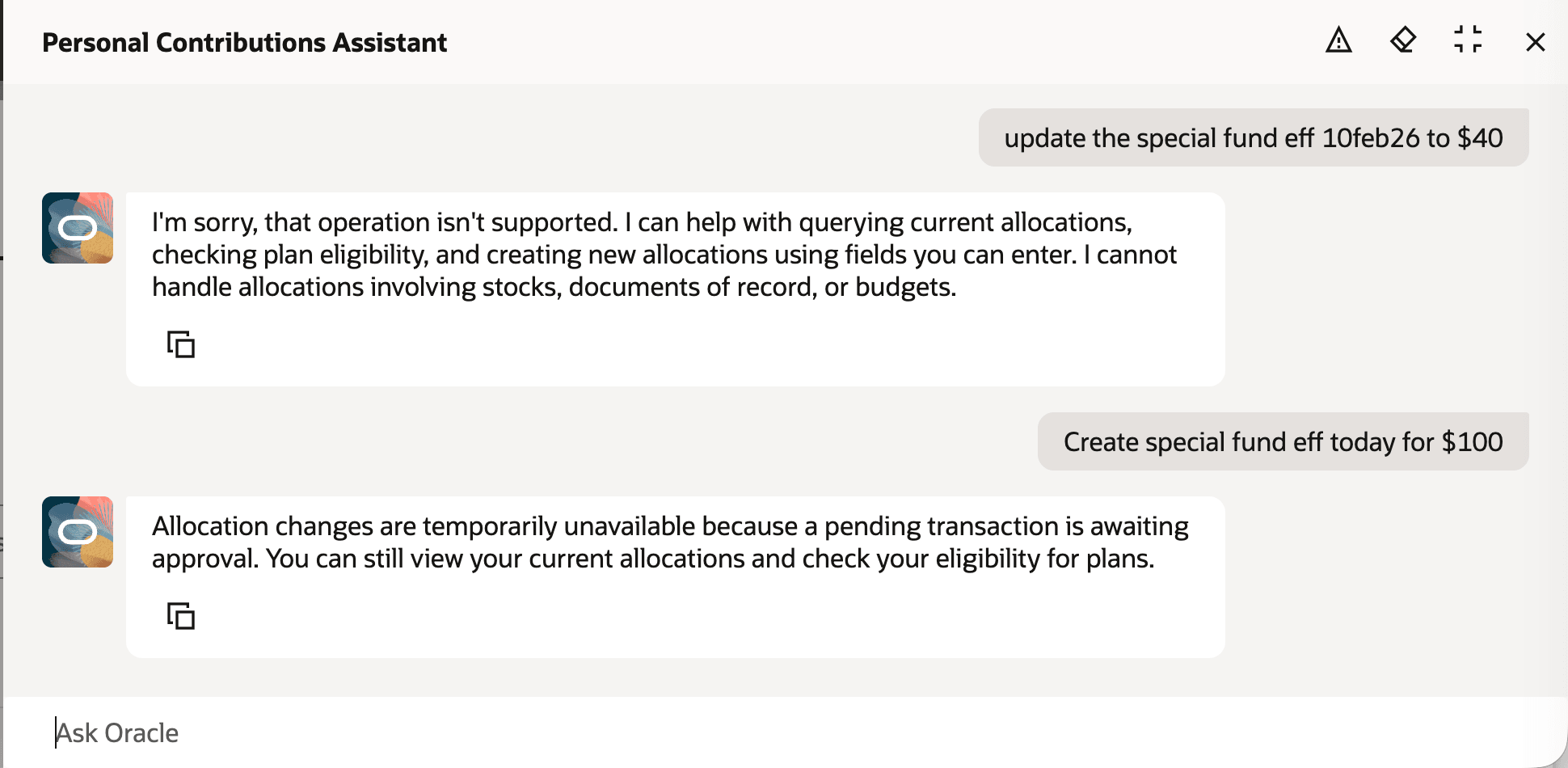
Messages for Unsupported or Unavailable Situation
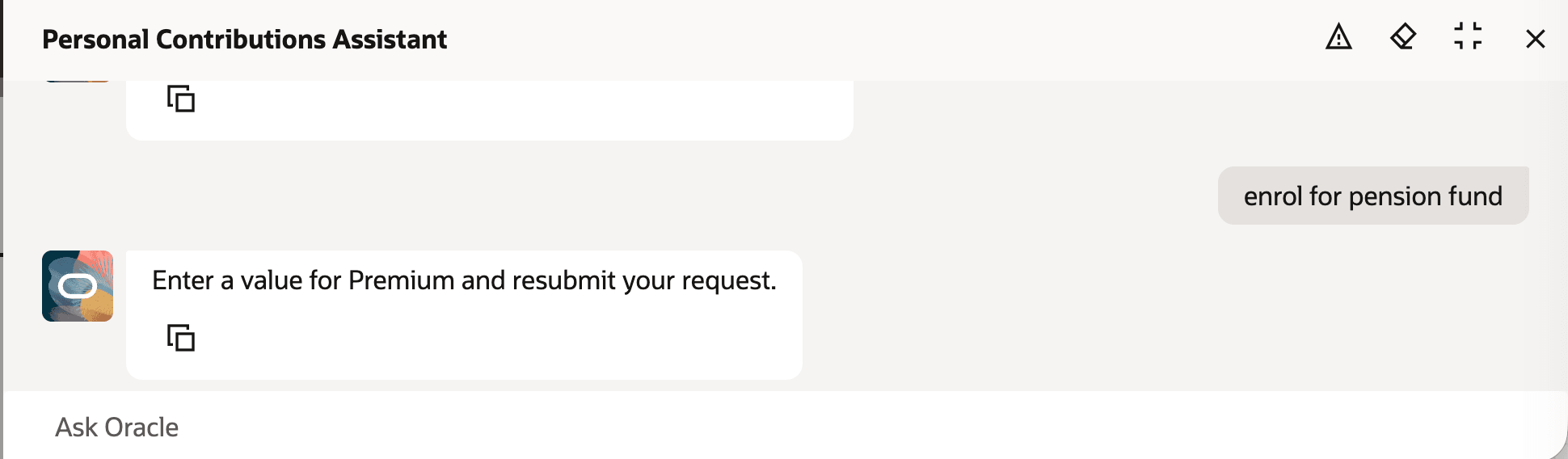
AI Agent Enforcing Mandatory Input Values
Creates a smarter, more intuitive experience that elevates productivity and quality.
Steps to enable and configure
- Your environment must have certain necessary configurations. Ask your help desk to contact Oracle Support, who can verify what your environment has and address any gaps. For more information, see FAQ2521 on My Oracle Cloud Support.
- Set the Enable Security Console External Application Integration (ORA_ASE_SAS_INTEGRATION_ENABLED) profile option to Yes and enable permission groups for the appropriate roles. See Access Requirements for AI Agent Studio.
- To learn how to set up AI agents, see Create AI Agents Using Preconfigured Agent Team Templates.
Tips and considerations
- The agent processes requests exclusively for an employee’s primary assignment; secondary, concurrent, or temporary assignments aren't supported at this time.
- Creation of a Personal Contribution (PC) is limited to only one Plan and Option per request, with no support for multiple contributions or for correction, update, or deletion of previous contributions.
- Only one new contribution subscription can be created for a specific Plan and Option per request, and batch creation of multiple subscriptions isn't available.
- Only current and future contributions are viewable; viewing past allocations isn't supported.
- Only input values configured for entry can be initialized by the agent interaction. Default values will be used to initialize input values dependent on value objects (VOs), lookups, or custom methods. When a default value isn't configured, it wouldn't be initialized.
- Input Values with following UOMs aren't yet supported:
- Hours as Numerical (HH)
- Hours Minute as Numerical (HH:MM)
- Hours Minute and Second as Numerical (HH:MM:SS)
- Attachments can't be uploaded, budgets can't be viewed, and comments can't be added.
- When submission fails, the agent displays a generic error message.
- Contributions can only be created with current or future effective dates; past effective dates aren't allowed.
- Conversational or natural language input isn't supported; a single, complete statement containing all required values must be provided.
- All amounts must be entered in the element’s currency; currency conversion isn't available.
Key resources
- Explore AI Agents for Oracle Fusion Cloud Applications
- How do I use AI Agent Studio?
- Create AI Agents Using Preconfigured Agent Team Templates.