Line Manager Salary Change AI Agent
Enable your line managers to evaluate, prepare, and submit salary changes in an efficient and guided manner. The agent verifies data security access, that there is no other salary change pending approval, and lets a line manager review the proposed change through a simple interaction.
The agent operates in the context of a single employee. The manager specialist must first specify the employee and the effective date before the evaluation begins. It does not support mass or group salary changes and is designed to focus on one salary change case at a time for accuracy, privacy, and clarity.
The salary change requires updating a limited set of fields—such as Salary Amount, Adjustment Amount or Percentage. Salary changes submitted from the agent continue to follow the standard approval workflow configured in the application.
It improves the salary change experience through the following advantages:
- Supports direct submission in-agent: for simple salary change cases, sending the transaction into the standard approval workflow configured in the application.
- Detects in-progress or pending salary transactions: for the same employee (such as salary change, promotion with salary change) and prevents duplicate or conflicting submissions by alerting the line manager and guiding next steps.
This agent is ideal for managers who want a faster, clearer, and more guided way to evaluate and action salary changes without navigating multiple UI pages. It is especially useful when only a limited number of updates are needed and the manager wants immediate clarity, automated preparation, and a direct submission path. It also supports HR teams seeking consistency, governance, policy alignment, and auditability across large or distributed organizations.
Here are a few interaction snapshots with the AI Agent:
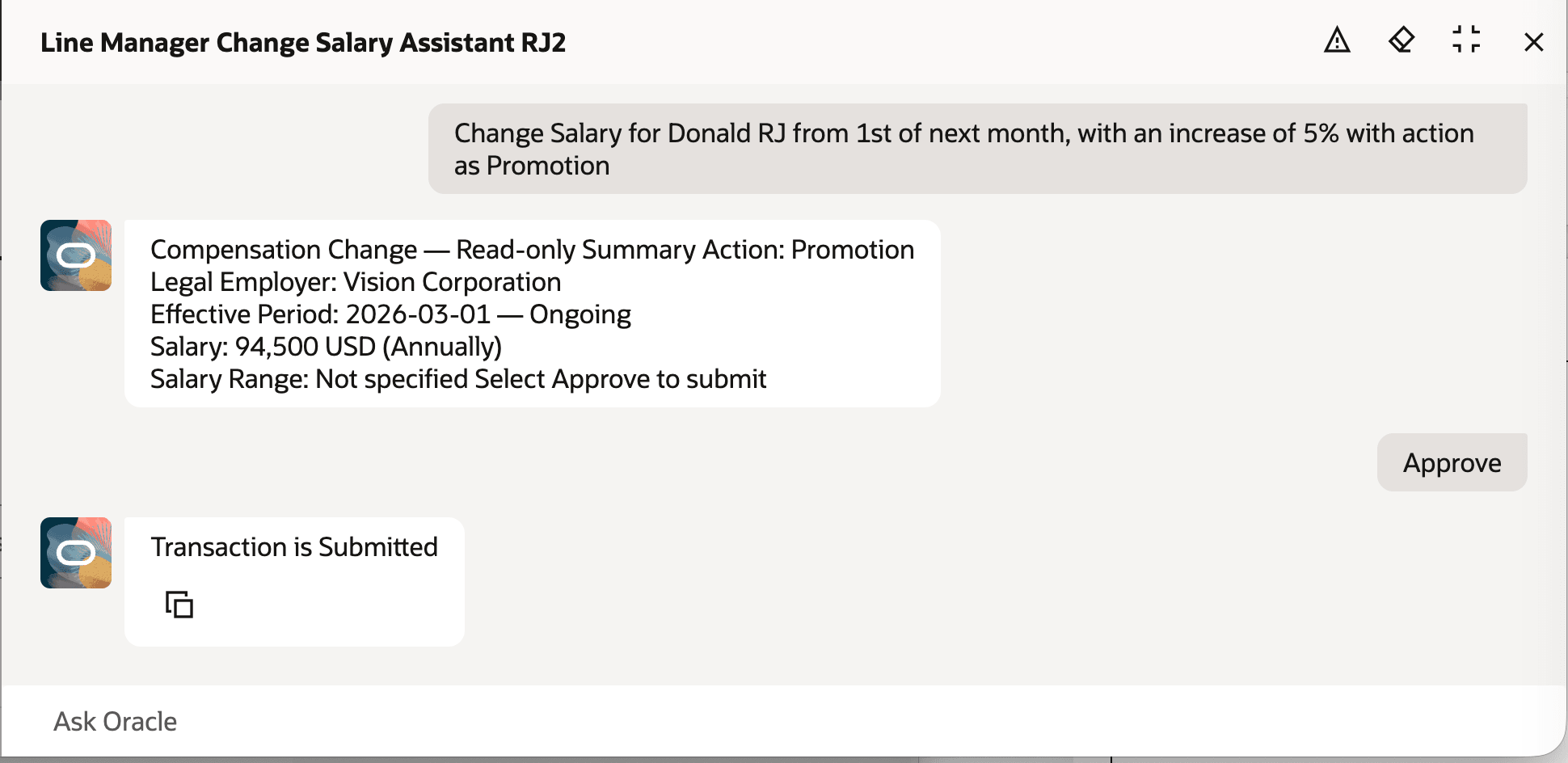
AI Agent seeking Approval to Submit Salary Change and Submitting After Human Approval
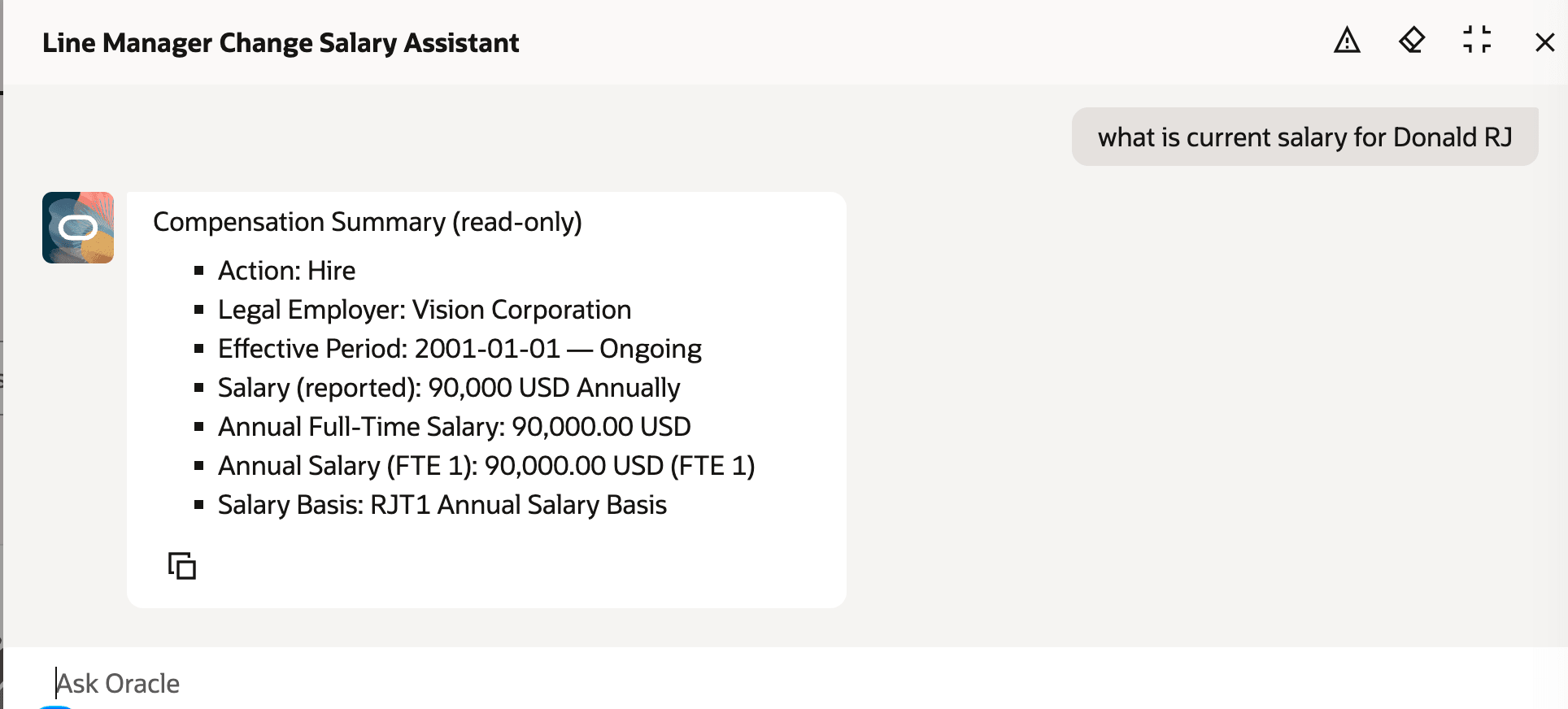
AI Agent Showing Current Salary for Line Manager's Direct
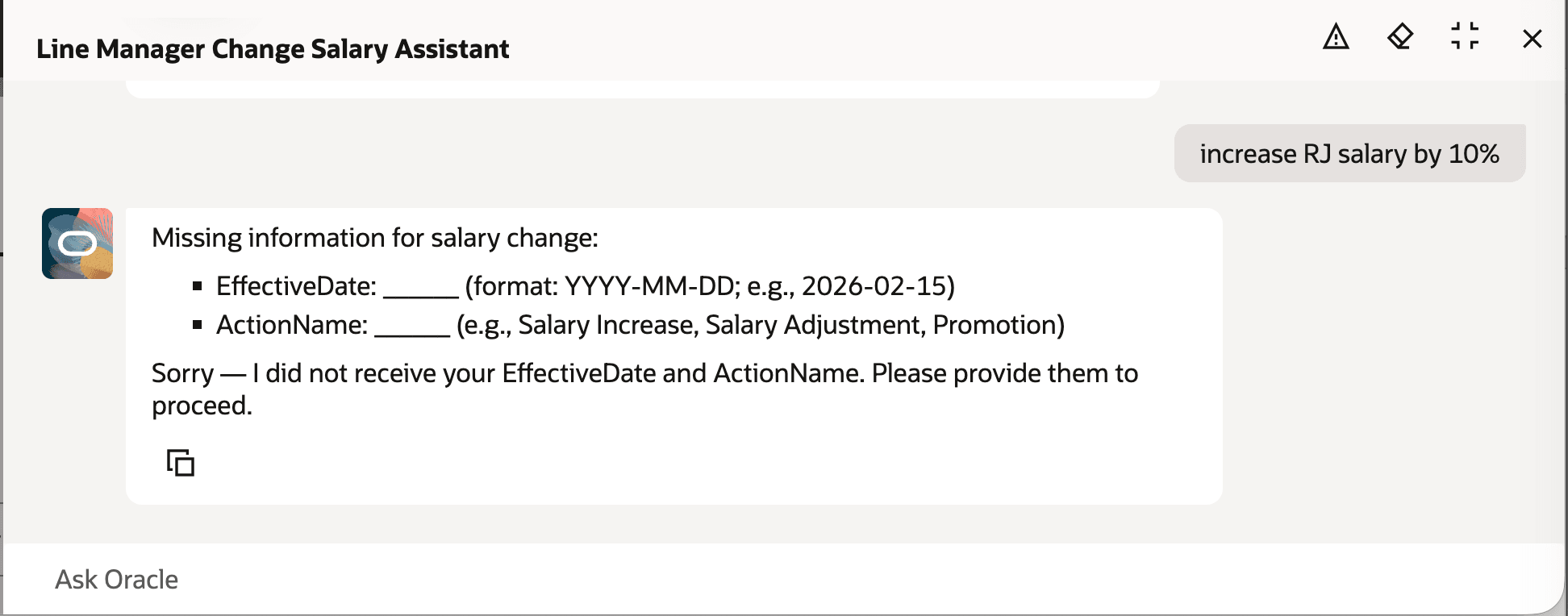
AI Agent Indicates Missing Mandatory Values Required for Submission
Creates a smarter, more intuitive experience that elevates productivity and quality.
Steps to enable and configure
- Your environment must have certain necessary configurations. Ask your help desk to contact Oracle Support, who can verify what your environment has and address any gaps. For more information, see FAQ2521 on My Oracle Cloud Support.
- Set the Enable Security Console External Application Integration (ORA_ASE_SAS_INTEGRATION_ENABLED) profile option to Yes and enable permission groups for the appropriate roles. See Access Requirements for AI Agent Studio.
- To learn how to set up AI agents, see Create AI Agents Using Preconfigured Agent Team Templates.
Tips and considerations
-
The agent processes requests exclusively for a line manager’s direct reports. Indirect reports are not supported at this time.
-
Salary updates can be made by specifying a new salary amount, an adjustment amount, or an adjustment percentage—only one per request.
-
Salaries using a user-determined salary basis are supported. Other salary basis types are currently not supported at this time.
-
Adding Documents of Record is not supported.
-
Warning messages are not shown.
-
Whenever submission fails, the agent displays a generic error message.
-
Salary can be proposed for current or future effective dates; past effective dates are not permitted.
-
Conversational/natural language input isn’t supported. Line managers must provide one complete statement that includes all required values.
-
All amounts must be entered in the salary element’s designated currency. Currency conversion is not available.
Key resources
- Explore AI Agents for Oracle Fusion Cloud Applications
- How do I use AI Agent Studio?
- Create AI Agents Using Preconfigured Agent Team Templates.