Search Configurability of Action Reasons LOV in Redwood Workforce Structures Pages
The REST-based Action Reasons List of Values (LOVs) now supports search configurability.
Here’s the list of Redwood workforce structures pages that support the Action Reason LOV:
- Departments
- Disability Organizations
- Divisions
- Enterprise HCM Information
- Grade Ladders
- Grade Rates
- Grades
- Job
- Job Families
- Legal Entity HCM Information
- Legal Reporting Unit HCM Information
- Locations
- Positions
- Reporting Establishments
- Worker Unions
You can now decide which of the two columns you want to display in the Action Reason LOV. For example, you can either display both the action reason name and code, or display only one of them and hide the other.
For more information, see the Steps to Enable and Configure section of this What’s New.
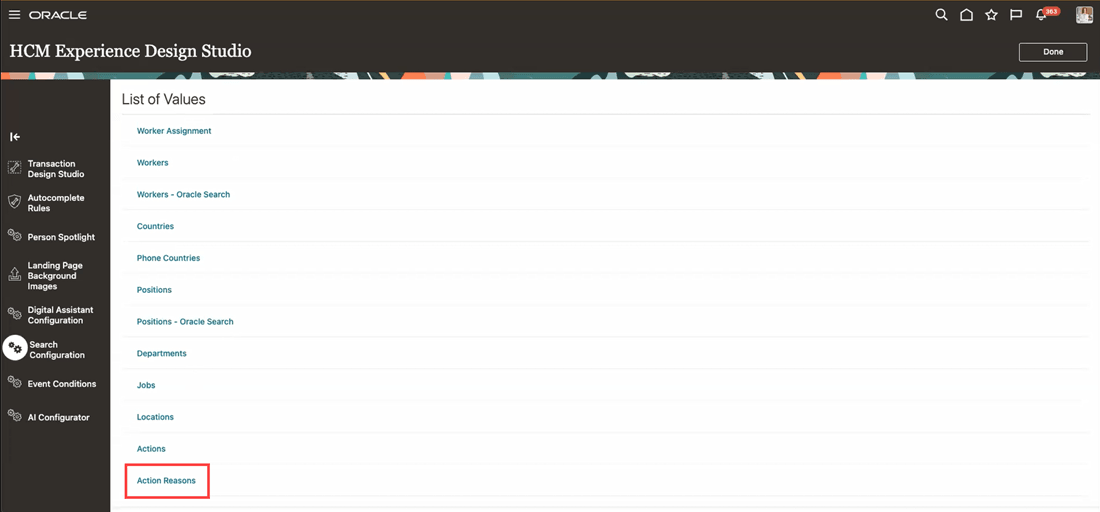
List of Values in HCM Experience Design Studio
Use Case 1: The Action Reason column is both searched and displayed in the Action Reasons LOV. The Action Reason Code column can only be searched, but it won’t be displayed in the LOV.
On the Action Reasons List of Values page:
- In the Search and Display Fields section, add Action Reason.
- In the Search Only Fields section, add Action Reason Code.
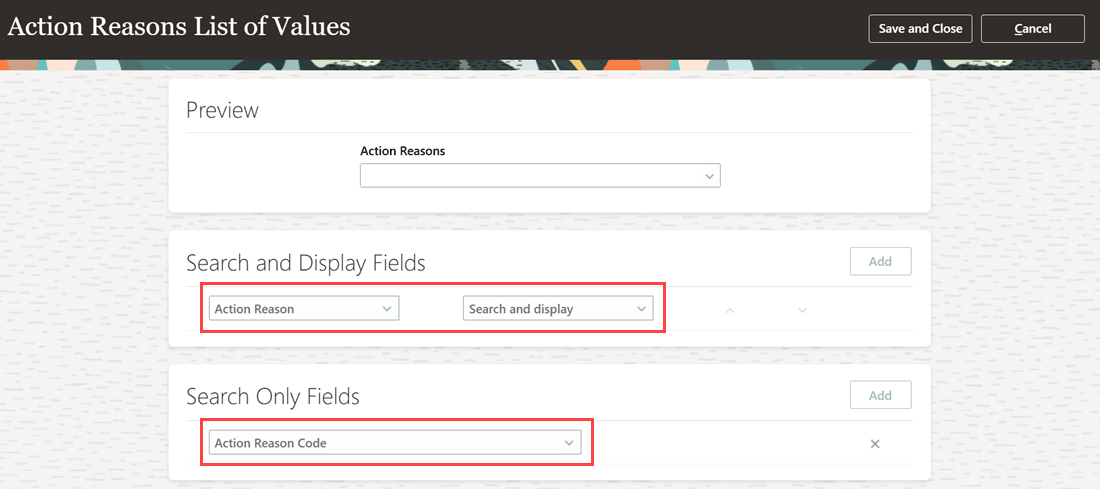
Only Action Reason added to Search and Display Fields
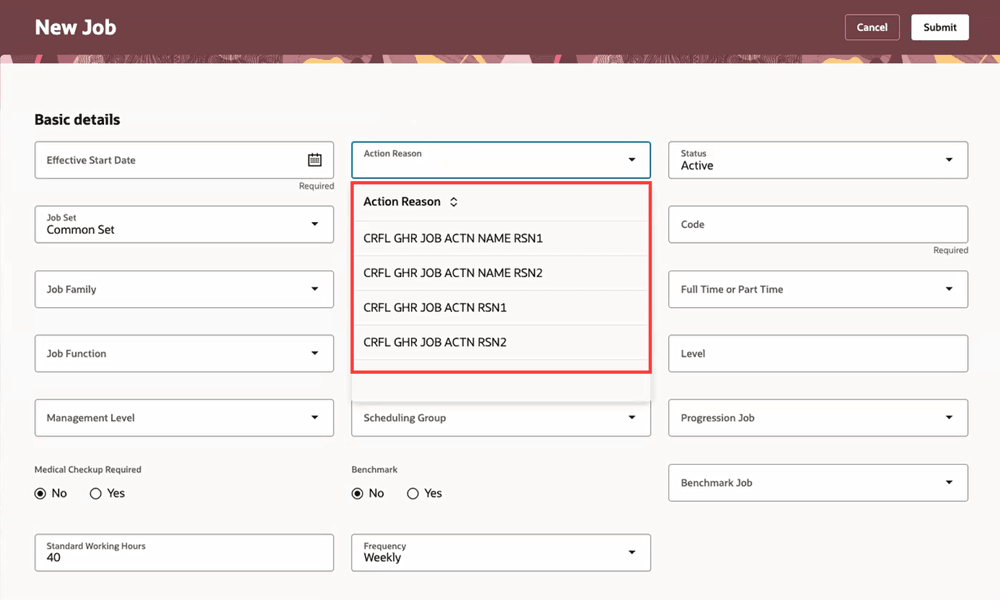
Only Action Reason column displayed in the LOV on the New Job page
Use Case 2: Both the Action Reason and Action Reason Code columns will be searched and displayed in the Action Reason LOV.
On the Action Reasons List of Values page:
• In the Search and Display Fields section, add both Action Reason and Action Reason Code.
• In the Search Only Fields section, don’t add any field.
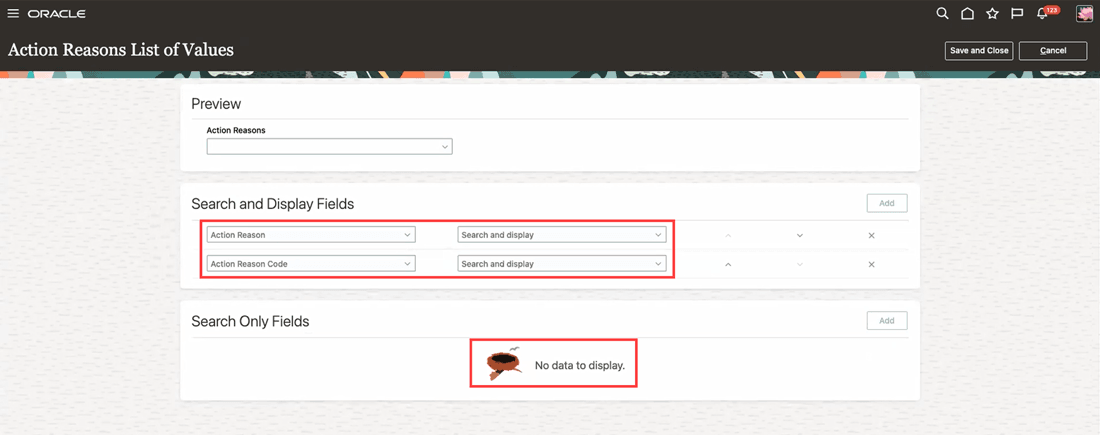
Both fields added to Search and Display Fields
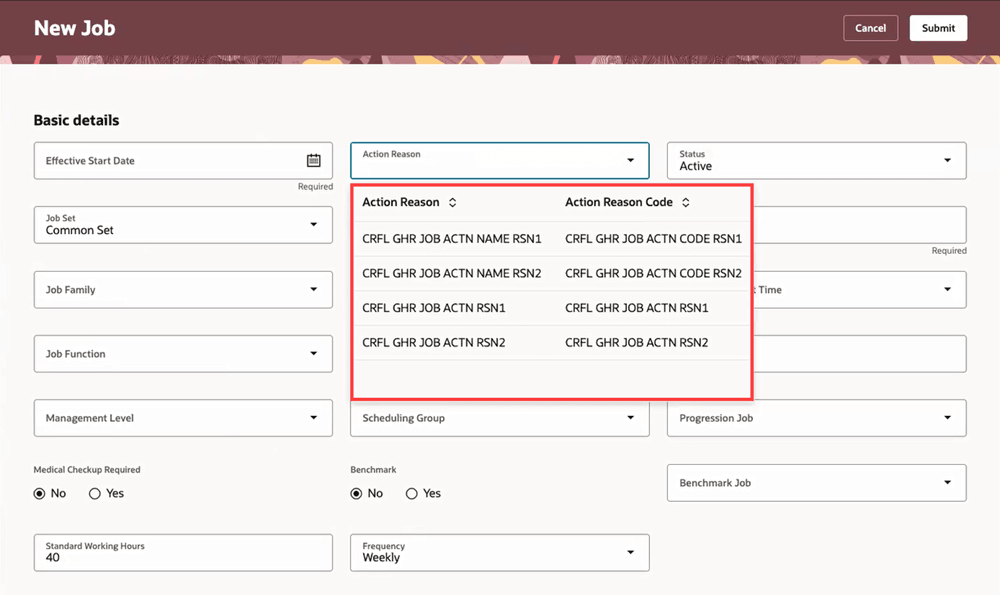
Both columns displayed in the LOV on the New Job page
This feature gives you the flexibility to select the columns you want to display in the Action Reasons LOV based on your requirement.
Steps to enable and configure
For more information about setting up Oracle Search for List of Values (LOVs), see the Set Up Oracle Search for List of Values chapter in the Oracle Search Cloud Service playbook.
For more information about how to configure the Action Reason LOV, see How do I configure a list of values?
Key resources
For more information, refer to these resources on the Oracle Help Center:
- Set Up Oracle Search for List of Values chapter in the Oracle Search Cloud Service playbook
- How do I configure a list of values?
Access requirements
You need to have the HR Specialist or Line Manager roles to set up Oracle Search for List of Values (LOVs) and to configure the Action Reason LOV.