Save Your Searches on Redwood Workforce Structures Search Pages
You can now save the search criteria that you use often on the Redwood workforce structures search pages. You can reuse these saved searches any time, and also set a default search or system search.
In addition to the Redwood Jobs search page, here’s the list of Redwood workforce structures search pages where you can save a search:
- Departments
- Divisions
- Grade Ladders
- Grade Rates
- Grades
- Job Families
- Locations
- Positions
- Reporting Establishments
- Worker Unions
For more information, see the Steps to Enable section of this What’s New.
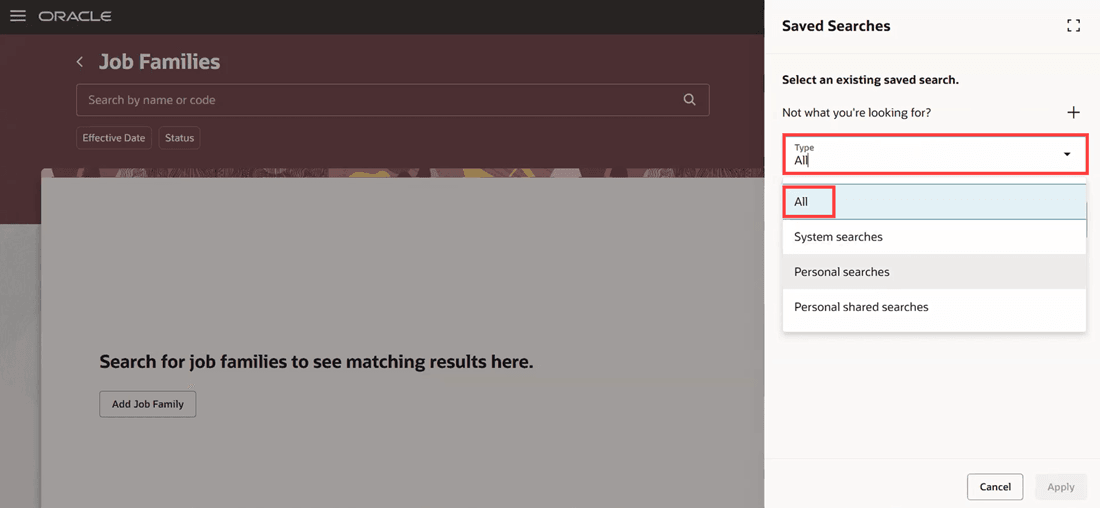
Types of saved searches
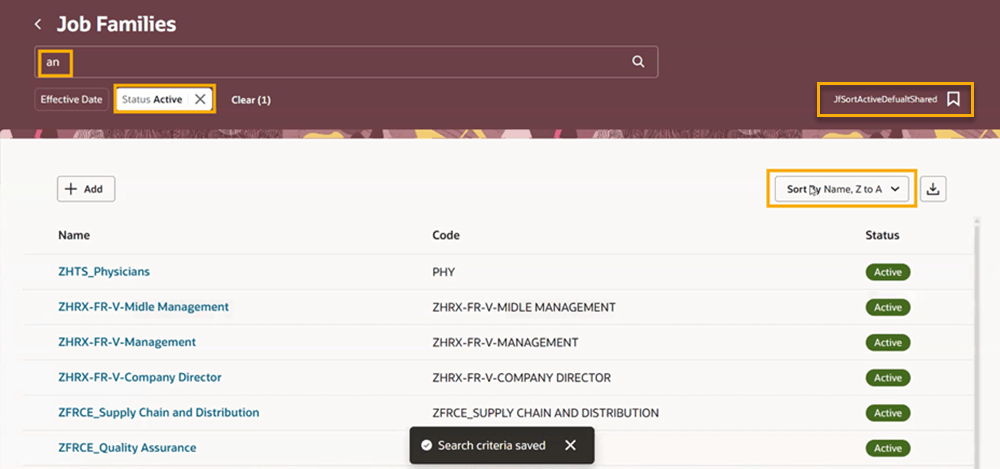
Sample saved search on the Job Families page
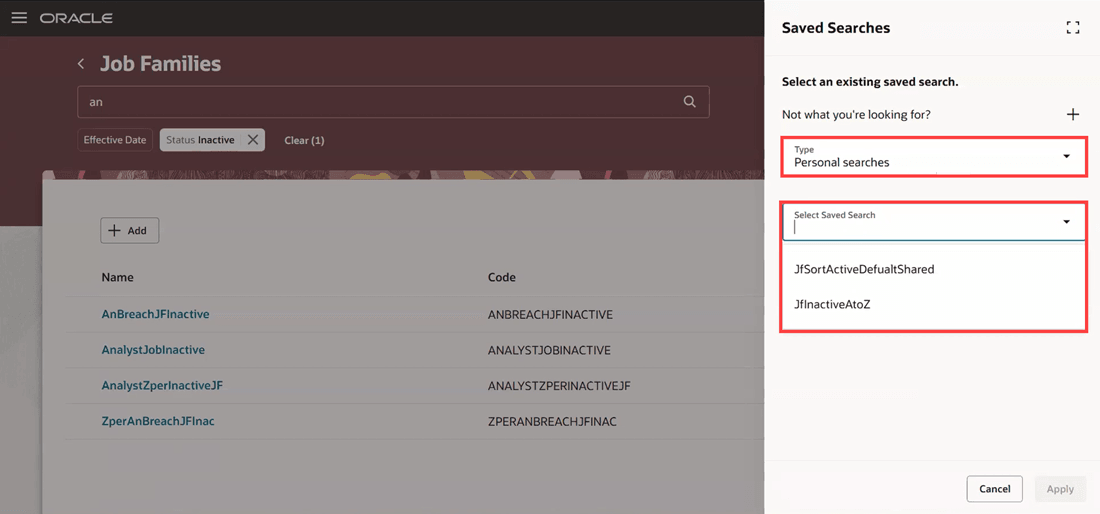
View the list of personal searches
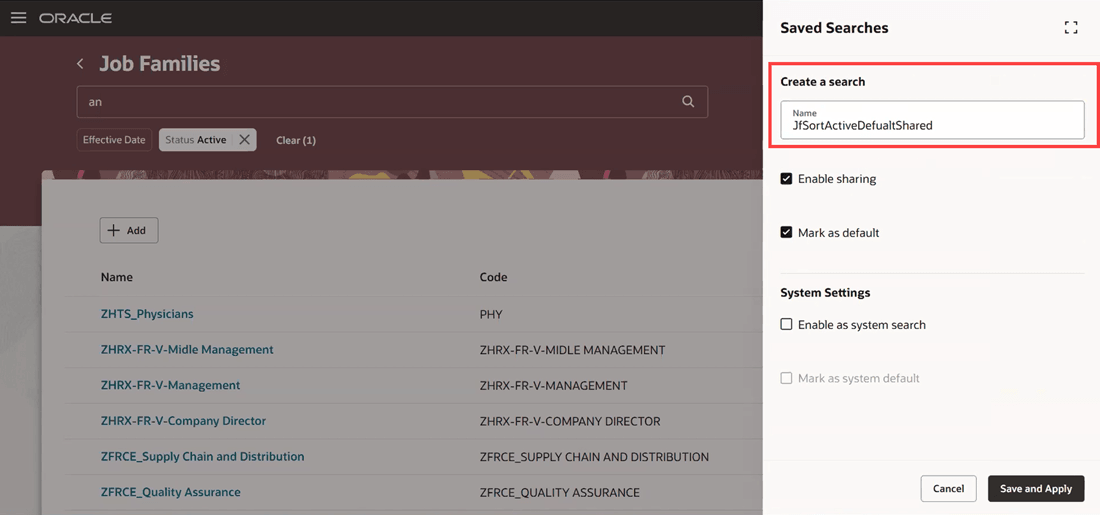
Create a saved search
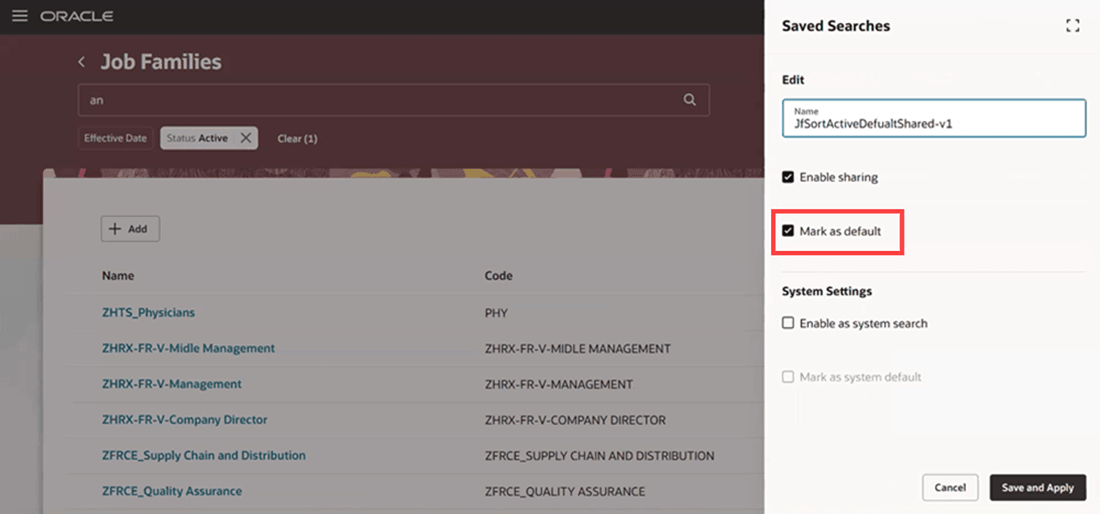
Set your default search
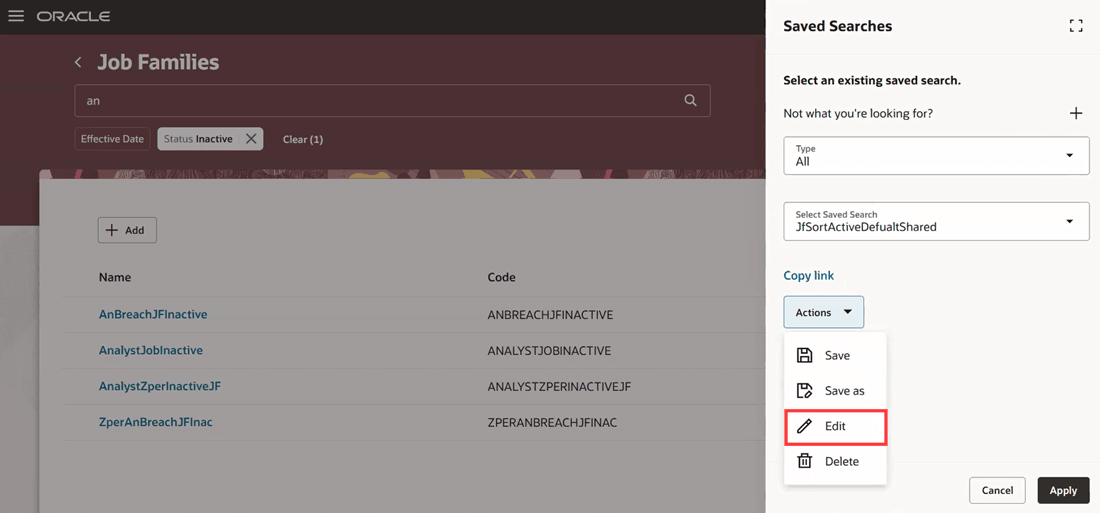
Edit a saved search
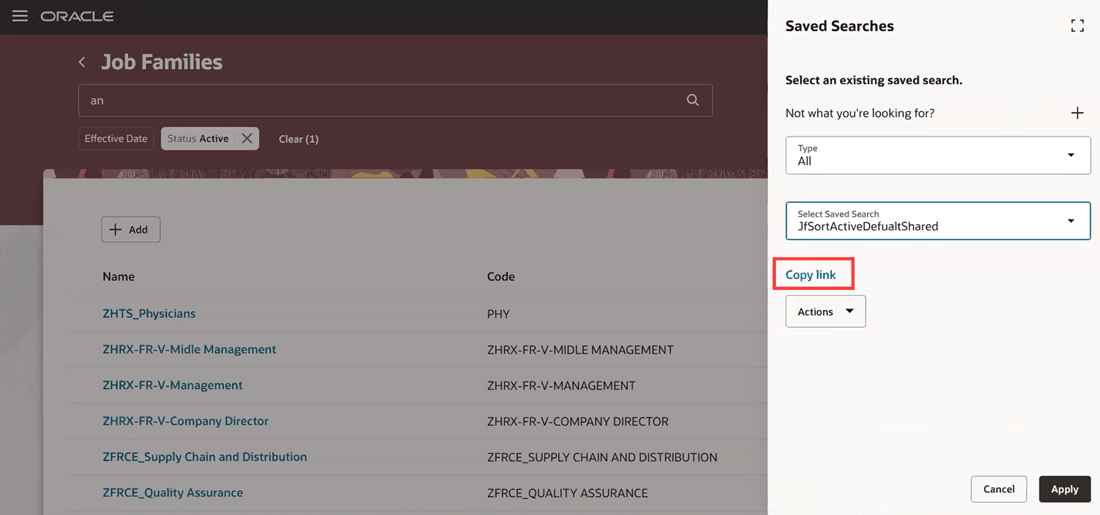
Copy link for a saved search that’s enabled for sharing
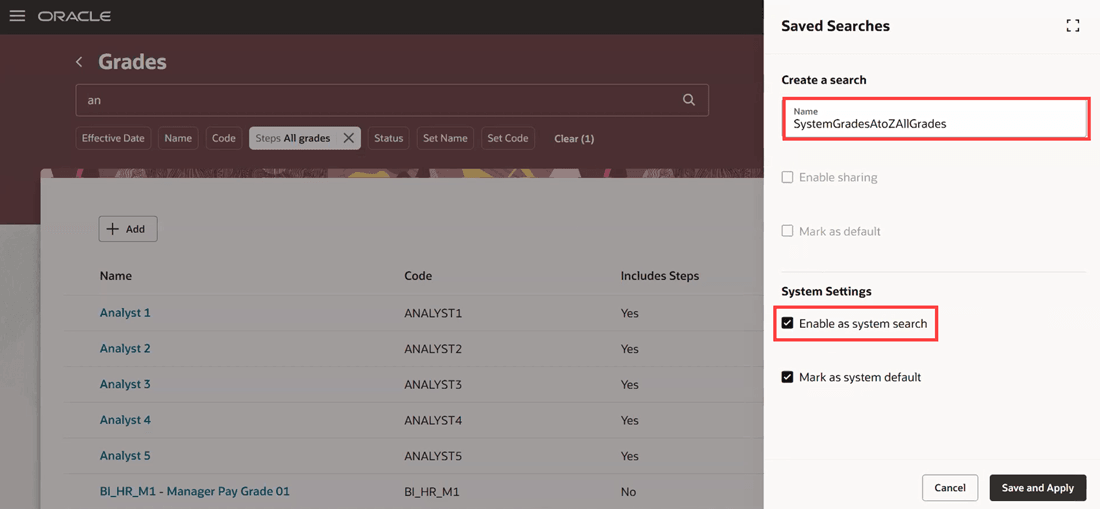
Enable a search as a system search
This feature allows users to create and save search queries that they use frequently, and share them with other users.
Steps to enable and configure
You don't need to do anything to enable this feature.
For more information about how you save and reuse searches, see How do I save my searches on Redwood pages and reuse them?
Tips and considerations
- This feature is available only on the listed Redwood workforce structures search pages. Your saved searches on Responsive pages won't carry forward to the Redwood Experience.
- Saved search isn’t available for the following Redwood pages as they’re rarely used by Admin users, and have very few search attributes:
- Enterprise HCM Information – It doesn’t have a search page.
- Legal Entity HCM Information
- Legal Reporting Unit HCM Information
- Disability Organizations
- Legislative Data Groups
- Position Budgets
Key resources
For more information, refer to these resources on the Oracle Help Center:
- Chapters in the Implementing Global Human Resources guide:
- Playbook: How do I set up grades, grade rates, and grade ladders?
Access requirements
If you have the HRC_MANAGE_SYSTEM_SEARCHES_PRIV privilege, you can set a search as a system search so that it’s shared with all users. This privilege is included by default only in these predefined roles:
- Human Capital Management Application Administrator
- Human Capital Management Integration Specialist