 Hide Org Hierarchy and Position Hierarchy Buttons in Team Activity Center
The Org Hierarchy button under the Worker view and the Position Hierarchy button under Position view can now be hidden on the Team Activity Center page.
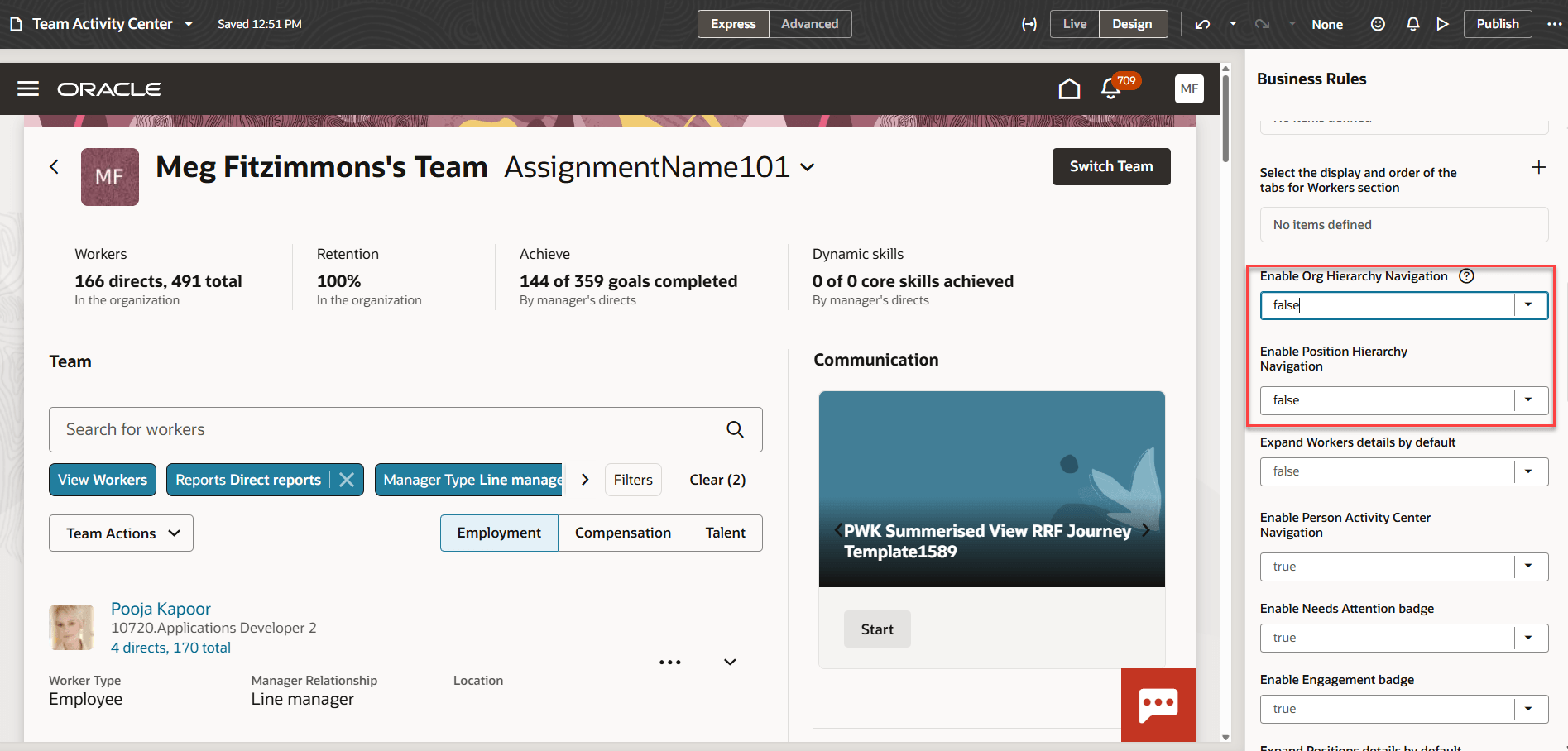
Page properties to hide buttons in Team Activity Center
You need to configure the following page properties in Express mode to hide the buttons.
- Enable Org Hierarchy Navigation - Set it to false to hide the button. The default value is true.
- Enable Position Hierarchy Navigation - Set it to false to hide the button. The default value is true.
The ability for managers to view the Position Hierarchy or the Org Hierarchy can be hidden from managers if the business process requires it.
Steps to enable and configure
For more information refer to How do I control the display of a UI element in Visual Builder Studio?
Key resources
For more information, refer to the following resources on the Oracle Help Center.
- Team Activity Center, in the Using Global Human Resources guide
Here are the topics we recommend on getting started with Express Mode.
-
Refer to the following documentation in this order:
-
Express Mode in VBS for detailed instructions on using specific Express Mode features.
-
Extending Redwood Applications for HCM and SCM Using VB Studio for details on what’s supported by HCM.
-
-
You can refer to the VB Studio documentation "Configure an Oracle Cloud Application" to check the steps to access VB Studio from a Redwood page.
-
Extending HCM Redwood Applications Using Visual Builder Studio
-
Refer to the Customer Connect forum Visual Builder Studio for HCM