View "Include for Automatic Conversion" Field for Pending Workers on Redwood Employment Info and View Employment Details Pages
The Redwood Employment Info and View Employment Details pages now displays the Include for Automatic Conversion field, enabling HR specialists to see whether this status is set for a pending worker work relationship. By making this information visible directly on the Employment Info and View Employment Details pages, HR can quickly verify conversion readiness without navigating to other pages, supporting faster and more informed employment decisions.
You can see the Include for Automatic Conversion field on the Employment Info page after it's made visible in Business Rules.
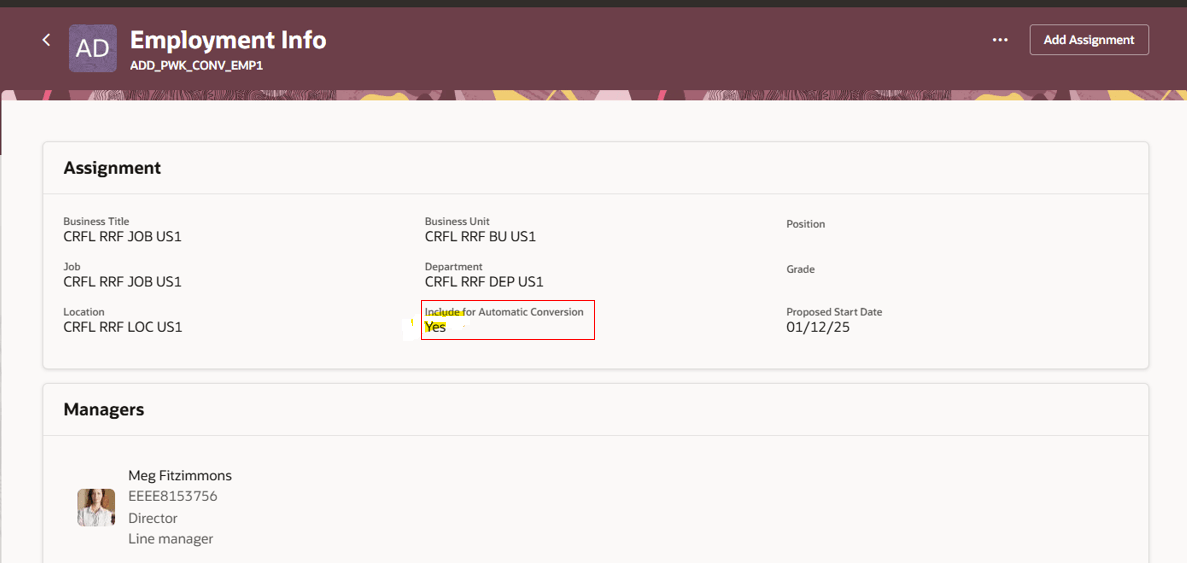
Include for Automatic Conversion field in Employment Info page
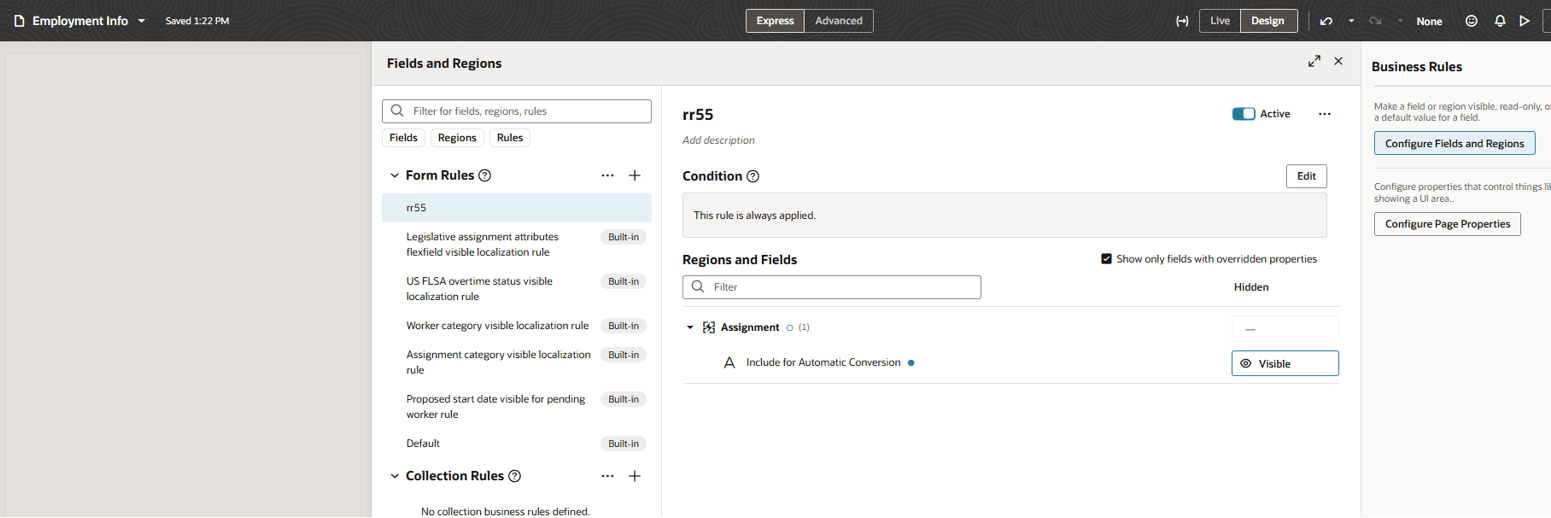
Include for Automatic Conversion in Business Rules
Similarly, you need to enable the field for View Employment Details page too.
This feature improves visibility into a worker's conversion readiness directly within the Employment Info page, eliminating the need to navigate across multiple screens. HR specialists can make quicker, more confident decisions when processing worker type conversions.
Steps to enable and configure
For more information see this topic on the Oracle Help Center: How do I hide or show a field in Visual Builder Studio?
Key resources
For more information, refer to these resources on the Oracle Help Center:
- Employment Processes in the Using Global Human Resources guide
-
Express Mode in VBS for detailed instructions on using specific Express Mode features.
-
Extending Redwood Applications for HCM and SCM Using VB Studio for details on what’s supported by HCM.
-
You can refer to the VB Studio documentation "Configure an Oracle Cloud Application" to check the steps to access VB Studio from a Redwood page.
-
Extending HCM Redwood Applications Using Visual Builder Studio
-
Refer to the Customer Connect forum Visual Builder Studio for HCM