Work Pattern Enhancements
Remove Work Pattern Type
You can now create and edit work pattern templates and work patterns without selecting a separate Work Pattern Type. Shift period behavior and break definitions are specified directly on the template or pattern. Existing items created with a work pattern type are migrated automatically to the new model when opened.
- Work Pattern Type is no longer required when creating work pattern templates or work patterns; instead you can choose a shift period type (start and end times, duration, flexible in days, flexible in days and times).
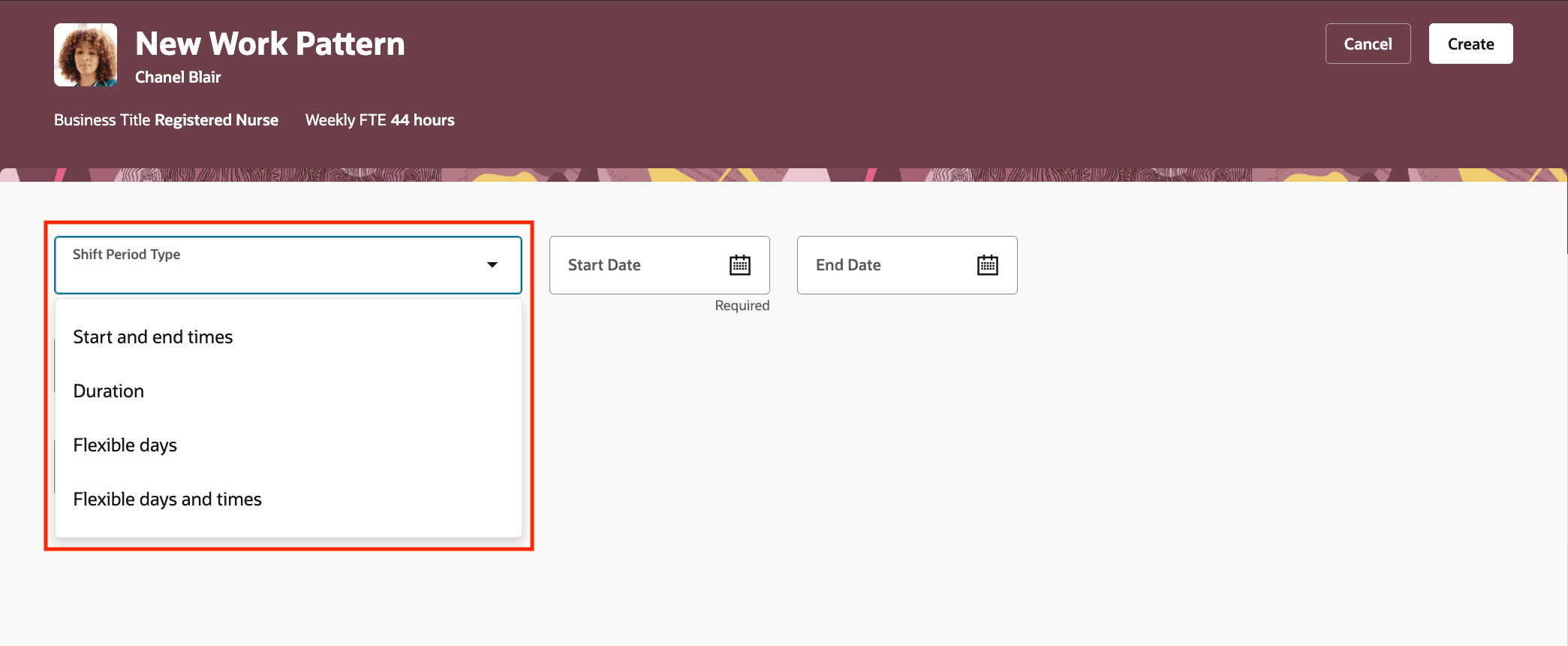
Select Shift Period Type on Work Pattern Templates and Work Patterns
- The shift period related fields shown on the templates and patterns depend on the selected shift period type, same as before but without referencing a work pattern type object.
- Breaks are defined directly on each shift. There isn't any break library. You can specify break name, break type (fixed, any time during range, any time during shift), break nature (paid or unpaid), and the required start/end/duration attributes depending on break type.
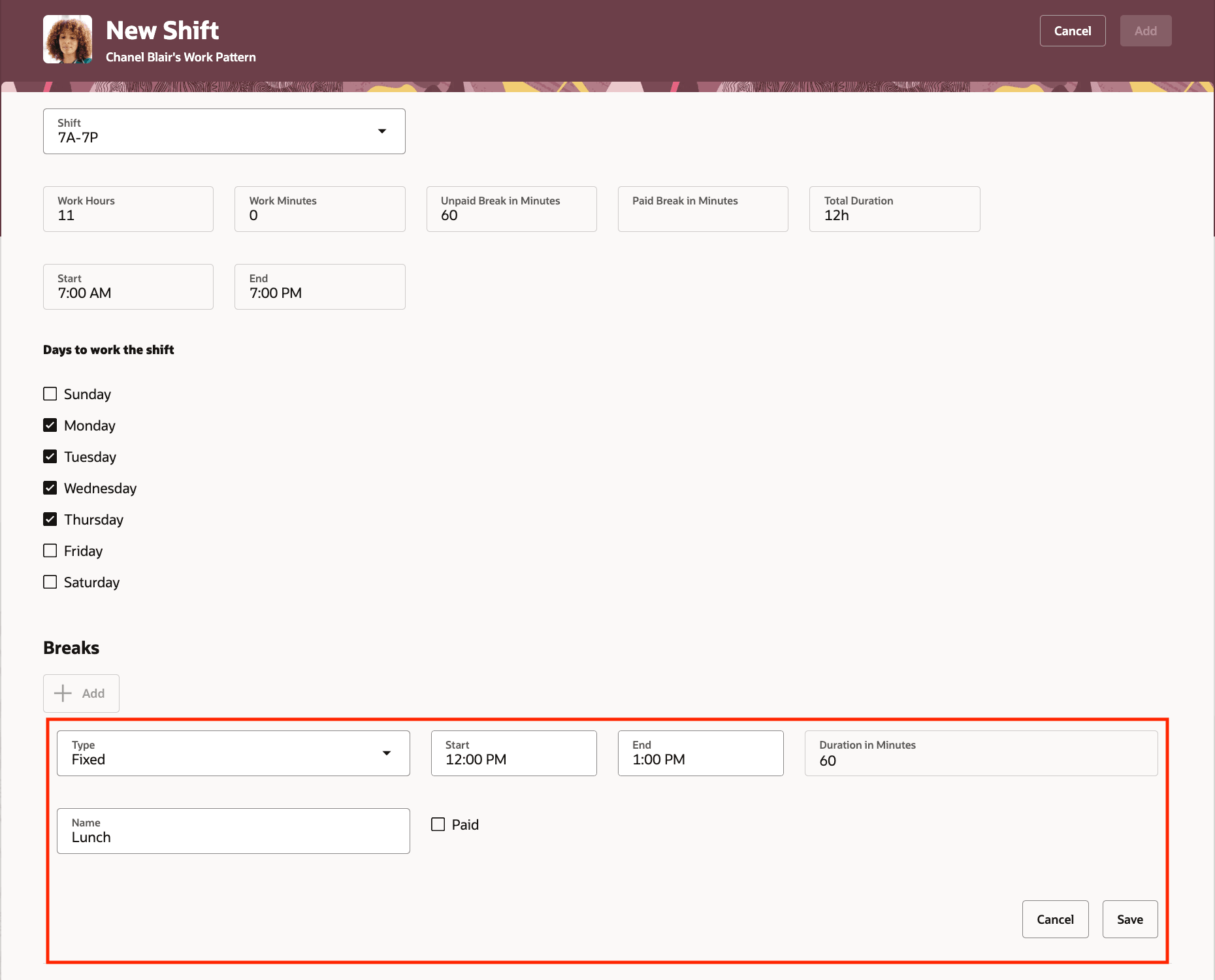
Define Breaks Directly on Work Pattern Templates and Work Patterns Shifts
- Existing work patterns and templates that referenced a work pattern type are automatically migrated. The shift period type and break details are populated from the prior work pattern type. A work pattern may adopt the work pattern type name when name and template are empty.
Assign Workday Definition to work patterns and templates
You can also now optionally select a workday definition on work pattern templates and on work patterns for a worker's primary assignment. Workday definition selection on work pattern templates can populate work patterns created from those templates. This is used to determine a worker's workday definition if no workday definition is set on the worker primary assignment.
- Workday Definition can be selected (optional) on work pattern templates and on work patterns for primary assignments; it is not available for non-primary assignments.
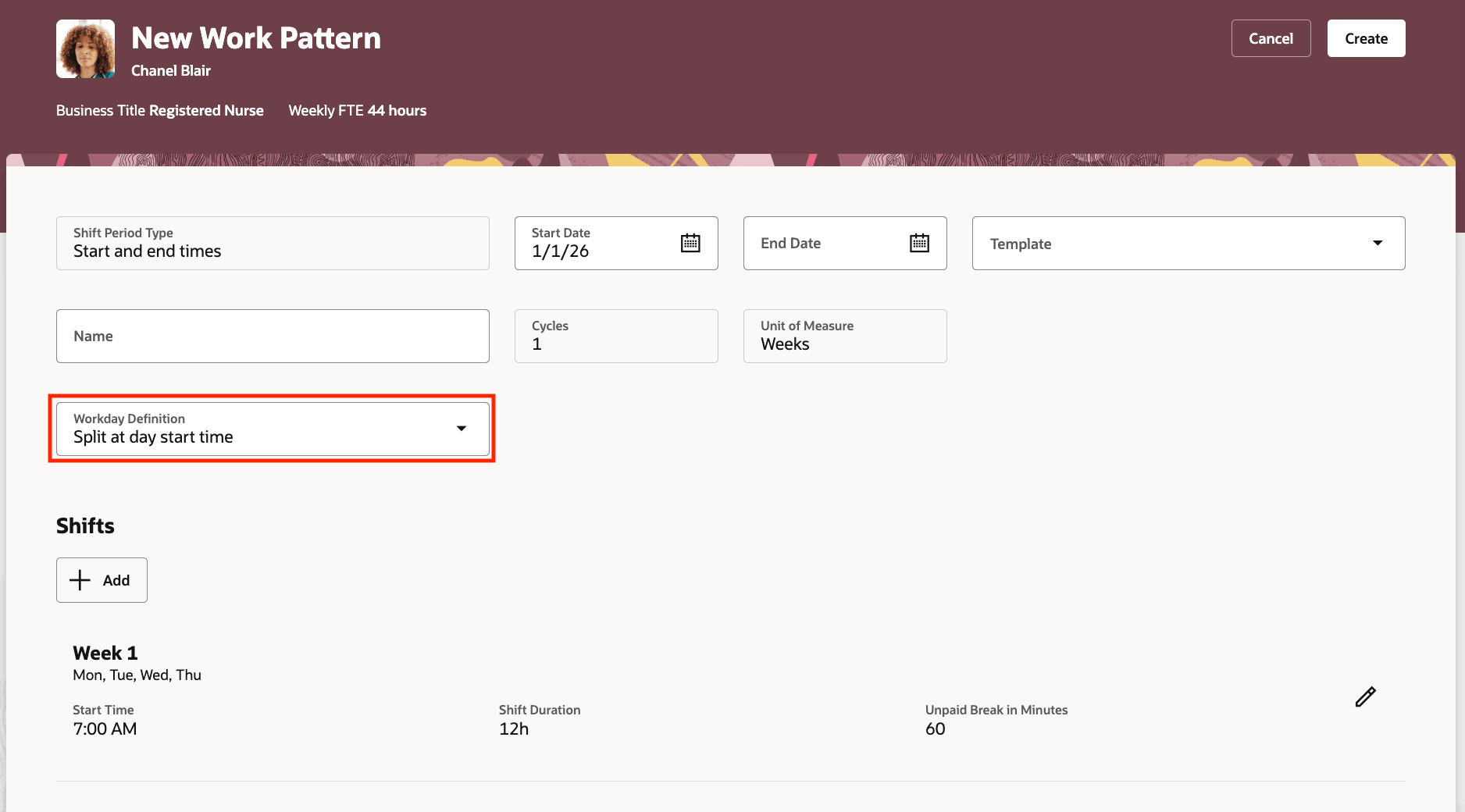
Select on Workday Definition on Work Pattern Templates and Work Patterns
- When a work pattern is created from a work pattern template that has a workday definition, the work pattern’s workday definition is populated for primary assignments. Also auto-provisioning of work patterns based on work pattern templates includes workday definition when the target is a primary assignment.
- When determining a worker's workday definition for a date, the system first checks the worker's assignment-level workday definition, then the worker's work pattern workday definition if no assignment-level workday definition exists.
- Workday Definition cannot be deleted if it is used by any work pattern or work pattern template.
Practical use case scenarios
- Flexible coverage teams: For a team with varied daily hours, create templates using “Flexible in days and times.” Managers can quickly assign patterns without worrying about a prerequisite type setup.
- Rapid template rollout: A scheduling administrator creates a work pattern template with a workday definition. When new employees are hired into eligible roles, the primary assignment work patterns can be auto-provisioned with the correct workday definition. There's no manual follow up.
Simplify workforce setup and maintenance by removing extra prerequisites and enabling optional workday definitions, making work patterns faster to configure and more consistent across time, absence, and related processes.
Steps to enable and configure
You don't need to do anything to enable this feature.
Tips and considerations
- Existing work patterns and templates created with work pattern types are migrated; shift period type and break details are populated automatically.
- HDL imports that include the old WorkPatternTypeName will error. HDL templates must be updated to include ShiftPeriodType and new break and work day definition attributes.
- The assignment-level workday definition always takes precedence over a work pattern workday definition. Workday definition associated to the primary assignment of a worker and to the work patterns applies to validations in both Time and Labor and Absence Management.