Browse and View Career Paths
There is a new Career Paths facet in Opportunity Marketplace. You can use it to browse through a list of available career progression paths for a role.
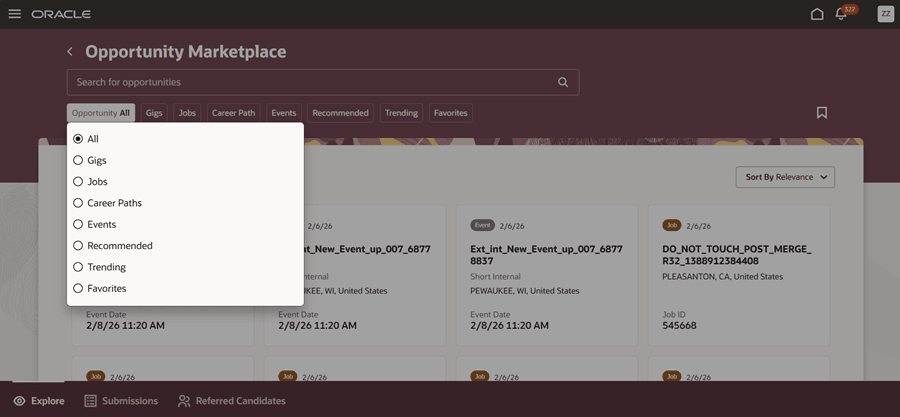
Career Paths Facet in the Opportunity Filter
From the filter results, you can search for career paths based on the career path name or career role name. When you search using these keywords, Opportunity Marketplace will look for those keywords in the career path name, its description, career role name, and its description, and return the results as a list of career path cards.
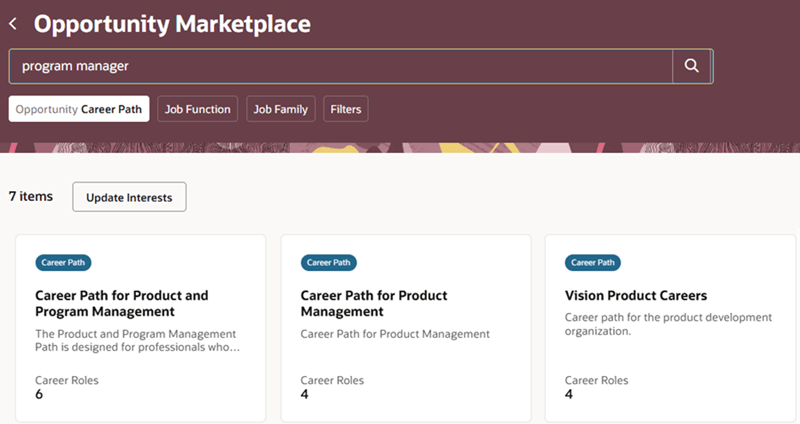
Results of a Career Path Search
Each card displays the number of career roles in that path. This is the count of all active job profiles and position profiles included across all the steps in that career path.
Click a card to view the career progression steps.
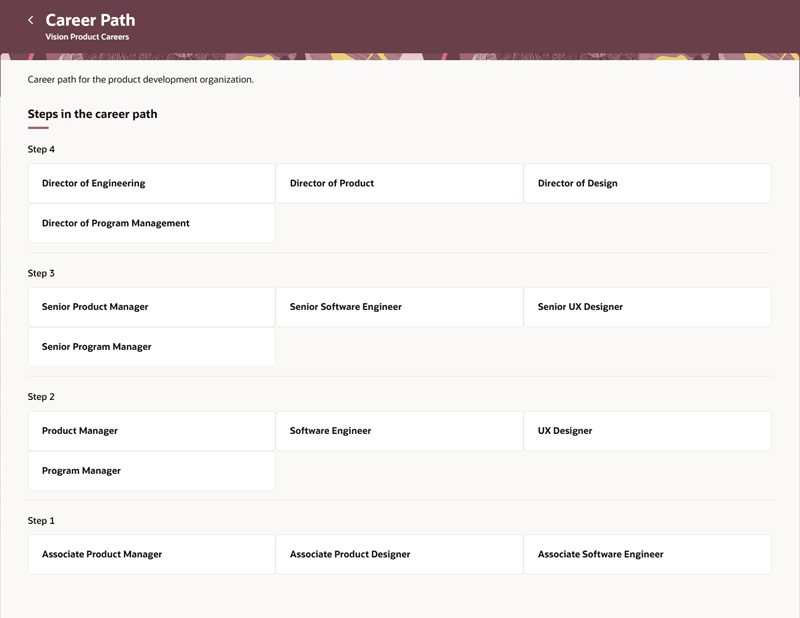
Career Path Progression
When you click a career role in any of the career path steps, you’ll see the career role details for that role.
On the career paths listing page, you can also filter based on the job function or job family included in the path. These filters can be hidden or shown using the Search Views feature from My Client Groups.
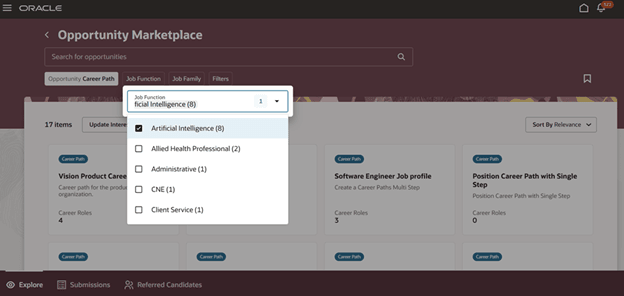
Job Function Filter
Business benefit: This feature empowers your employees to proactively navigate their careers by exploring career paths in Opportunity Marketplace
Steps to enable and configure
To enable this feature, see Configure Career Paths in Oracle Help Center.
For privileges, see the Access Requirements section.
Tips and considerations
You can sort career paths in alphabetical order of the career path name. You can also sort them based on the creation date.
When you sort by Relevance, career paths are displayed in the order of creation date, with the most recent displayed first followed by the older paths.
You can also save the search for a career path.
These filters don’t display career paths:
- All
- Trending
- Recommended
- Favorites
Key resources
For more information on career paths, refer to the 26B What’s New feature, View Career Paths for Your Careers of Interest.
To create and manage career paths, see Define Multiple Steps in a Career Progression Path.
For more information on Opportunity Marketplace, refer to these topics in the Recruiting guides available on Oracle Help Center:
Access requirements
These privileges are already added to the predefined employee role. If you’re using custom roles, ensure that you add them to the employee role:
- View Career Roles in Opportunity Marketplace (IRC_VIEW_CAREER_ROLES_IN_OPPORTUNITY_MARKETPLACE_PRIV)
- Manage Career (HRG_MANAGE_CAREER_DETAILS_PRIV)
- Use REST Service – Saved Searches (HRG_REST_SERVICE_ACCESS_CAREER_SEARCHES_PRIV)