Manual Content Processing for Self-Paced Learning Post Refresh
Keep your test environment running smoothly after a production-to-test refresh by reprocessing self-paced learning content. With a simple action in an information banner message on the learning details page, catalog administrators can make videos, SCORM files, PDFs, and Microsoft PowerPoint files available for playback and review in the test environment. This feature let's you streamline testing and verification, and ensure all your learning content is ready when you need it.
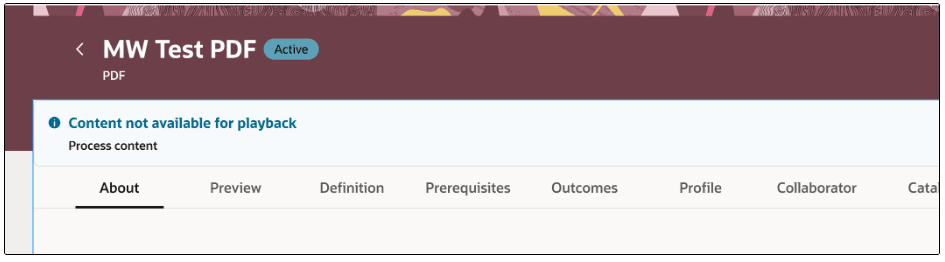
Self-Paced Learning Showing the PDF Content Isn't Available for Playback
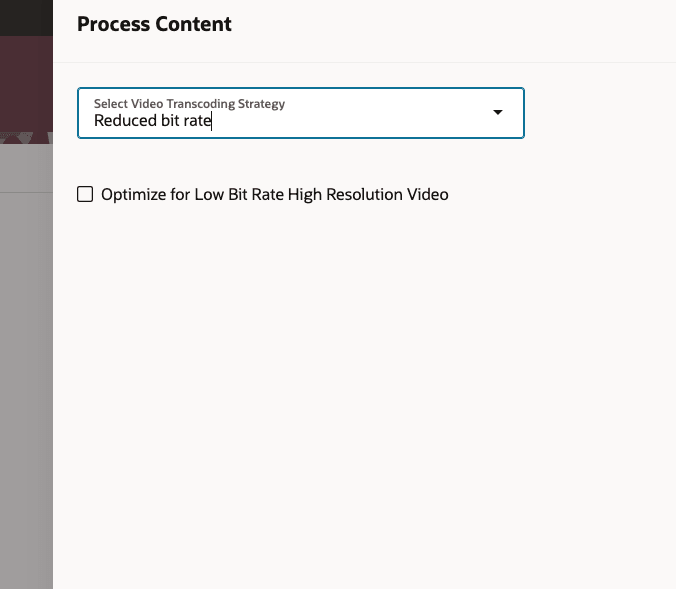
Process Content Drawer with Video Content Processing Attributes
Unlock seamless business continuity by ensuring test environments mirror production learning content after each refresh. Empower catalog administrators to validate and preview all content effortlessly, improving test environment usability and reducing reliance on manual workarounds. With clear action prompts and streamlined workflows, your teams spend less time troubleshooting and more time driving organizational growth.
Steps to enable and configure
You don't need to do anything to enable this feature.
Tips and considerations
- The process content action is available only for supported types: Video, SCORM 1.2/2004, HACP, PDF, Microsoft PowerPoint, and CMI5 files.
- Catalog administrators are prompted to process content again only when the content is missing, making the feature contextually relevant and unobtrusive.
- For videos, catalog administrators can optimize processed output for lowest bitrate or highest visual quality, depending on organizational requirements.
- No additional privileges are required to use the feature; it is integrated seamlessly into learning catalog administration.
- Processing may take time depending on the size and type of content.