Redwood Experience: Promote Events to Employees
When event owners submit newly created employee hiring events, they're now prompted to send invitations to promote their event to a selected audience.
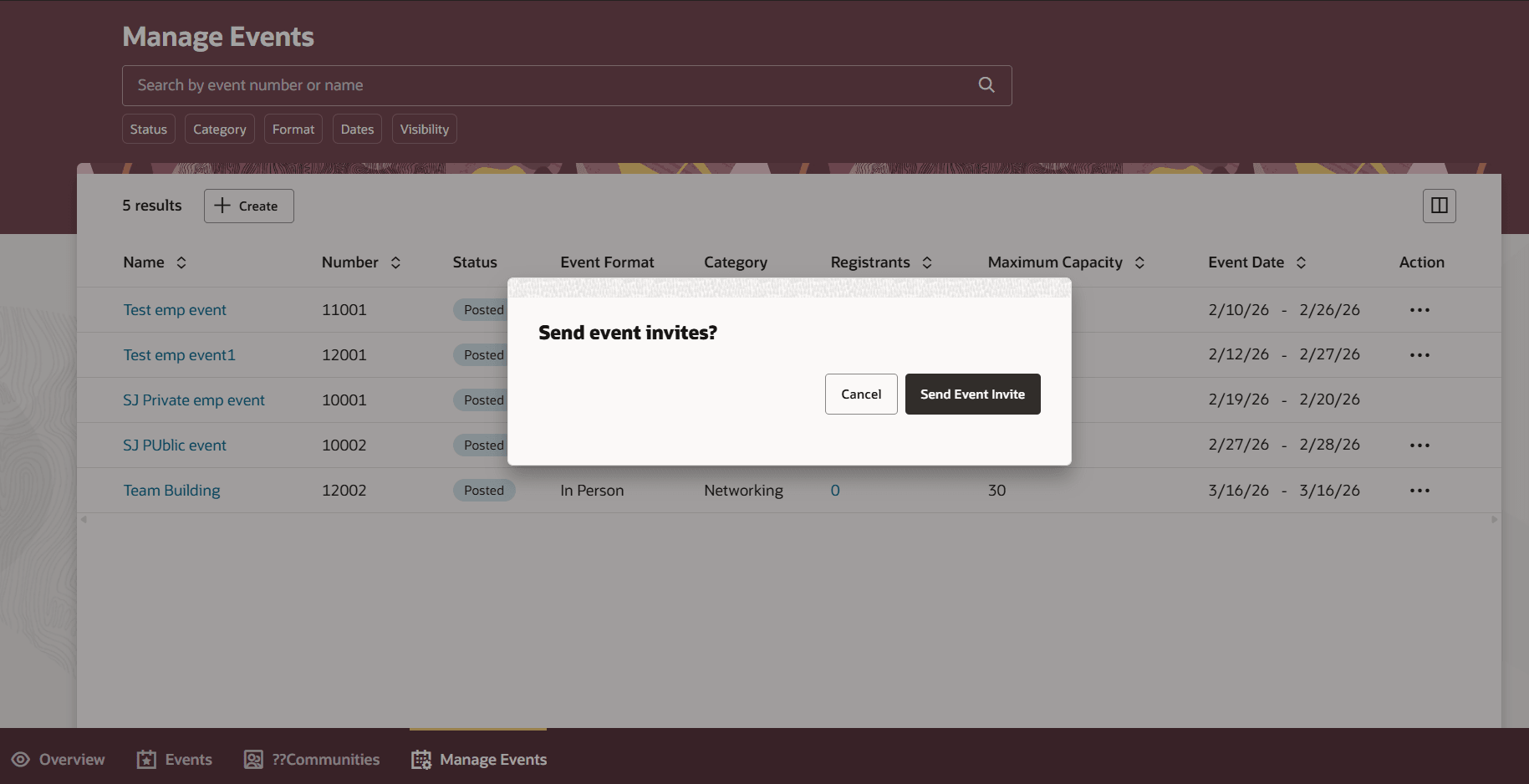
Send Invitations to Promote Your Event
When they select Send Event Invite, a new page opens where they can select an audience, and write a message, or generate one using AI.
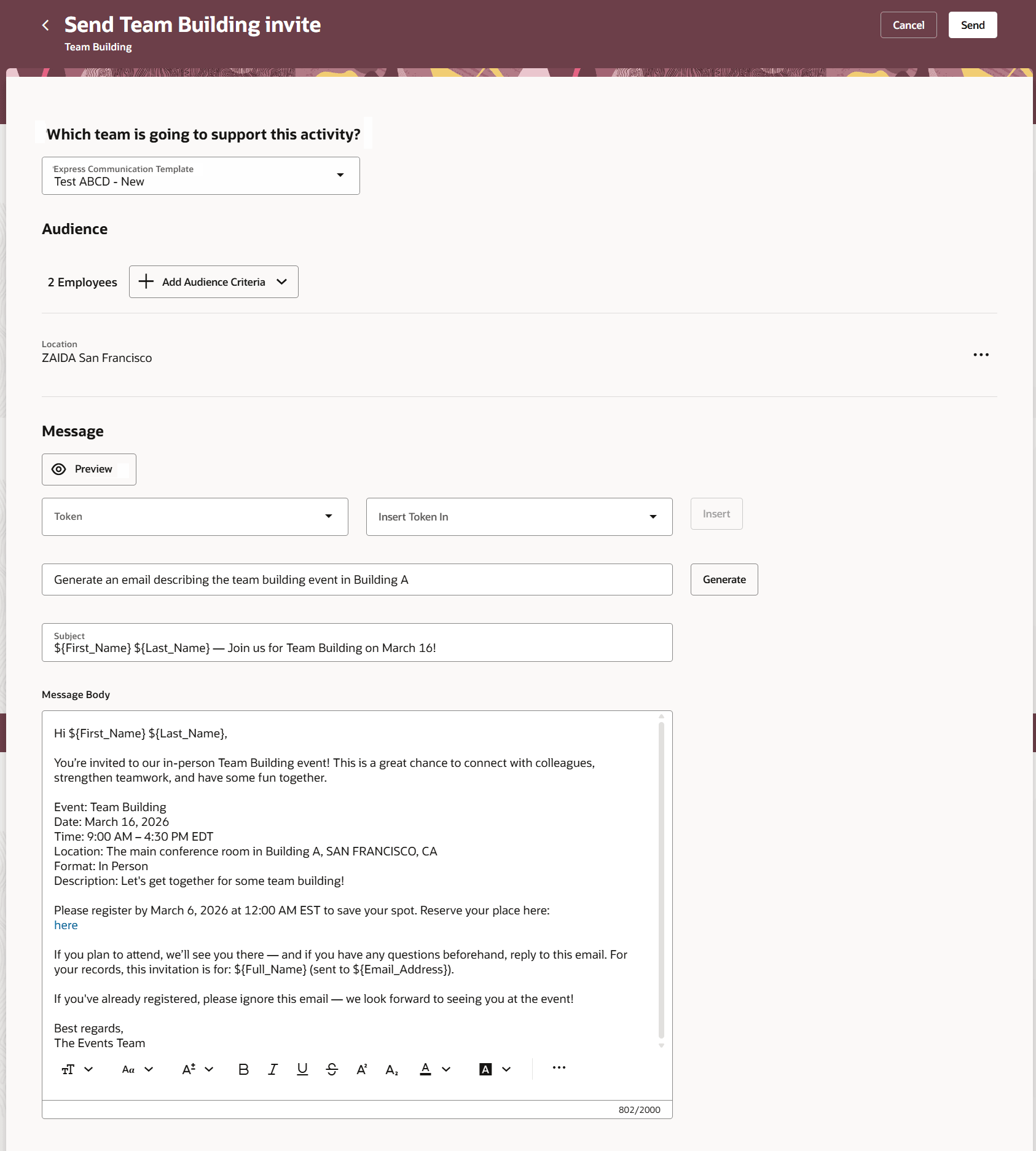
Select an Audience and Create Message
They can add audience members using the Add Audience Criteria button. Audience members can be comprised of individual employees or you can select all employees at a location or within an organization. They can then type a message or, if AI is enabled, they can generate the message.
You can track promotions to individual employees on the Metrics tab.
Business benefit: Promoting events to employees increases internal awareness and participation, driving higher attendance and better engagement across the organization.
Steps to enable and configure
For privileges, see the Access Requirements section.
Access requirements
Users need these privileges:
- Manage Employee Event (IRC_MANAGE_EMPLOYEE_EVENT_PRIV)
- Send Messages using Communicate (IRC_SEND_MESSAGES_USING_COMMUNICATE_PRIV)