Enlighten Employees with Digest Email About Priority Communications and Upcoming Events
Set up a digest email to include details of priority communications and upcoming events. Use this digest email to reach your employees on a regular basis and keep them informed of updates they might have missed and any events that are happening near them or virtually. The digest email will send out communications and events that are tailored to the individual employee. Priority communications include unread team posts, trending general purpose campaign emails, and campaign emails for promote journey, promote learning, collect responses.
With the digest email you can do the following:
- Define the frequency. Choose between weekly, bi-weekly, and monthly.
- Choose the language you want your employees to receive it in.
- Decide when to start sending it.
- Decide whether you want to send recommendations about communications and events, or just communications, or just events.
- Update the subject and body of the message to suit your organization's requirements.
- Update the design.
- Pause an activated digest email at any point.
- Reactivate it.
- Open the Communications and Events Hub to review communications and register for events.
For your employees to receive the digest email, you need to schedule the Prepare and Send Communicate Digest Emails process. Set the run time and frequency to match the frequency of the digest email. For example, if you set the digest email to send out weekly, then also select weekly for the process. To ensure the digest email includes all the relevant communications and events from the day, set the time to 11.59pm.
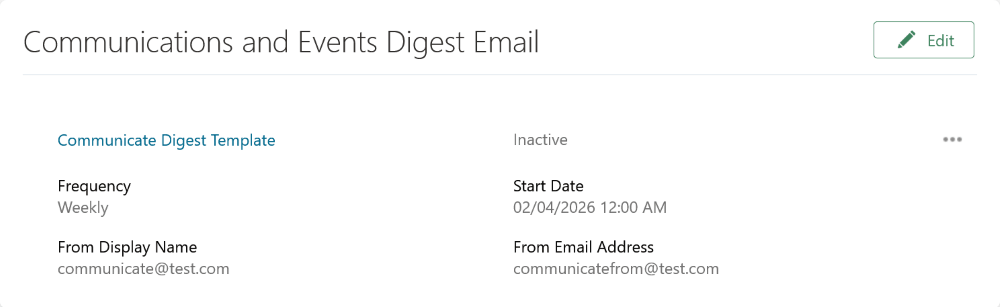
Communications and Events Hub Digest Email
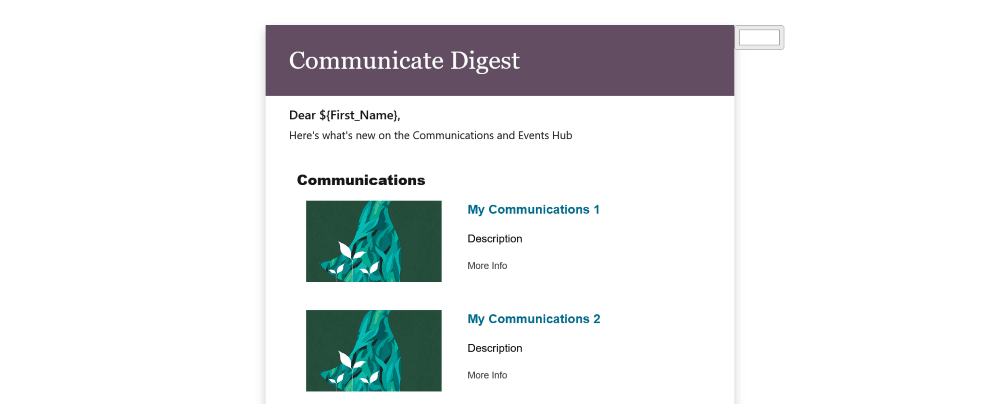
HTML Designer with Digest Email
Business benefit: Streamline communications with one regular email and drive engagement for all your organization's events and announcements.
Steps to enable and configure
For details, see How do I create a digest email? and Submit Scheduled Processes and Process Sets.
Tips and considerations
If there aren't any updates to send, then the employee won't receive a digest email.