Redwood Experience for the Reporting Information Card
You can now use the new, Redwood-themed Reporting Information page to capture the information required to create a reporting information card for an employee. The page has been converted from Responsive to Redwood.
The Reporting Information page captures information used for these types of reporting information:
- ROE information:
- ROE Data
- ROE Vacation Pay
- ROE Statutory Holiday Pay
- ROE Other Monies
- ROE Comments
- ROE Special Payments
- Quebec Labour Standards Contribution
- Year-End Data
The page retains the existing reporting card functionality, but it now reflects the Redwood theme and offers a fresh, intuitive layout designed to enhance usability and readability. It also provides a consistent look and feel with other HCM Redwood pages, the Tax Credit Information page, and the employee self-service Tax Credit Information page.
This illustration displays a reporting information card with a ROE Data component.
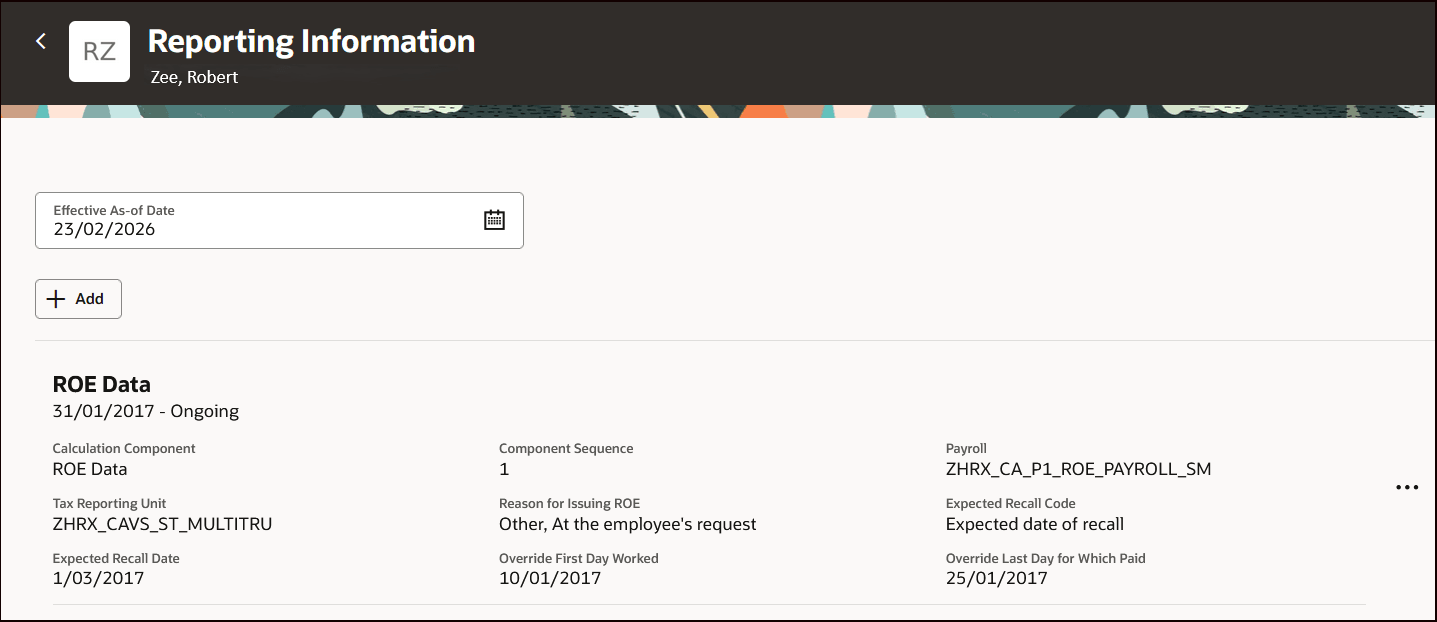
ROE Data Calculation Component
This illustration displays how to add a new component. Simply click Add on the Reporting Information landing page and select the component.
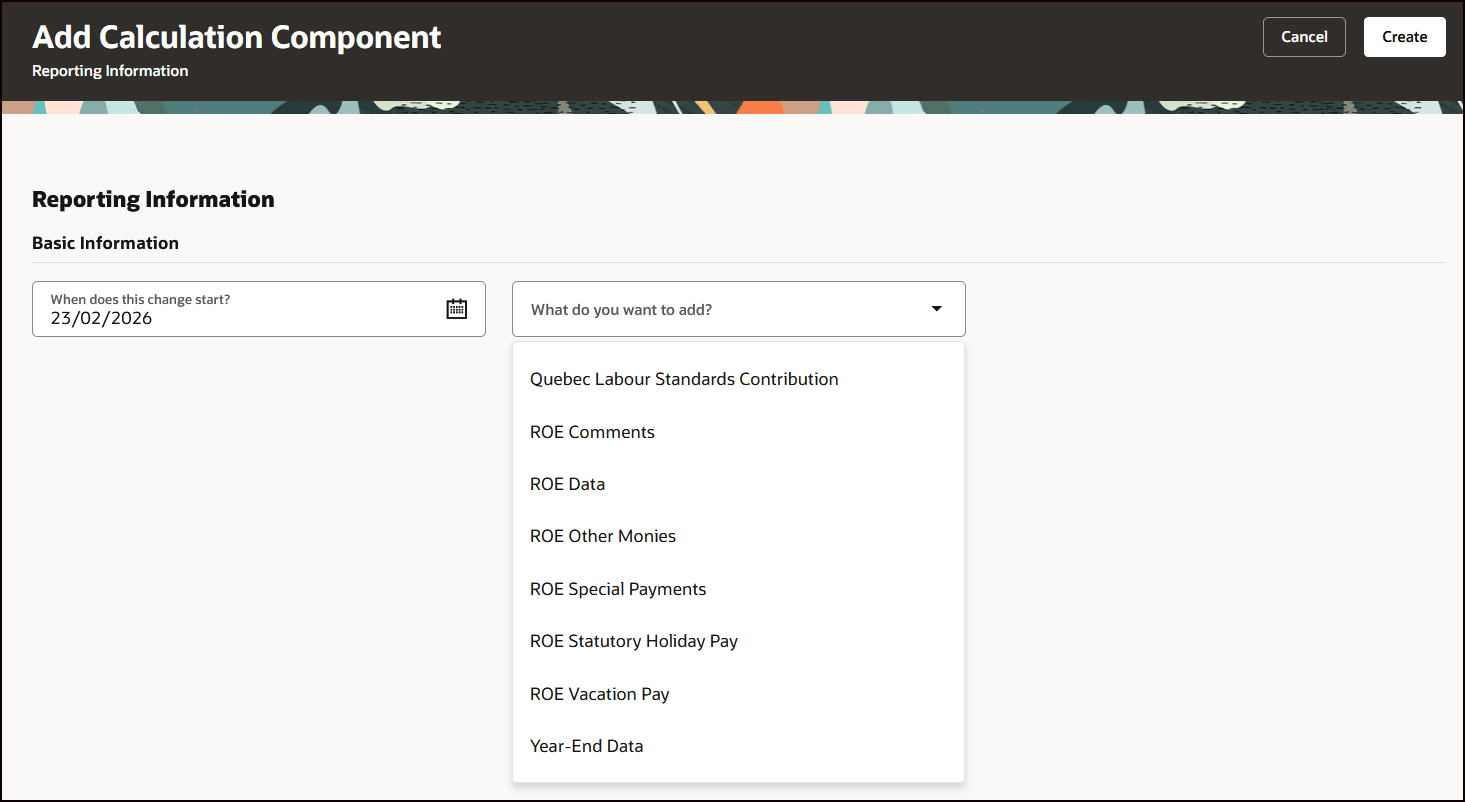
Add Calculation Component
Each individual component offers its own set of unique component details to capture. For example, this illustration displays the fields to capture when adding the Year-End Data component. You may also add multiple types of components within this page.
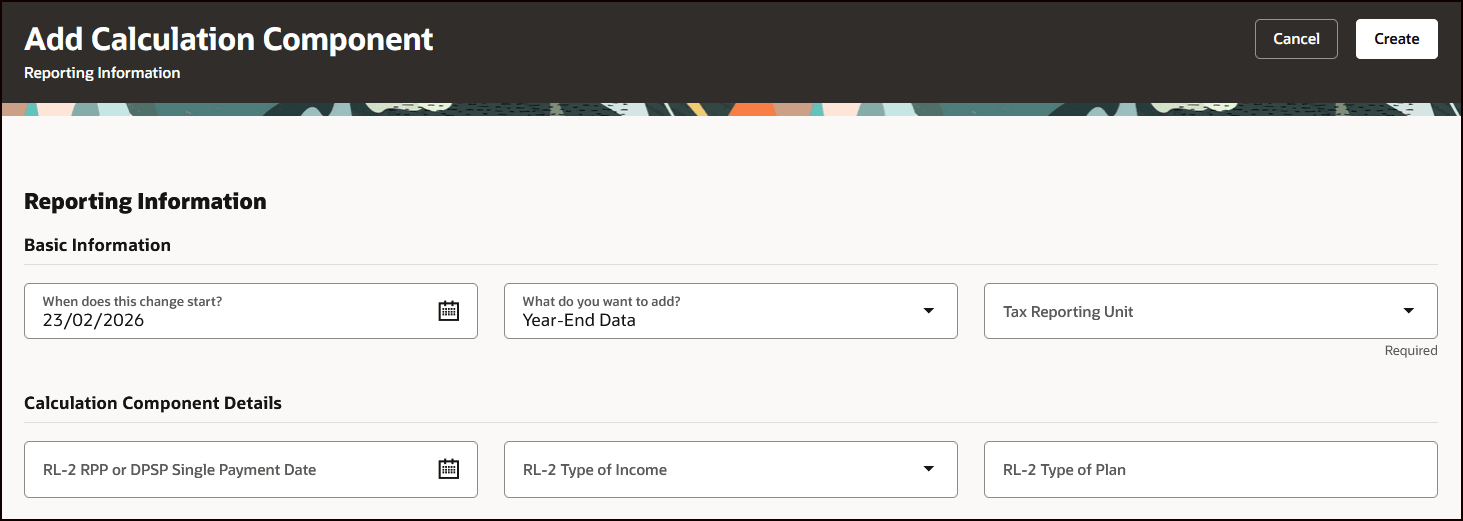
Year-End Data Calculation Component
With this feature you will see improved usability of the page, and a consistent UI and modern experience.
Steps to enable and configure
This feature is not automatically enabled. To enable it:
- Navigate to Setup and Maintenance and select the Tasks menu.
- Click Search, and search for Manage Administrator Profile Values.
- Search for Profile Option Code = ORA_HRX_CA_REPORTINGINFORMATION_VBCS_ENABLED, and set it to Yes at the site level.
- Search for Profile Option Code = ORA_PAY_CALC_ENTRIES_LANDING_REDWOOD_ENABLED, and set it to Yes at the site level.
- Search for Profile Option Code = ORA_HCM_VBCS_PWA_ENABLED, and set it to Yes at the site level.
Tips and considerations
The functionality of the Reporting Information pages remains the same; only the way the information is displayed has been updated.
Key resources
Refer to these documents for additional information.
- Administering Payroll for Canada: Canada Information Center (KA144)
- CA – Payroll tab > Product Documentation > Payroll Guides > Administering Payroll for Canada