Redwood Experience: Add Tags Action on Job Applications List
You can add tags to one or multiple candidates using the Add Tags action on the job applications list. When you use the Add Tags action on 11 candidates or more, the action is processed asynchronously (bulk process).
Note: From the job applications list, you can only add tags. But from the candidate’s job application details page, you can add and remove tags.
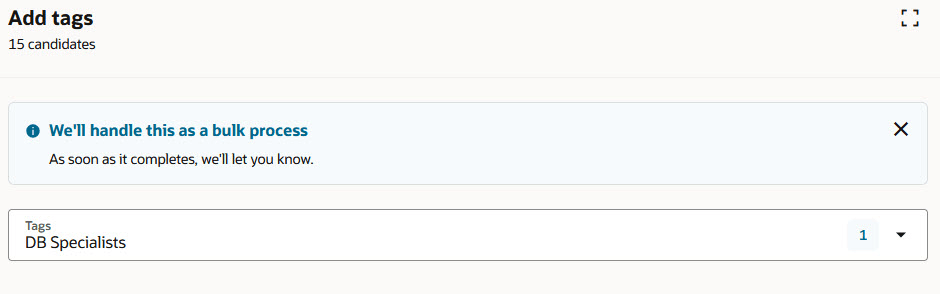
Add Tags Action
Business benefit: You save time by adding tags to multiple candidates at the same time.
Steps to enable and configure
To use Redwood experience, you need to enable these profile options:
- ORA_IRC_RECRUITING_REDWOOD_ENABLED
- ORA_IRC_JOB_APPLICATION_REDWOOD_ENABLED
- ORA_IRC_CANDIDATE_REDWOOD_ENABLED
- ORA_IRC_REQUISITION_REDWOOD_ENABLED
For details, see How do I enable a profile option?
For details on enabling and customizing Redwood for HCM, see How do I adopt Redwood for HCM? and Extending Redwood Applications for HCM and SCM Using Visual Builder Studio
For privileges, see the Access Requirements section.
Access requirements
To use the Add Tags action, users need the following privilege:
- Create or Update Candidate (IRC_CREATE_OR_UPDATE_CANDIDATE)