Redwood Experience: Add Interaction and Tag Actions in Bulk on Candidate Lists
You can use the Add Interaction and Add Tag actions to enter information about candidates on more than one candidate at a time.
Select multiple candidates and then on the Add interaction panel, select the type of interaction and enter the date and notes.
For tags, select multiple candidates and then on the Add tag panel, select tags.
When you use the Add Tags action on 11 candidates or more, the action is processed asynchronously (bulk process).
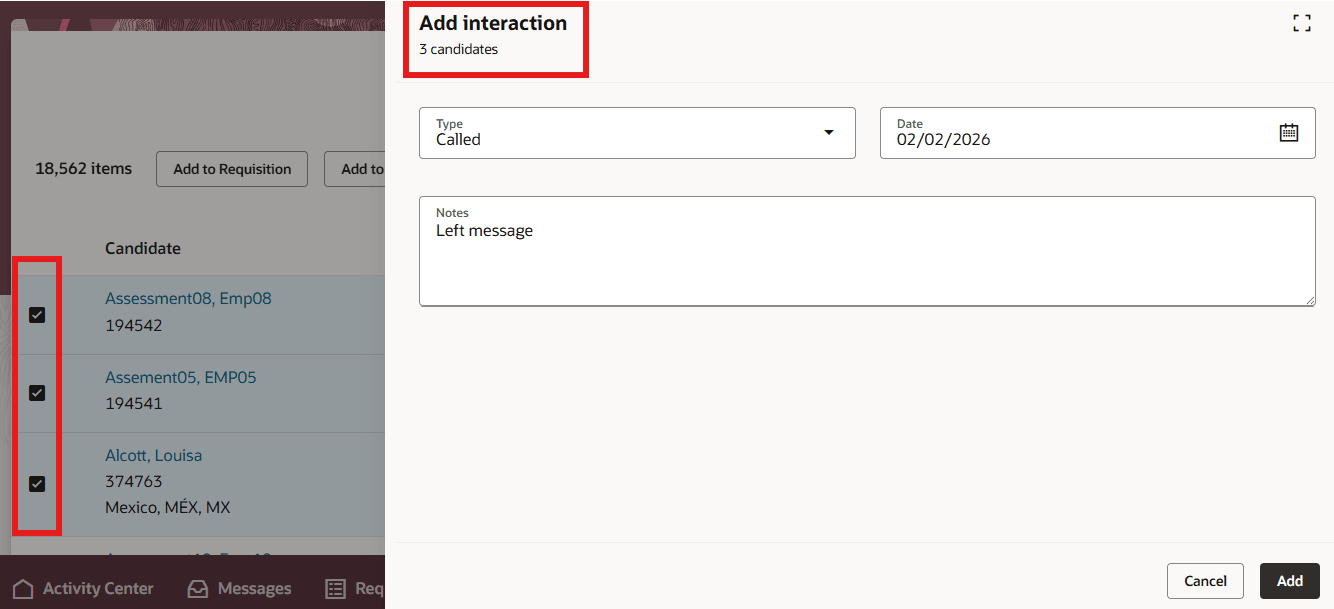
Add Interaction on Multiple Candidates
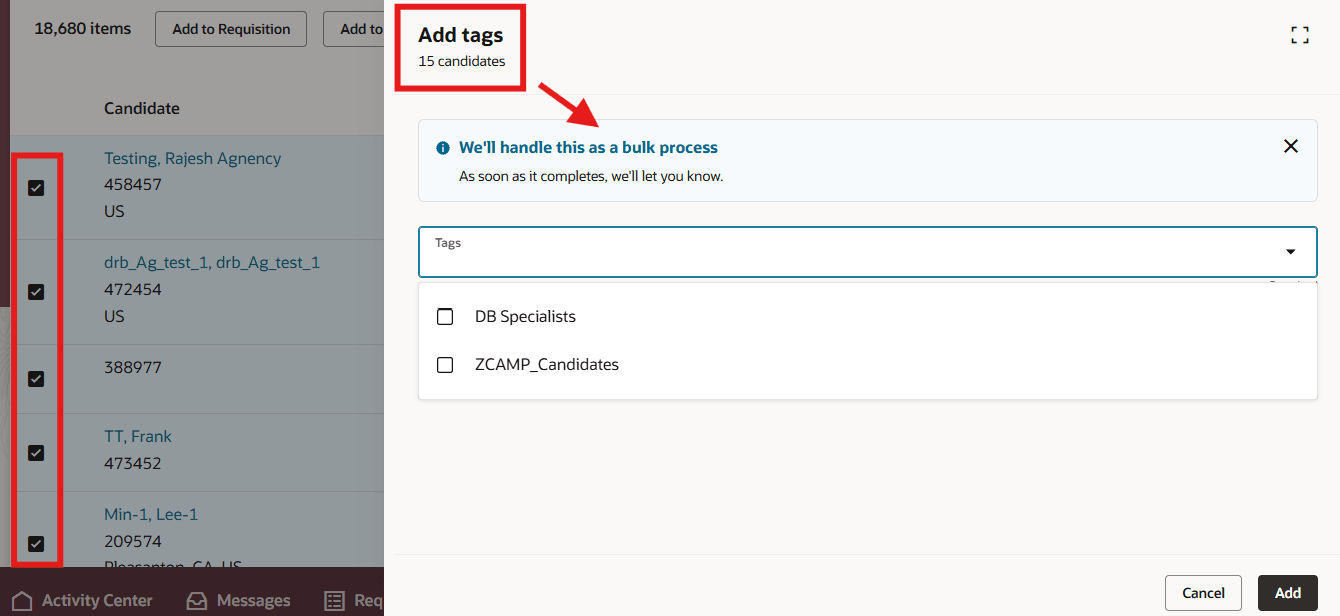
Add Tags on Multiple Candidates and Bulk Processing
Business benefit: You will save time when adding interactions and tags to multiple candidates.
Steps to enable and configure
To use Redwood experience, you need to enable these profile options:
- ORA_IRC_RECRUITING_REDWOOD_ENABLED
- ORA_IRC_CANDIDATE_REDWOOD_ENABLED
For details, see How do I enable a profile option?
For details on enabling and customizing Redwood for HCM, see How do I adopt Redwood for HCM? and Extending Redwood Applications for HCM and SCM Using Visual Builder Studio
For privileges, see the Access Requirements section.
Access requirements
Users need this privilege:
- Create or Update Candidate (IRC_CREATE_OR_UPDATE_CANDIDATE)