Redwood Experience: Business Rules for How to Start and Requisition Structure in Create Job Requisition Flow
In 26B, Visual Builder Studio business rules for the following fields are evaluated independently. These fields appear in the How to start and Requisition structure sections of the Redwood job requisition creation flow:
- Job Family
- Organization
- Other Locations
- Job Function
Previously, if you configured a business rule for one of these fields in either section, the rule could also affect the same field in the other section. In 26B, that behavior changes. You can now configure visibility, read-only, and required settings separately for each section.
Business benefit: This enhancement gives greater flexibility when configuring the Redwood job requisition creation flow. Administrators can now manage field behavior independently in the How to start and Requisition structure sections, helping avoid unintended rule behavior across sections and creating a more tailored user experience.
Steps to enable and configure
If you currently have business rules for Job Family, Organization, Other Locations, or Job Function, review your existing configurations. If you want the same behavior to continue in the How to start section, you’ll need to create new rules specifically for How to start section. This applies to rules controlling:
- Field visibility
- Read-only behavior
- Required field behavior
Existing rules for these fields will continue to apply only to the Requisition structure section.
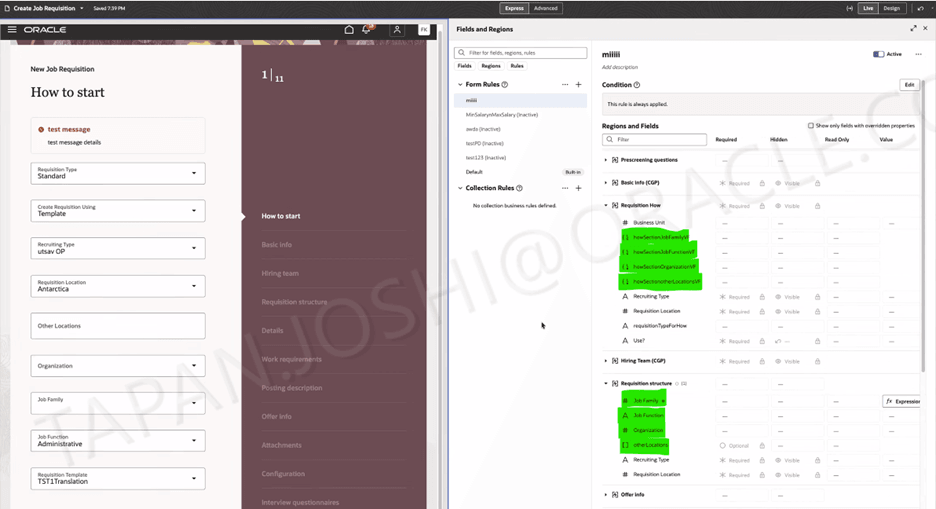
Business Rules for the How to Start Section
To use Redwood experience, you need to enable the Recruiting Redwood pages profile options. For details, see Set profile options for Redwood pages.
For details on enabling and customizing Redwood for HCM, see How do I adopt Redwood for HCM? and Extending Redwood Applications for HCM and SCM Using Visual Builder Studio
Tips and considerations
Review your create job requisition business rules before or shortly after upgrading to 26B.
As a best practice, test all updated rules in a non-production environment to confirm the job requisition creation flow works as expected across different user roles and requisition creation paths.
Before this update, when business rules were created for Job Family, Organization, Other Locations, or Job Function, validation errors were displayed at the field level while users were creating a requisition.
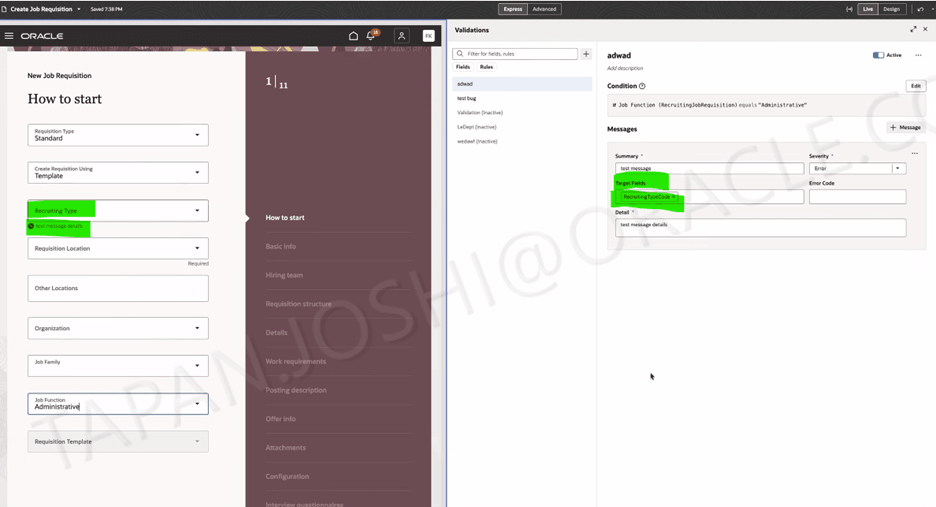
Error Message at the Field Level
Starting in 26B, administrators should remove these fields as target fields from the validation rules. Once removed, validation errors will appear at the page level instead of the field level, allowing the rules to apply to the How to start section as well.
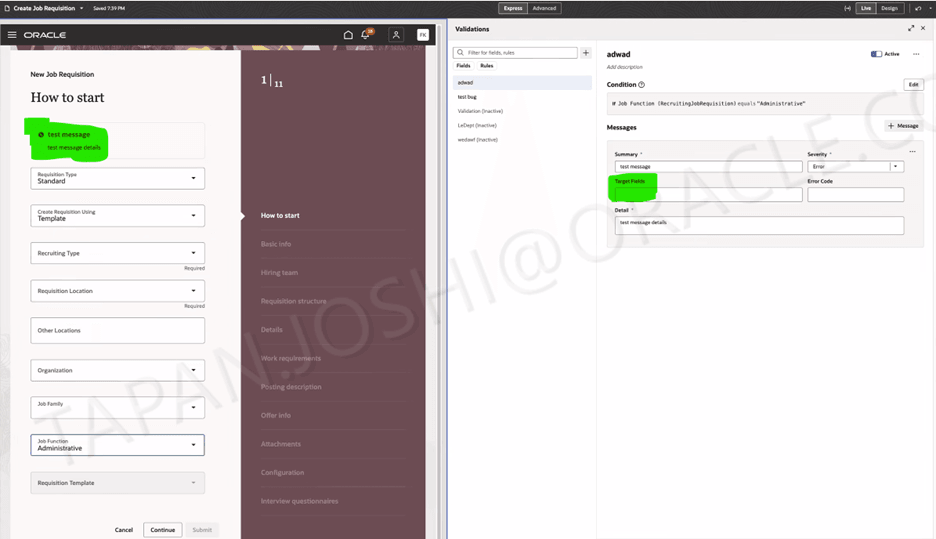
Error Message at the page level