Skill Suggestions from Job Requisitions
Candidates can now choose preferred skills from job requisitions when applying for jobs. Prior to this release, the skills selected during requisition creation weren't applied to the candidate experience application flow.
Now, when recruiters create requisitions, they can add required skills using the Skill Center Skills block. The block is displayed in the Apply and Request Information flows and candidates can then select the skills they already have from this list.
Candidate can add additional skills using the Add More Skills button.
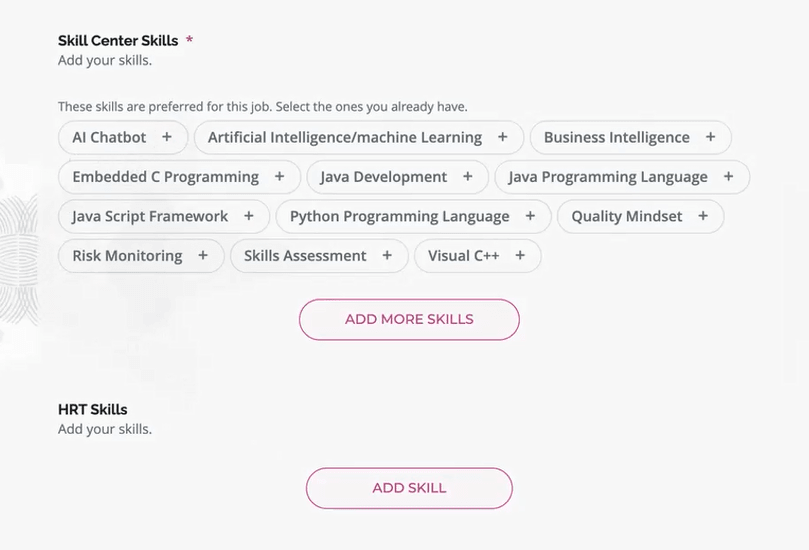
Skills Center Skills Display During Application Flow
Note: With the introduction of this feature, AI suggested skills are no longer supported for the Apply, Request Information, and Talent Community flows, Edit Personal Info, or Events. The skills that are suggested come from the skills library.
Business benefit: Candidates can select preferred skills listed in the job requisition, allowing them to showcase their existing skills more accurately.
Steps to enable and configure
While there's no new configuration, you need to do the following to use the feature.
- Create a job requisition using the Skills Center Section as a skills block.
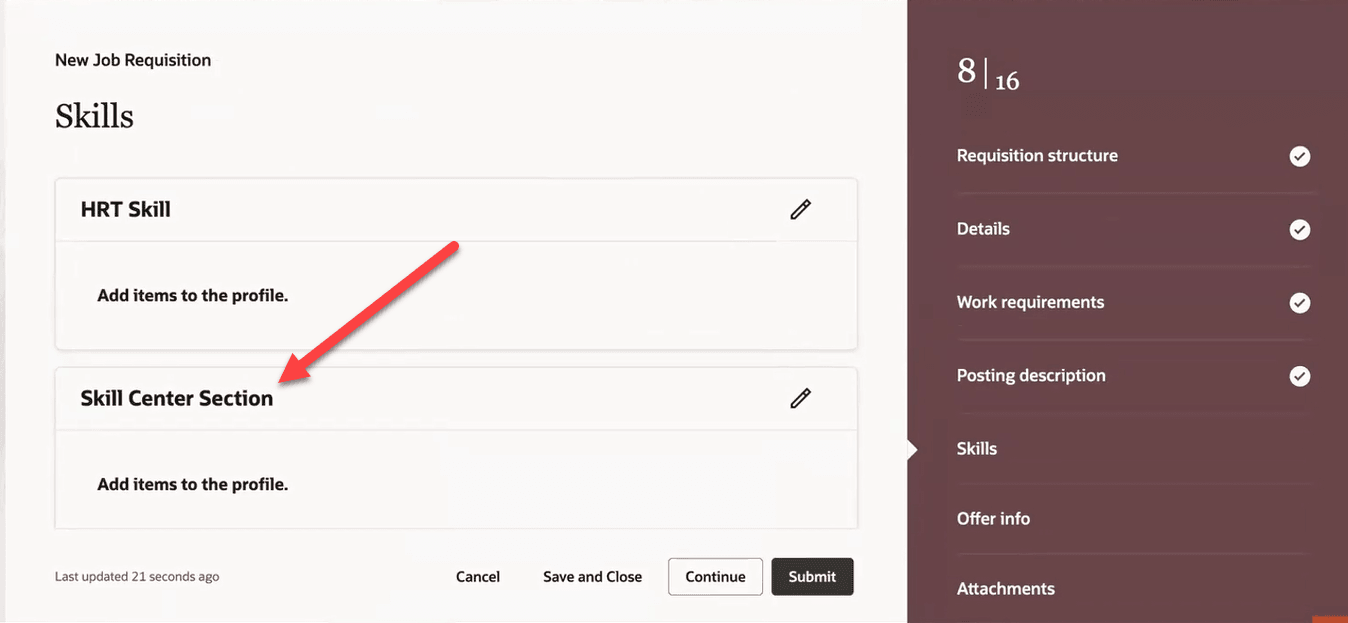
Skills Center Block on Requisition
- Create a job application flow and map the skills block to the Skill Center Section. For details see How do I set up a job application flow?
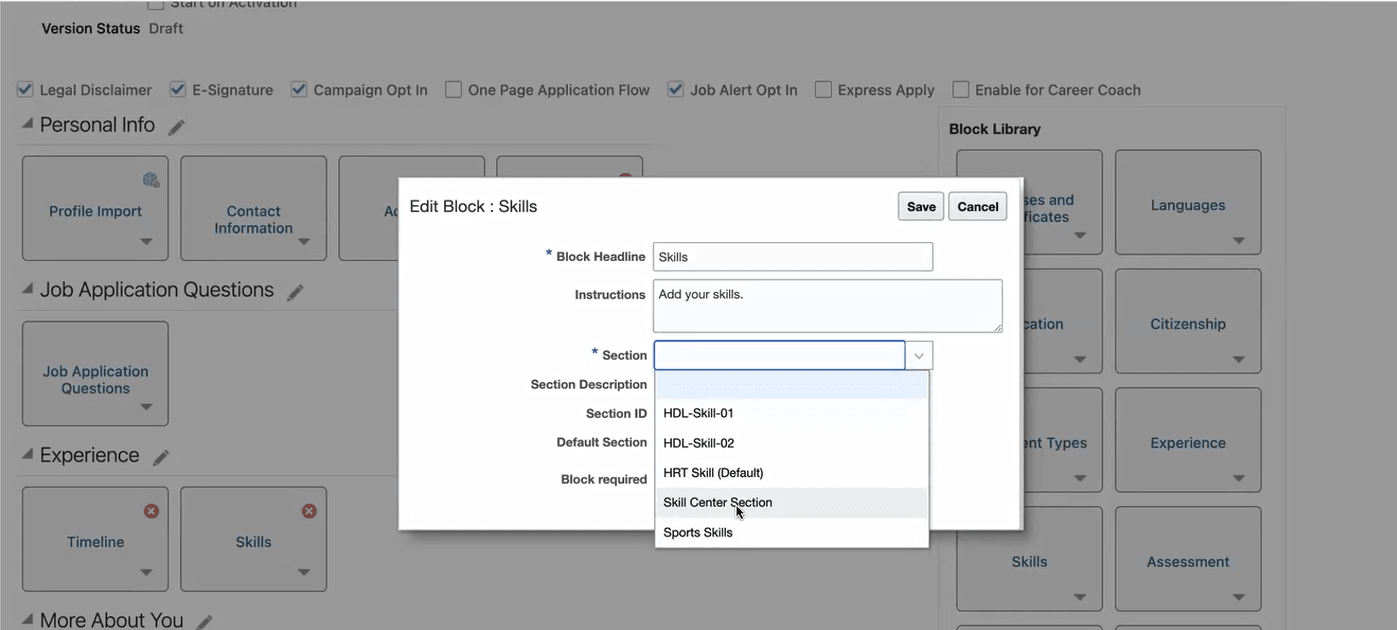
Select Skills Center Section