Redwood Experience: New Interaction Filters on Candidate List Pages
Take advantage of new Interaction filters in the Candidate Activity filter group when refining your candidates on the following candidate lists: candidate search, pool members, prospects and event audience.
New filters:
- Interaction Type: Type of interaction. For example, Called or Sent Text Message.
- Interaction From: You can use this filter on its own to look for interactions beginning from a specific date or use it with the Interaction To filter to search within a date range.
- Interaction To: You can use this filter on its own to look for interactions up until a specific date or use it with the Interaction To filter to search within a date range.
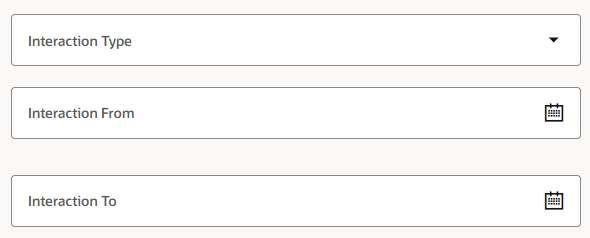
New Interaction Filters within the Candidate Activity Filter Group
Business benefit: You can more efficiently find candidates that you've interacted with in the past.
Steps to enable and configure
To use Redwood experience, you need to enable these profile options:
- ORA_IRC_RECRUITING_REDWOOD_ENABLED
- ORA_IRC_CANDIDATE_REDWOOD_ENABLED
For details, see How do I enable a profile option?
For details on enabling and customizing Redwood for HCM, see How do I adopt Redwood for HCM? and Extending Redwood Applications for HCM and SCM Using Visual Builder Studio
For privileges, see the Access Requirements section.
Access requirements
Users need this privilege:
- Create or Update Candidate (IRC_CREATE_OR_UPDATE_CANDIDATE)