Redwood: Enhancements on the Redwood Redesigned Talent Review Meeting Dashboard
Take advantage of these enhancements that are now available on the Talent Review meeting dashboard:
- All meeting actions are now available in the restructured action menus in both the Graph and Table views of the Talent Review meeting dashboard. The actions used to add the selected members to a succession plan and a talent pool, and the actions to add a task, note, performance goal, and the development goal are available in a separate Add menu. The remaining actions are available in the overflow menu.
- Export the Talent Review meeting dashboard data in the Table views of the Talent Review meeting dashboard to an Excel spreadsheet.
- Filter the review population by multiple management levels when preparing review content or conducting a Talent Review meeting.
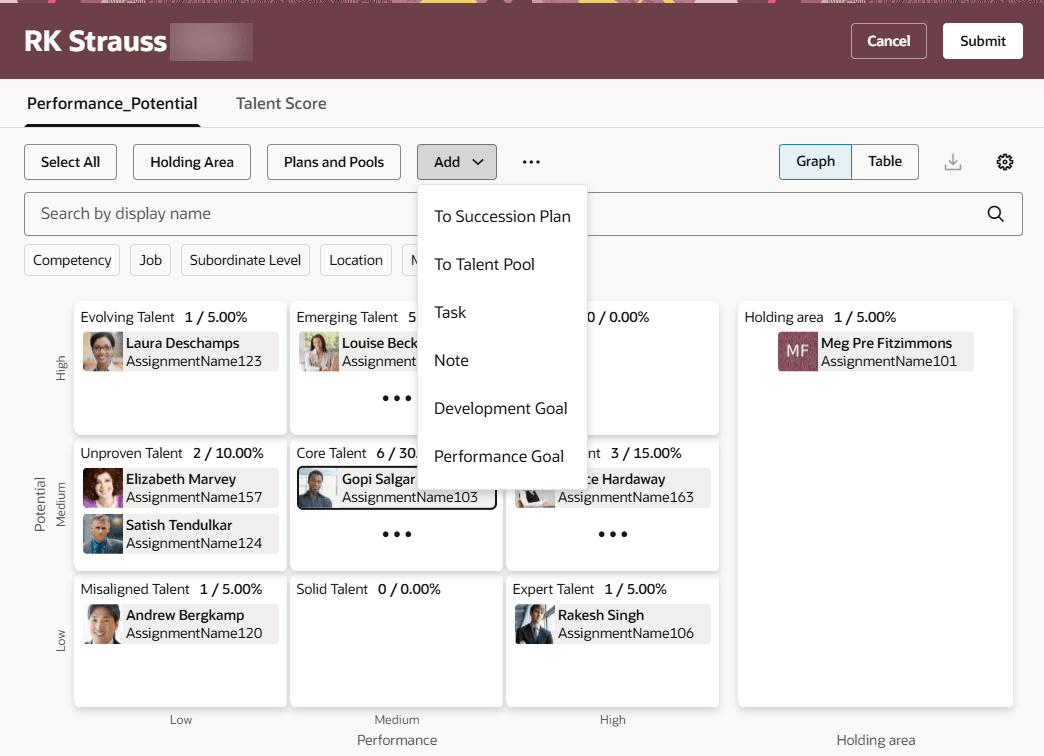
Add Menu Actions in Graph View
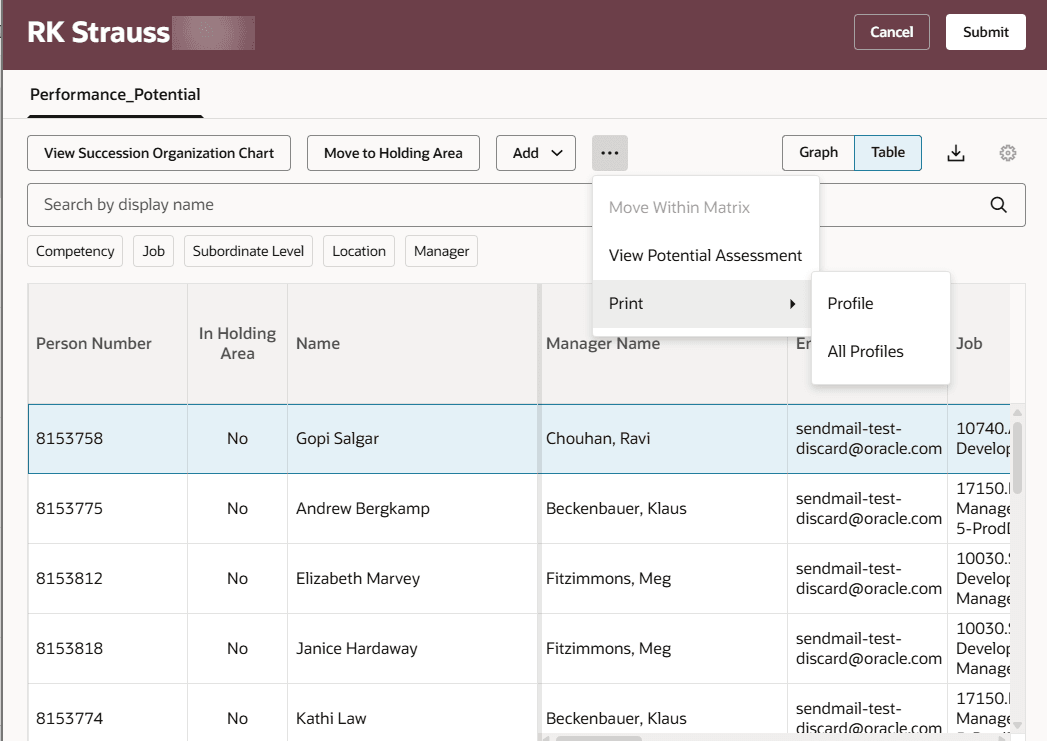
Overflow Menu Actions in Table View
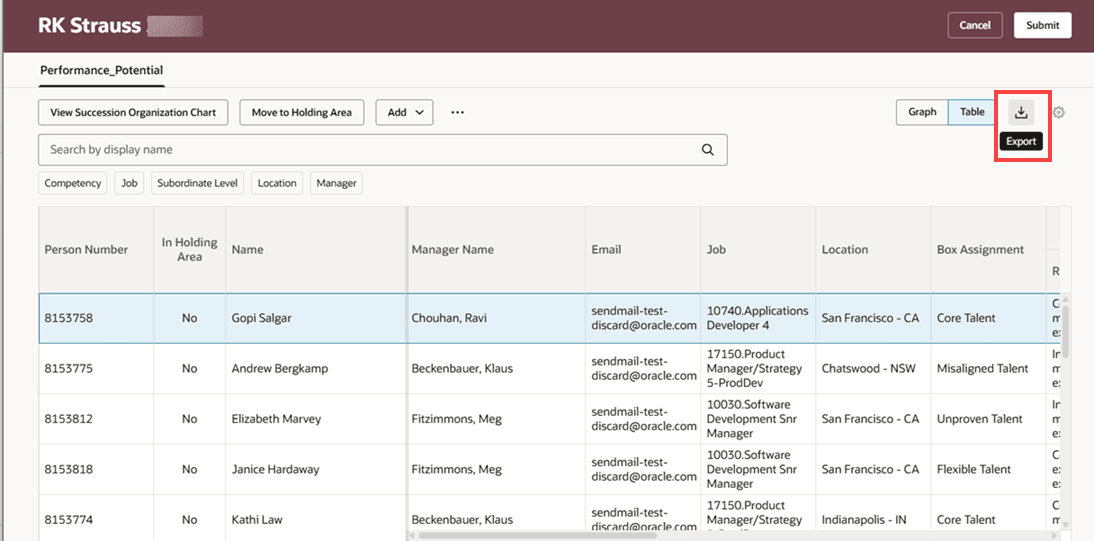
Export Icon in the Table View
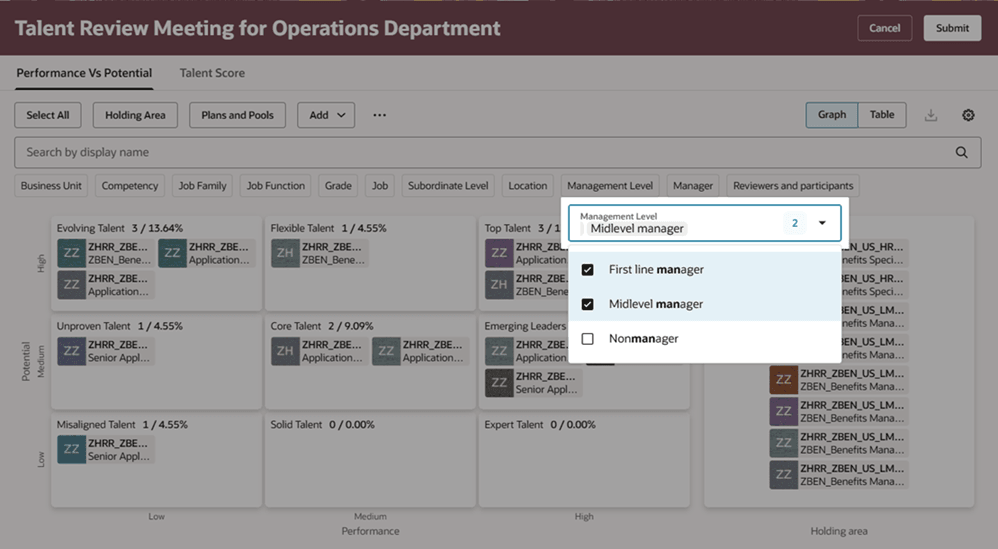
Multiple Management Levels Selected on Facilitator Dashboard
You get these benefits by using the enhancements listed in this feature:
- Easily find the actions that you want to do for Talent Review meeting members and conduct your meetings with ease.
- Export Talent Review meeting data to Excel spreadsheets and analyze and group the meeting data and obtain insights.
- Focus on a particular subset of the review population by applying multiple management level filters.
Steps to enable and configure
To view the Redwood redesigned Talent Review meeting pages, you need to enable the profile options indicated in the table.
|
Profile Option Code |
Profile Option Display Name |
Value |
|---|---|---|
|
ORA_HCM_VBCS_PWA_ENABLED |
Enable VBCS Progressive Web Application User Interface |
Y |
| ORA_HRR_TALENT_REVIEW_REDWOOD_ENABLED | Redwood Talent Review Enabled | Yes |
| ORA_HRR_REDWOOD_DASHBOARD_ENABLED | Redwood Talent Review Meeting Dashboard Enabled | Y |
For more information, see How do I enable a profile option?.