Redwood: View Succession Organization Chart on Talent Review Dashboard
Facilitators and reviewers can now view the succession organization chart of the manager of a member of the review population from the Talent Review meetings dashboard. They need to use the View Succession Organization Chart action to do this.
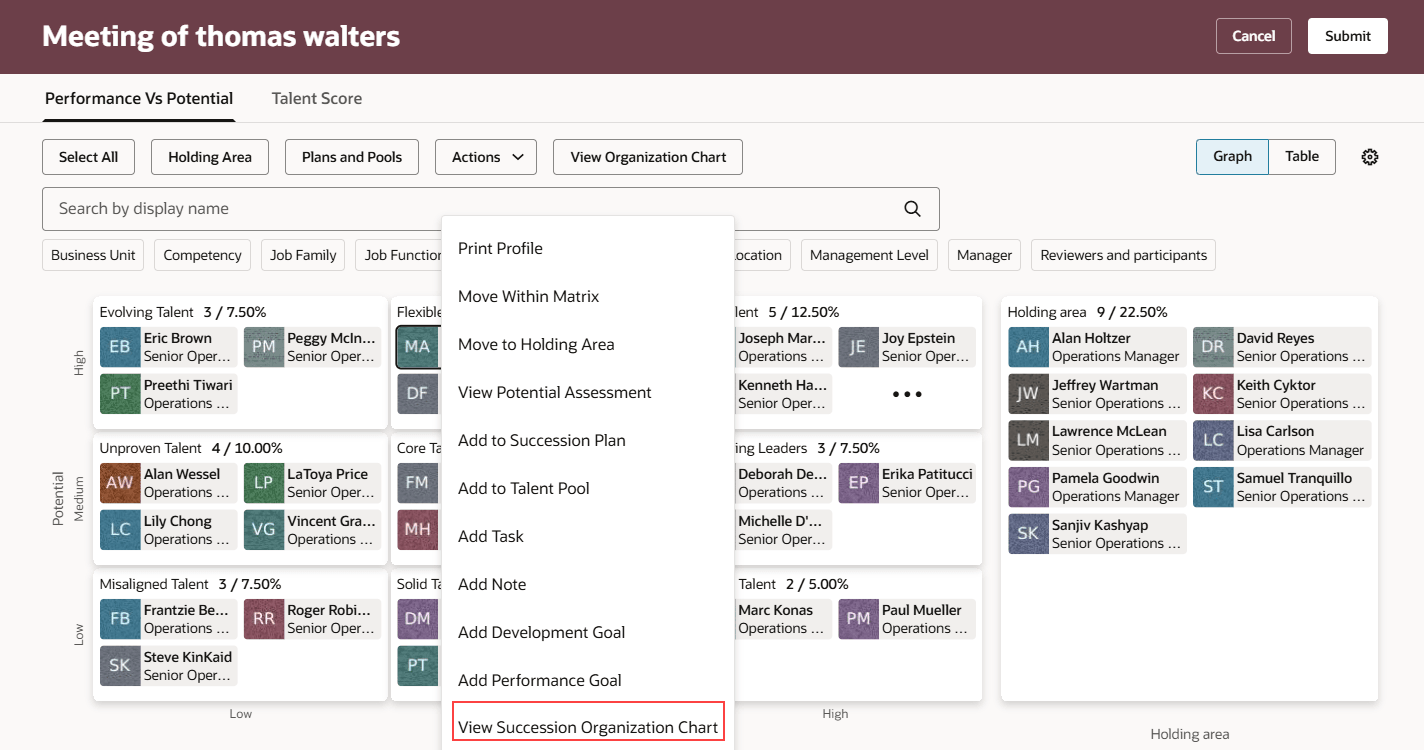
View Succession Organization Chart Action
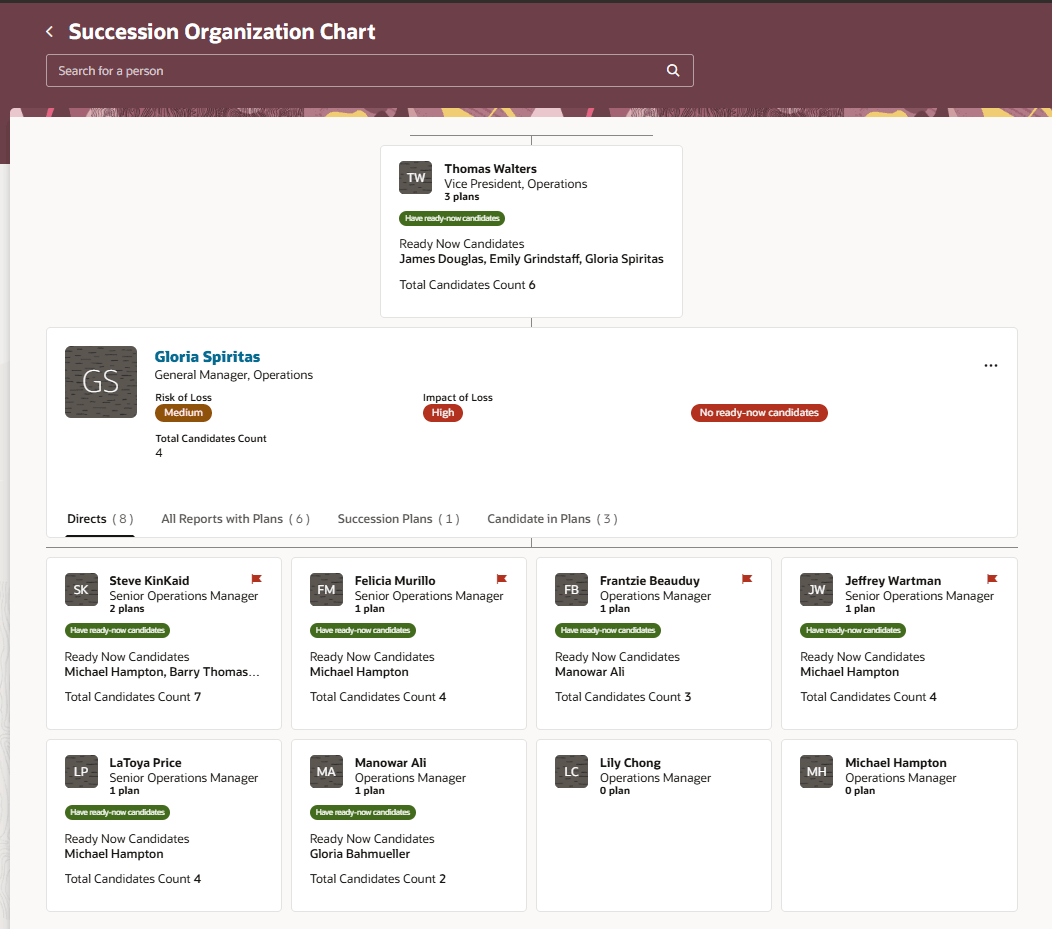
Succession Organization Chart
Business Benefit
View succession organization charts from the Talent Review meeting dashboard and get comprehensive succession planning information of the manager’s team that’s being reviewed.
Steps to enable and configure
To view the Redwood redesigned Talent Review meeting pages, you need to enable the profile options indicated in the table.
|
Profile Option Code |
Profile Option Display Name |
Value |
|---|---|---|
|
ORA_HCM_VBCS_PWA_ENABLED |
Enable VBCS Progressive Web Application User Interface |
Y |
| ORA_HRR_TALENT_REVIEW_REDWOOD_ENABLED | Redwood Talent Review Enabled | Yes |
| ORA_HRR_REDWOOD_DASHBOARD_ENABLED | Redwood Talent Review Meeting Dashboard Enabled | Y |
To view succession organization charts, you need to enable these profile options.
|
Profile Option Code |
Profile Option Display Name |
Value |
|---|---|---|
| ORA_HRM_SUCC_PLANS_REDWOOD_ENABLED | Redwood Succession Plans Enabled | Yes |
| ORA_HRM_ENABLE_SUCCESSION_ORG_CHART | Succession Organization Chart Enabled | Y |
For more information, see How do I enable a profile option?.
Tips and considerations
You can disable viewing the succession organization chart. You need to edit the Talent Review meeting dashboard page using Visual Builder Studio and set the Show View Succession Organization Chart Action page property to False.
For more information on how to do this, see How do I control the display of a UI element in Visual Builder Studio?.