Redwood Time Card Enhancements
Take advantage of improved security, user experience, and data cleanliness across the Redwood time card by controlling who sees absence plan balances, preventing the creation of empty time cards, and clarifying row- and cell-level comment behavior.
View absence plan balances action secured by permission
Only users with the View Accrual Plan Balances privilege can see the View Absence Plan Balances action and open the related drawer. Note that this privilege is granted to the delivered line manager and employee roles. Time and labor managers require the View Accrual Plan Balance by Time and Labor Manager aggregate privilege to view balances for workers they manage.
The absence plan balances drawer shows data filtered by the View Accrual Plan Balance Data data security.
Cancel time card flow prevents creating empty time cards
Canceling a newly opened time card no longer creates a time card record. The application doesn’t retain any edits you make on the time card unless you save or submit it. The application also doesn’t save a canceled time card because of default entries (such as public holiday or on-call entries) or integrated absences.
This behavior applies to workers, line managers, and time and labor managers across all time card flows.
Row-level comment action updates
If no entry-level comment exists on a row, the row-level action shows Add Comment. It adds a comment to each entry of the related row.
If at least one entry-level comment exists for any entry in the row, the row-level actions show Edit Comment and View Comments. Edit Comment adds and overrides comments for each entry on the row and View Comments opens the comments drawer showing only the comments filtered for that row.
If a row is read-only, edit actions are not available; view-only actions follow the read-only restrictions.
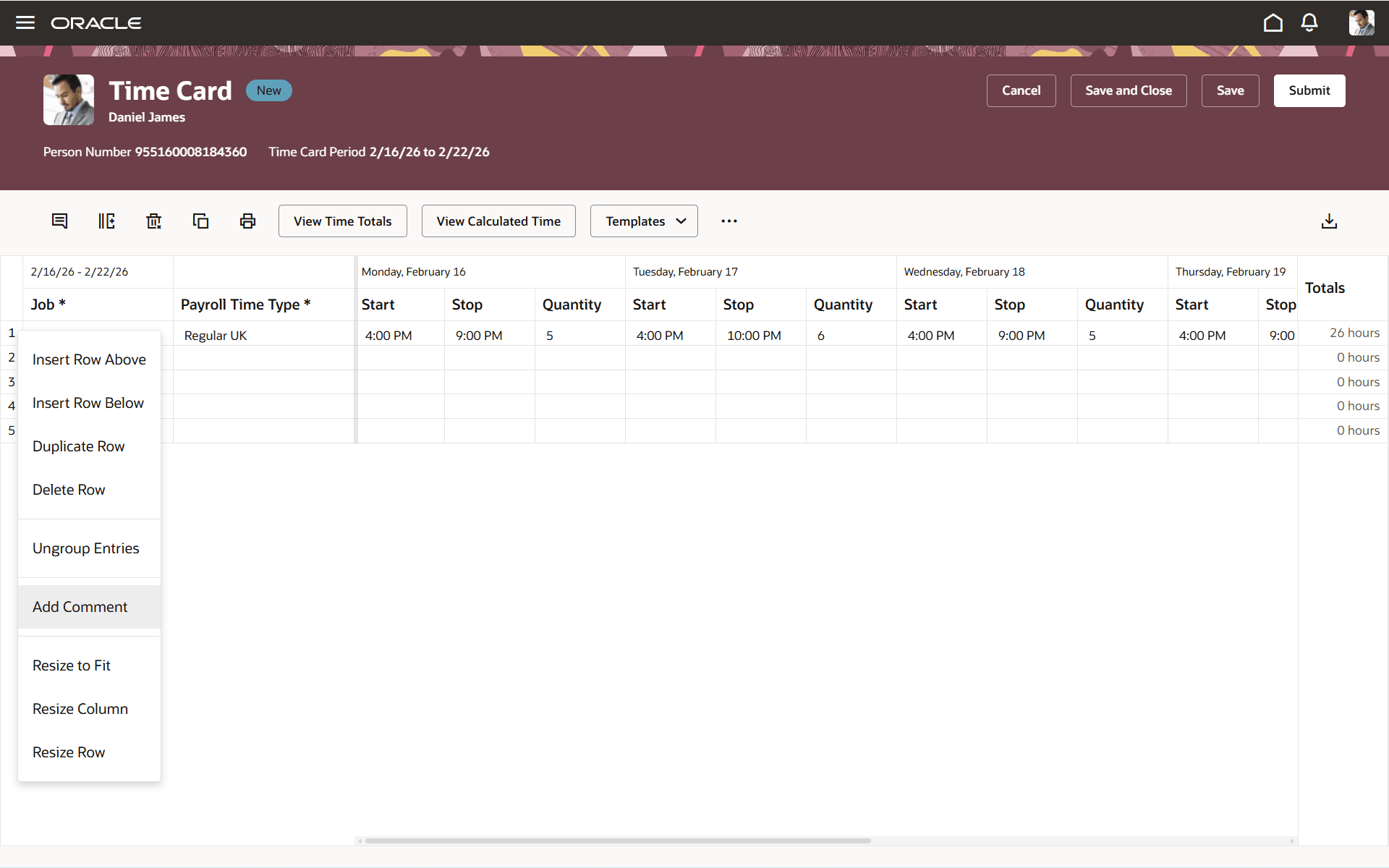
Add Comment Action on the Redwood Time Card
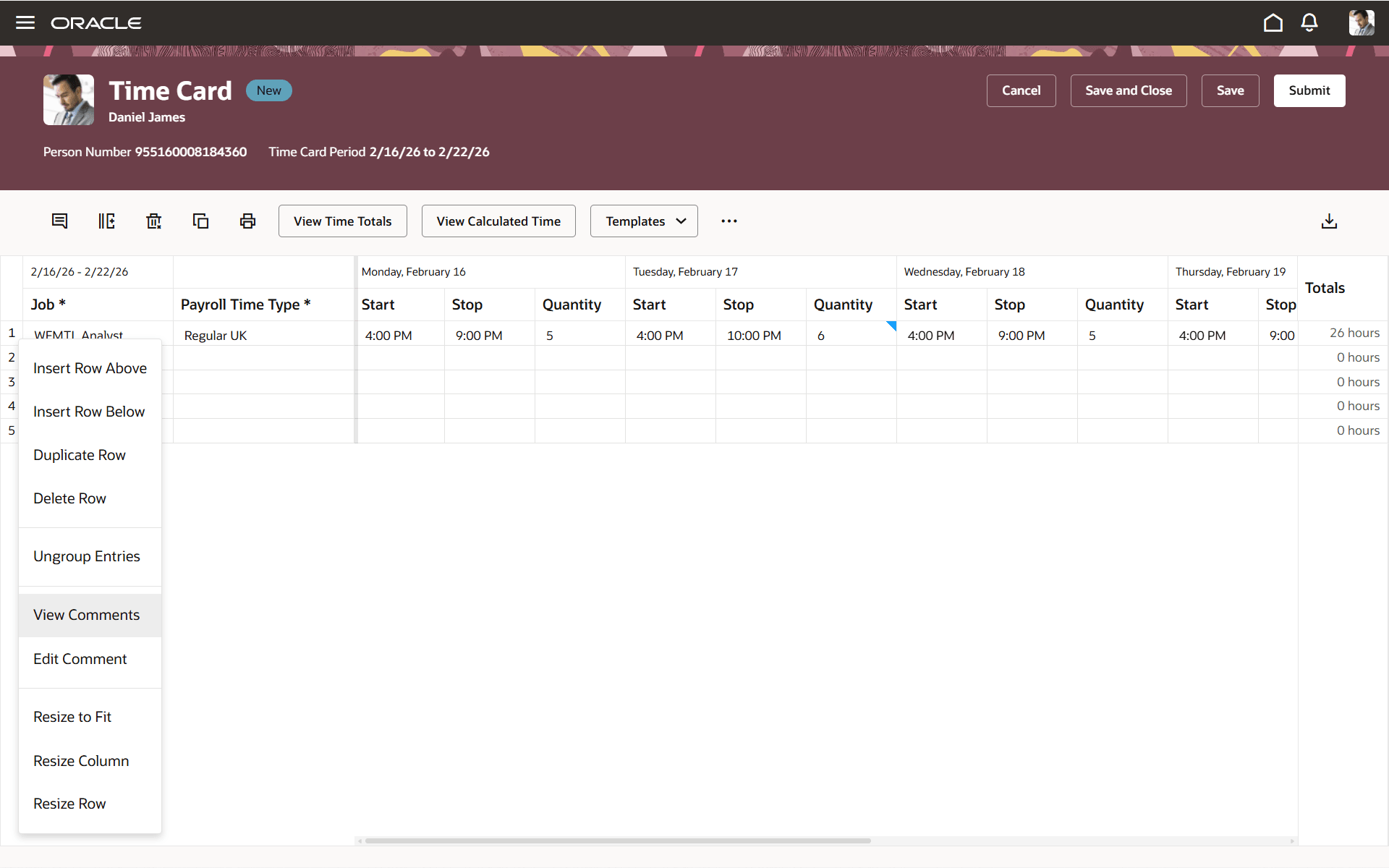
View Comments and Edit Comment Actions on the Redwood Time Card
These enhancements ensure absence data visibility is governed by appropriate permissions, reduce accidental or unwanted time card data creation, and standardize comment actions for clearer user interaction.
Steps to enable and configure
You don't need to do anything to enable this feature.
Key resources
For more information about Time and Labor profile options for Redwood, see HCM Redwood Pages with Profile Options (Document ID 2922407.1) on My Oracle Support.
Access requirements
If you remove the View Accrual Plan Balances permission from custom line manager and employee roles, affected users will no longer see the View Absence Plan Balances action.
If your Time and Labor managers are allowed to review absence balances, they should be granted the View Accrual Plan Balance by Time and Labor Managers aggregate privilege.
Absence balances shown are subject to data security permissions.
|
Role Name |
Role Technical Name |
Description |
|
View Accrual Plan Balance - Already existing |
ANC_VIEW_ACCRUAL_PLAN_BALANCE |
Allows view of an employee's accrual plan balance. |
|
View Accrual Plan Balance by Time and Labor Manager - New in 26B |
ORA_HXT_VIEW_ACCRUAL_PLAN_BALANCE_BY_TIME_AND_LABOR_MANAGER |
Allows time and labor managers to view absence plan balances from the Redwood time card. |