Team Time Cards Rolodex and Approval Enhancements
Managers and timekeeprs can use the multi-select option on Team Time Cards page to open and navigate through these time cards in sequence.
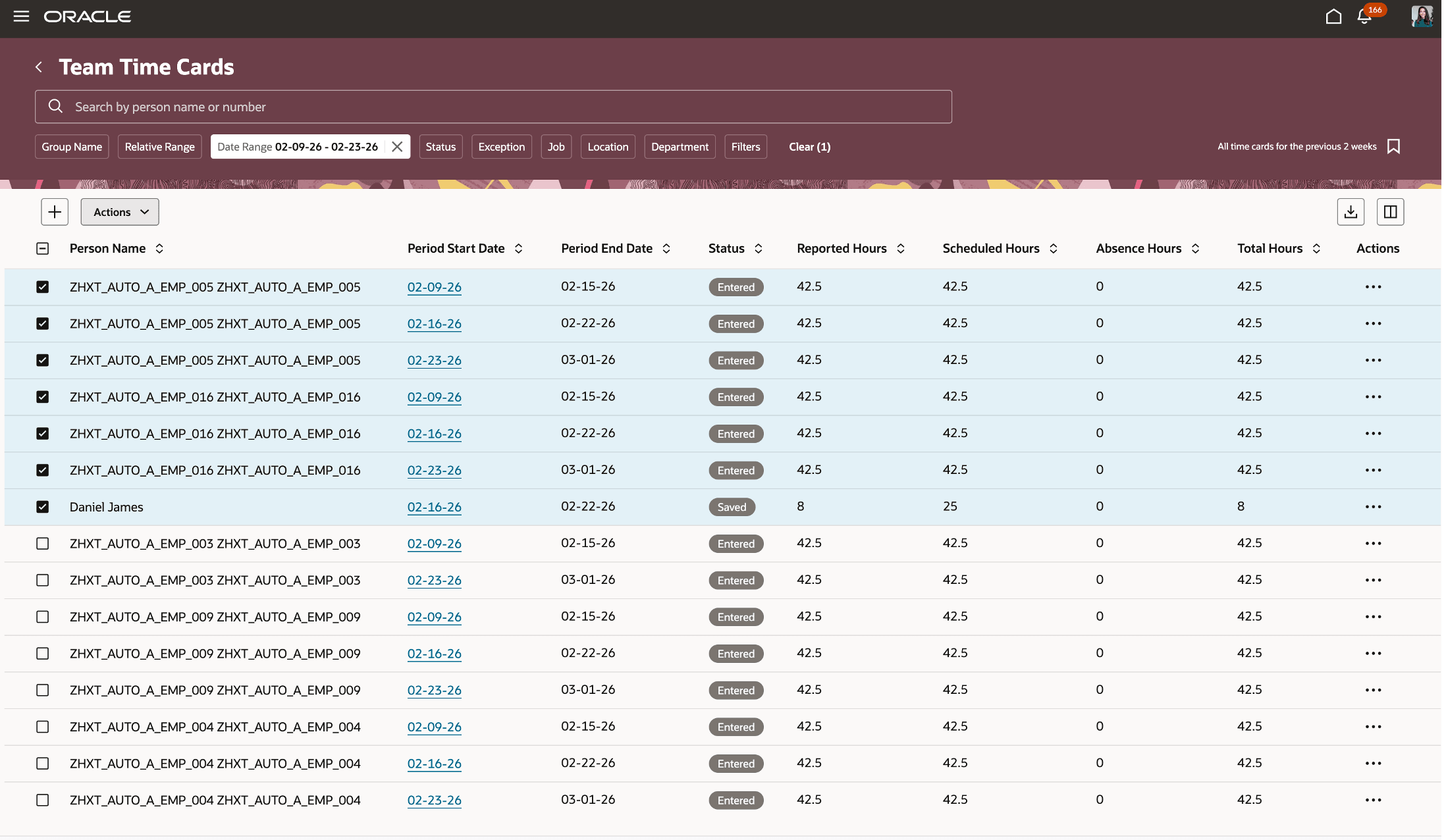
The Team Time Cards page supports selecting multiple time cards.
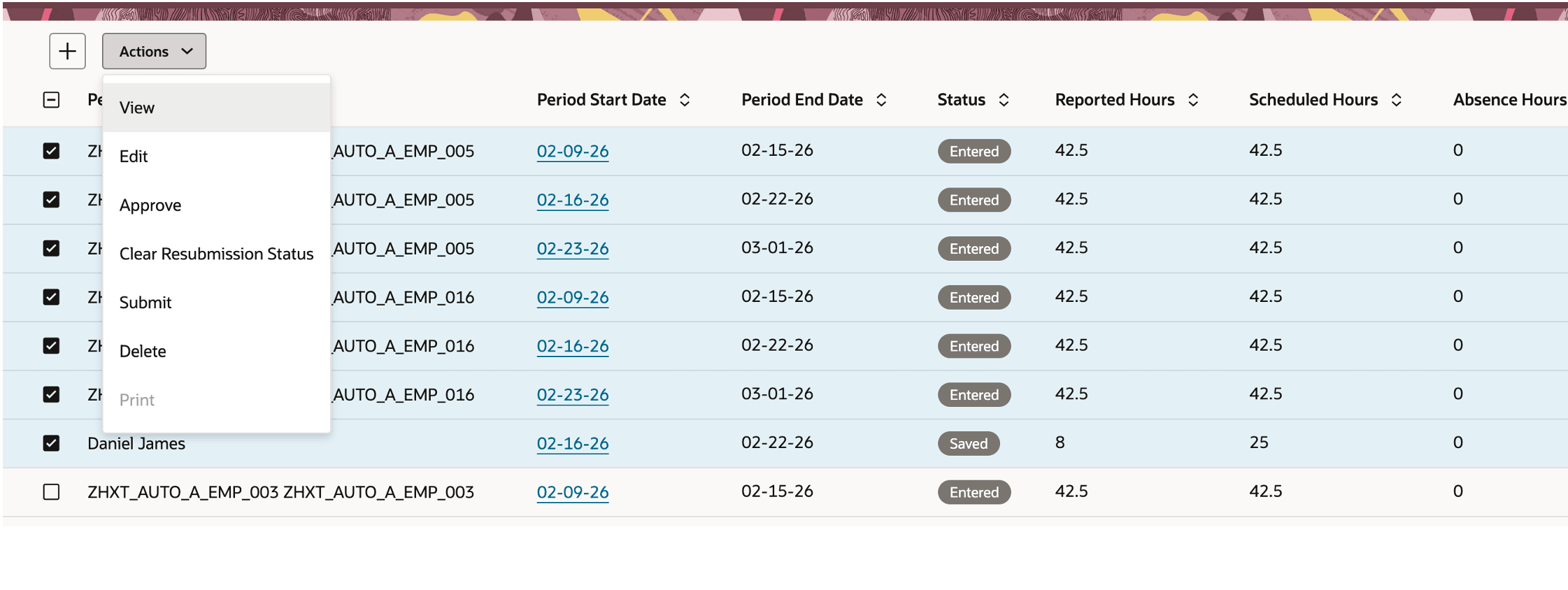
Users choose View or Edit to open the selected time cards in a rolodex.
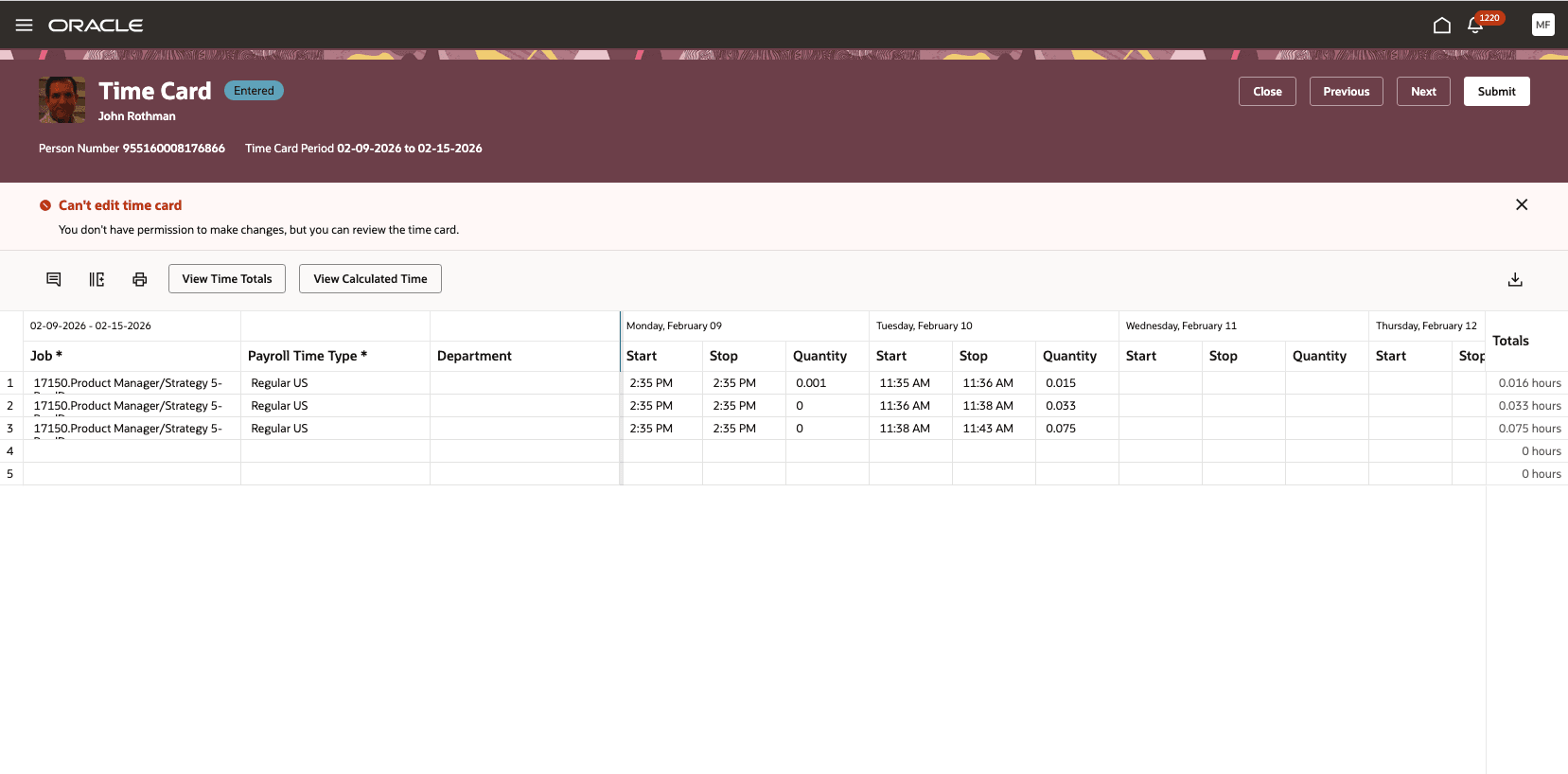
Users navigate among the selected time cards using Previous and Next.
Approval Enhancements
Managers can approve a worker’s time card when the approval task is assigned or routed to them through the configured approval workflow and they have the required security access to the worker’s records. Access to a worker’s time card alone doesn’t authorize a manager to approve a task assigned to another approver.
If the assigned approver is unavailable, use the configured approval-routing capabilities to provide approval coverage. Supported options include:
-
Delegation, when another person needs to act for the assigned approver.
-
Escalation, when an approval task isn’t completed within the configured period.
-
BPM Worklist > My Staff Tasks - where applicable, managers can use this as an alternative in exception scenarios to act on tasks assigned to an immediate direct report. This is limited to one level of the management hierarchy.
Enables managers and time keepers to review and manage multiple time cards in one flow, improving efficiency when working through several time cards.
Steps to enable and configure
For team timecards rolodex, there is no setup needed.
Here's how you can configure the approvals:
-
Provision the appropriate HCM data roles so managers have access to the employee records associated with the time card approval tasks they’re responsible for. Use manager-hierarchy person security where it aligns with your organization’s security requirements.
-
Review your time card approval task configuration and routing to ensure the appropriate managers are assigned as approvers.
-
Configure delegation where another person needs to act on behalf of an assigned approver.
-
Optionally configure the approval task escalation policy and escalation levels to route overdue tasks to the appropriate manager.
Tips and considerations
- Review your approval routing, delegation, escalation, and security configuration to ensure that it provides the approval coverage required by your organization.
Key resources
For more information, see:
- https://docs.oracle.com/en/cloud/saas/human-resources/faqcs/guidelines-for-securing-person-records.html
- https://docs.oracle.com/en/cloud/saas/human-resources/faqbs/data-roles.html
- https://docs.oracle.com/en/cloud/saas/human-resources/faitl/overview-of-time-card-approval-reminders-and-escalations.html
- https://docs.oracle.com/en/cloud/saas/human-resources/fautl/delegate-time-and-labor-tasks.html