Organization Calendar Events enhancements
Administrators and calendar owners need clear, actionable visibility into calendar rule outcomes so they can quickly find failures, understand impact, and retry evaluations; these updates reduce time spent investigating rule failures and help maintain calendar accuracy across the organization.
When a calendar rule evaluation fails, the user who created or last updated the calendar receives a notification. The notification includes details about the failure and a link to the calendar list page where the calendar can be reviewed and the rule re-run.
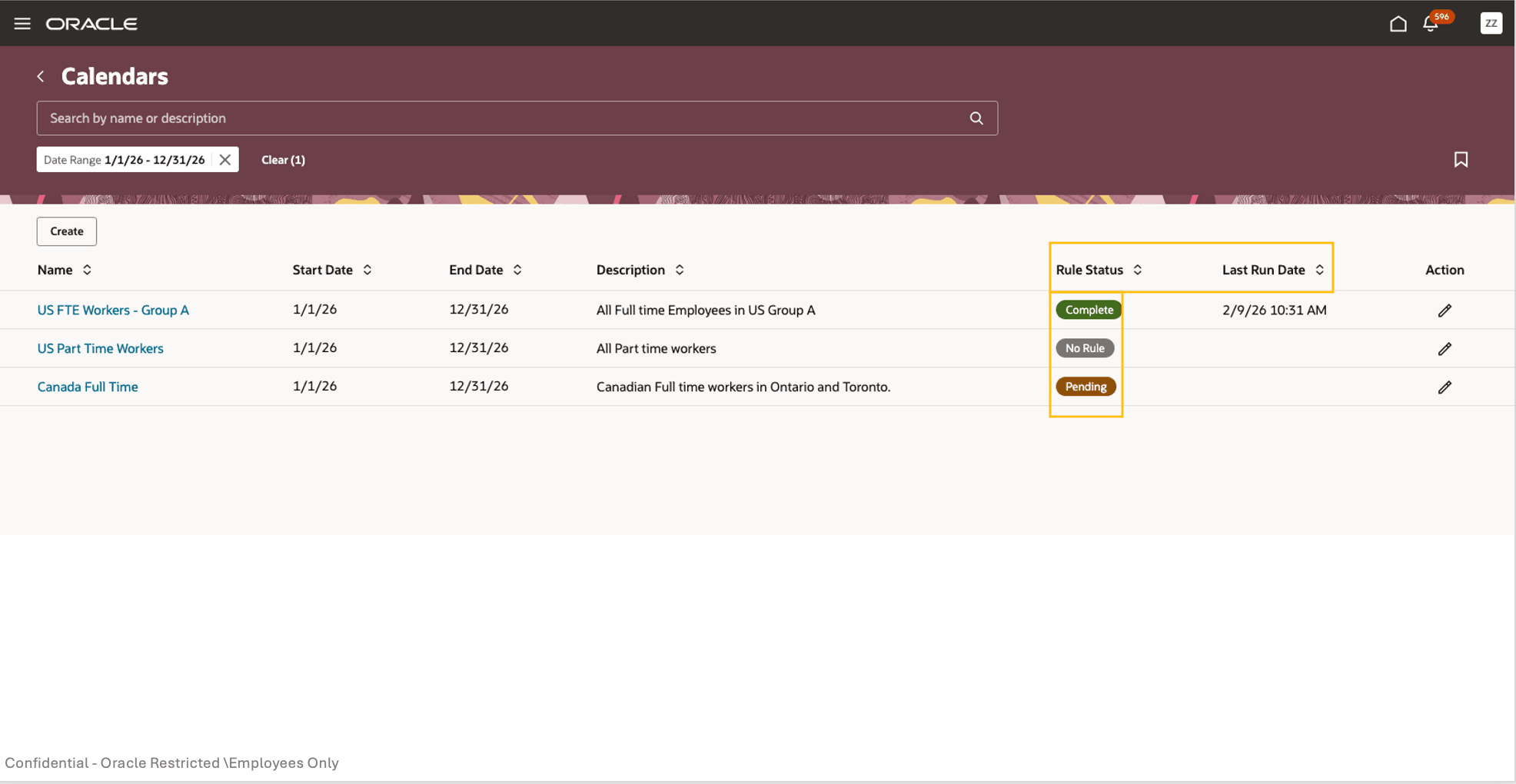
Calendars list page displaying rule status and last run date information.
The calendars list page shows an overall rule evaluation status for each calendar to indicate whether calendar rules have succeeded, failed, are pending, or have not been run.
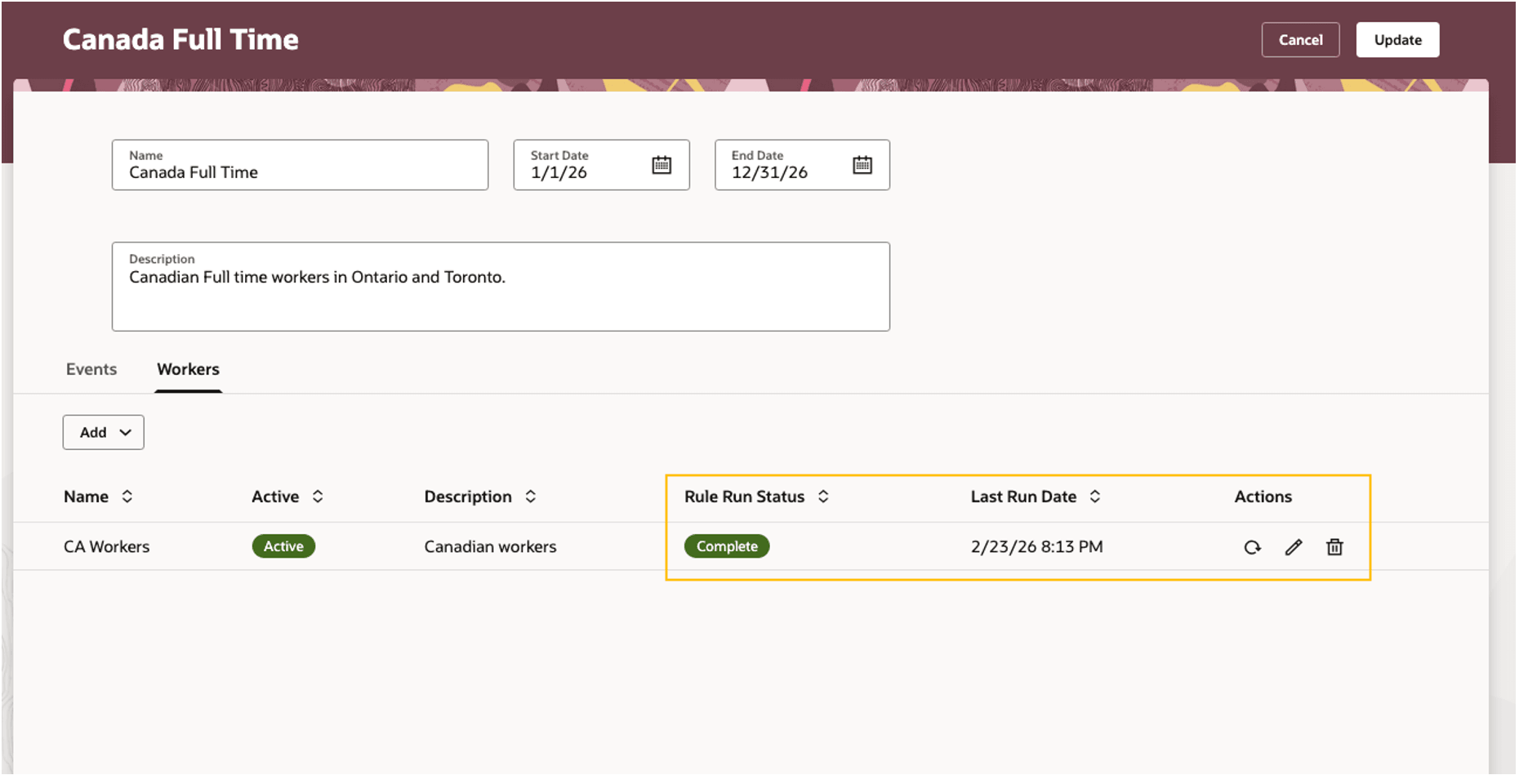
Individual rule status and refresh action in the workers tab of a calendar
n the workers tab of a calendar, each rule attached to a calendar shows its individual run status and last run timestamp on the calendars list. Administrators can initiate a rule re-evaluation from the list for eligible rules.
Here are various rule statuses explained.
Complete - All rules evaluated successfully
Error - Rule evaluation failed
Never run - Rule evaluation never run
Running - Rules in progress
No Rule - No rules added to the calendar
Administrators can get a comprehensive status of the calendar assignment rules evaluation and can take the necessary steps to complete the evaluation easily.
Steps to enable and configure
You don't need to do anything to enable this feature.
Tips and considerations
Status values reflect back-end evaluation results. Allow time for background jobs to complete and refresh the page to see updated statuses.