Redwood Time Activity Center Introduction
Line managers and timekeepers can now use the Redwood WFM Activity Center to review employee time summaries in a single dashboard. The page highlights key items through charts and KPIs, and supports faster navigation to relevant Redwood time pages through a role-based Quick Actions panel.
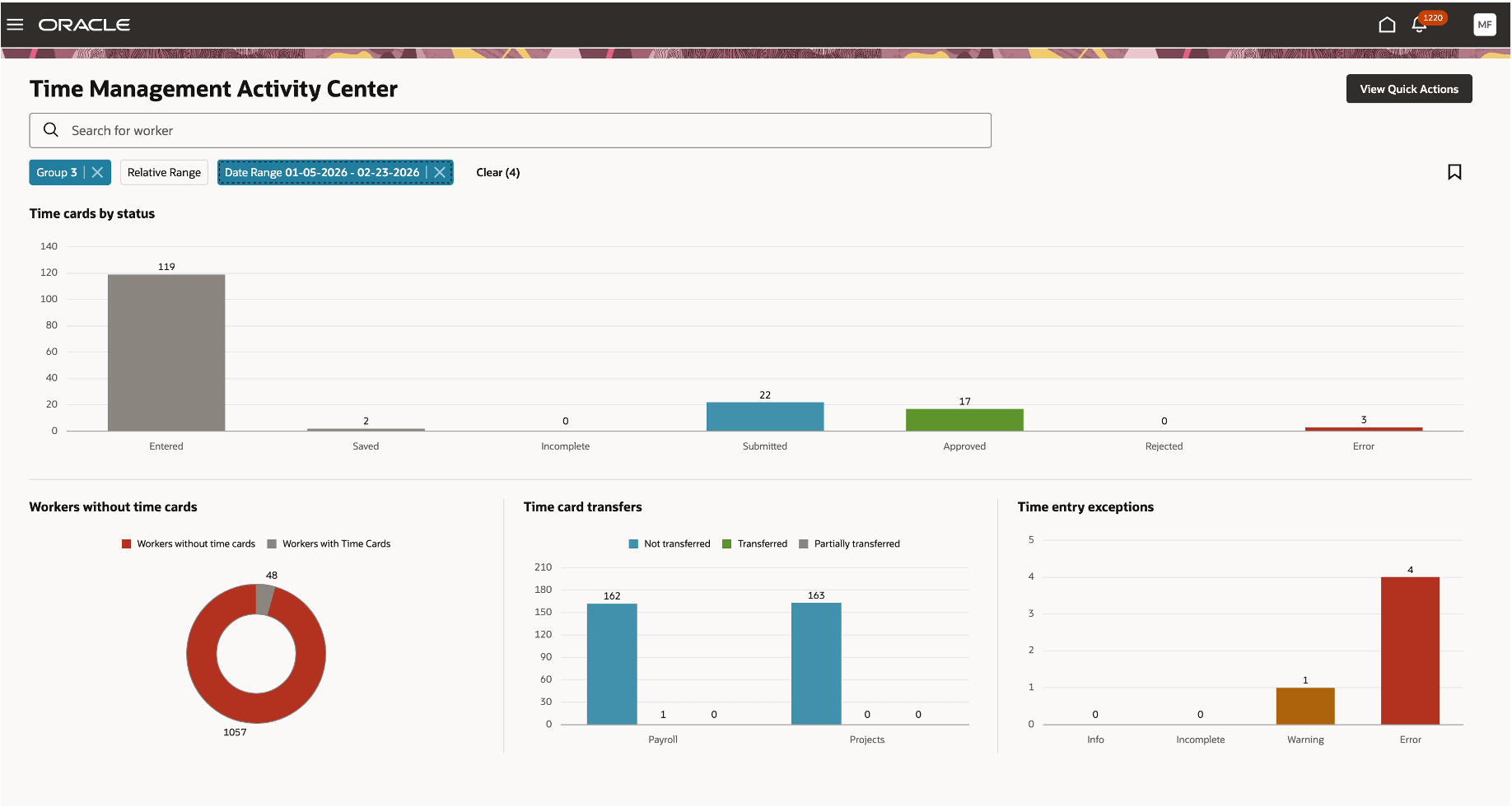
Time activity center displaying summaries using charts.
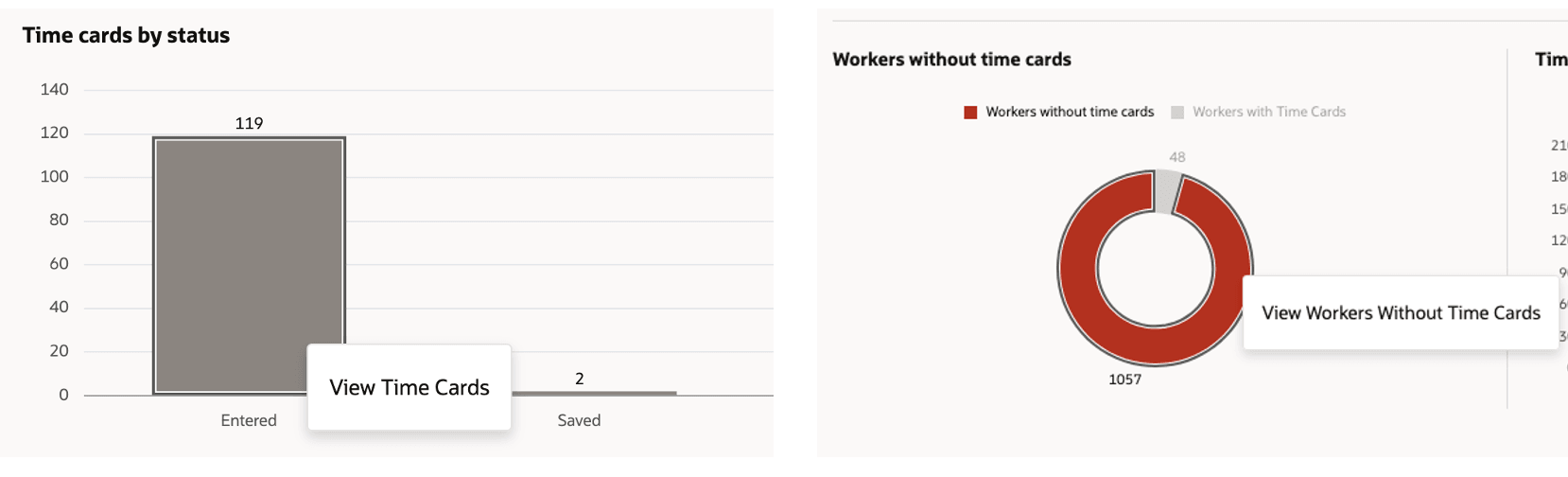
Right click action on the summaries to navigate to corresponding pages. Back navigation from those pages will populate the refreshed results on the activity center.
Workers Without Time Cards chart identifies the workers with no time cards in the selected date range for the given filter criteria. Export the results or use the create time card action to navigate to the worker time card creation page.
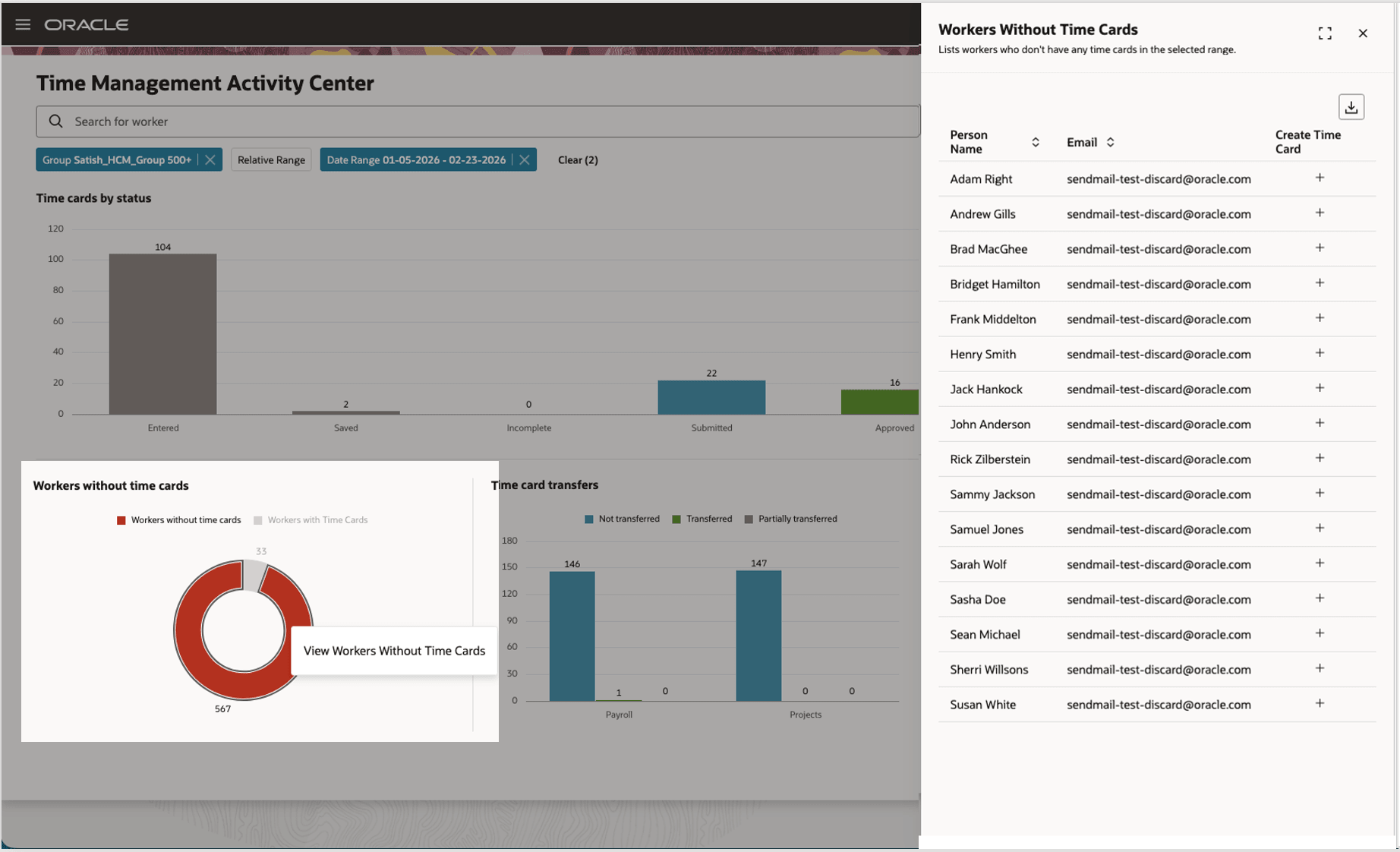
Workers without Time Cards drawer
Time managers can use the "+" action to create time cards for those workers.
A quick actions panel lists frequently used actions and processes relevant to the user’s role, providing faster access to common time and setup pages.
- The actions list shows a role-specific subset of frequently used tasks for line manager, time manager, and time administrator.
- Administrators see setup and configuration actions in the panel; managers see operational actions.
- The full list can be expanded to view more options; the exact menu is role-dependent and may be a subset of existing actions.
This Redwood page replaces the classic ADF Time Management page (My Client Groups > Time Management) and serves as a central dashboard for time-related activities for timekeepers and line managers.
Steps to enable and configure
Set the site-level profile value to Yes for the"Redwood WFM Activity Center Page Enabled" profile option. Go to Setup and Maintenance > Tasks panel > Search > Manage Administrator Profile Values.
Tips and considerations
- All results are subject to the logged-in user’s data security — users will only see workers and data they are permitted to view.
- Relative range options appear only if the system’s relative-range lookup is enabled.
- Line Managers can navigate to this page via My Team > Time > WFM Activity Center.
- Use Saved search feature to define a default search to execute on page load.