Redwood: New Manager Skills Center Experience
Displays skills related to an employee for managers, in Enhanced Skills Center (Team Skills Center >Employee), by grouping them in tabs as follows:
- Required – Skills assigned by a manager
- Self Developing – Skills voluntarily self-assigned by the employee
- All Skills
Managers at different levels in the hierarchy can rate an employee’s skill level for a required or self-developed skill by clicking the circular or text-based rating in the Manager-Rated Level column. Information icons in this column help managers rate a skill by providing additional details for each rating level. If multiple managers have rated a skill, each manager can see only the ratings they have provided. The highest rating level is displayed only to the employee.
The target level for a required skill can be modified, or the skill can be unassigned, in the Required and All Skills tab only if it was assigned by the same manager. Check the Assigned Source column to see who assigned the skill.
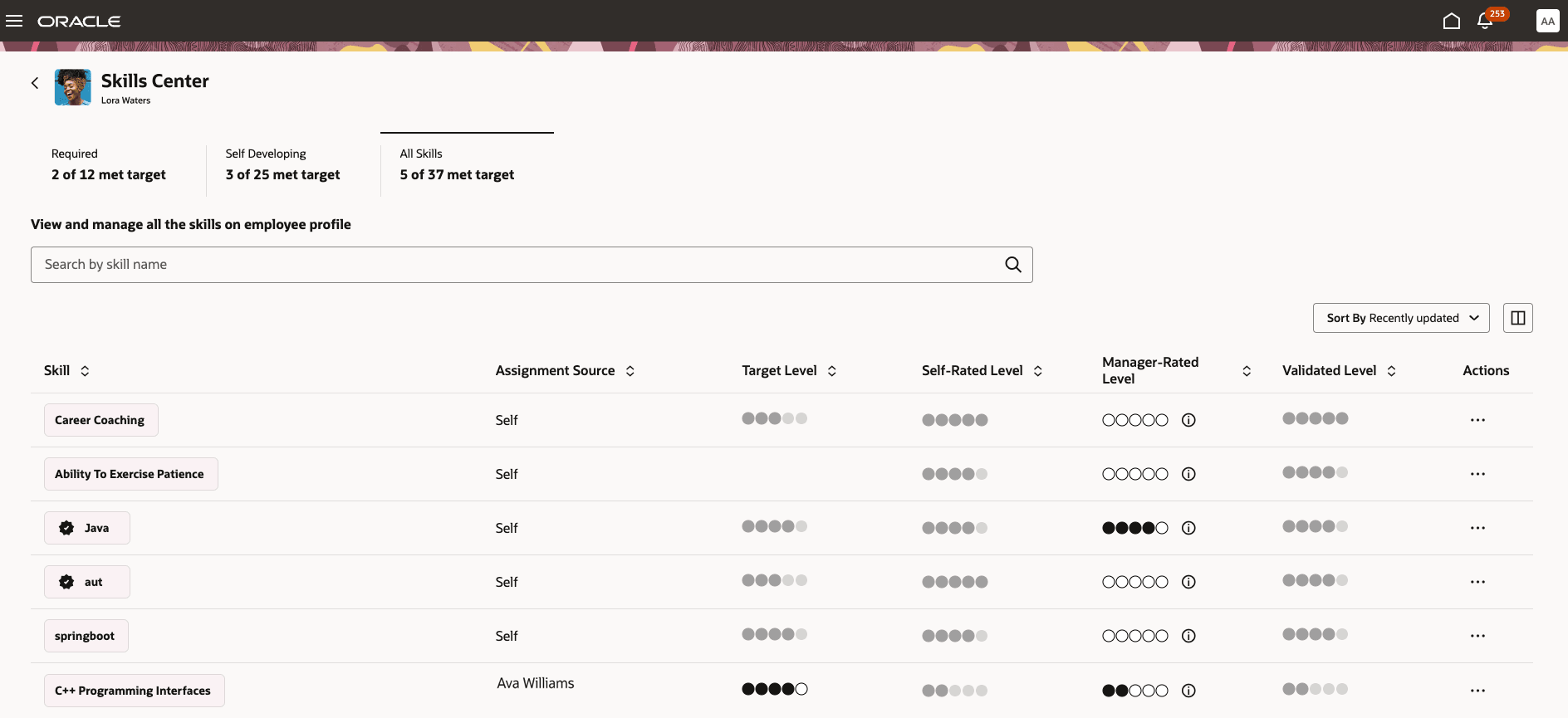
Manager dashboard for viewing the skills of an employee when rating model is enabled
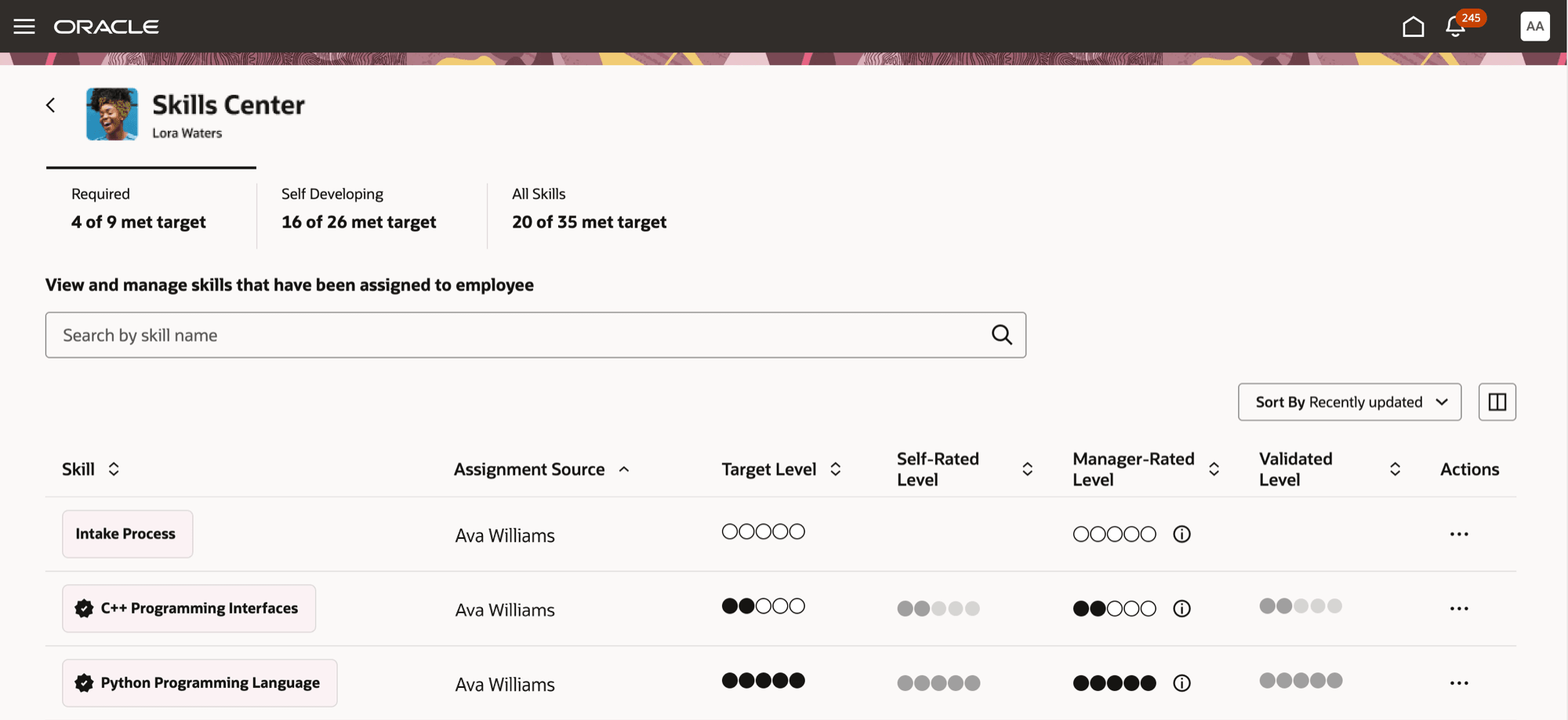
Manager viewing the status of required skills
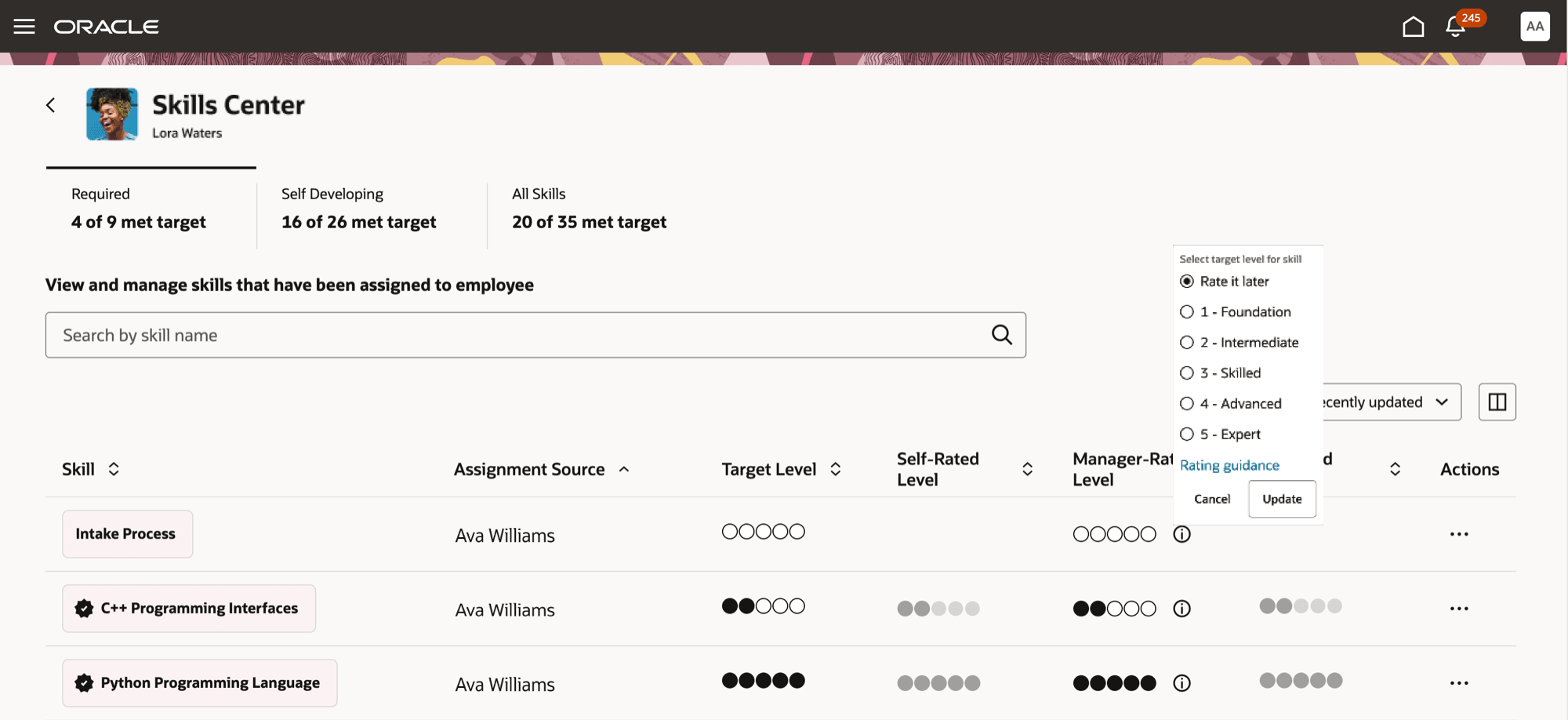
Manager rating a skill
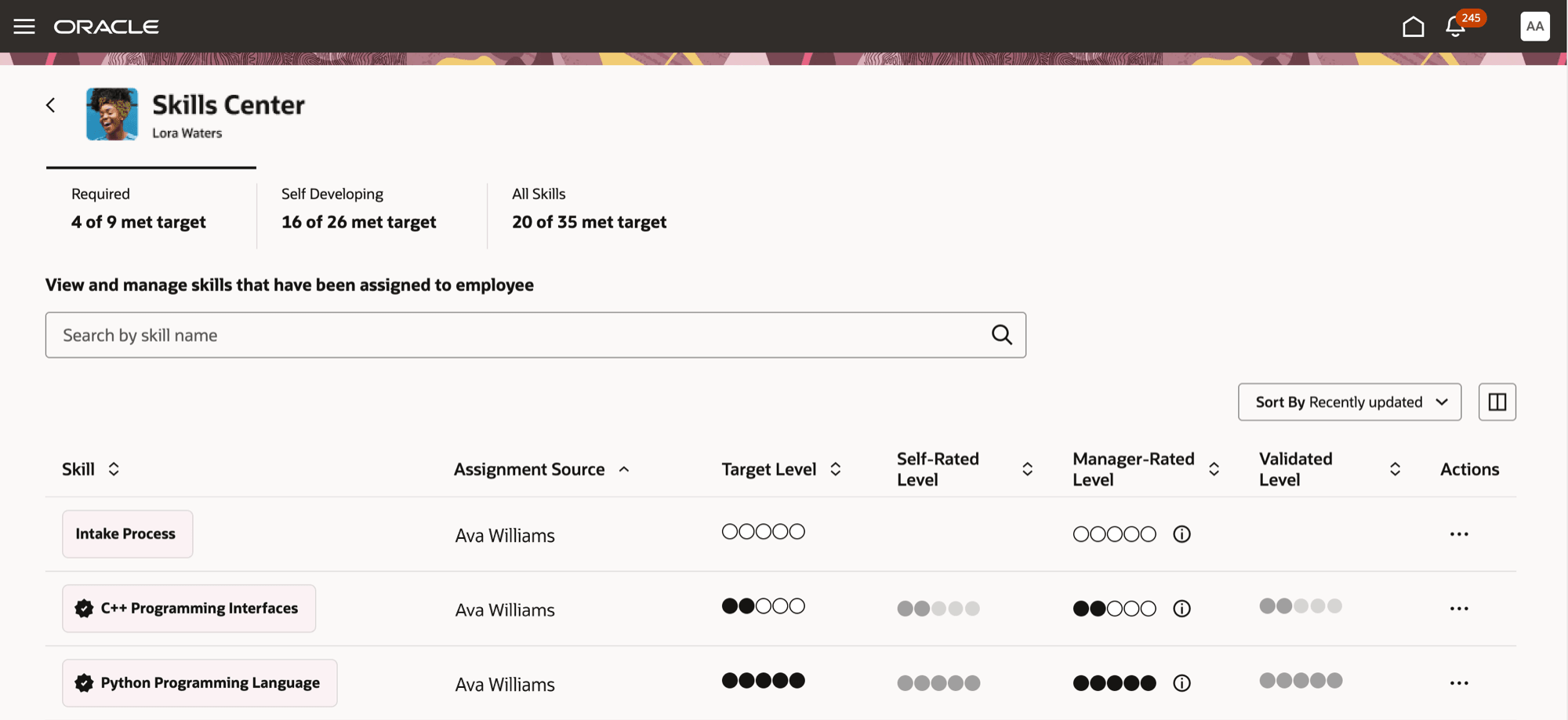
Badge with a check mark displayed on the skill chip to indicate that the skill has been met
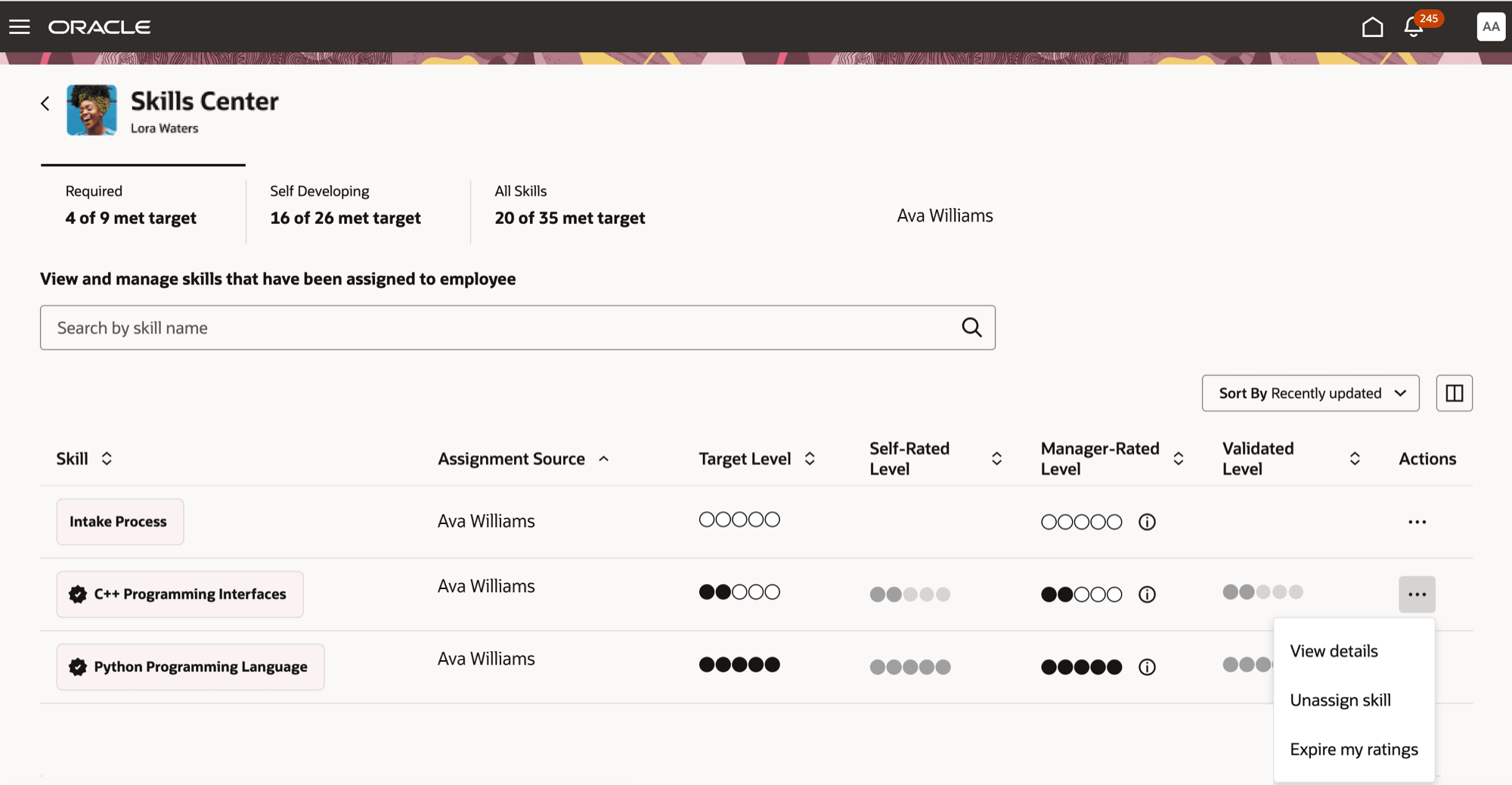
Options to unassign a skill or expire the rating
If no rating model is enabled, required and self-developing skills can be endorsed by managers. Once a sufficient score is achieved, a badge is displayed on the skill chip, and the status appears in the Validated column to indicate that the skill has been validated. Unlike in the legacy Skills Center, the color of the skill chip doesn’t change once the skill has been met.
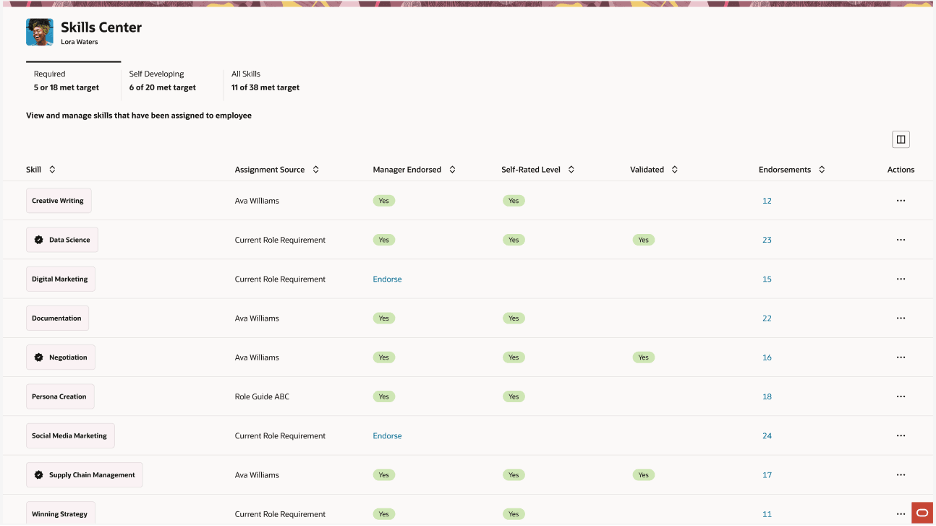
Manager viewing the skills of an employee when rating model is not enabled
Provides managers with a holistic, actionable view of their team members’ skills, empowering them to play a more active role in employee development. With this enhanced experience, managers can:
- Quickly see required, self-developing skills, and all skills associated with each employee, improving visibility and assessment of skill gaps and development areas.
- View detailed skill information for each skill, including the skill chip, the assignment source type (for example, required by role), validation level, employee’s self-rating, rating guidance, and manager rating.
- Easily rate employee skills: Managers can rate an employee’s skill level using a circle rating-based system, providing consistent and clear feedback. Each manager rating is logged and tracked in the skill endorsement evidence table, supporting unbiased documentation and ongoing development conversations.
- Drive targeted development: By understanding skill levels and gaps through this unified interface, managers can better recommend learning paths, assignments, and endorsement opportunities that align with both employee aspirations and organizational goals.
Steps to enable and configure
You have enabled:
- Enhanced Dynamic Skills. For details, see Pathways to Enhanced Dynamic Skills.
- Enhanced Skills Center. For details, see How can i enable Enhanced Skills Center?
Rating levels can be displayed as circular or textual. Circular ratings are supported only when there are 7 or fewer rating levels. If there are more than 7 rating levels, the display switches to text-based ratings. If the display is set to textual, rating levels are displayed as text regardless of the number of rating levels. Select how the rating levels are displayed. For details, see How can I enable circle rating?
Tips and considerations
- If you unassign a required skill that has been self-rated or endorsed, it is moved to the Self Developing tab and is not permanently removed.
- If the same skill is assigned by two different managers, the system will show the higher of the two target levels if they are different.
- As a profile administrator define a numeric rating even if the field is optional. To define or manage numeric ratings, navigate to My Client Groups >Profiles >Profile Rating Models.