Extract Data from Attachments to Prefill Document Record Attributes with AI Assistance
This enhancement allows you to upload a file as an attachment on the Redwood Document Records page and automatically extract values for standard document record attributes. This removes the need for most of the manual data entry when creating new document records.
The following are the standard attributes from which are data can be extracted:
-
Document Name
-
Document Number
-
From Date
-
To Date
-
Issuing Country
-
Issuing Location
-
Issued On
-
Issuing Authority
-
Issuing Comments
The attribute values are obtained from the attached file and used to prepopulate the corresponding fields in the document record. Users can review and update data after it is extracted before submitting.
By default, the Enable Extract Data from Attachment page property is disabled. Configure the page property on the Redwood Document Records page, Business Rules pane. To allow the user to extract data from an attachment, select Yes.
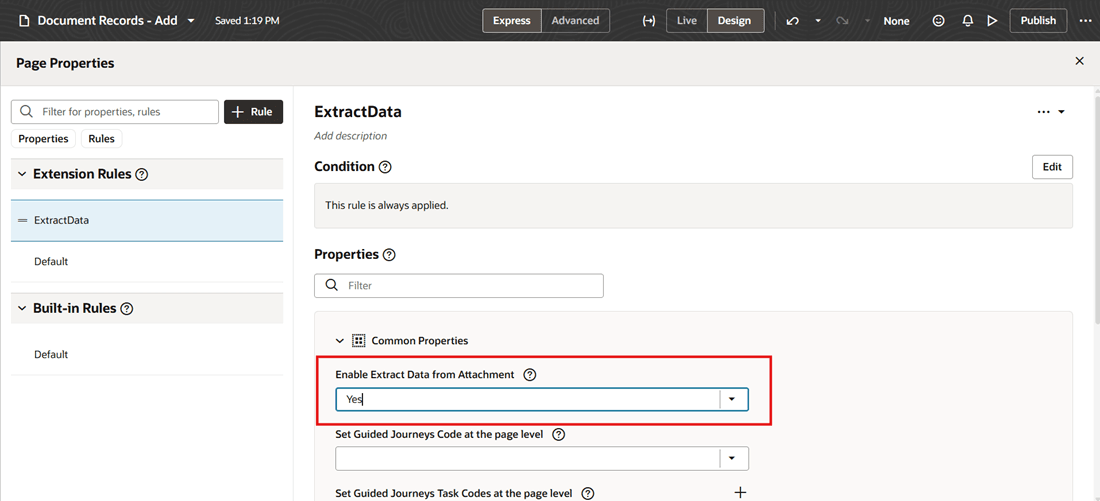
Enable Extract Data from Attachment
When creating a new document record, the user needs to first select a Document Type. Once the document type is selected, the Attachments region becomes visible, allowing the user to upload an attachment. After an attachment is uploaded, the Extract button is enabled.
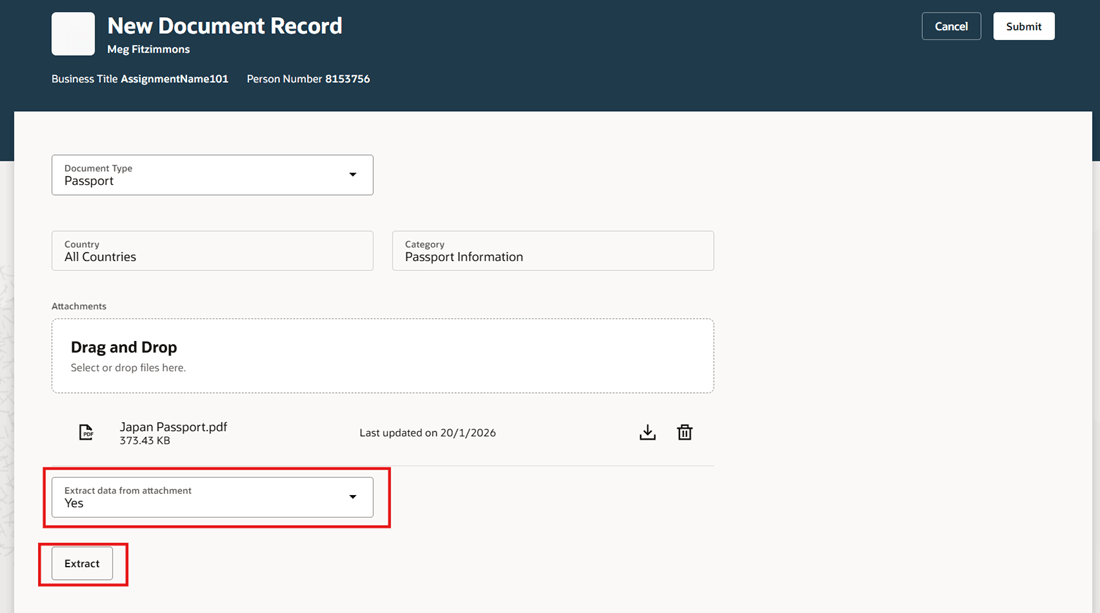
Extract Data from Attachment
Once the extraction process is completed, the fields in the document record are automatically populated with the data extracted from the uploaded attachment.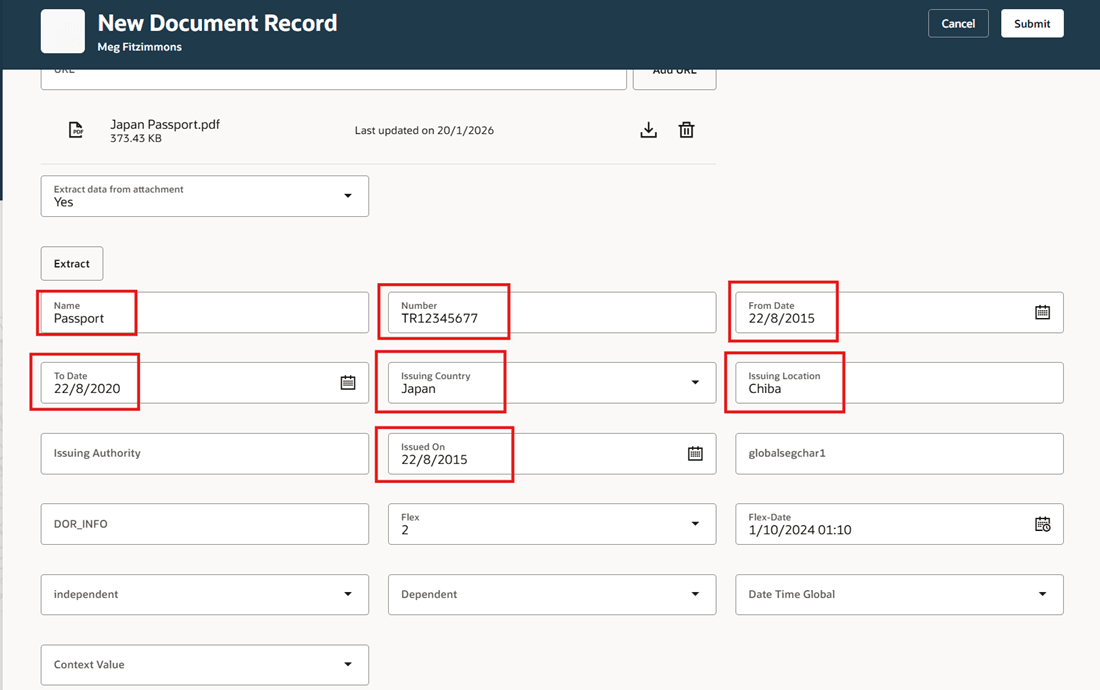
Fields Populated with Data Extracted from Attachment
Business benefit: Users can significantly reduce data entry time and improve accuracy when creating document records. Additionally, if you mark the scanned fields in the document record as read-only, then you can maintain the authenticity and integrity of data.
Steps to enable and configure
-
For more information, see this topic: How do I control the display of a UI element in Visual Builder Studio?
-
For information about displaying fields using business rules and page properties, see the Extending Redwood Applications for HCM and SCM Using Visual Builder Studio guide.
Tips and considerations
-
This feature is available only on the Redwood Document Records page when you create a new document record.
-
While editing a document record, you can't extract data and prefill document record attributes from an attachment.
-
You can't extract data and prefill document record descriptive and developer flexfields.
-
If you add more than one attachment for scanning, then the extract button gets disabled.
-
Any customization you make in the create document record page to mark field as read only will not impact the pre-filling of the extracted value. The value you selected for the document record field during the extraction will be mapped and visible in the create page for the read only field.
-
If a business rule is configured to automatically default a value for an attribute, the extraction logic will take precedence and replace that defaulted value.
-
Password protected documents can't be used to prefill document record attributes.
-
The supported file formats are PNG, JPEG, DOCX, PDF and TXT.
Key resources
For more information about document records, refer to the Using Global Human Resources guide on Oracle Help Center.
Access requirements
To use this feature, you need the below SaaS roles:
SaaS Roles for Extracting and Generating Document Records
| Aggregate Privilege | Assigned to Role |
|---|---|
|
Manage Person Documentation by Worker ORA_PER_WORKER_DOCUMENT_MANAGEMENT_DUTY |
Employee |
|
Manage Person Documentation by Manager ORA_PER_MANAGE_PERSON_DOCUMENTATION_BY_MANAGER |
Line Manager |
|
Manage Person Documentation ORA_PER_DOCUMENT_MANAGEMENT_DUTY |
Human Resource Specialist |