Document Records Administration with AI Assistance
The Document Records Administration Assistant is your AI-powered assistant that helps users submit mass download requests for document records quickly and accurately. Leveraging advanced large-language-model (LLM) technologies, the assistant interprets natural-language prompts, identifies the user’s intent, and submits the correct mass download request without requiring users to navigate the UI or apply manual filtering.
Here's some benefits of using this agent instead of the UI:
-
Simplifies document record retrieval by replacing a multi-step UI process with a single conversational request.
-
Reduces the learning curve for new and infrequent users by removing the need to learn navigation and filtering.
-
Speeds up submission of mass download requests by letting users express intent in natural language.
-
Helps users reach the correct mass download action without manual filtering or trial and error.
With the Document Records Administration Assistant, you can facilitate rapid retrieval of document records using natural-language and contextual prompts. For example, users can use these prompts to ask the assistant and receive direct links for them.
-
Download all passports created in past 1 month
-
Download payslips generated in the last 1 week in my organization
For example, a user enters, Download all passports created in past 1 month. The assistant interprets the request, identifies the document type and time range, and submits a mass download request for the matching document records.
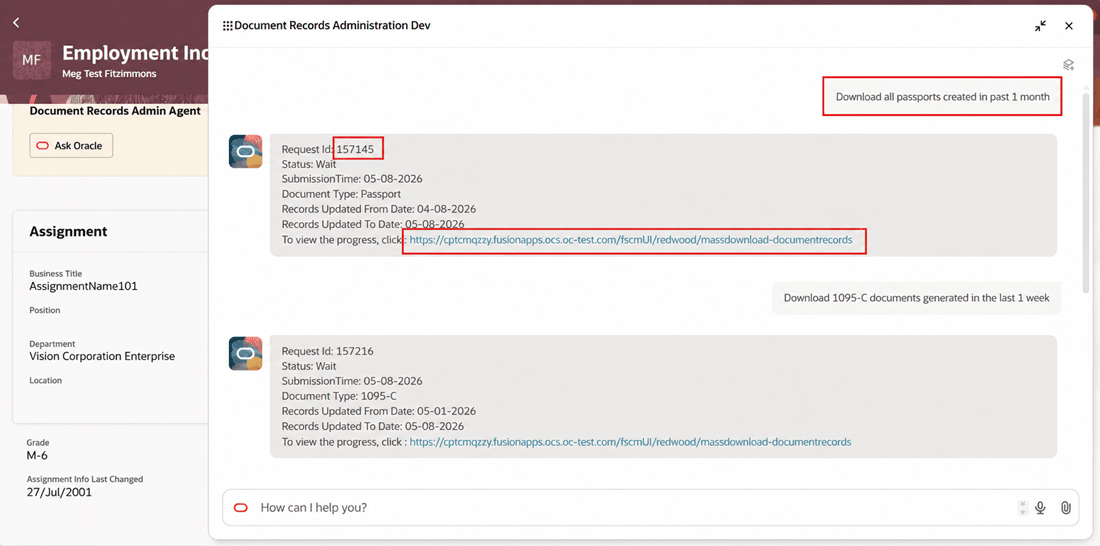
Response by Assistant on Providing Prompt
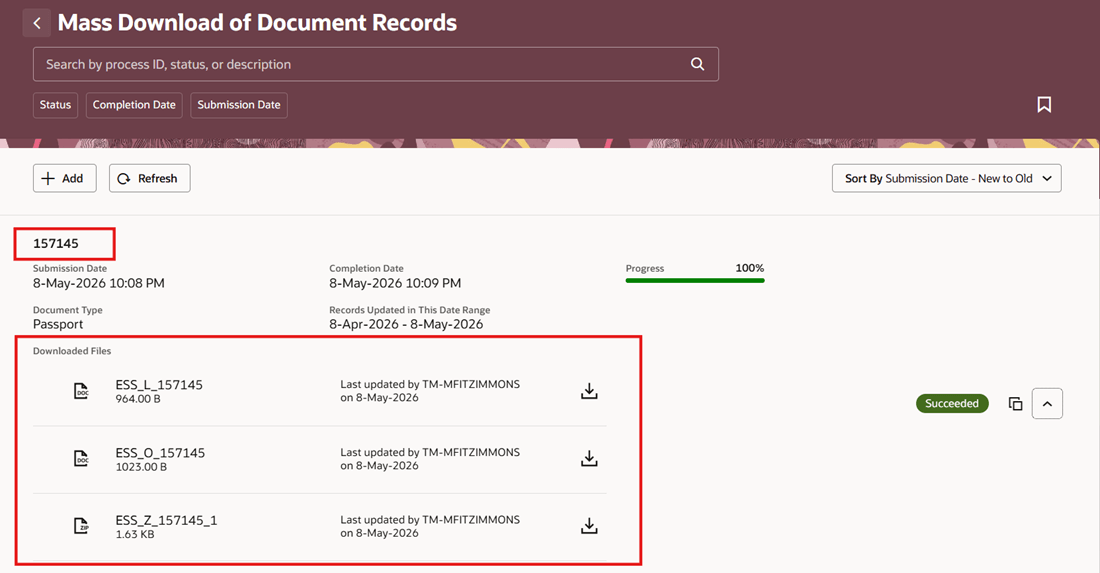
User Redirected to Mass Download of Document Records UI from Assistant
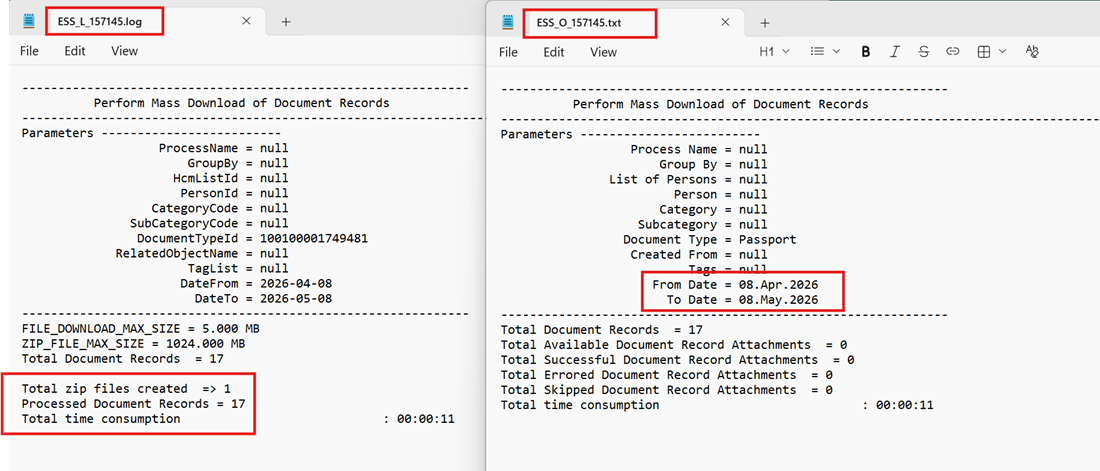
Log and Text Files Displaying Downloaded Document Record Details
Business benefit: Enhance the existing Document Types framework by providing proactive support, personalized guidance, and efficient access to information.
Steps to enable and configure
-
Your environment must have certain necessary configurations. Ask your help desk to contact Oracle Support, who can verify what your environment has and address any gaps. For more information, see FAQ2521 on My Oracle Cloud Support.
-
Set the Enable Security Console External Application Integration (ORA_ASE_SAS_INTEGRATION_ENABLED) profile option to Yes and enable permission groups for the appropriate roles. See Access Requirements for AI Agent Studio.
-
The Document Records Administration Assistant is a preconfigured template. You need to create your own agent using the preconfigured template.
-
To learn how to set up AI agents, see Create AI Agents Using Preconfigured Templates.
-
Tips and considerations
-
Data visibility is managed based on user roles, ensuring that each user can only view and interact with information appropriate to their permissions.
-
Business rules and validations configured in Visual Builder Studio are not triggered by the agent.
Key resources
Access requirements
-
The agents you can view depend on the roles and privileges assigned to you. To access this agent, your role must be explicitly granted access to it by an AI Studio Administrator. See How can I give users access to AI agents? and Access Requirements for AI Agent Studio.