Redwood Experience for Mass Legal Employer Change Process
The Mass Legal Employer Change process is now available in Redwood. This Redwood experience enables HR users to initiate and manage mass legal employer changes through a single flow with improved visibility into impacted workers, effective dates, and processing status. It maintains existing business rules, validations, and approvals while reducing complexity and improving usability compared to the classic interface.
You can save a process before submission, submit it when required information and selected workers are complete, edit saved processes, and rerun completed processes for failed workers. When you rerun a process, failed workers and the applicable process data are carried forward so you can correct issues and resubmit.
Example Uses
- Create a global transfer process for a group of workers and override assignment values such as department, location, and reporting establishment.
- Save a process while gathering worker selections, then return later to complete and submit it.
- Edit process to change the reason, description, or selected people before it is processed.
- Review a process completed with errors, inspect the worker error details, and rerun the process for the failed workers.
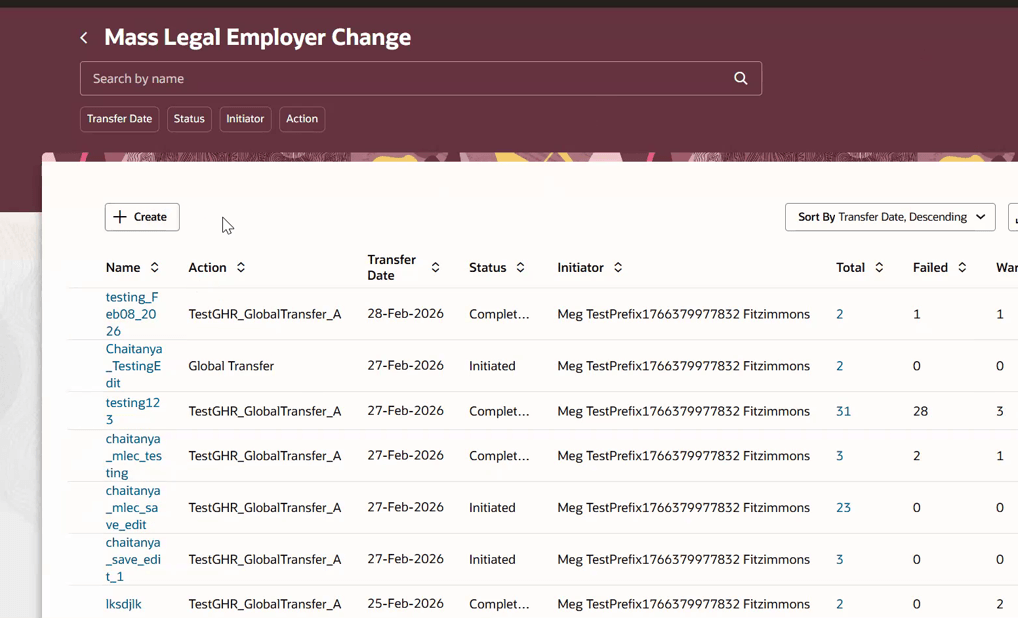
Mass Legal Employer Change dashboard showing existing processes and the Create action
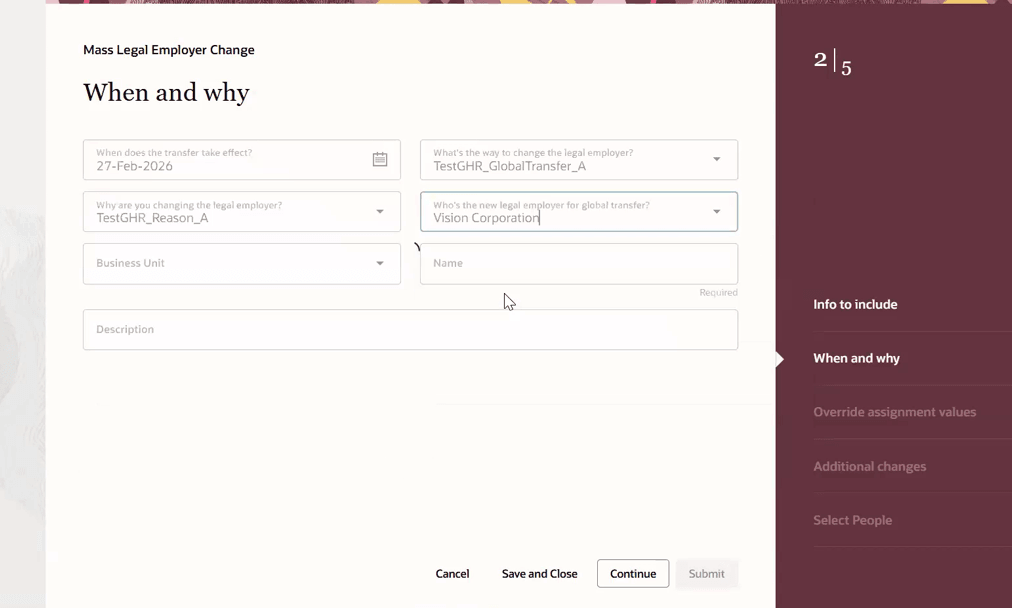
When and why step for entering transfer date, legal employer change type, new legal employer, reason, and process details
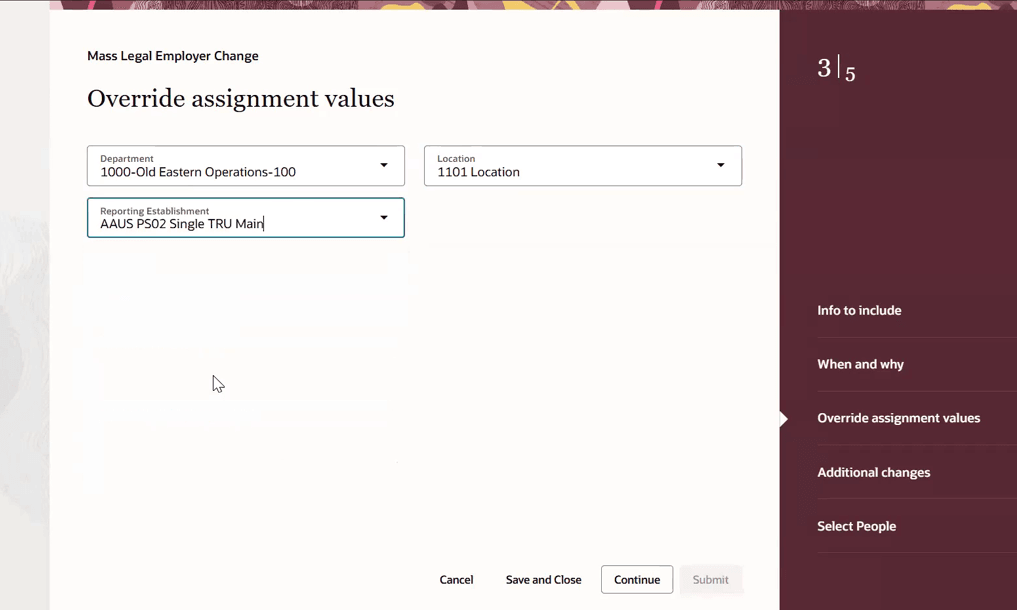
Override assignment values step for entering assignment values such as department, location, and reporting establishment
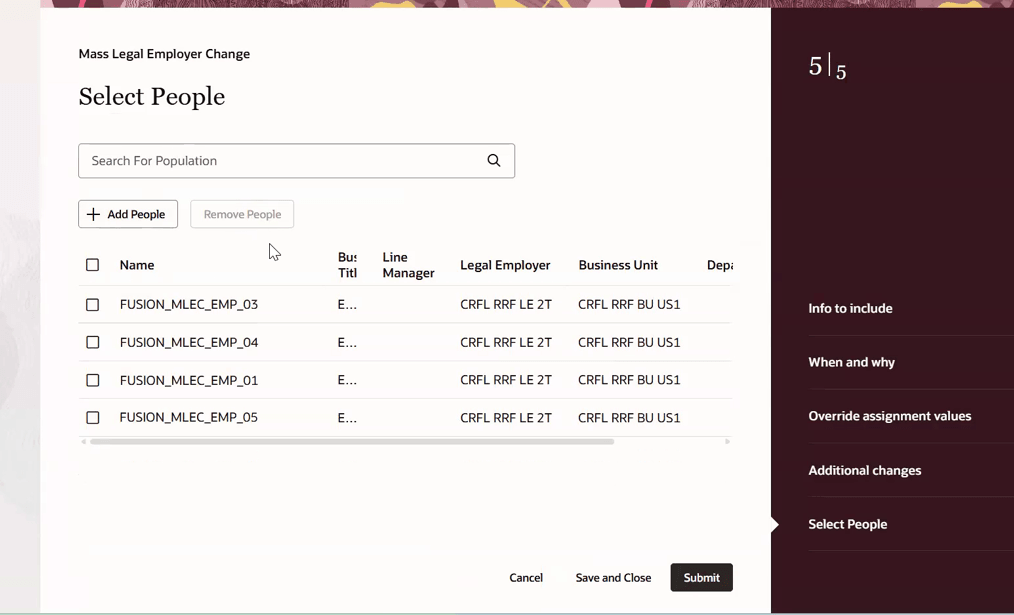
Select People step used to add workers to the Mass Legal Employer Change process
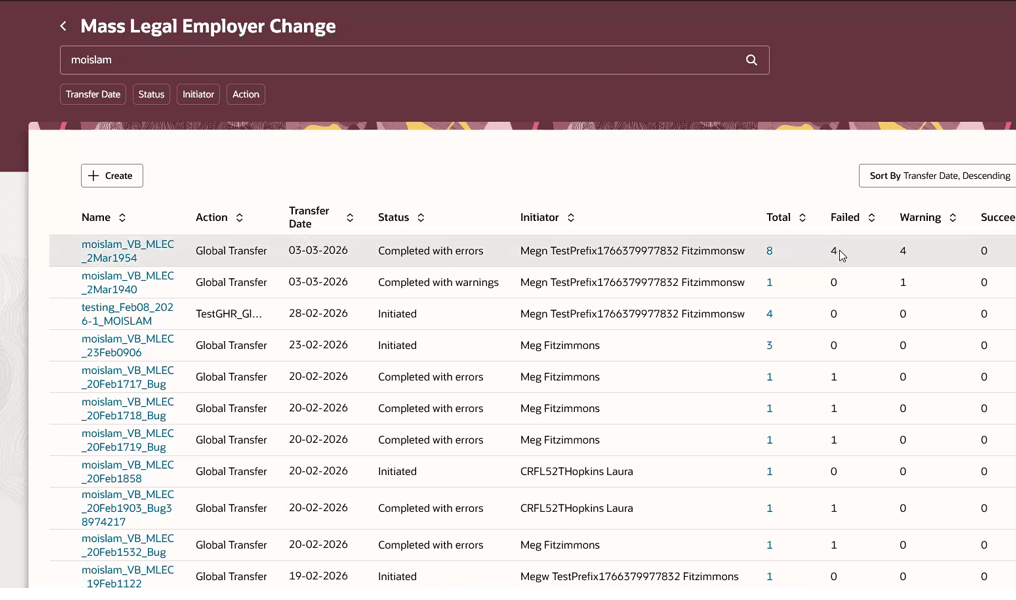
Dashboard showing completed processes with errors that can be reviewed or rerun
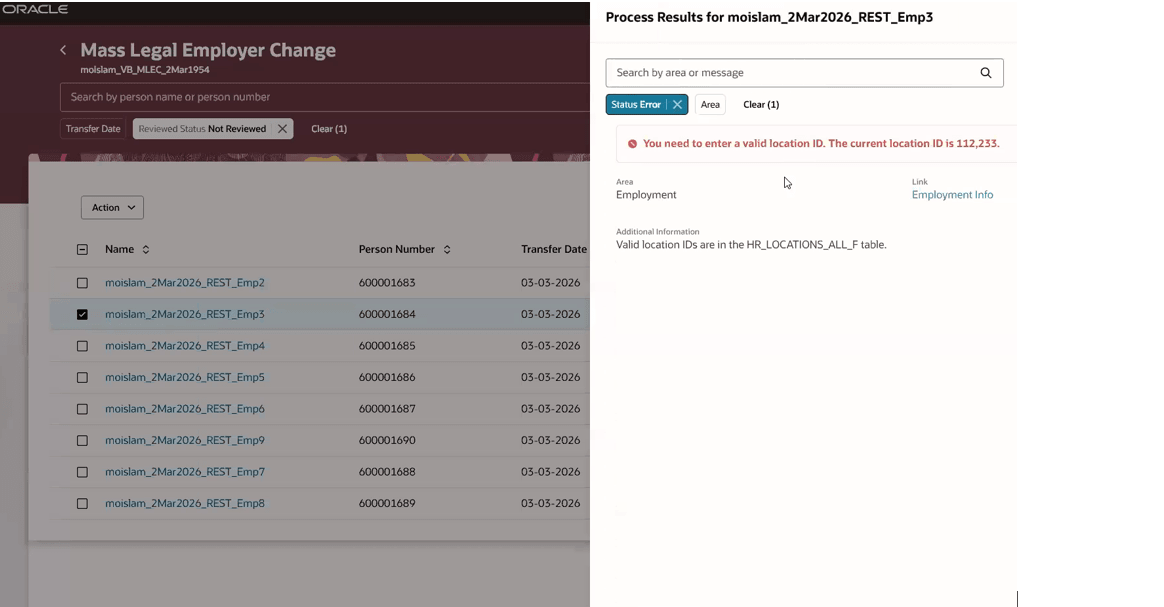
Worker error details available for a process completed with errors
In Redwood Mass Legal Employer Change, users can search for a target population using Name, Email, Business Title, or Person Number. After the initial search results are returned, users can further refine the population by applying filters such as Legal Employer, Business Unit, Department, Location, and Line Manager.
We also plan to enhance this search experience in upcoming releases by adding more filter options and improving the overall search capability.
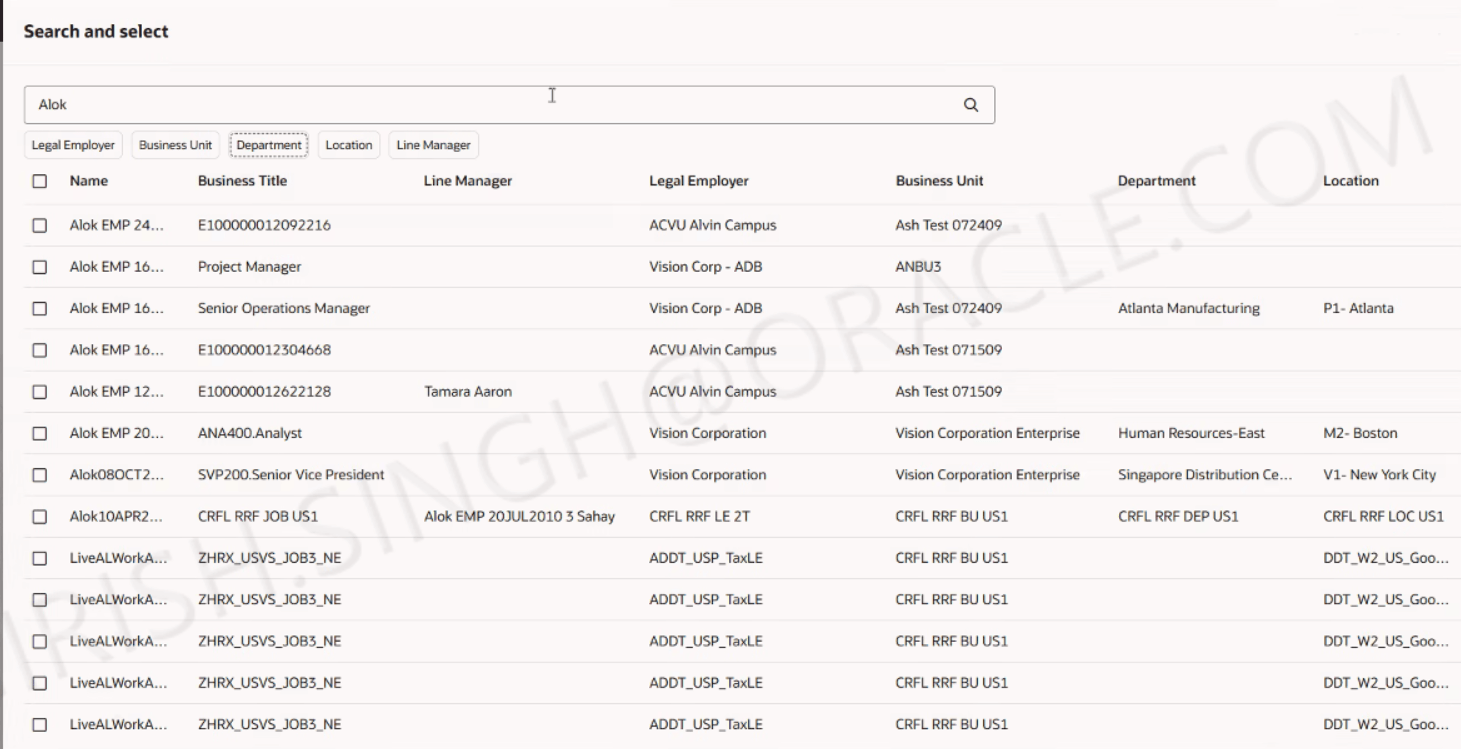
Search filters to search for people
This feature provides a modern Redwood experience for a high-volume employment process. It improves usability with a guided process, clearer process status, searchable worker selection, process counts, validation messages, and an easier way to correct and rerun failed worker transactions.
Steps to enable and configure
To use the Redwood Mass Legal Employer Change Process page, you must first enable the following profile options. They're all disabled by default.
|
Profile Option |
Set the profile value at Site level as |
|---|---|
|
ORA_HCM_VBCS_PWA_ENABLED |
Y |
| ORA_PER_EMPL_MLEC_REDWOOD_ENABLED | Yes |
To enable the profile options, navigate to the Setup and Maintenance work area:
- Search for and click the Manage Administrator Profile Values task.
- Search for and select each of the profile options listed above.
- Select the Level as Site.
- In the Profile Value field, enter the value in the above table.
- Click Save and Close.
Tips and considerations
- Business rules can control fields and sections, such as making fields required or hiding fields based on configured conditions.
- The dashboard provides process counts for total, failed, warning, and succeeded population members.
- The rerun action is available for completed processes with errors and creates a new process for the failed workers.
- Reporting Establishment is available as an override assignment value.
- Currently, the Search and Select page allows you to search for people by name, email, business title, or person number. You can further refine the results using the available filters: Legal Employer, Business Unit, Department, Location, and Line Manager.
- Enhanced options for searching and selecting the population for Mass Legal Employer Change are planned for future releases.
Key resources
For more information, refer to this resources on the Oracle Help Center.
- Mass Legal Employer Change in the Using Global Human Resources Guide
For more information on using Express mode, refer to these resources.
-
Express Mode in VBS for detailed instructions on using specific Express Mode features.
-
Extending Redwood Applications for HCM and SCM Using VB Studio for details on what’s supported by HCM.
-
You can refer to the VB Studio documentation "Configure an Oracle Cloud Application" to check the steps to access VB Studio from a Redwood page.
-
Extending HCM Redwood Applications Using Visual Builder Studio
-
Refer to the Customer Connect forum Visual Builder Studio for HCM
Access requirements
Users need the existing security for Mass Legal Employer Change. This includes access to perform worker mass legal employer changes and the data security needed to search workers for the process.
- Functional privilege: PER_PERFORM_WORKER_MASS_LE_CHANGE_PRIV.
- Data security privilege: PER_SEARCH_WORKERS_FOR_MASS_LE_CHANGE_DATA.
Additionally, users also need to have the Manage Mass Updates Work Area functional privilege PER_MANAGE_MASS_UPDATES_WORK_AREA_PRIV to perform mass global transfers.