Supporting Application-Wide Read-Only Mode on Redwood Document Record Pages
Redwood Document record pages work as read-only for users for whom the read-only profile option is enabled.
When the FND_READ_ONLY_MODE profile option is enabled for a user, they see these changes:
-
A banner message appears at the top of the page indicating that the application is in read-only mode.
-
If the user tries to perform one of these actions, an error message is displayed, and the action isn’t allowed.
-
Create a new document record or document type
-
Update an existing document record or document type
-
Delete a document record or document type
-
This feature applies to these pages:
-
Redwood Document Records
-
Redwood Document Delivery Preferences
-
Redwood Document Types
-
Redwood Document Type Delivery Preferences
-
Redwood Mass Download of Document Records
-
Redwood Archived Document Records
-
Redwood Document Type Security Profile
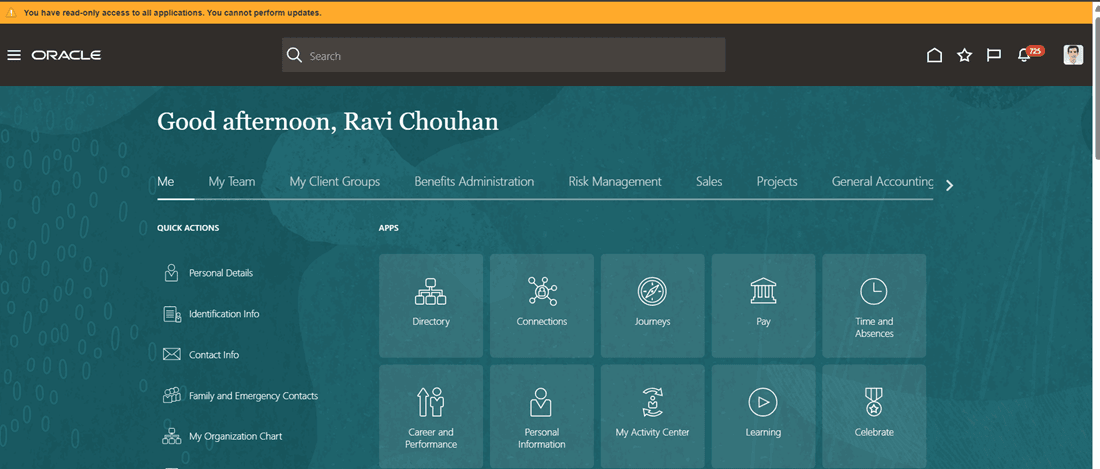
Message Displayed During Login When Read Only Mode is Turned On
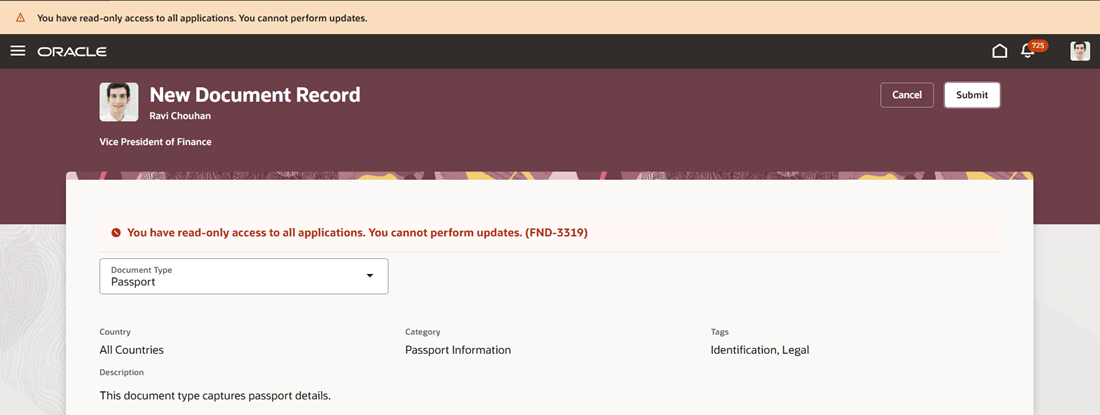
Message Displayed When User Tries to Create and Submit New Document Record
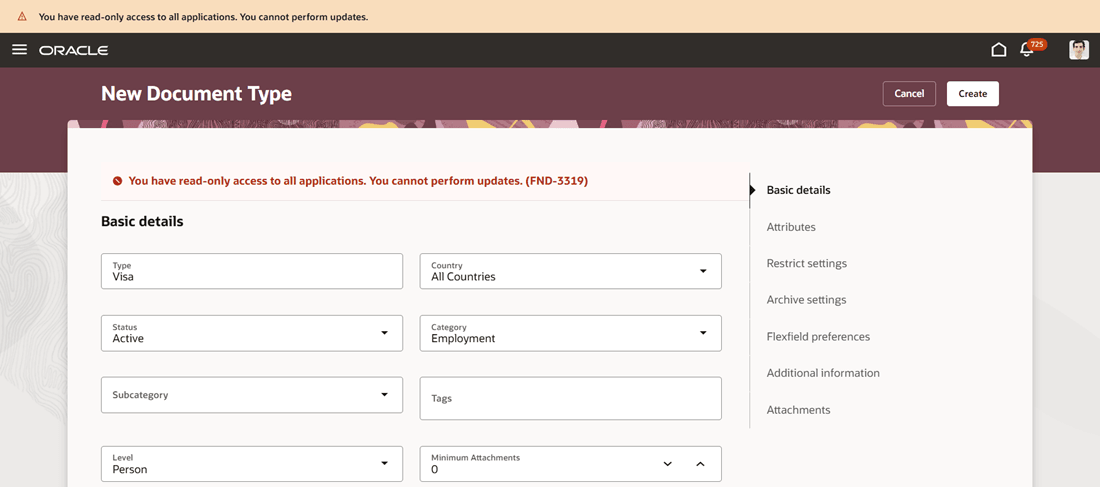
Message Displayed When User Tries to Create and Submit New Document Type
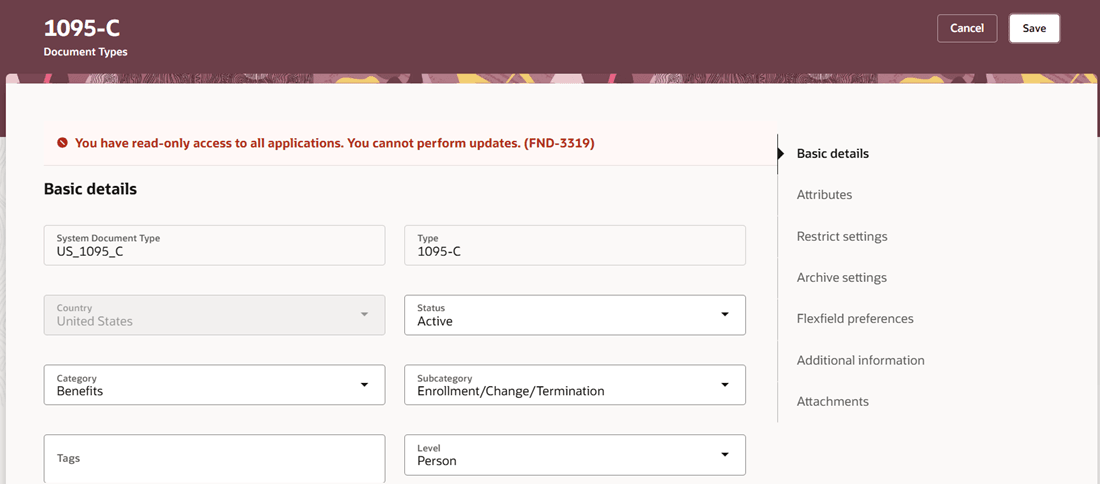
Message Displayed When User Tries to Edit and Save Document Type
Provides tighter administrative control by allowing organizations to restrict changes without removing user access entirely. It’s especially useful during audits, system reviews, or transition periods where view-only access is required.
Steps to enable and configure
You don't need to do anything to enable this feature.
Key resources
For more information about document records, refer to the Using Global Human Resources guide on Oracle Help Center.