Accessibility Improvements for Redwood Document Records Pages

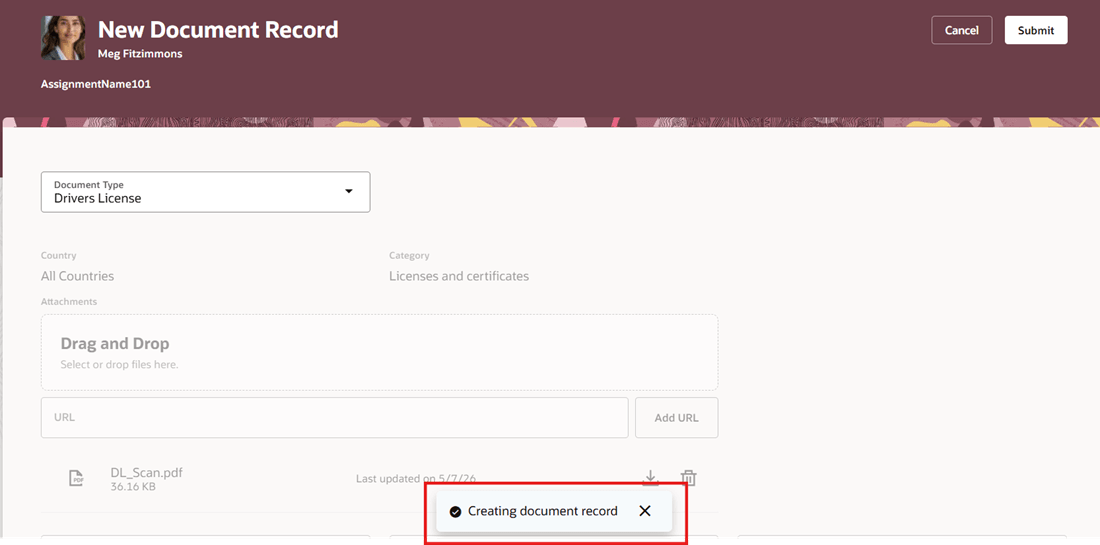
Redwood Document Records pages now provide improved accessibility support and clearer user feedback during create, submit, and update actions. Organizations use document records to create, submit, and maintain employee-related documents that may require approval, validation, or downstream processing. In these scenarios, users need immediate confirmation that an action, such as submitting, or updating a document, has completed successfully. This update includes additional toast and progress messages for key Redwood Document Records flows so users receive more explicit confirmation that their action has been processed.

Earlier, read-only attributes on a document record were shown as text boxes, which made them look editable. With this enhancement, they are now shown as read-only text, making them clearer for screen reader users.

These are the key benefits:

  • Improved accessibility support for users who rely on assistive technologies

  • Clearer progress and confirmation messaging during create and update actions

  • Reduced uncertainty about whether a transaction has completed successfully

  • Better overall user confidence when working on Redwood Document Records pages

  • Lower likelihood of duplicate submissions and follow-up support inquiries

These improvements are especially valuable for organizations with accessibility compliance requirements, where pages must provide clear navigation, appropriate labeling, and programmatically conveyed status updates.

Toast Message Displayed After Document Record Submission

Toast Message Displayed After Document Record Submission

Toast Message Displayed During Document Record Update

Toast Message Displayed During Document Record Update

Toast Message Displayed After Document Type Updated

Toast Message Displayed After Document Type Updated

Improved Accessibility for Read-Only Document Record Attributes

Improved Accessibility for Read-Only Document Record Attributes

This feature helps organizations better support users working with screen readers and other assistive technologies by improving status messaging, labels, and interaction behavior on Document Records pages.

Steps to enable and configure

You don't need to do anything to enable this feature.

Key resources

For more information about document records, refer to the Using Global Human Resources guide.