Assignment Attributes Supported as Conditions on Redwood Document Records Pages
You can now use assignment-related attributes as conditions in page properties to control when content is displayed on Redwood Document Records pages. This enhancement gives organizations more flexibility in tailoring the experience so that the right content appears only for the appropriate workers and business contexts.
For example, organizations can use this feature in scenarios, such as:
-
Displaying country-specific AI agents only for workers whose legal employer is in a particular country
-
Showing document guidance agents only for workers in a specific legal employer or business unit
-
Presenting different AI agents for employees, contingent workers, or other worker types
These are the supported condition attributes:
-
Country of Legal Employer
-
Legal Employer
-
Business Unit
-
Worker Type
-
User Person Type
-
Union
-
Bargaining Unit
-
Collective Agreement
By using these assignment attributes as conditions, organizations can configure content to appear only when they are relevant to a worker’s assignment and organizational context.
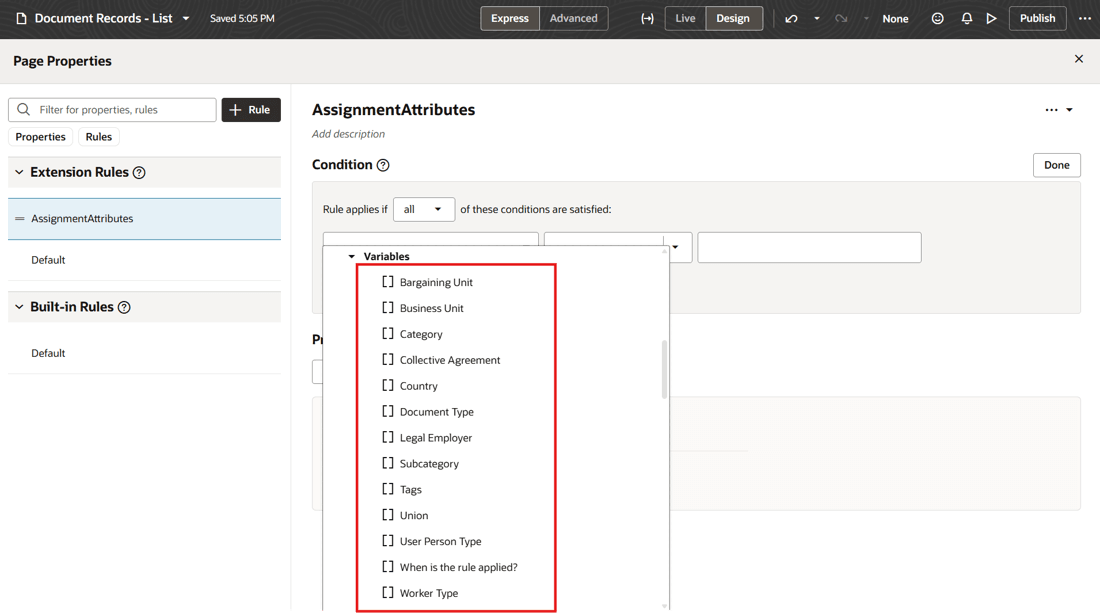
Supported Assignment Attributes in Page Properties Conditions
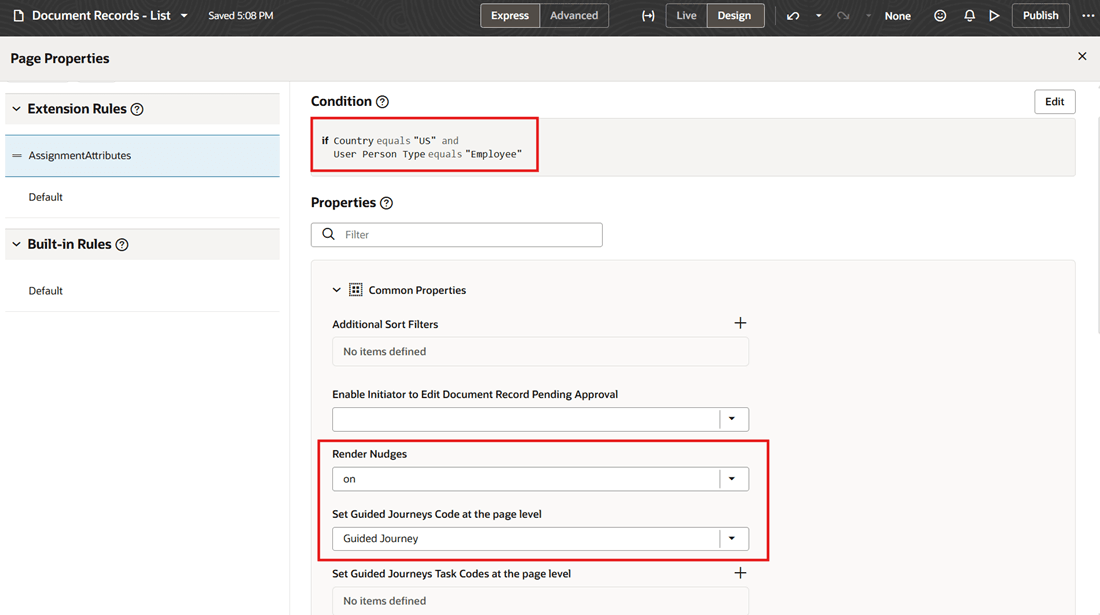
Sample Custom Rule with User-Defined Condition to Display Guided Journey and Nudge
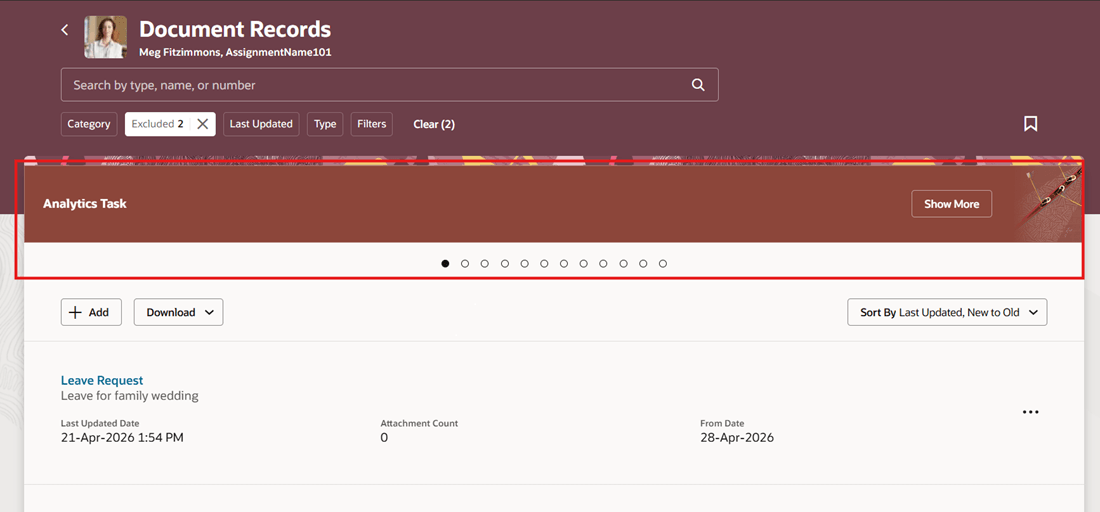
Guided Journey Displayed Based on Configured Conditions
Reduce clutter on document record pages by avoiding display of content that isn't applicable.
Steps to enable and configure
For more information about how you configure page properties, see Set Property Values Using Rules.
Tips and considerations
-
This feature is available only on the Redwood Document Records page.
-
When providing values for reference attributes, such as Country, User Person Type, and similar attributes, use the corresponding code or ID. Currently, display names or descriptions for these attributes aren't supported.
Key resources
For more information about document records, refer to the Implementing Global Human Resources guide.
Access requirements
You must be granted the Human Capital Management Application Administrator role.