Additional Attributes Deliver-to-Site and Receivable Materials Now Available On Redwood Locations Pages
We have added these new attributes on the Redwood Locations page:
- Deliver-to Site
- Receivable Materials
The addition of the two location attributes Deliver-to Site and Receivable Materials addresses critical operational and compliance needs, particularly in healthcare and other regulated industries.
The Deliver-to Site attribute enables organizations to distinguish between a general Ship-To receiving location and the actual point of use or storage, such as hospital units, clinics, PAR rooms, or procedural areas. This supports complex delivery workflows where a single receiving dock services multiple downstream destinations, and avoids misuse of existing receiving-site indicators intended for interim processing locations.
The Receivable Materials attribute enables organizations to define the types of hazardous or specialized materials a location is equipped to receive and handle, such as radioactive items, refrigerated products, pressurized gas bottles, or flammable liquids. Together, these attributes improve requisition accuracy, ensure compliant routing and handling of sensitive materials, reduce shipment errors and operational costs, and eliminate the need for manual workarounds or duplicate location setups currently used by customers and implementation partners.
These new attributes aren't shown on the page by default. You need to set them to Visible from VB Studio. For more information, see the Steps to Enable and Configure section of this What’s New.
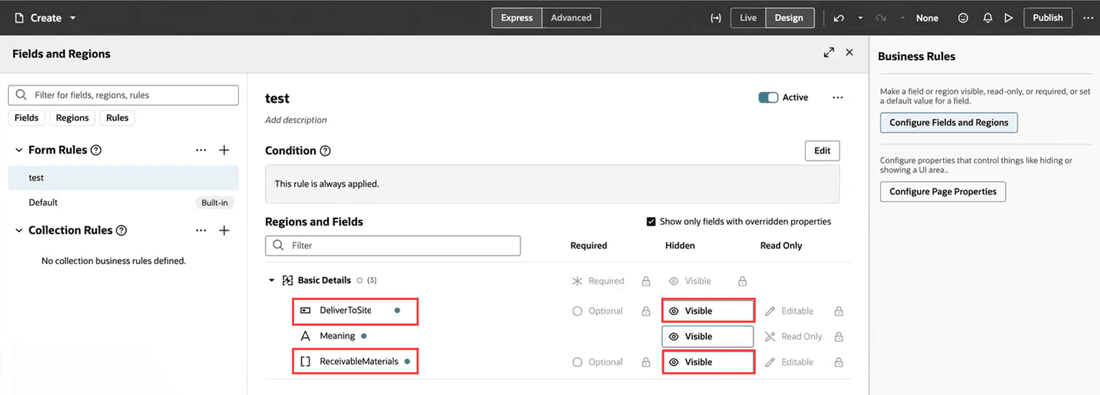
Set the Receivable Materials and Deliver-to Site attributes as Visible in VB Studio
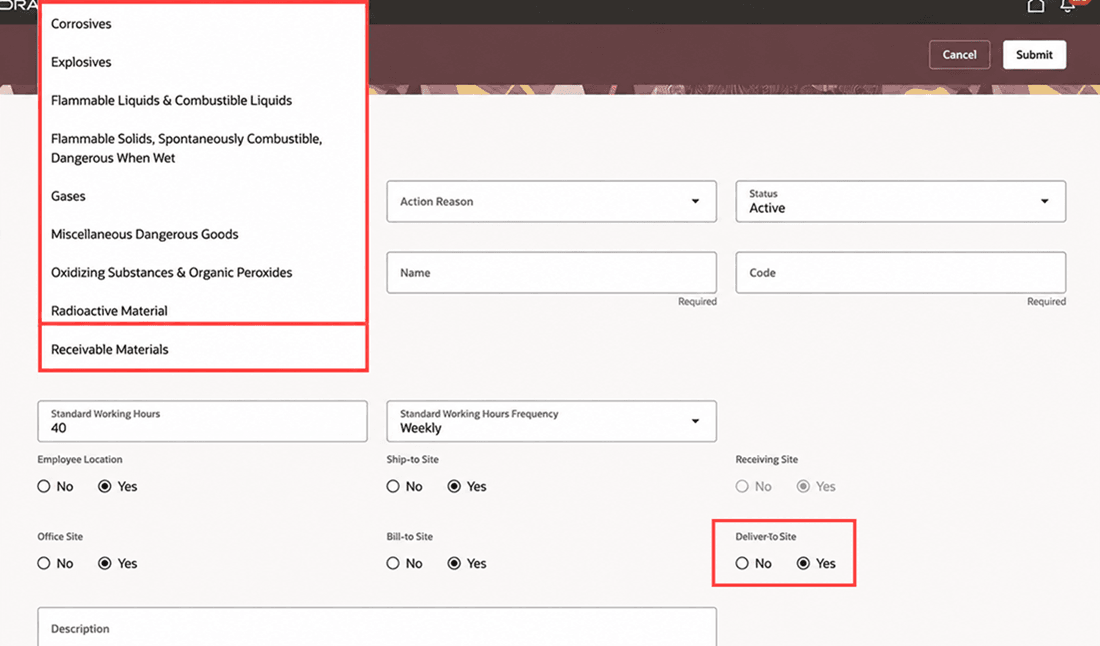
Receivable Materials multi-select LOV and Deliver-to Site radio button on the New Location page
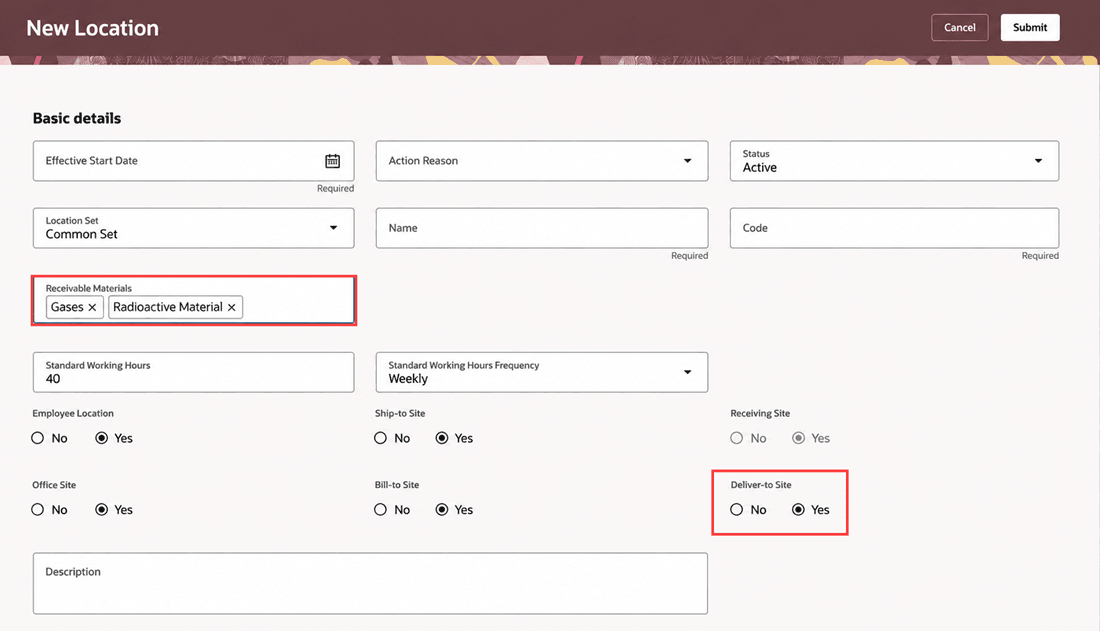
Selected values displayed for Receivable Materials and Deliver-to Site shown as Yes on the New Location page
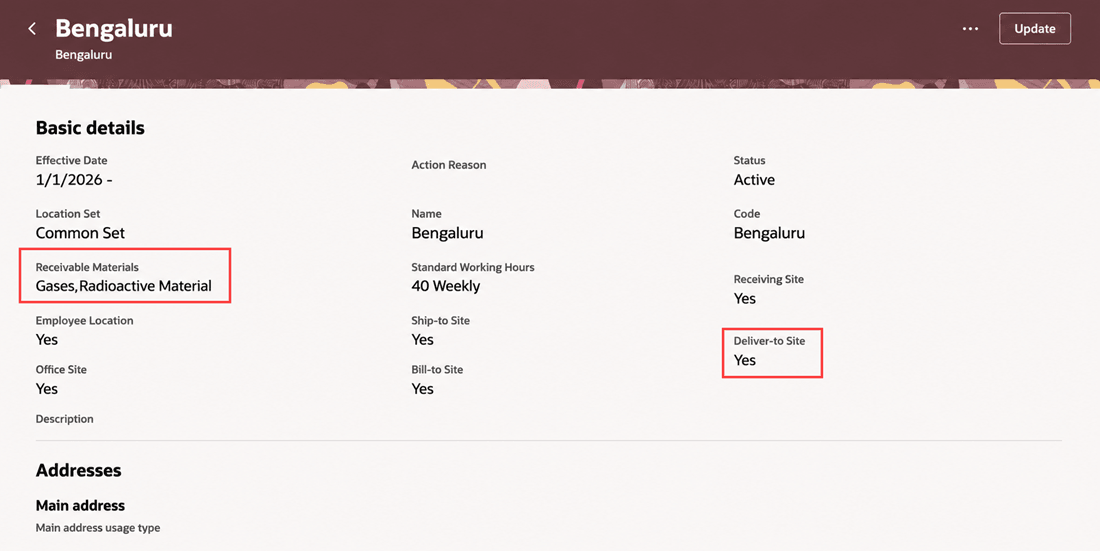
Location view page showing the Receivable Materials and Deliver-to Site fields
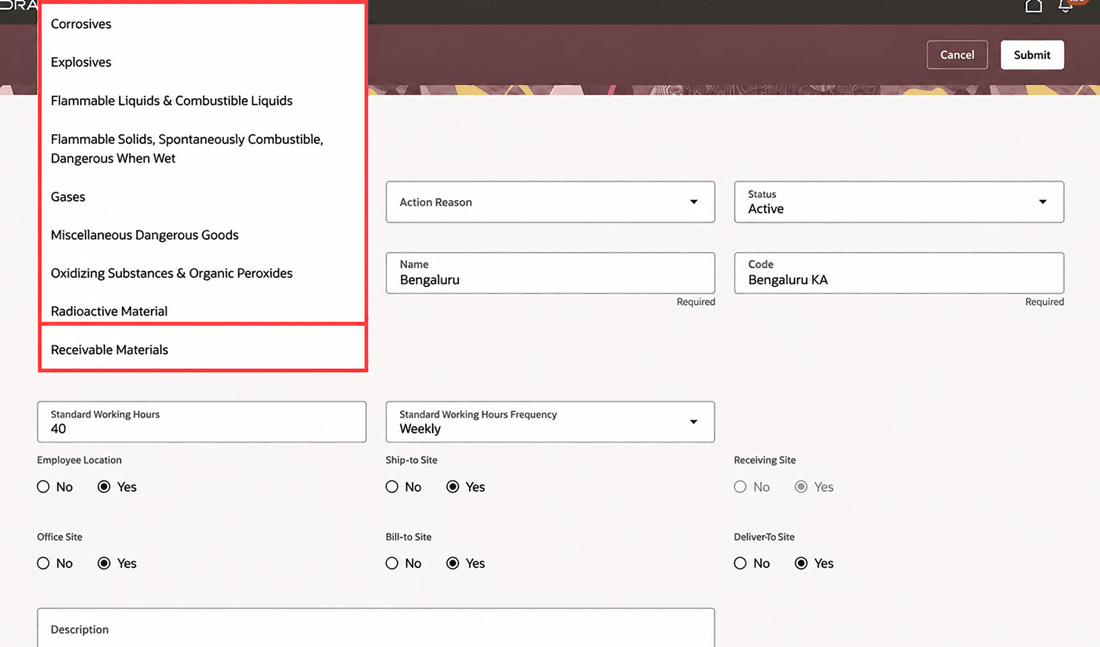
Update Receivable Materials for a Location
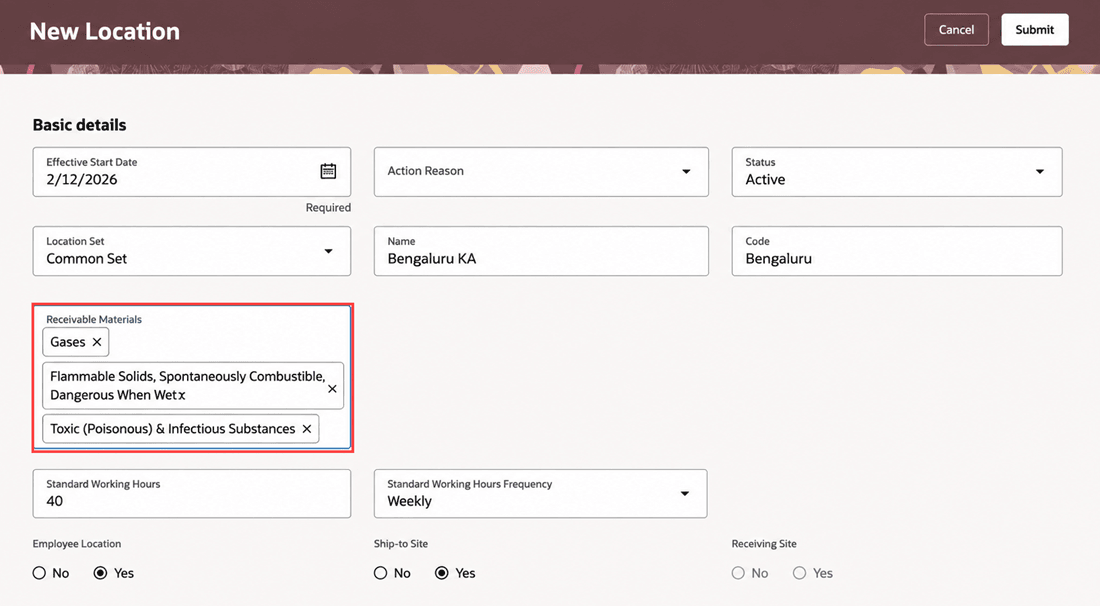
Receivable Materials updated for a location
These new location attributes help organizations distinguish the final delivery point from the receiving dock and define which materials a location can safely receive. Together, they improve shipment routing, support special handling requirements, and reduce manual workarounds for healthcare and other complex environments.
Steps to enable and configure
For more information, see Deliver-to Site and Receivable Materials Attributes on Redwood Locations Pages.
Also see How do I hide or show a field in Visual Builder Studio?
Key resources
For more information, refer to these resources on the Oracle Help Center:
- Locations chapter in the Implementing Global Human Resources guide.
Access requirements
You will be able to see the Deliver-to Site and Receivable Materials attributes if you have the Manage Locations (PER_MANAGE_LOCATION_PRIV) privilege to manage locations.