Synchronize Position Name and Blank Position Values Using the Synchronization From Position Process
The Synchronization From Position process can now recognize an intentional blank value on a position and synchronize that blank value to an assignment. Previously, when a position value was cleared for a synchronized attribute, the existing assignment value could remain unchanged. With this enhancement, customers can define the date from which blank position values should be synchronized by the process.
This feature also adds Position Name as a configurable synchronization attribute. When Position Name is selected for synchronization, the Synchronization From Position process can synchronize the position name to the assignment name.
Synchronize Blank Values
Use the Sync Blank Values From setting to specify the date from which blank values on a position can be synchronized to assignments by the Synchronization From Position process. The setting is available through additional position synchronization settings for both enterprise and legal employer configuration.
When blank-value synchronization is enabled for the applicable date, supported assignment attributes can be updated to blank in the new assignment row when the corresponding position value is blank.
Synchronize Position Name
Use the Position Name synchronization attribute in the enterprise or legal employer position synchronization configuration so the Synchronization From Position process can synchronize Position Name to Assignment Name.
Apply Updates Through the Process
Run the Synchronization From Position ESS process to apply eligible position changes to existing assignments. The process creates the required assignment splits based on the position synchronization setup, position changes, and the Sync Blank Values From date.
Example Uses
- A position administrator clears Full Time or Part Time on a position. After blank-value synchronization is effective, the Synchronization From Position process can create an assignment split that reflects the blank value.
- A position administrator clears Location, Regular or Temporary, Working Hours, Start Time, or End Time on a position. The process can update the synchronized assignment row with the blank value instead of retaining the previous assignment value.
- A position name changes and Position Name is selected for synchronization. The process can update Assignment Name from Position Name.
- A position update affects grade or grade step values. When all valid grades are blanked out, the process can blank out the assignment grade and end-date the corresponding grade step record.
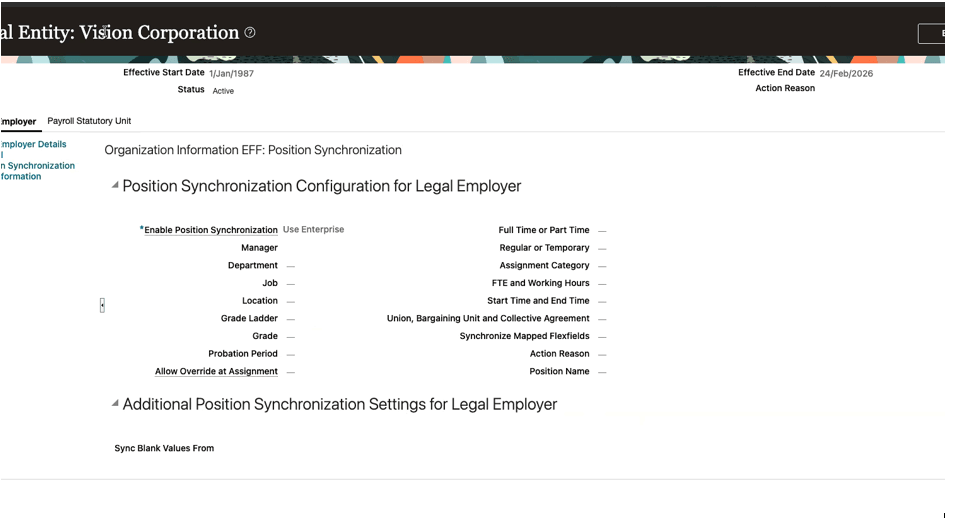
Position Synchronization Configuration for Legal Employer showing the available synchronization attributes
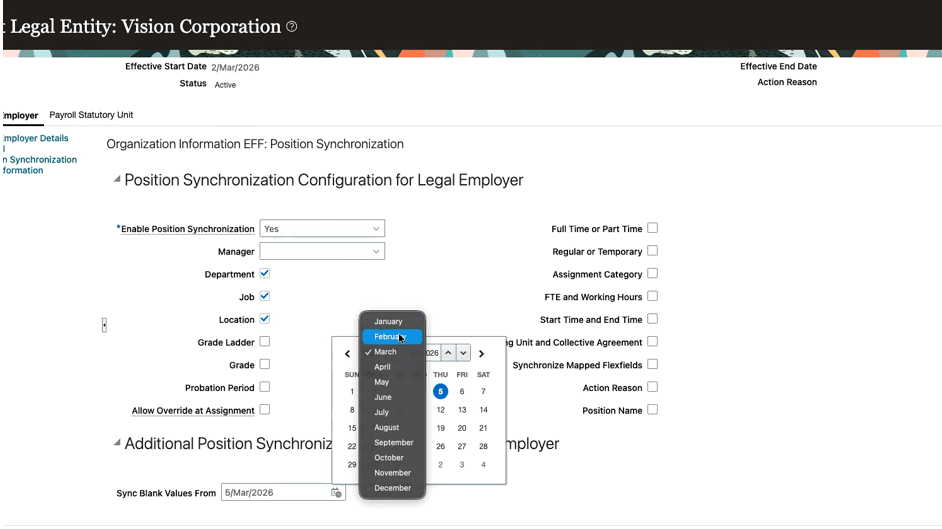
Sync Blank Values From setting used to define when blank position values can begin synchronizing
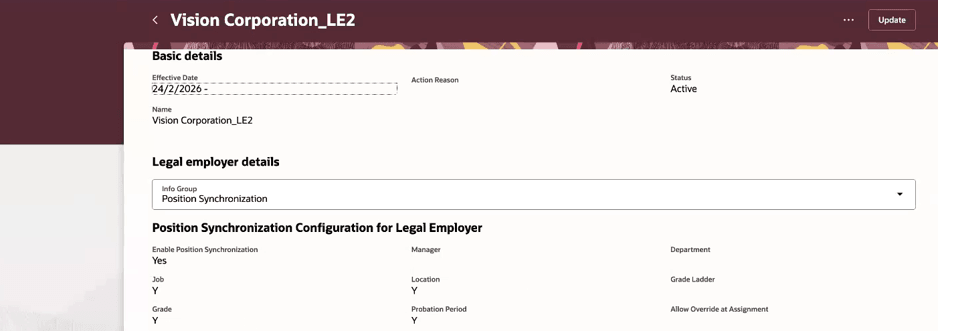
Legal employer details with Position Synchronization selected and configured attributes visible
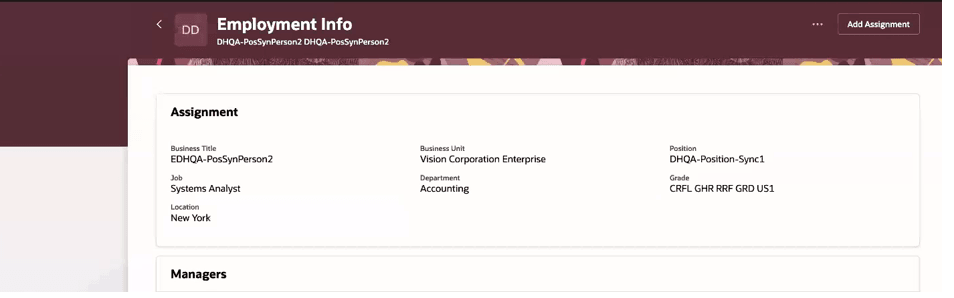
Employment Info page showing assignment details after position synchronization.
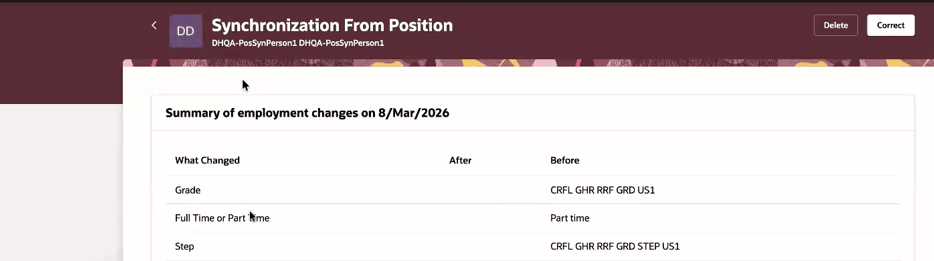
Summary of employment changes generated by position synchronization
This feature improves assignment consistency with position setup when customers run the Synchronization From Position process. It treats cleared position values as intentional updates when configured, reduces manual cleanup after position changes, helps customers keep assignment names aligned with position names, and gives administrators more precise control over when blank values should begin synchronizing.
Steps to enable and configure
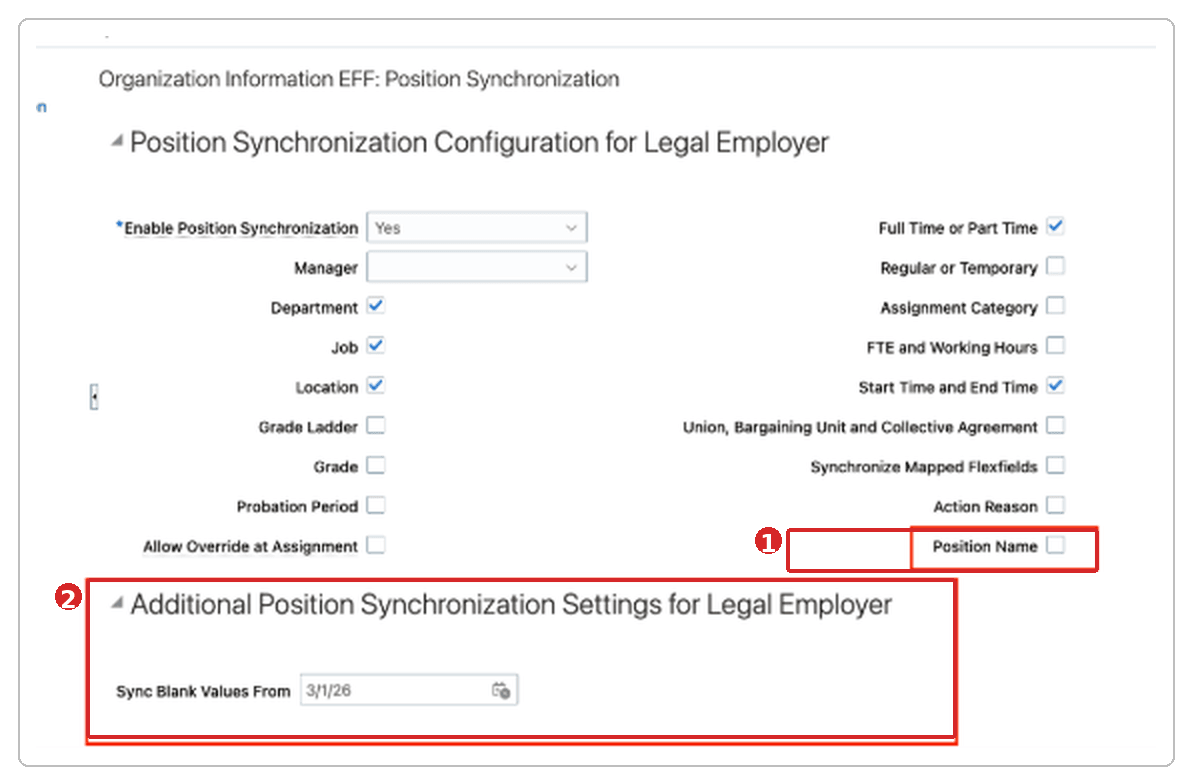
Position Additional Settings
- Associate the new additional position synchronization settings contexts with the Enterprise and Legal Employer pages, and deploy the organization extensible flexfield changes.
- Configure the applicable enterprise or legal employer position synchronization attributes, including Position Name if assignment names should be synchronized from positions.
- Set the Sync Blank Values From date for the enterprise or legal employer where blank position values should be synchronized.
- The Sync Blank Values From attribute isn't date-effective.
- Run the Synchronization From Position ESS process when you need to apply eligible position updates to existing assignments.
Tips and considerations
- If assignments are associated with the enterprise or legal employer, enter today's date or a future date for Sync Blank Values From.
- When Working Hours is synchronized as blank, FTE and Adjusted FTE is set to zero.
- When the position manager or hierarchy manager isn't found, the existing assignment supervisor is retained.
- For Union, Bargaining Unit, and Collective Agreement, the values on the position are used during synchronization.
- The grade will be nuliified only if there's no valid grade for that position.
- The Sync Blank Values From value is copied across date-effective splits for the new additional position synchronization settings context.
- This enhancement applies when the Synchronization From Position process evaluates eligible position changes for existing assignments.
- When the customer enables synchronization of blank position values from a specified effective date, the Synchronization From Position process considers position effective-dated records on or after that date. If a synchronized attribute is blank on those position records, the process synchronizes the blank value to the assignments of workers in that position. As a result, the corresponding worker assignment records will have effective-dated update rows from the applicable dates, so that the assignment reflects the blank position value from the position effective record.
Key resources
For more information, refer to these resources on the Oracle Help Center:
- Employment Processes in the Using Global Human Resources guide