Onboard New Hires with AI Assistance
In continuation of the Onboard New Hires with AI Assistance (Supervisor Agent) introduced in Release 25D, we have now delivered an enhanced workflow agent Onboard Assistant. This workflow agent includes all the capabilities of the existing Release 25D Onboarding Assistant supervisor agent and extends functionality to support new hires, enabling them to manage onboarding more efficiently. It leverages advanced large language models (LLMs) to understand your natural-language requests and responds with clear, actionable answers tailored to your organization's policies.
Note: The existing Supervisor Agent template will no longer be supported. Instead, you can use the Onboard Assistant workflow agent template.
Here are a few points to note:
-
If you are currently using a copy of the Release 25D agent, you can continue using it without disruption. However, it will continue to support self-service functionality only.
-
Onboard Assistant is a new, separate workflow agent that extends onboarding management capabilities for new hires, enabling broader and more efficient handling of onboarding across the organization.
-
This enhancement gives greater flexibility by allowing you to either continue with the existing self-service model or adopt the enhanced workflow agent for expanded role-based onboarding management.
Here's some benefits of using the Onboard Assistant workflow agent instead of the UI:
-
Availability of Retrieval-Augmented Generation (RAG) tool to provide access to relevant resources.
-
Availability of deep links for frequent new hire actions, such as time cards, contact info, and so on which don’t need to be tracked for completion.
-
Enhanced new hire experience with natural language questions and responses with clear, actionable answers tailored for your organization's policies.
These are the improvements of the Workflow Agent over the Supervisor Agent:
-
Returns only the onboarding tasks relevant to the user’s request.
-
Applies task filters more accurately based on user intent, improving the precision of onboarding responses.
-
Creates onboarding tasks with only the minimum required input, reducing user effort and back-and-forth.
-
Keeps responses focused on onboarding-specific actions and avoids unrelated HR content.
-
Handles unsupported non-onboarding questions with clearer capability boundaries, improving trust and reliability.
With the Onboard Assistant, you can make use of these capabilities:
-
Personalized guidance: Tailors onboarding tasks, checklists, and resources to the individual employee's role and location.
-
Proactive assistance: Offers reminders and nudges for pending tasks, ensuring timely completion of required steps.
-
Knowledge access: Provides instant access to onboarding documents, frequently asked questions, policy information, and internal resources.
-
Task support: Helps new hires to navigate Oracle Cloud HCM interfaces and complete tasks more efficiently.
-
Feedback loop: Collects real-time feedback to identify friction points in the onboarding journey and recommend improvements.
-
Deep link navigation: Navigate using a deep link to the pages where new hires can view and update their onboarding journey information.
Here are some sample questions that the agent can answer:
-
What are the tasks I need to complete for my onboarding?
-
Show my overdue onboarding tasks
-
Show onboarding tasks for new hire, for example, Show onboarding tasks for Ravi Chouhan
In this example, we created an AI Agent named Onboard Assistant from the preconfigured template. The new hire has asked a series of questions about their onboarding tasks. In response to each question, the agent responds with relevant details and includes a link to the page where the new hire can view and edit the information.
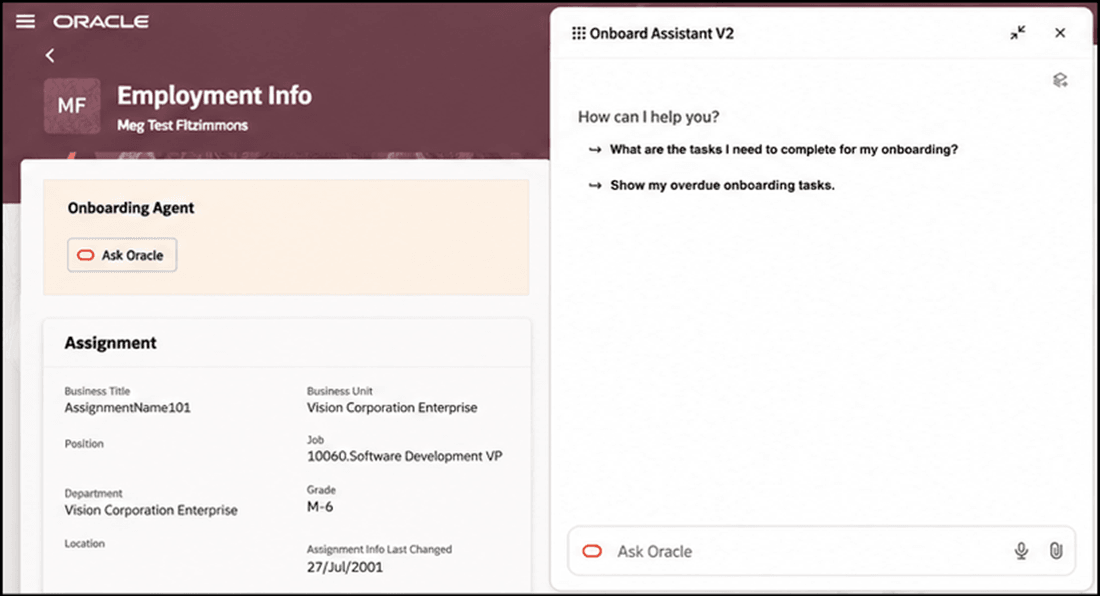
Onboard Assistant with Prepopulated Prompts
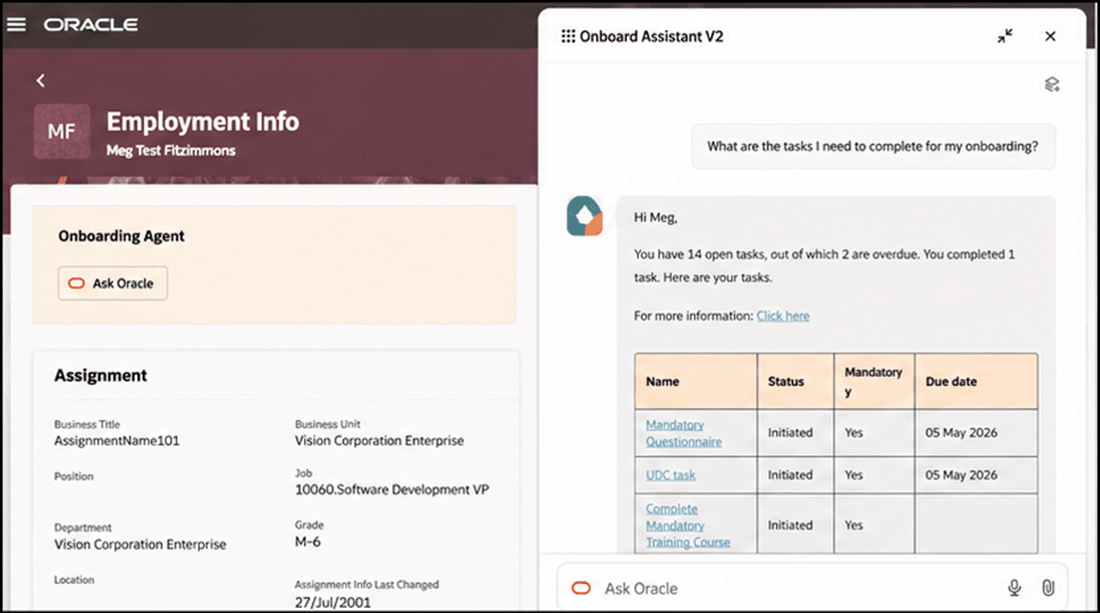
Answer Displayed Based on Selected Prompt
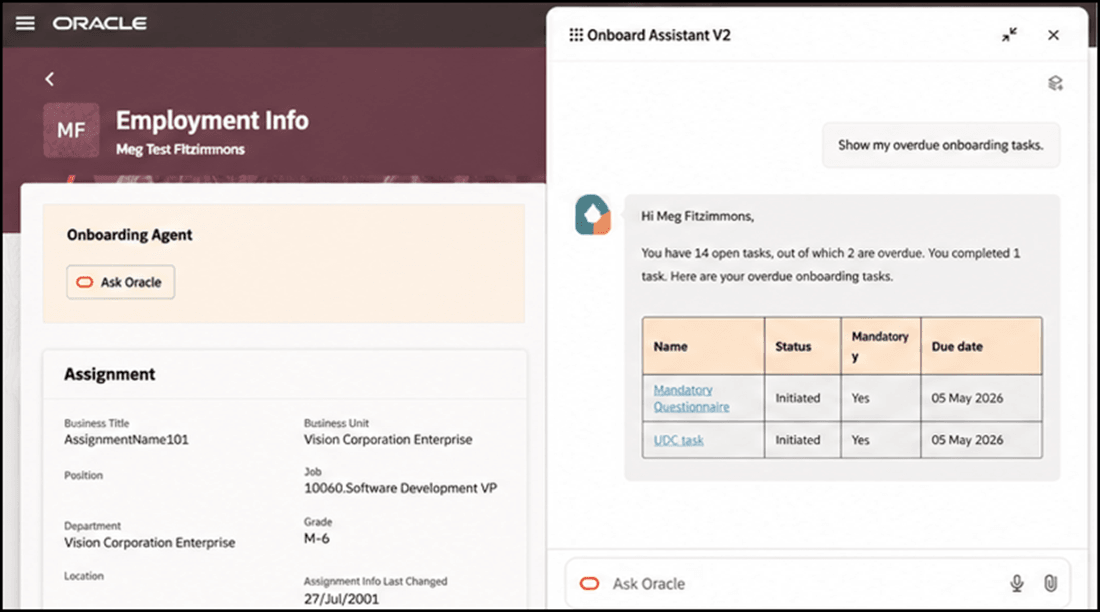
Answer Displayed Based on Selected Prompt
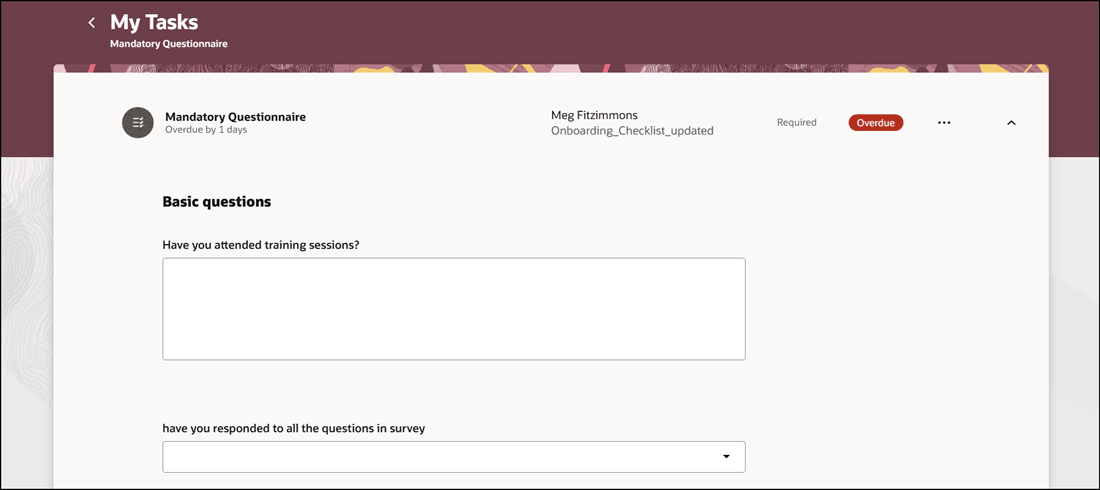
Click on Deep Link in Response to go to Specific Journey Task Page
Enhance the existing Journeys framework by providing proactive support, personalized guidance, and efficient access to information.
Steps to enable and configure
-
Your environment must have certain necessary configurations. Ask your help desk to contact Oracle Support, who can verify what your environment has and address any gaps. For more information, see FAQ2521 on My Oracle Cloud Support.
-
Set the Enable Security Console External Application Integration (ORA_ASE_SAS_INTEGRATION_ENABLED) profile option to Yes and enable permission groups for the appropriate roles. See Access Requirements for AI Agent Studio.
-
The Onboard Assistant is a preconfigured template. You need to create your own agent using the preconfigured template.
-
To learn how to set up AI agents, see Create AI Agents Using Preconfigured Agent Team Templates.
-
Tips and considerations
-
You need to enable Oracle Search for Journeys to use this feature.
-
The Onboarding Assistant only displays journeys filtered by category Onboarding and Enterprise Onboarding. No other category of journeys is displayed. Additionally, only data related to onboarding of journeys is fetched.
Controlling what information the agent can return
-
What is honored: Role-based data security (RBAC). Users only see the data that their role permits.
-
What’s not honored: Localization rules and your own business rules in Visual Builder Studio are not enforced by the Agent.
What's not included
-
This version of the template provides capability to retrieve, but not edit, the journey information. However, the agent provides deep links to the pages where the employee can update the information, if they have the security to do so.
Key resources
-
Onboard New Hires with AI Assistance, What's New 25D
Access requirements
- You must be granted the Manage Journey (ORA_PER_MANAGE_JOURNEY_TEMPLATE) aggregate privilege to work on journey templates.
- The agents you can view depend on the roles and privileges assigned to you. To access this agent, your role must be explicitly granted access to it by an AI Studio Administrator. See How can I give users access to AI agents, and Access Requirements for AI Agent Studio.