Set Up Personal Payment Methods During Onboarding with AI Assistance
New hires in US legal employers can now set up their personal payment methods (PPM) as part of their onboarding experience using AI assistance. The Onboard Assistant initiates the Payment Method Assistant agent so employees can create a bank account without leaving the onboarding flow.
This feature helps new hires complete payroll-related setup earlier and with less confusion. During onboarding, the assistant can guide the employee through entering bank account details, uploading check information where supported, and resolving validation errors before the setup is completed.
These are some example use cases:
-
Set up direct deposit during onboarding: A new hire can create their first bank account by entering the bank name, bank branch, account number, routing number, account type, and account holder name. The agent validates the details and creates the personal payment method.
-
Create bank account from employee bank document : A new hire uploads a check, and the agent extracts available bank information, such as the bank name, bank branch, account number, routing number, account type, and account holder name. The assistant asks for any missing details.
-
Handle multiple payroll relationships: If the employee has more than one payroll relationship, such as a prior employment record and a current employment record, the workflow considers the relationship linked to the primary assignment of the employee before creating the payment method. The workflow supports only US payroll relationships.
These are some key benefits of this feature:
-
Faster onboarding completion: New hires can complete payment setup without navigating separately to payroll pages.
-
Reduced employee confusion: The assistant guides users through required fields and provides helpful error messages when information is incorrect or incomplete.
-
Improved payroll readiness: Employers can collect payment method information earlier, reducing the risk of missing or delayed payroll setup.
-
Lower support burden: AI-guided prompts and validation can reduce manual assistance from HR, payroll, and onboarding teams.
-
More accurate payment method setup: The flow validates bank details and confirms successful setup before the employee continues. It also enables the employee to directly open the personal payment method page for any corrections.
You can create a PPM by instructing the Onboard Assistant using text or uploading a file which has the details.
Here’s an example of using text input in the Onboard Assistant.
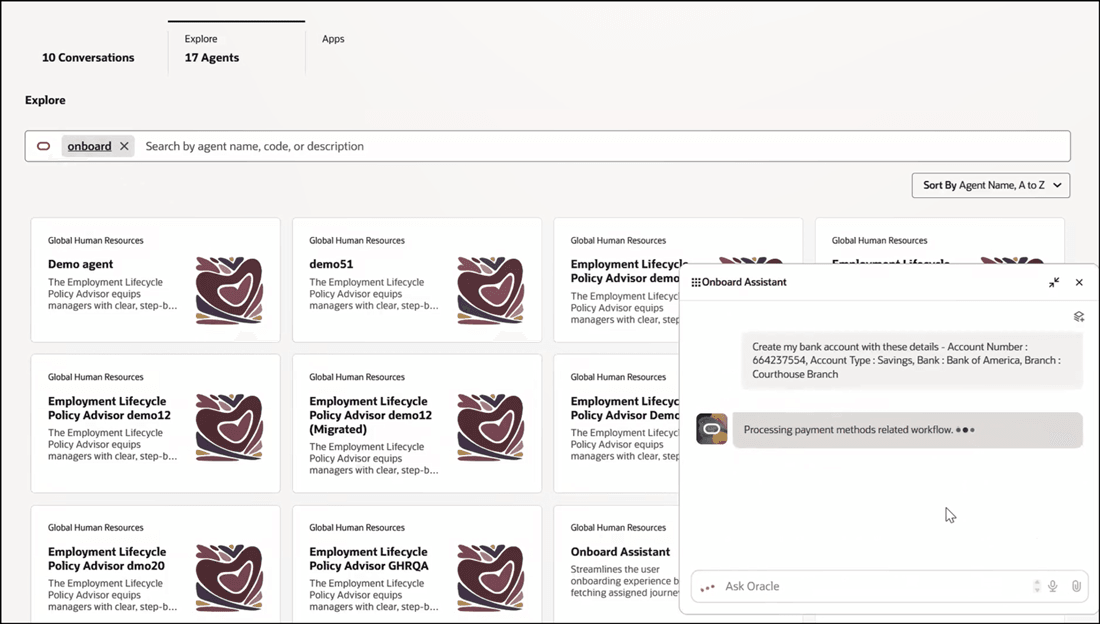
Input Text to Create Personal Payment Method
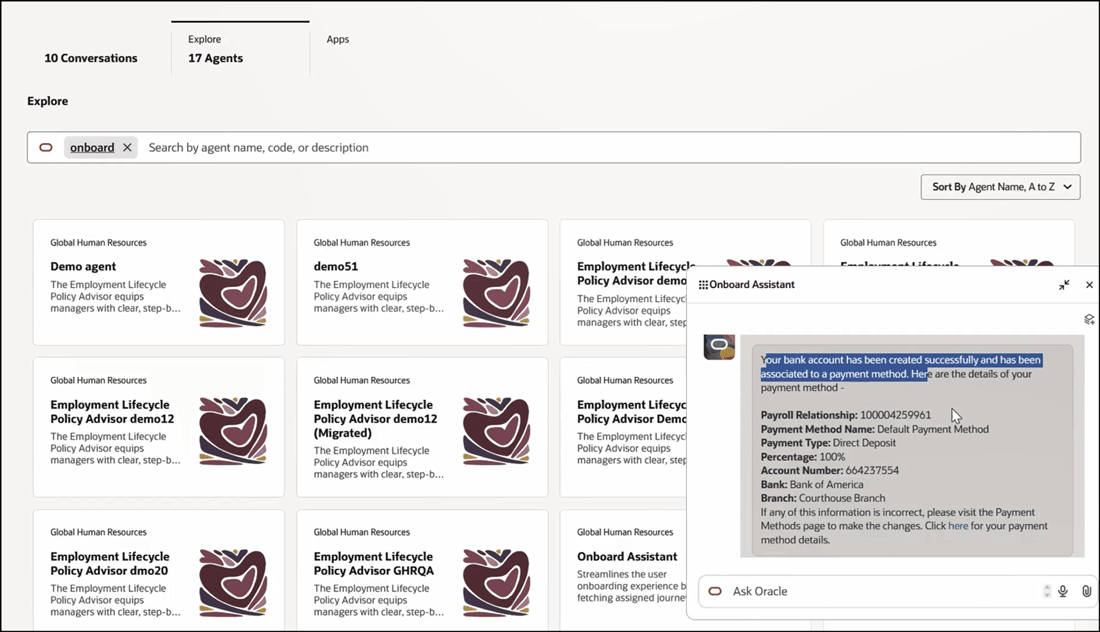
Answer Displayed Based on Input Text
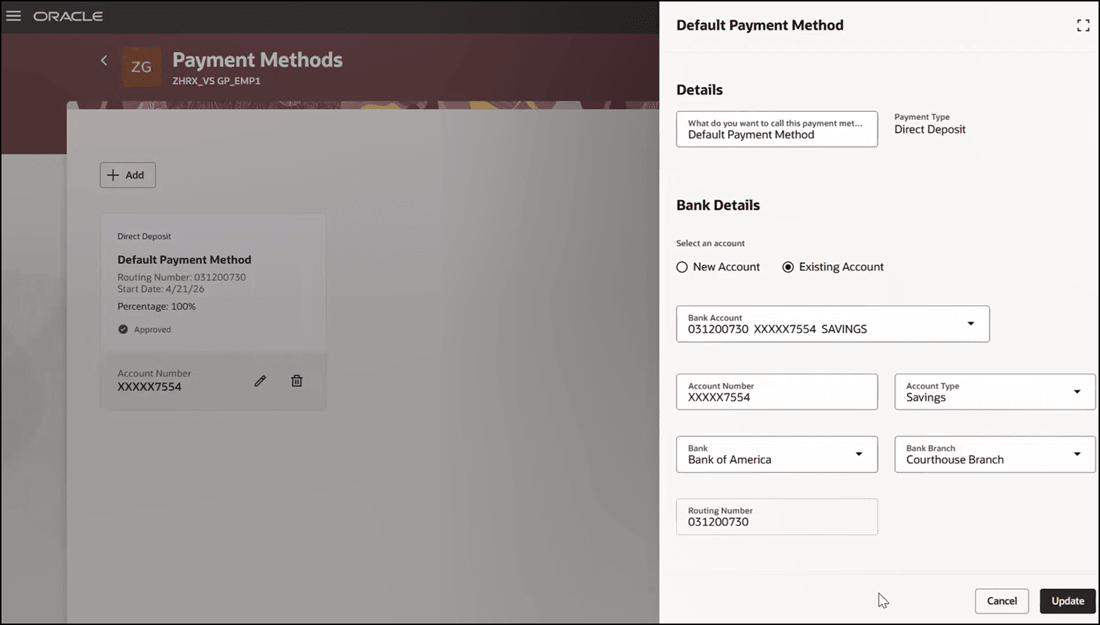
Click on Deep Link in Response to Access Redwood Payment Method Page
This is an example of uploading a file to create the PPM in the Onboard Assistant.
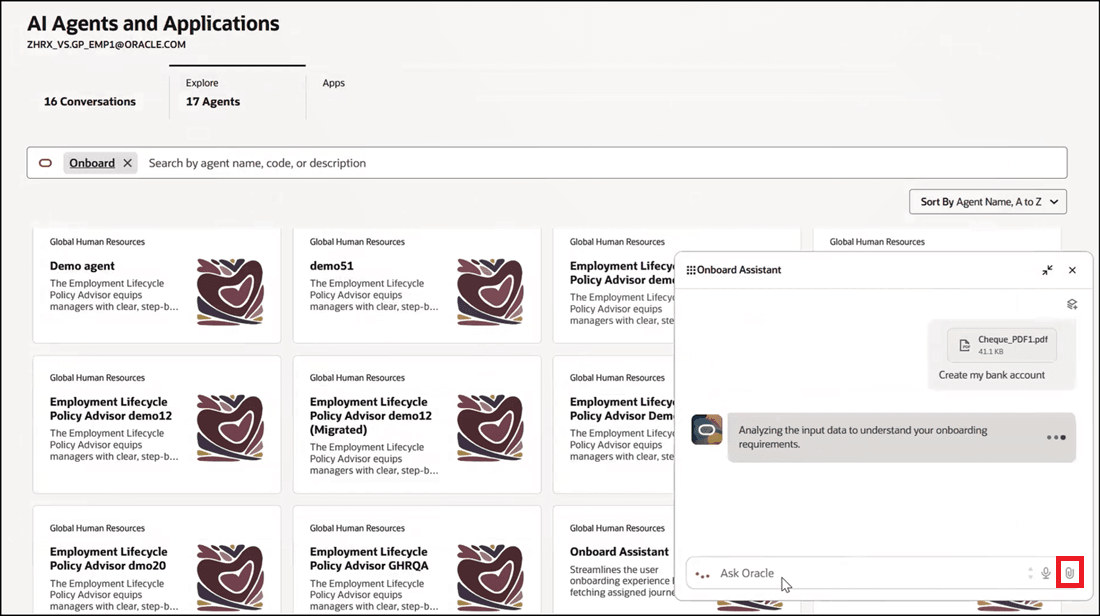
Upload File to Create Personal Payment Method
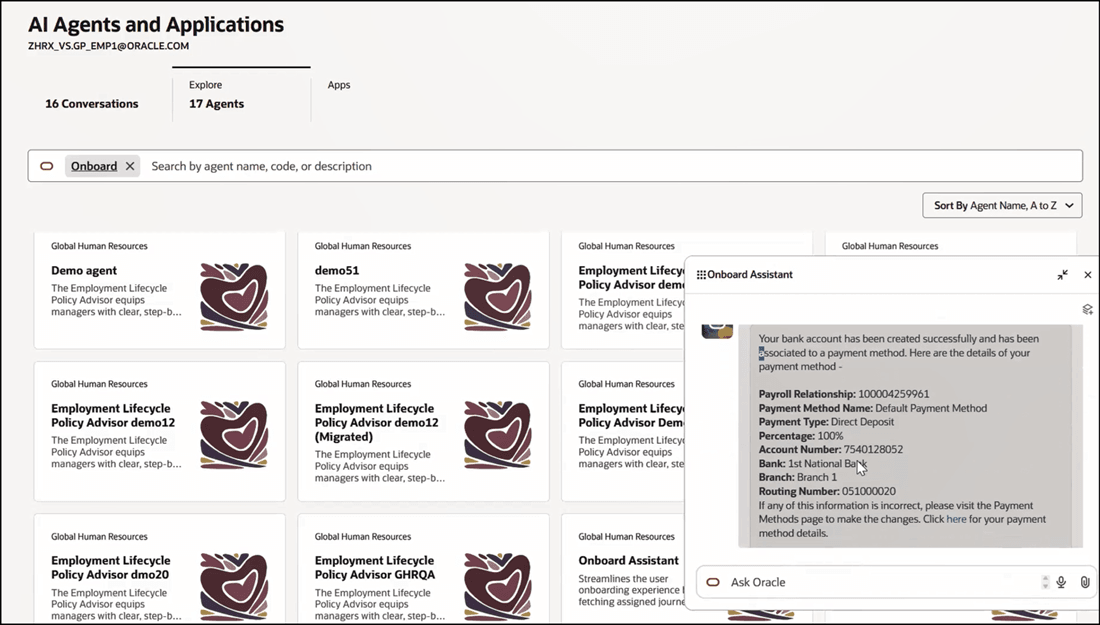
Answer Displayed Based on Uploaded File
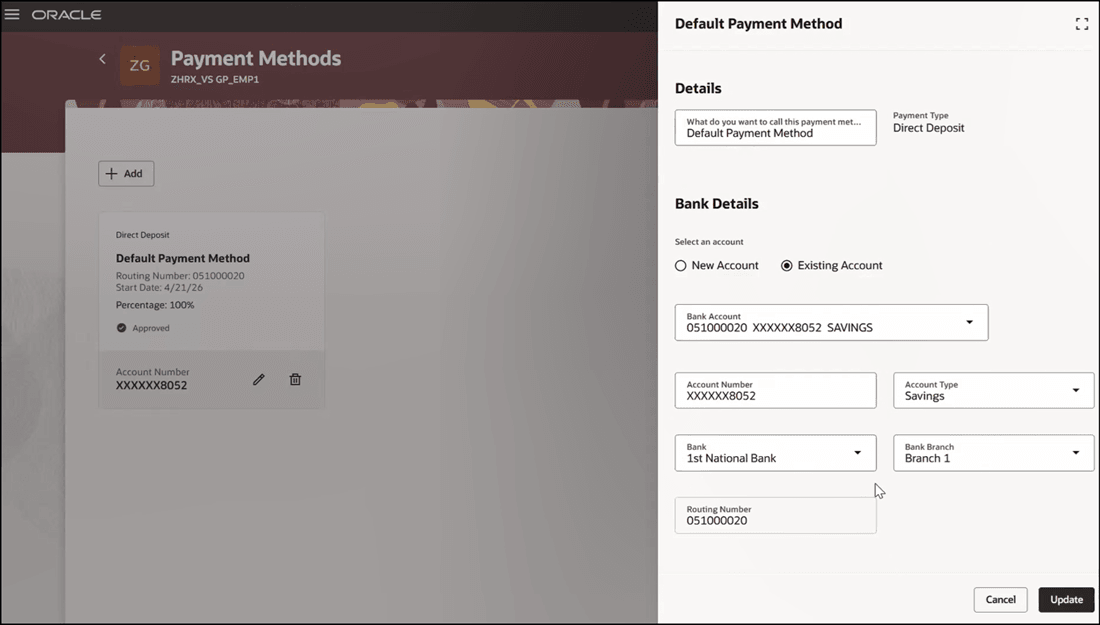
Click on Deep Link in Response to Access Redwood Payment Methods Page
This feature makes the onboarding process more comprehensive by also allowing employees to complete payroll payment setup in the same AI-guided experience they already use for onboarding tasks.
Steps to enable and configure
-
Your environment must have certain necessary configurations. Ask your help desk to contact Oracle Support, who can verify what your environment has and address any gaps. For more information, see FAQ2521 on My Oracle Cloud Support.
-
Set the Enable Security Console External Application Integration (ORA_ASE_SAS_INTEGRATION_ENABLED) profile option to Yes and enable permission groups for the appropriate roles. See Access Requirements for AI Agent Studio.
-
The Onboard Assistant is a preconfigured template. You need to create your own agent using the preconfigured template.
-
To learn how to set up AI agents, see Create AI Agents Using Preconfigured Agent Team Templates.
-
Tips and considerations
- The Onboard Assistant only works when Oracle Search for Journeys is enabled.
- The Payment Method Assistant agent supports only the Direct Deposit payment type. If the employee doesn't have a Direct Deposit payment type, the workflow displays a related error message.
- Only employees associated with a US legal employer and an assigned payroll can set up a PPM through the Onboard Assistant.
Key resources
-
Onboard New Hires with AI Assistance, What's New, 25D
Access requirements
- To make the Payment Method Assistant agent work during onboarding, you need to add the ORA_PAY_PERSONAL_PAY_METHOD_MANAGEMENT_DUTY SaaS role to your custom role and assign it to the employee.
- You must be granted the Manage Journey (ORA_PER_MANAGE_JOURNEY_TEMPLATE) aggregate privilege to work on journey templates.
- The agents you can view depend on the roles and privileges assigned to you. To access this agent, your role must be explicitly granted access to it by an AI Studio Administrator. See How can I give users access to AI agents, and Access Requirements for AI Agent Studio.