My Learning and learning catalog calendars for learners
You can now see available instructor-led training and the learning that you're enrolled on your Me > Learning > Calendar page. Use month, week, day, and list views to help you find relevant learning. Drawers with details and in-context actions let you enroll in learning, request enrollment, join waitlists, and view registrations directly from the calendar.
The calendar remembers the last view you used in each browser.
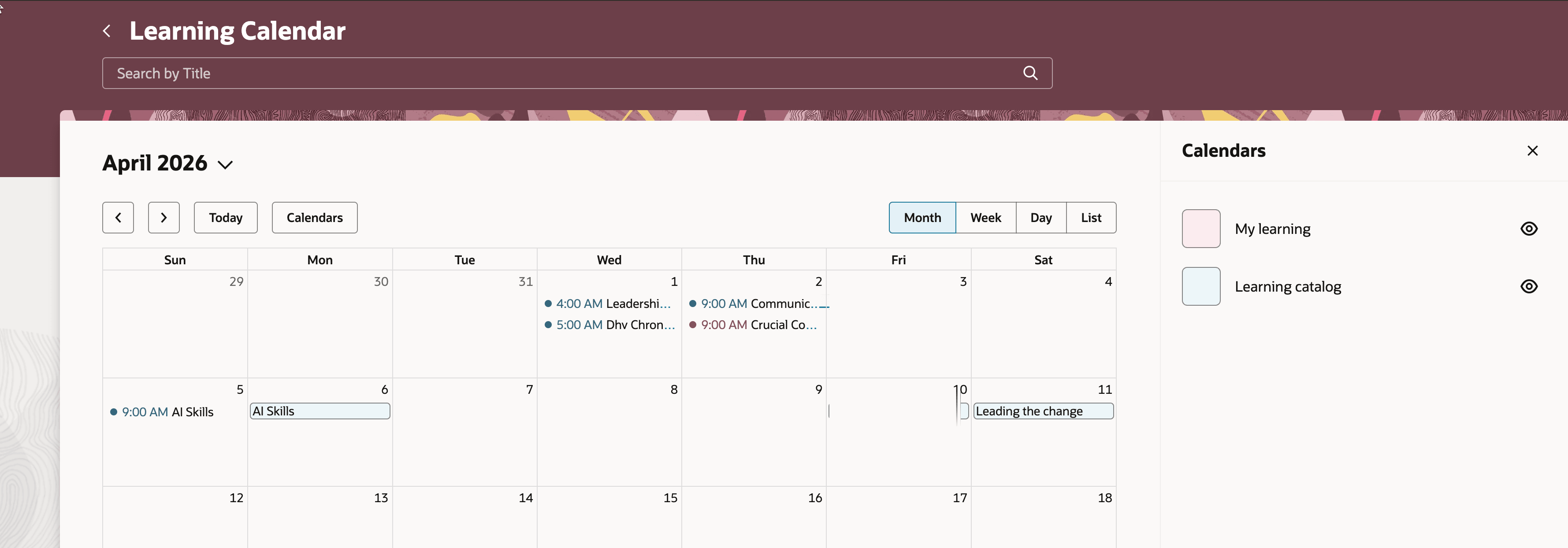
Learner Calendar Showing the Filters Drawer
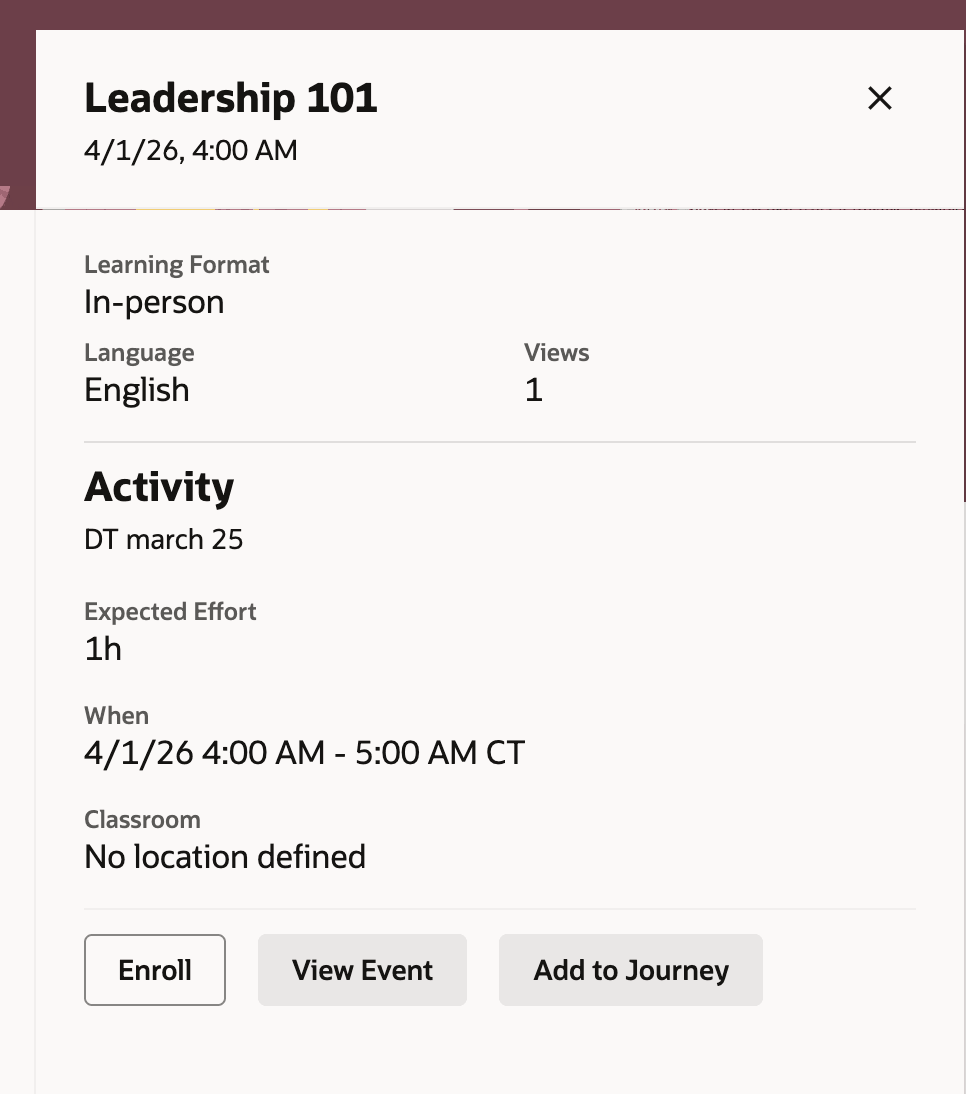
Learning Catalog Details Drawer
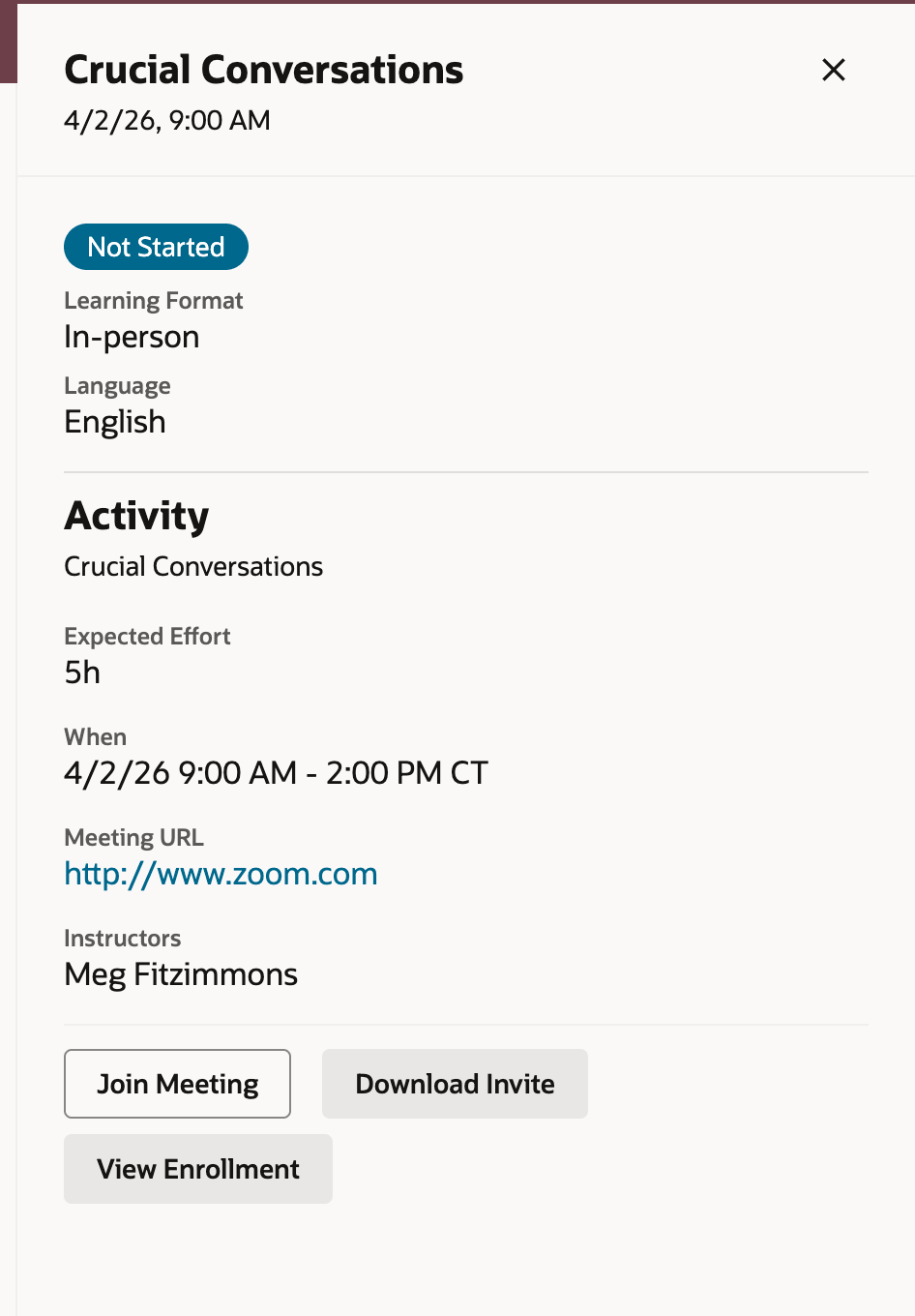
My Learning Details Drawer
Improve learner self-service and engagement by consolidating training discovery and actions in one calendar experience.
Steps to enable and configure
-
Submit the ESS job to create the index definition and perform the initial ingest to OSCS process using this input parameter: fa-hcm-learningrecordtask
Go to Tools > Scheduled Processes.
- Set the site-level profile value to Yes for the ORA_WLF_ENABLE_SELF_SERVICE_LEARNING_CALENDAR profile option.
Tips and considerations
-
By default, the My Learning calendar filter is on, and the Learning Catalog filter is off.
-
When both the Learning Catalog and My Learning calendar filters are enabled, only keyword search is available.
-
Change the starting day of the week for the calendars in Visual Builder Studio using the SetCalendarDayofWeek page property.