Enhancements for events used in courses
Enrollment switching across events and offerings follows configured withdrawal rules. Learners can switch enrollments when withdrawal approval isn't required or when requests fall within the allowed withdrawal period. If withdrawal isn't allowed or the withdrawal period has expired, learners can't switch enrollments and an error message appears.
Events include a Location Shown in Self-Service setting on the User Experience tab. The setting uses the classroom from the first activity by default. To keep the location shown in the course offering list consistent, you can change it to a specific classroom or delivery type.
Activity locations are automatically copied from the first activity to improve consistency across events.
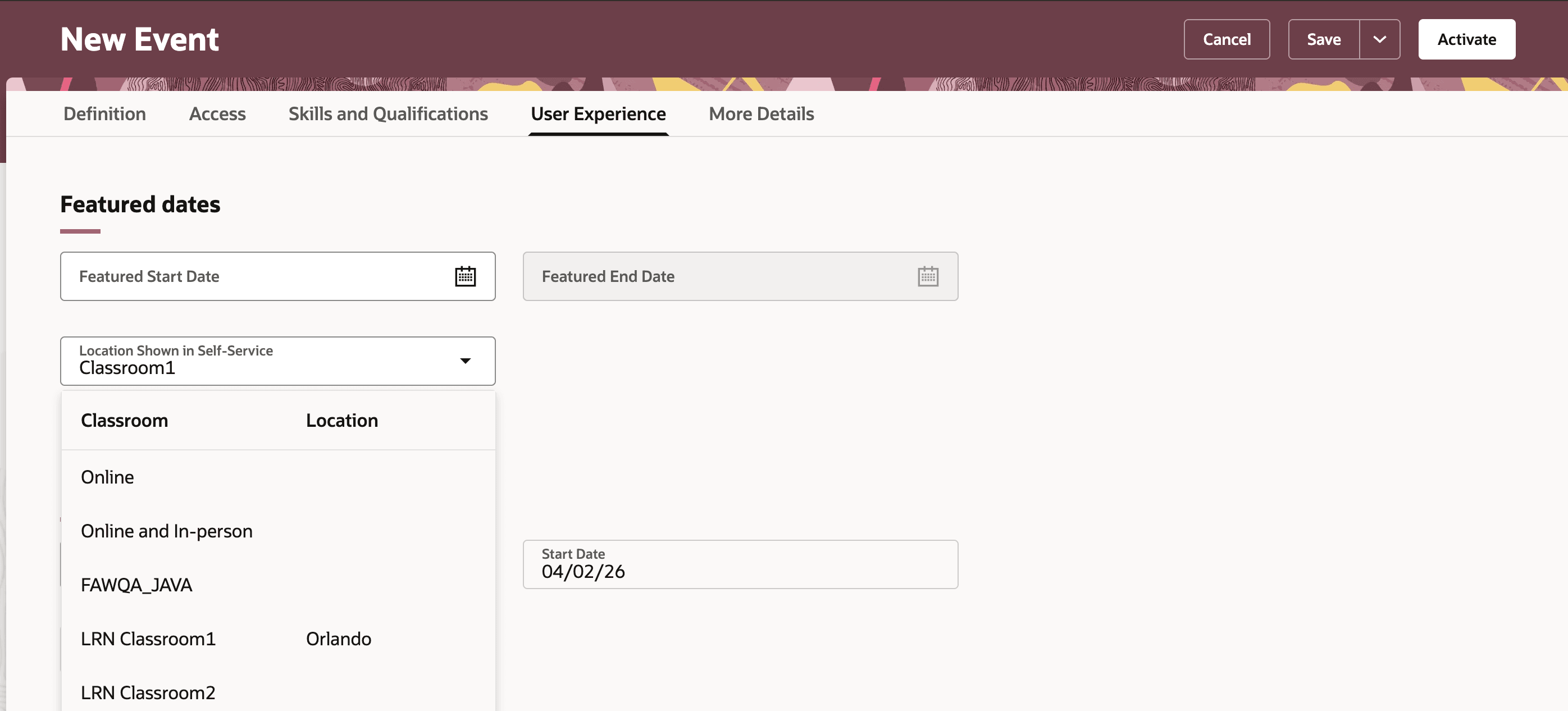
Selecting Location to Display When Editing an Event
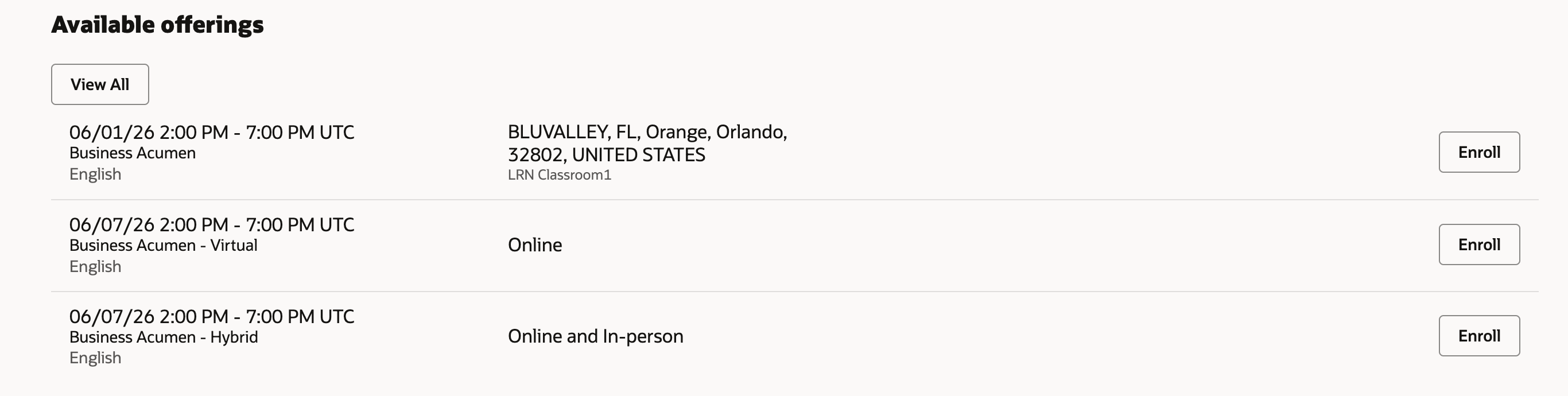
Location Shown to Learner in Self-Service
Improve learner confidence with clearer event details and reduce manual effort with consistent location handling across events.
Steps to enable and configure
You don't need to do anything to enable this feature.
Tips and considerations
-
Learners see No Location Defined if Location Shown in Self-Service has no value.
-
Learners will now see both events and offerings in their local time zone for a more consistent experience.
-
Classroom locations for new event activities default from the first required activity and don't update if that activity changes later.