Redwood category and topic management
You can use the new Categories and Topics Redwood experience to manage catalog structures in a modern, task-focused interface. The experience includes List, Category, and Topic Index views, with keyword search, filter chips, and saved-search behavior.
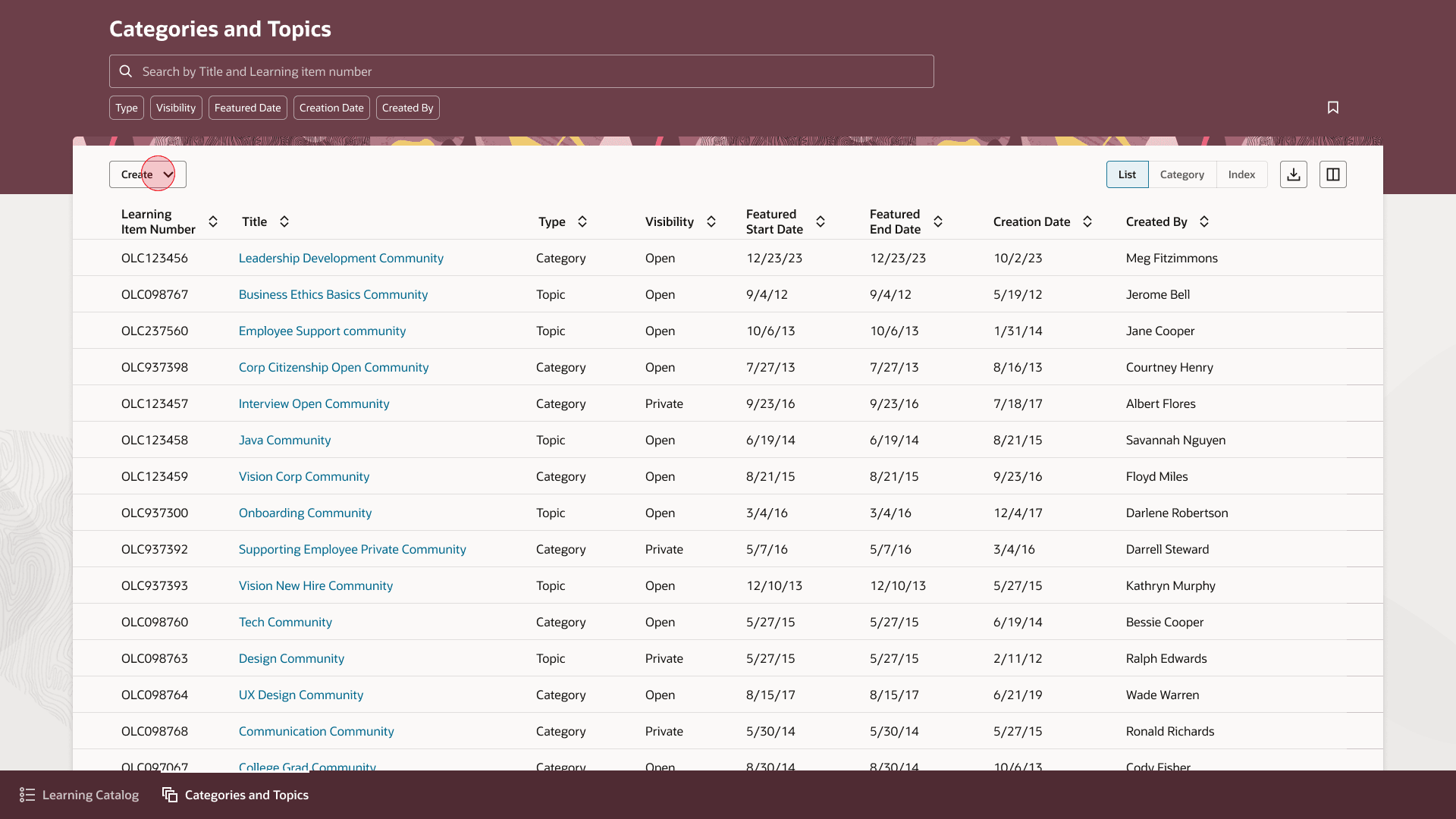
Redwood Categories and Topics Page
Create and edit categories and topics, manage core details such as title, summary, visibility, and featured dates, and move directly to category or topic details.
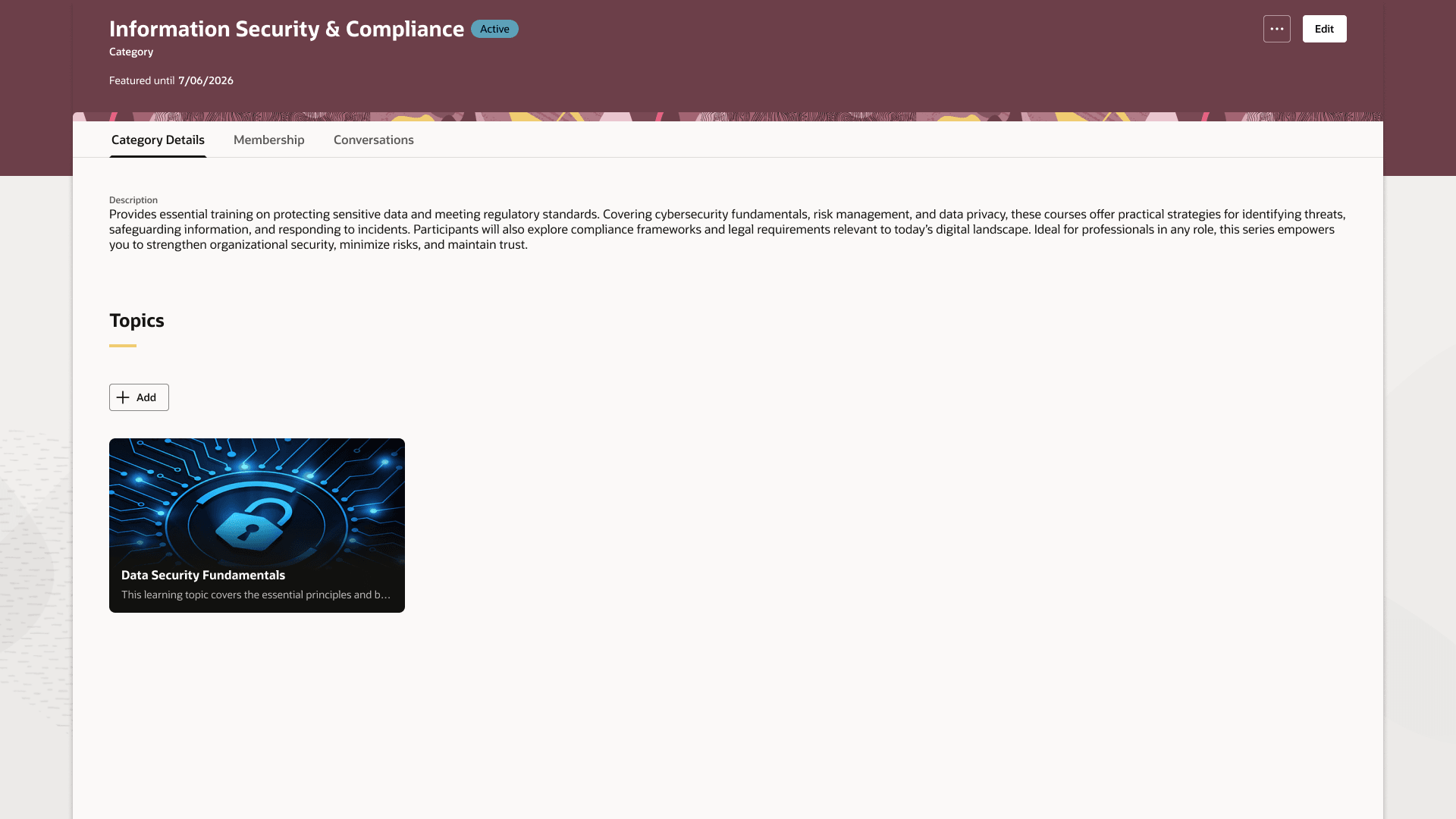
Category Details Page
Topic management also supports adding and removing learning, managing featured dates on learning cards, and maintaining membership and related details.
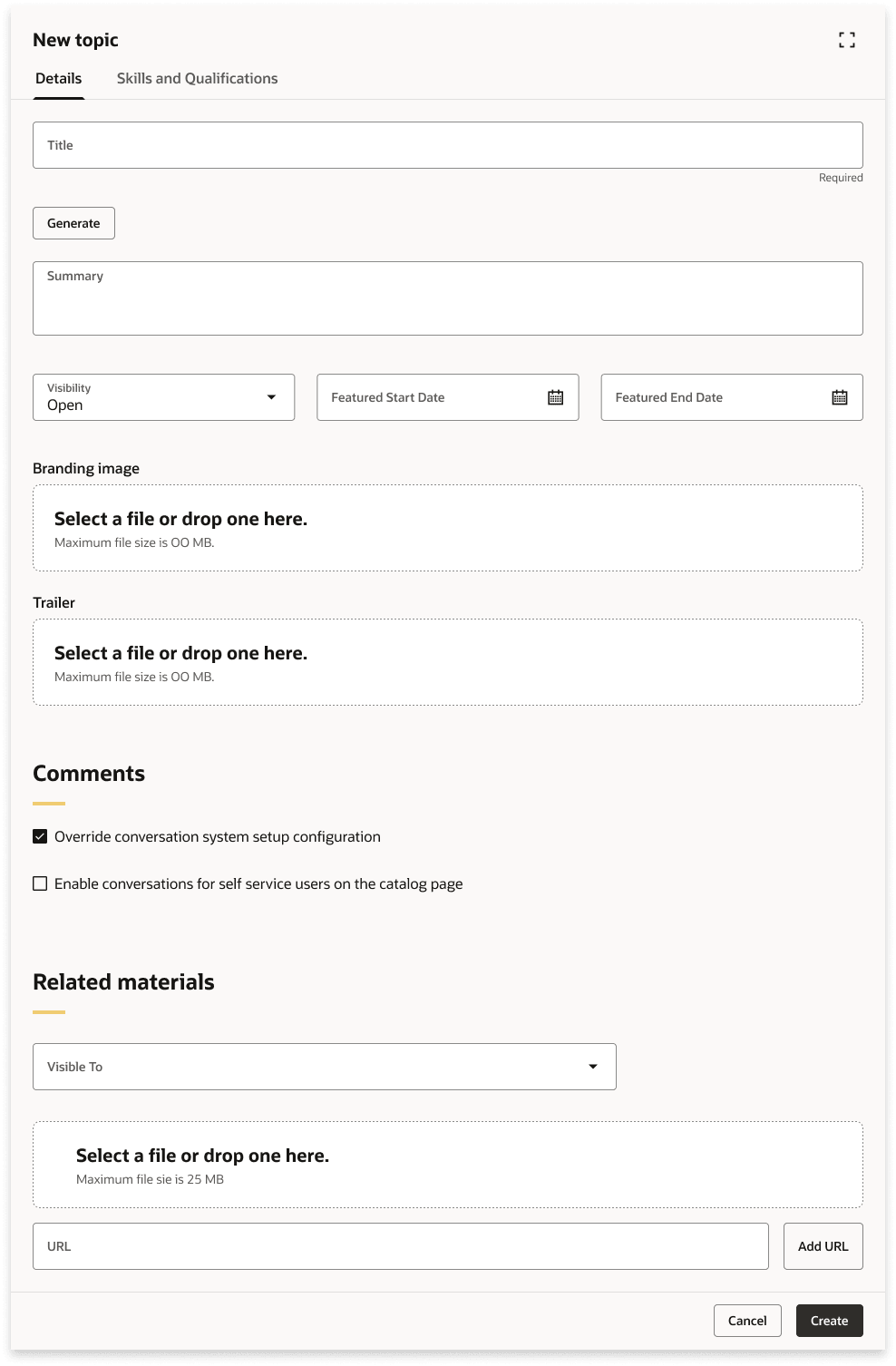
New Topic Page
Help learning teams organize catalog content more efficiently and provide a more consistent Redwood experience for category and topic management.
Steps to enable and configure
Set the site-level profile value to Y for the ORA_WLF_CATG_TOP_REDWOOD_ENABLED profile option. Go to Setup and Maintenance > Tasks panel > Search > Manage Administrator Profile Values.
Access requirements
These new security roles are required and are added to the duty roles noted below. Make sure that you add them to your relevant custom roles.
| Security Role Name | Description | Duty Role Added to |
|---|---|---|
| View Learning Categories and Topics | Allows the administrator to view the categories and topics for which they are defined managers | Learning Catalog Management Duty |
| Manage Learning Categories and Topics | Allows the administrator to manage the categories and topics for which they are defined managers | Learning Catalog Management Duty |
| Manage All Learning Categories and Topics | Allows the administrator to manage all categories and topics | Learning Catalog All Items Management Duty |
| View All Learning Categories and Topics | Allows the administrator to view all categories and topics | Learning Catalog All Items Management Duty |