Instructor activity center enhancements
Overlay your teaching schedule with enrolled courses in the My Learning calendar to spot conflicts and plan more effectively.
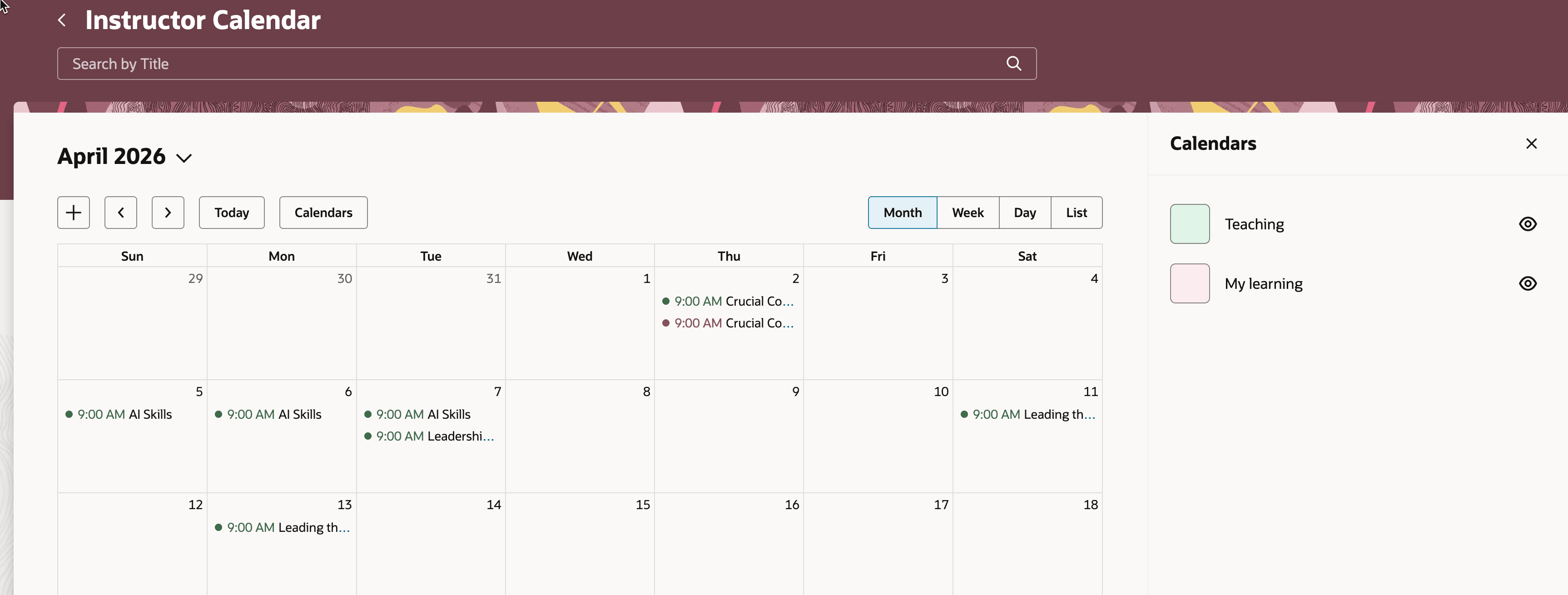
Instructor Calendar with Both Calendars Enabled
Use the new Seat Availability filter in the teaching calendar and offerings to find low-enrollment, waitlisted, or full sessions.
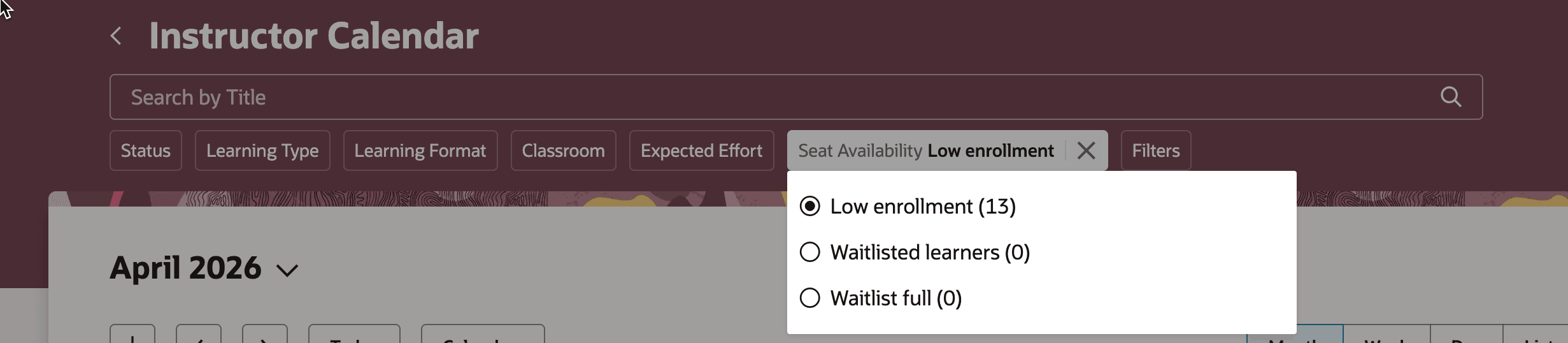
Instructor Calendar Showing the Seat Availability Filter
Improve instructor scheduling efficiency and class capacity planning by surfacing conflicts and low-enrollment or waitlisted sessions in one calendar view.
Steps to enable and configure
- Submit the ESS job to create index definition and perform initial ingest to OSCS process with the fa-hcm-learningrecordtask input parameter.
Go to Tools > Scheduled Processes.
- Set the site-level profile value to Y for the ORA_WLF_ENABLE_SELF_SERVICE_LEARNING_CALENDAR profile option.
Go to Setup and Maintenance > Tasks panel > Search > Manage Administrator Profile Values
Tips and considerations
By default, the Teaching calendar is on and the My Learning calendar is off.
Key resources
For details about Instructor Activity Center, see the release 26B What's New: Instructor Activity Center