 Instructor Activity Center
The new Me > Instructor Activity Center calendar app brings you fresh organization, simplicity, and productivity to scheduling and managing instructor-led events. Here’s how it improves your day:
- Intuitive calendar experience: Switch among list (default), day, week, or month views that match your work style; your last-used view is automatically remembered for next time.
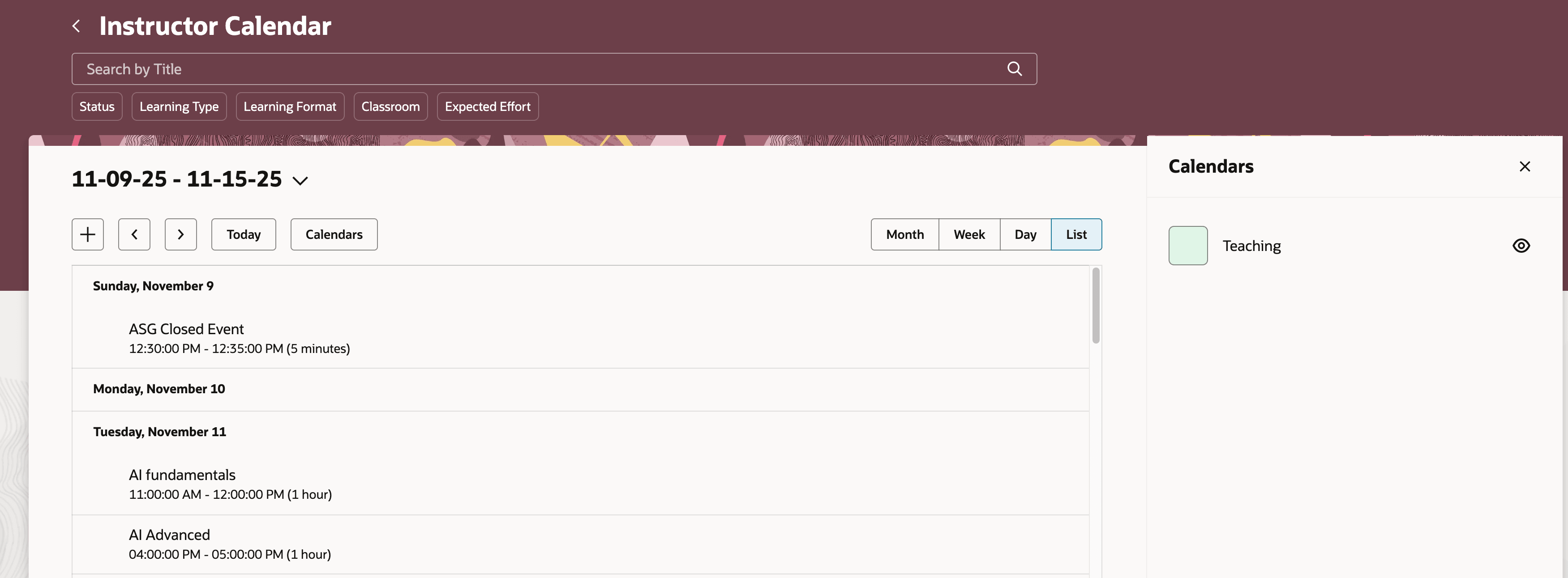
Instructor Calendar in the Default, List View
- Streamlined event drawers: Instantly see event details and materials, including session dates, times, locations, and meeting links—directly from your calendar.
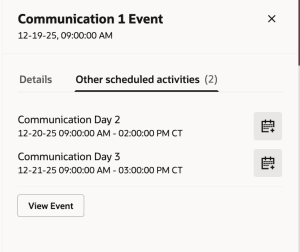
Event Details Drawer Showing Multiple Activities
- Faster actions:
- Create new event sessions in just a few clicks.
- Join meetings and download session invites from inside the app when available.
- Smart searching and filtering: Find calendar entries quickly using filters by title, type, status, location, or expected effort.
- Complete participant management: View learner lists in one place, handle enrollments, withdrawals, and see current assignments effortlessly.
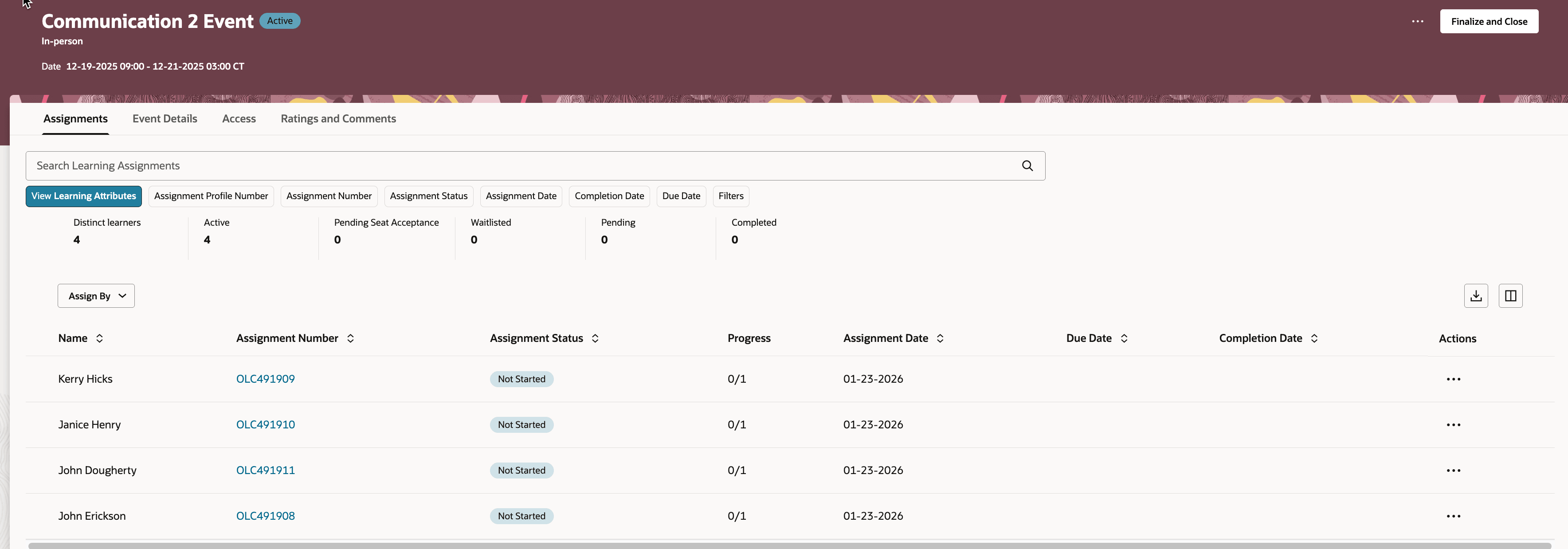
Learning Event Page Showing Attributes for the Assigned Learners
- Helpful alerts: Get low enrollment or waitlist statuses right on events for quick reactions when roster cutoffs matter.
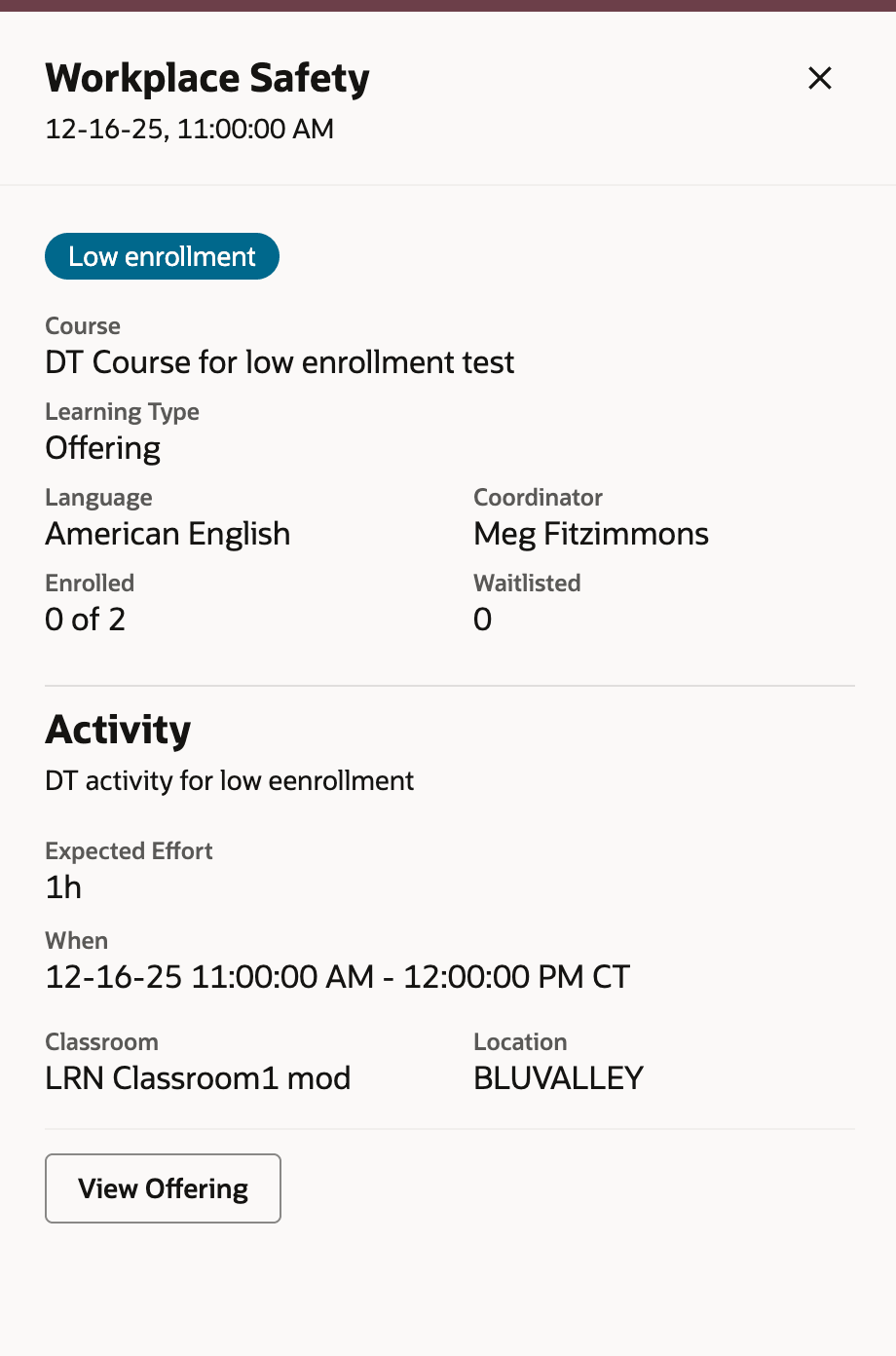
Event Details Drawer Showing Low Enrollment
- Integrated attendance tracking: Generate or share links and QR codes for self-attendance; access PDFs and recordings for follow-up.
Drive instructor productivity by centralizing all scheduling, session management, and learner engagement tools into one intuitive workspace. Enable instructors to spend less time on administration and more on delivering impactful learning experiences. This streamlined approach fosters greater efficiency, increases session consistency, and supports improved learning outcomes across your organization.
Steps to enable and configure
You need to enable Redwood learning assignments and configure security, if you haven't already.
Tips and considerations
- Instructors who need access to only their own instructor-led trainings no longer require access to the learning catalog. With the new Instructor Activity Center app, they can now view and manage only their events and offerings.
- Verify that instructor time zone and regional preferences are correctly set because calendar times always display in the instructor's time zone.
- Only events and offerings where the user is explicitly an instructor are visible. Sharing calendar URLs with other users results in access errors.
- The View Event action opens the Event administration details page, assignments tab. Instructors can open up to 10 dismissable tabs.
- Join Meeting visibility depends on meeting configuration:
- Ad hoc links are immediately accessible, subject to the ORA_WLF_LEARN_ILT_ALLOW_JOIN_CONFERENCE_MINUTES_PRIOR profile option timing.
- Virtual account meetings require processing and are available to only the designated virtual instructor.
- To show or hide the Download Invite button based on your calendar synchronization settings, configure the Visual Builder page property ShowDownloadInvite . Administrators can override defaults to align with organizational needs.
- To change the week start day--such as Saturday, Sunday, or Monday--configure the Visual Builder page property property Calendar Day of the Week .
If an instructor goes to an event from the Instructor Activity Center calendar and doesn't see the assigned learners on the event’s Assignments tab, the OSCS index might need an initial ingest.
-
Run the ESS job to create index definition and perform initial ingest to OSCS process using the fa-hcm-learn-acl index name.
-
After that process completes, run Process Access Control Lists for Learning Items for OSCS with these parameters:
| Parameter | Value |
|---|---|
| Select Activities | Full Refresh for OSCS Learning ACL Index of Instructors |
| Number of Concurrent Processes | 15 |
| Number of Learners | 1000 |
Key resources
For more information on extending Redwood pages in HCM, see Extending Redwood Applications for HCM and SCM Using Visual Builder Studio in Oracle Help Center.
Access requirements
We're delivering this new job role to secure the Instructor Activity Center.
| Role Name | Code | Description |
|---|---|---|
| Learning Instructor | ORA_WLF_LEARNING_INSTRUCTOR_JOB | Allows the user to access the learning instructor experience and manage the events they teach. |