Google Chrome Plugin
Enable seamless learning with Oracle’s new Google Chrome Extension for Fusion HCM Learning so that learners can access learning in the flow of their work. Learners can launch the extension from their Chrome toolbar.
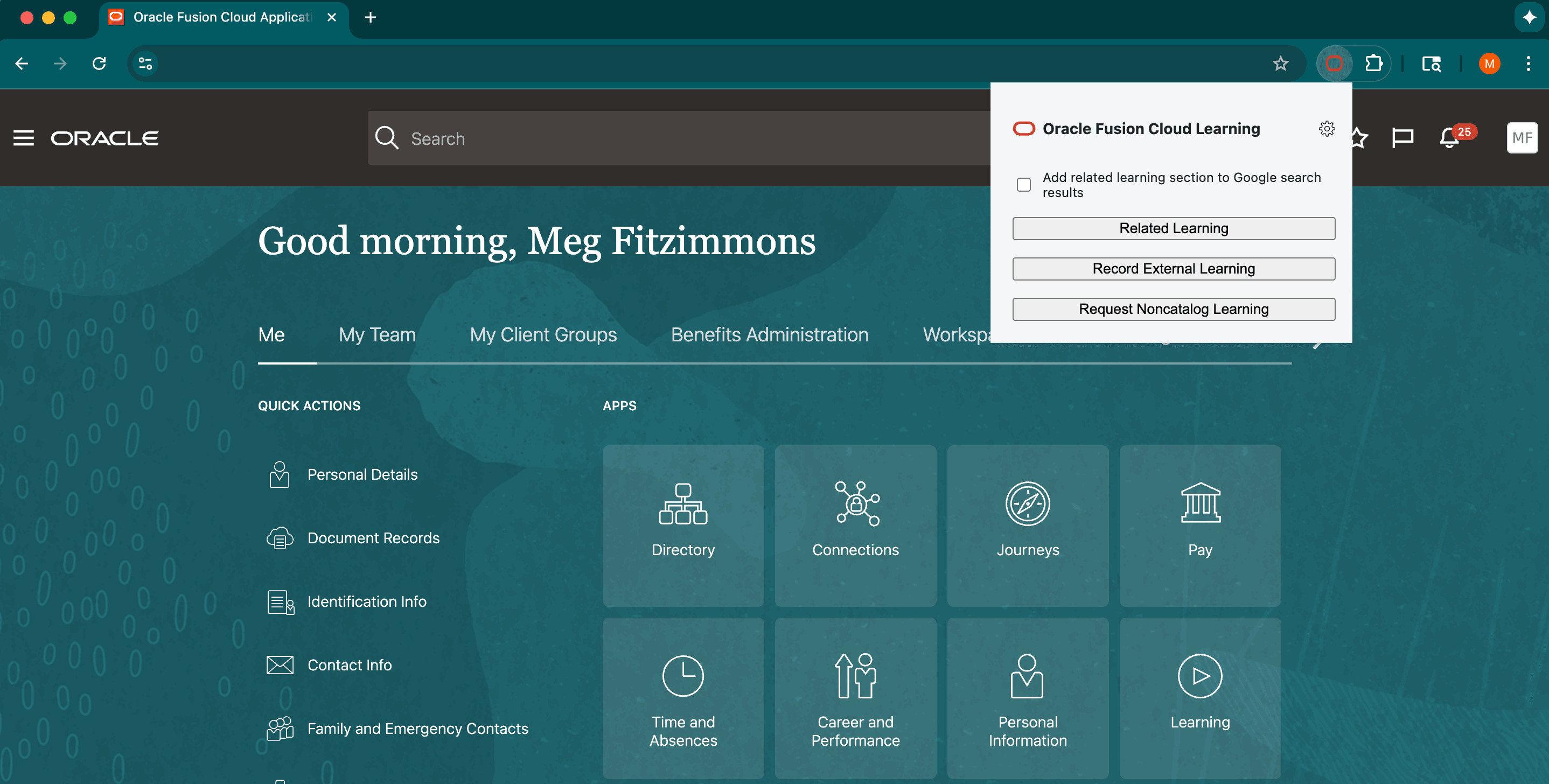
Oracle HCM Learning Chrome Extension Main Menu
Here's what learners can do with the extenstion:
- Enrich Google searches: The extension adds actionable Oracle Learning recommendations to Google search results so learners see relevant learning and resources in the flow of their work.
- Record external learning from any webpage: Learners can record external learning activities directly from the current webpage. The extension fills in key details and defaults the completion date to the device date to speed submission and keep learning records complete. Submissions create external learning records in Oracle Fusion HCM learning.
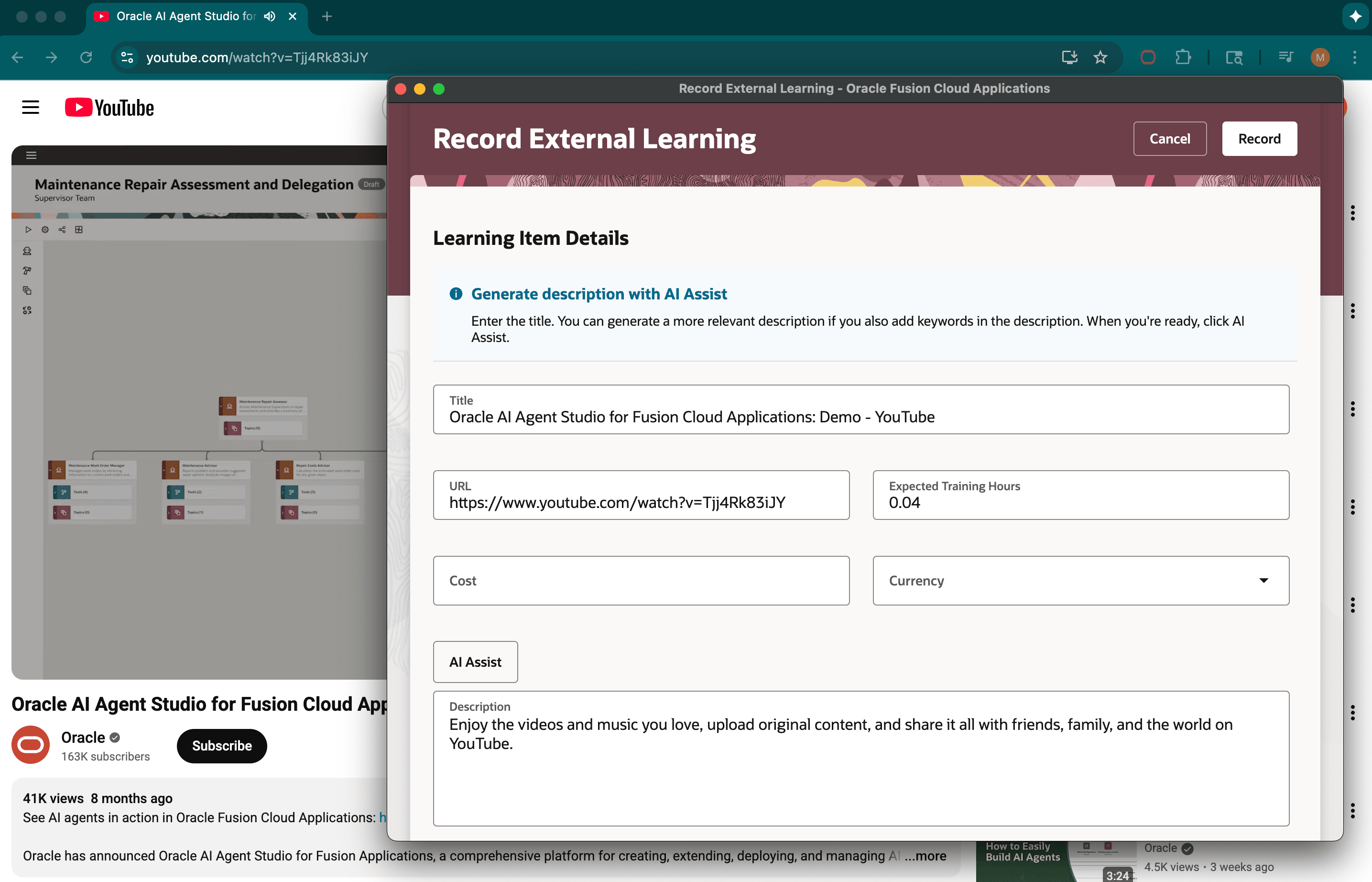
Record External Learning from Any Webpage
- Request noncatalog learning: Learners can open a streamlined request panel with webpage details automatically filled in to reduce manual entry. The extension uses the same Oracle Fusion HCM learning workflows and permissions as in-app requests.
Deployment and configuration
IT administrators can preconfigure and distribute the extension for users. The extension also supports standalone download and install for individual users.
- Downloadable from the customer's Oracle Fusion HCM environment and supports in-context automatic configuration of hostname
- Supports both self-service installation and centralized distribution using mobile device management, group policy, or browser management tools
The extension integrates with Oracle Fusion Cloud sessions and standard enterprise single sign on, so actions are done securely under the user's Oracle Fusion identity.
This enhancement brings Oracle Learning directly into every learner’s Chrome browser, driving adoption and engagement. Learners can enrich their searching, capture external learning activity effortlessly, and submit custom learning requests with minimal friction—all while staying securely integrated with Oracle Fusion Cloud HCM
Steps to enable and configure
IT administrator:
- Optionally preconfigure the Fusion hostname in the settings.json file prior to packaging.
Learners
- Download the Oracle Fusion HCM Learning plugin from
https://<INSERT_YOUR_FUSION_HOSTNAME_HERE>/hcmUI/rest/chromeExtensionin your Oracle Fusion environment. - Install the plugin in Chrome Extensions by using the Load Unpacked option.
- If appropriate, configure the Fusion hostname based on your IT department's guidance.
- Launch the extension by selecting the HCM icon on your Chrome toolbar and signing into Oracle Fusion as prompted.
Tips and considerations
- IT administrators need permissions to configure and distribute extensions and might need access to Chrome management tools if deploying company-wide.The Chrome extension requires an active Oracle Fusion Cloud HCM session for secure access.
- Google search integration can be enabled or disabled by IT, or by the user through settings.
- Enabling and disabling the integration requires access to the Google Chrome Manage Extensions action. If this is locked down by IT configurations, the IT department needs to deploy the extension.
- The plugin can be distributed internally or through browser deployment tools.
- Completion tracking uses meta tags from the underlying web page which are not guaranteed to be set correctly. Learners should validate autofilled content for each new entry.
- Learners require a Oracle valid Fusion HCM Cloud account with these abilities:
- View the learning catalog
- Record external learning and request noncatalog training