Learning Assignment Assistant
Mark learner assignments as completed for learning events using either PDF, CSV, TXT, XLSX, Docx, or image files, or natural language input. Submit the files to Learning Assignment Assistant through the Ask Oracle prompt or by emailing instructions directly to the assistant. Both methods support file uploads and free-form instructions. The agent has built-in validation for completion dates and times, supports updates across single or multiple activities, and can optionally record score and effort data.
- Use the Upload Attendance button to open the Ask Oracle drawer and provide learner identifiers and optional data, such as completion date, score, and effort through file upload or natural language input.
Example instructions:
-
- Mark all learner assignments complete for CPR item number OLC12345
- Mark Jane Smith's activity number OLC1233 complete with a score of 100 and effort of 2 hours
- Mark the activity number OLC129290 janemsith@email.com, johnsmith@email.com, P1000, Mike Smith complete with a completion date of 2/24/26 9:50am CST
- mark all not started and in progress learner assignments for OLC203163, activity OLC1220999 using completion date of 25-Feb at 3:43pm CT. Use score of 120, effort of 2 hours
- Review and approve changes before they are applied.
- Review the summary table and also go to the event details to see learner assignments that will be updated or not updated with reasons.
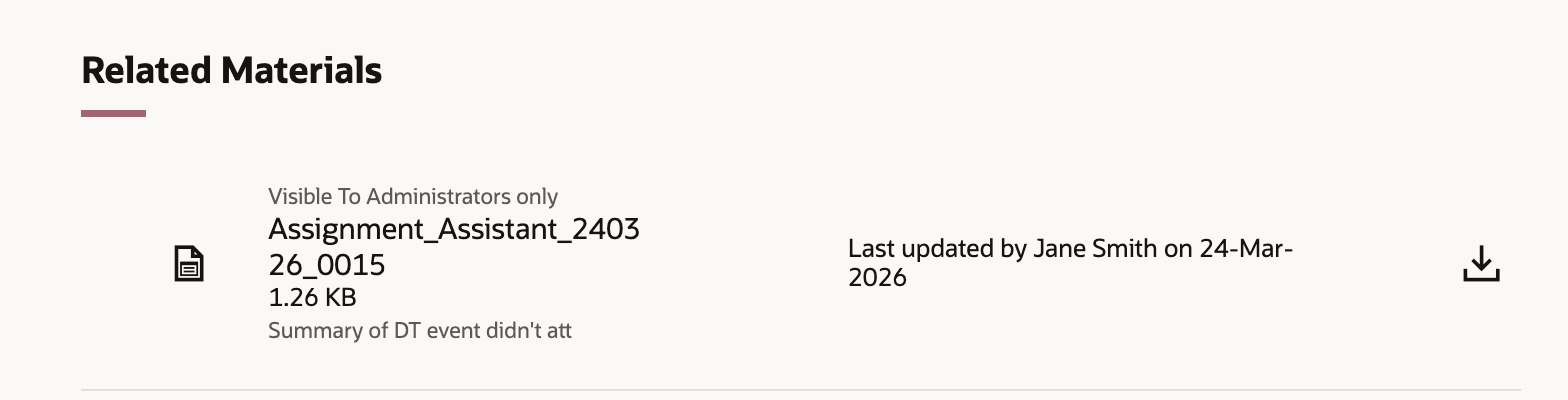
Summary as a Related Material
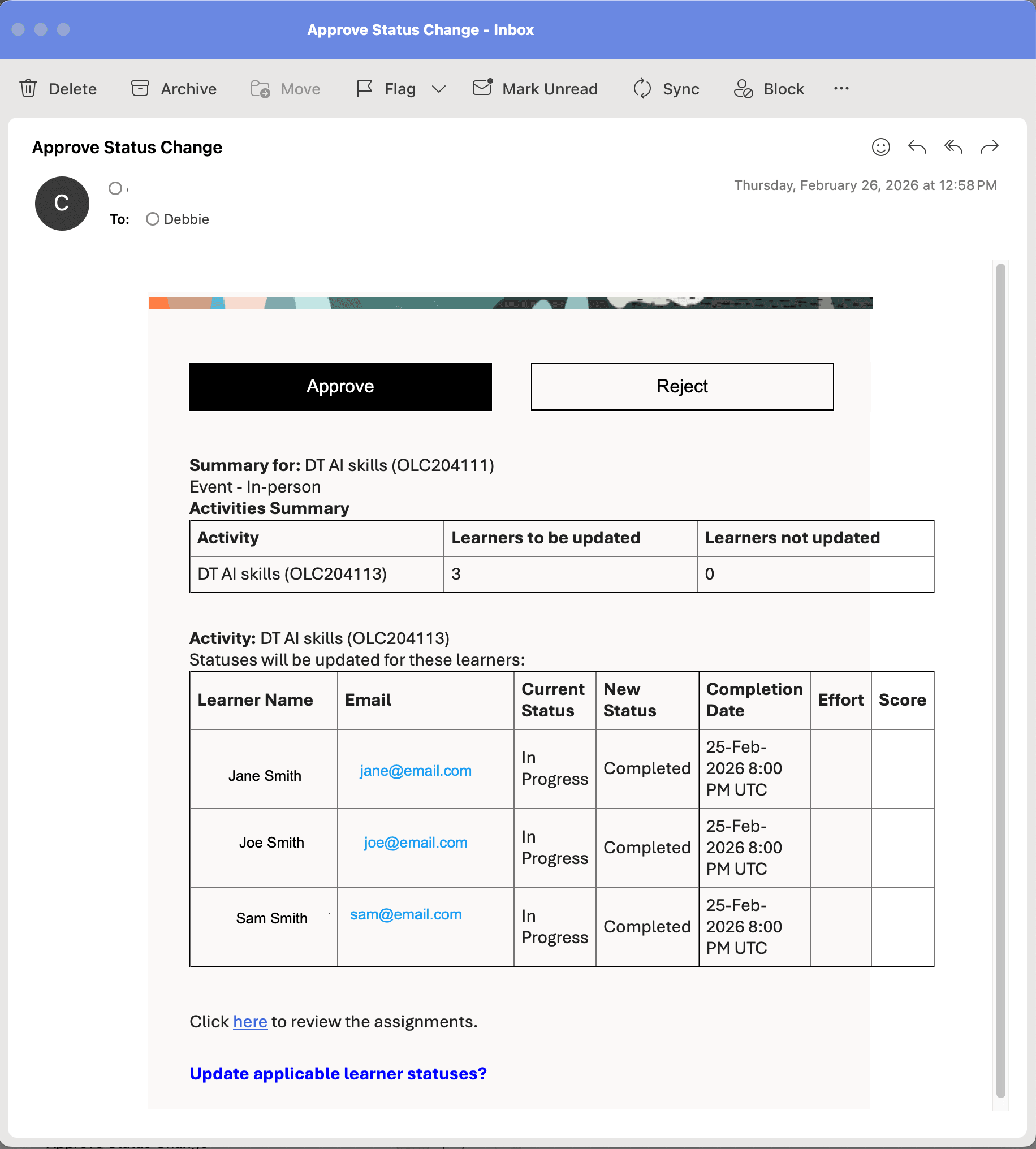
Example Email Response for Approval Confirmation
Streamline completion updates by updating multiple learner assignments and single or multiple activities for a single event. Improve learning assignment accuracy through validated completion data and detailed error reporting. Also increase control and confidence with a human-in-the-loop approval process before applying updates.
Steps to enable and configure
- Make the Upload Attendance button visible on the event details Assignment tab.
- Sign in to the app as a user who can make changes in Visual Builder Studio.
- In Visual Builder Studio, go to My Client Groups > Learning and Development > Learning Catalog.
- On an event's details page, Assignment tab enter the appropriate Learning Assignment Assistance AI agent code in the setUploadAttendanceWorkFlowAgent page property.
- Save your changes.
- Leave Visual Builder Studio and go to an event details page, Assignment tab to confirm the Upload Attendance button is visible.
- Activate email processing.
-
- Get started with AI Agent Studio.
- Configure email accounts.
- In your copy of the Learning Assignment Assistant template, on the Trigger tab, select the relevant email account and configure the human-in-the-loop time out.
- Update and publish the agent so that the email trigger is activated and will start to process emails.
Tips and considerations
- You can identify learners using their first and last name, work email address, or person number.
- The agent currently supports updating learner assignments to Completed status only when their existing status is Not Started or In Progress. Support for additional statuses will be included in a future release.
- When you send instructions through email, approvals need to be completed within the configured email timeout window.
- For email-based instructions, you need to provide the event number. When using the agent from the event details Assignments tab, you don't need to provide the event number because the agent has context.
- To update a specific ILT event activity, you need to provide the activity number.
- You can mark activities as Completed starting 10 minutes after the scheduled start date and time. If you attempt to mark activities Completed earlier than that, the agent will respond as if the activity hasn't started yet.
- Summary information is stored and available as Related Material on the event.
-
A reason code is required; the agent uses its configured default of ORA_IL_MARKED_ATTENDANCE unless updated in the agent. In a future release you'll be able to specify a reason code directly in the instructions to the agent.
Key resources
For more details about AI Agent Studio, see How do I use AI Agent Studio?