Enhanced Learning Creation Assistant
Accelerate content creation with Learning Creation Assistant—now enhanced to accept instructions directly from email. This new capability streamlines workflows by letting instructors and learning specialists submit learning requests to a dedicated mailbox and folder, reducing steps and speeding up the creation process.
- Create learning by email: Send instructions in the body or as a .txt or .pdf file attachment to a designated email address.
- Generate multiple formats: Build self-paced, URL-based content or single and multi-activity events.
- Automate processing: Let Learning Creation Assistant interpret your instructions and create the requested learning.
- Get a confirmation email: Use the included direct link to access the new, draft learning
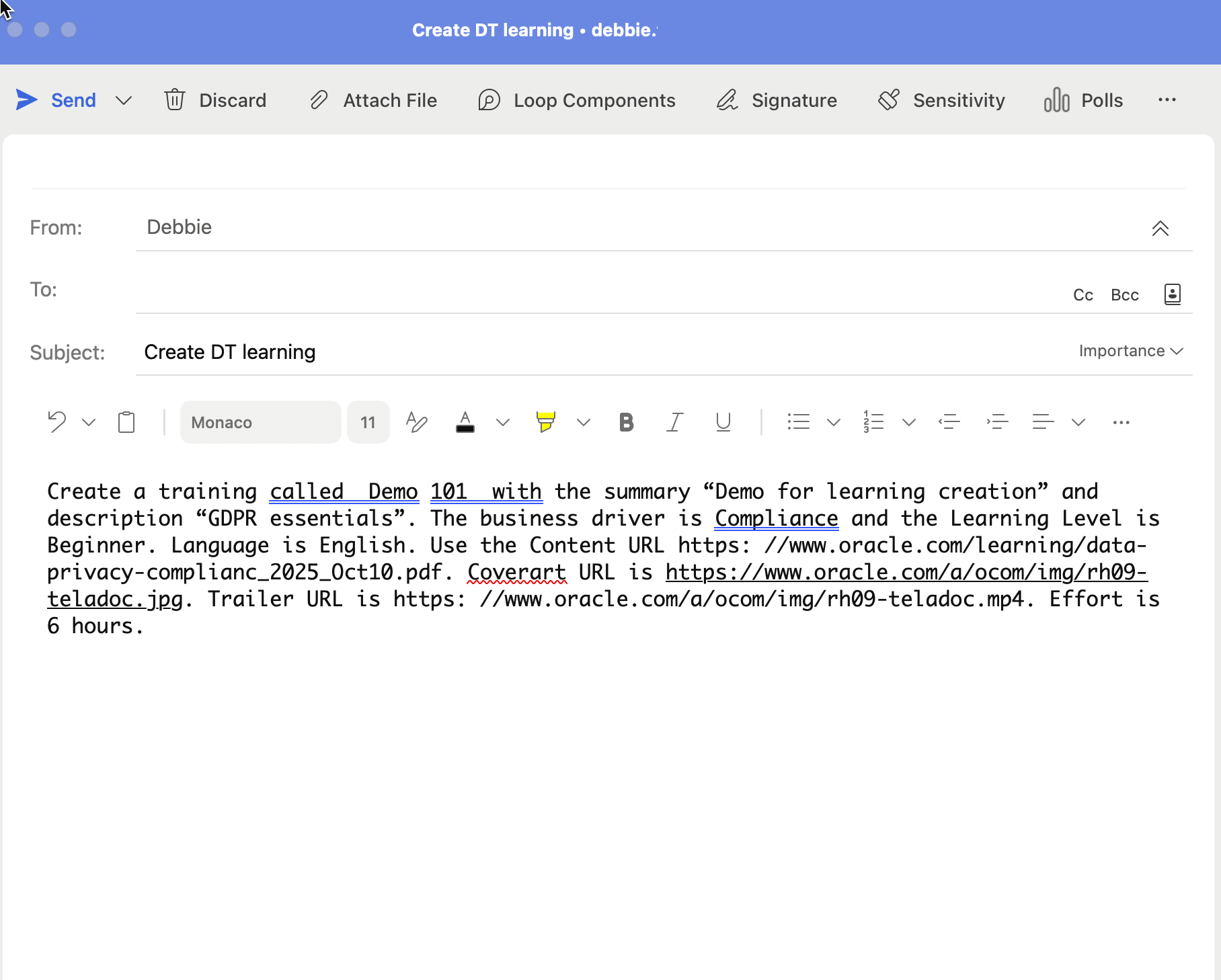
Email with Instructions in the Body
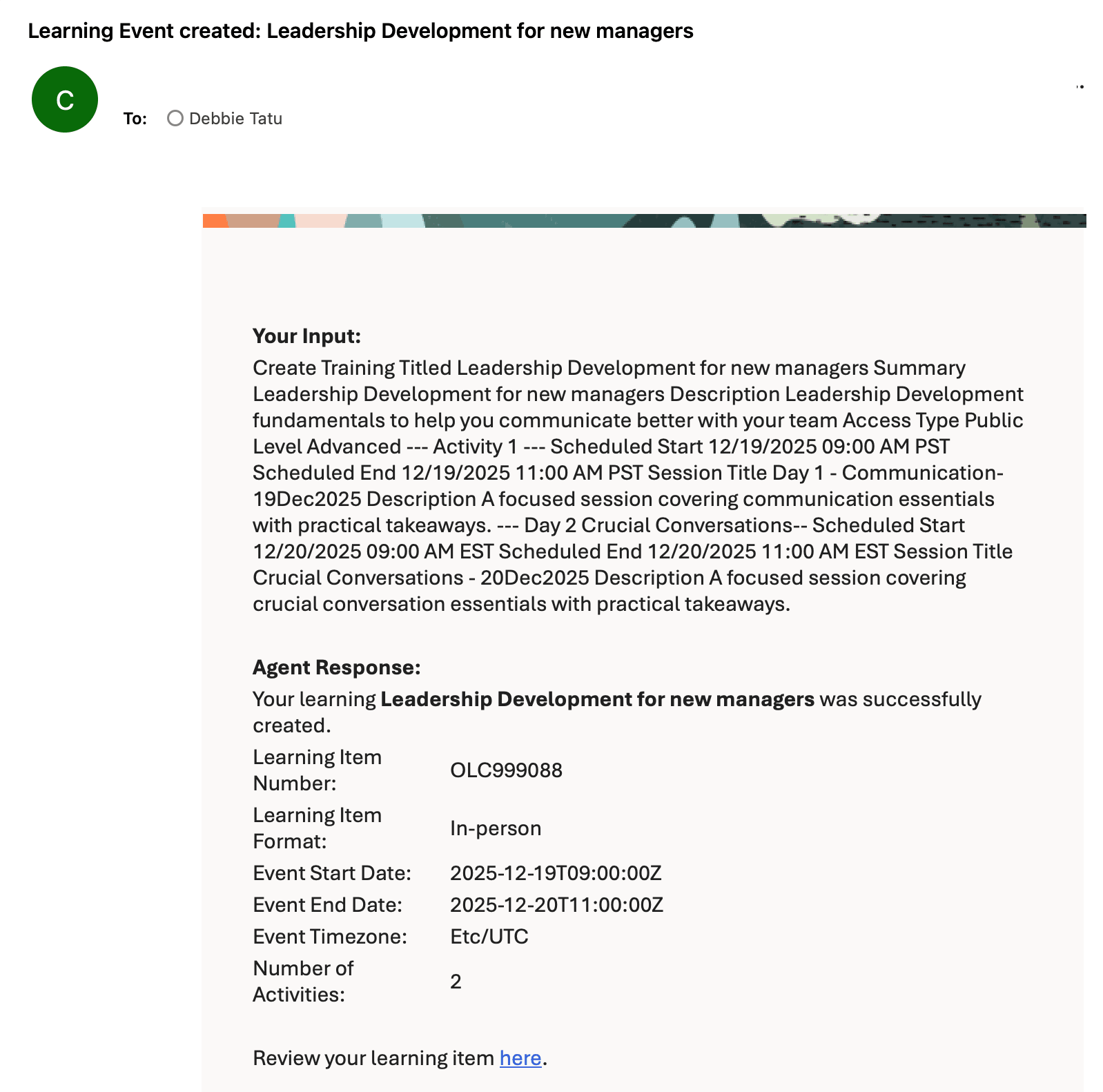
Email Response for a Successfully Created Learning
Empower your teams to rapidly contribute content using email, eliminating dependency on complex workflows or catalog access. This capability accelerates knowledge-sharing, reduces administrative overhead, and promotes organization-wide engagement in content development. As a result, your organization gains agility and increases the value delivered by each team member.
Steps to enable and configure
- Get started with AI Agent Studio
- In your copy of the Learning Create Assistant template, on the Triggers tab, add the relevant email account.
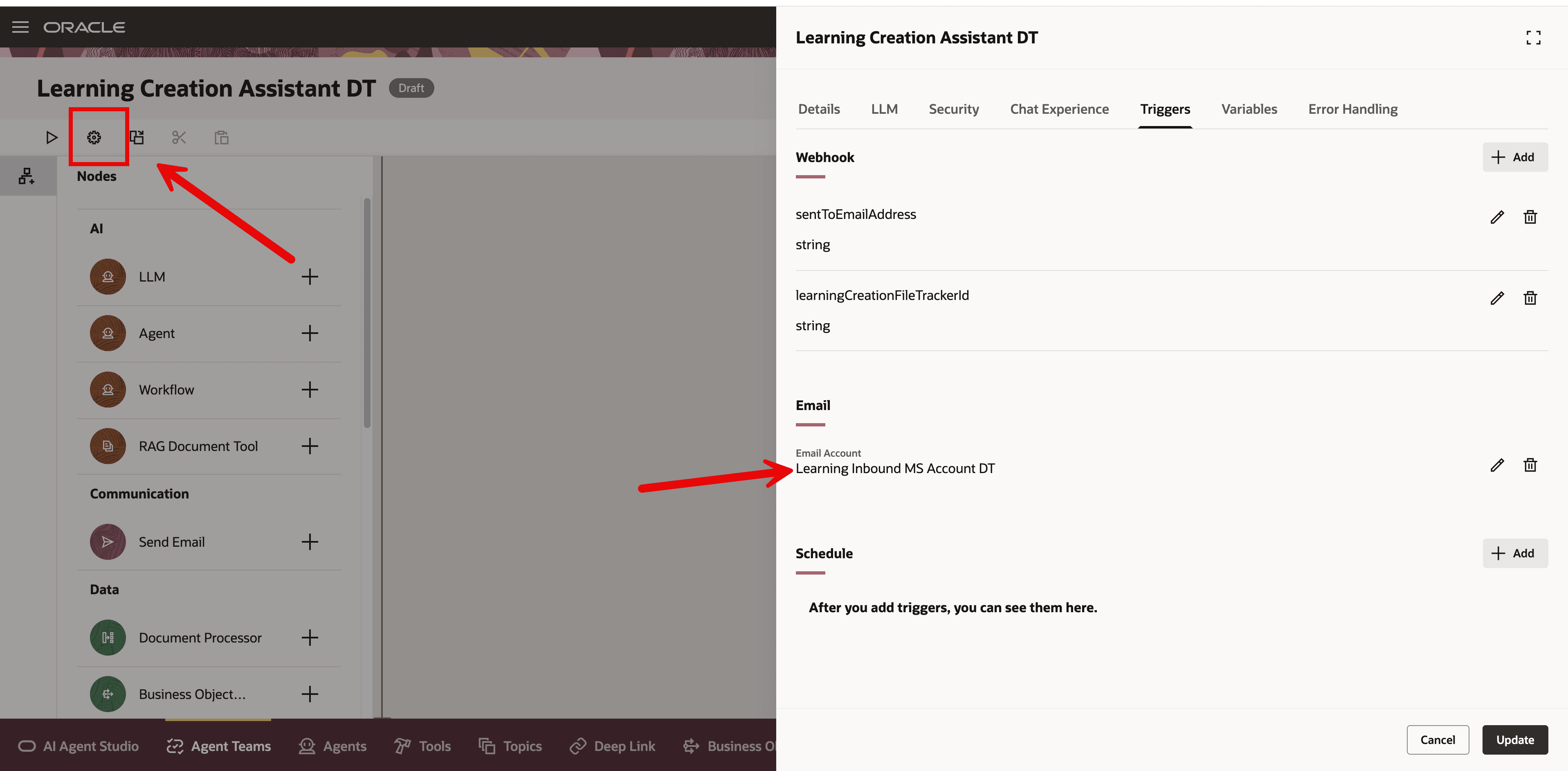
Learning Creation Assistant Agent in AI Agent Studio
- Update and publish the agent so that the email trigger is activated and will start to process the emails.
Sending instructions to the agent
- Create an email addressed to the appropriate recipient.
- Add instructions in the body of the email or attach a PDF or TXT file that includes the instructions
- Send your email. You should get an email response after the Learning Creation Assistant finishes processing your request.
Tips and considerations
- If Learning Creation Assistant is unable to process the request, it sends an email letting the submitter know that the learning wasn't created. We will expand this summary email in a future release to include more details about why it wasn't created.
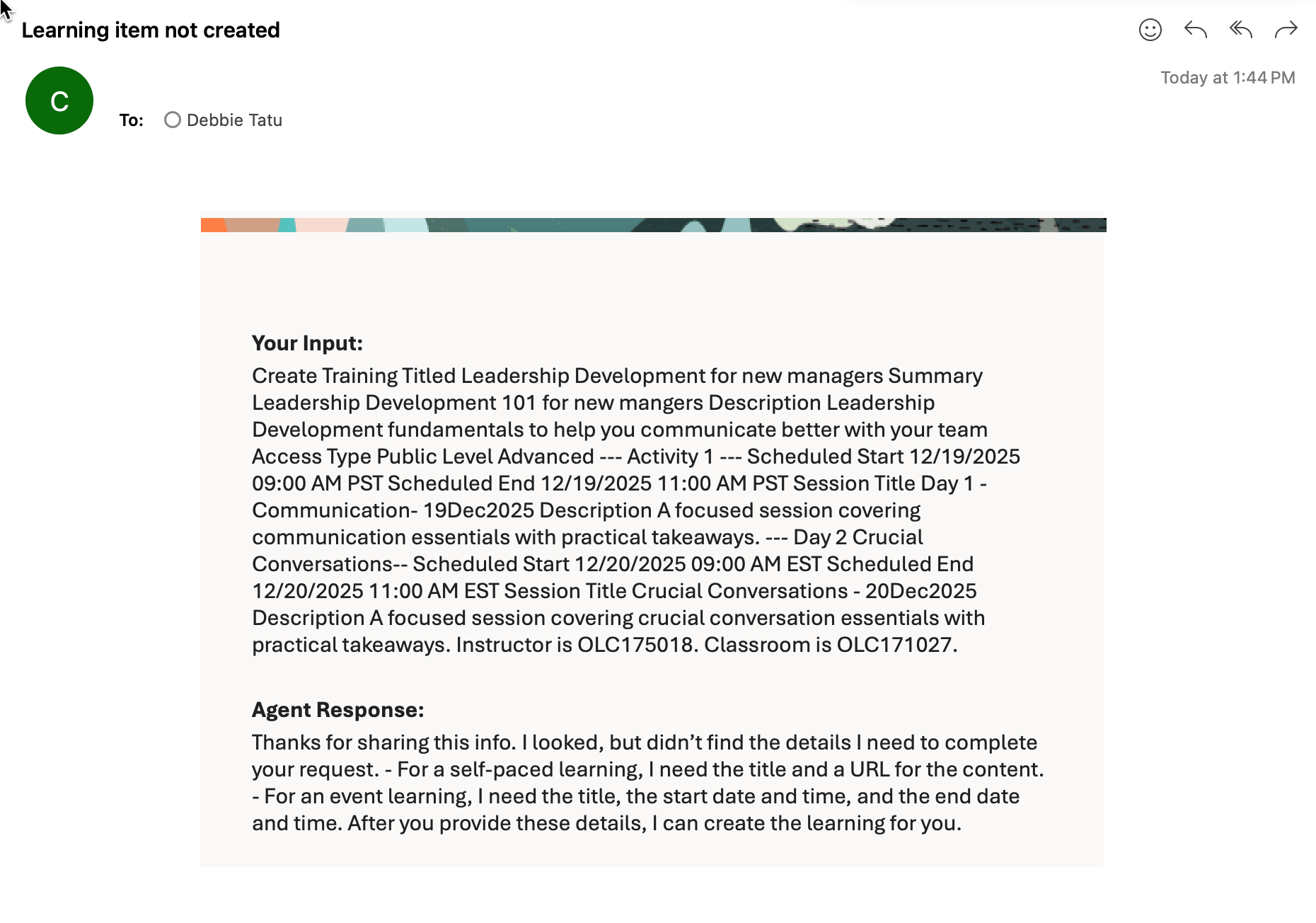
Response when Unable to Create a Learning
- If the email has both an attachment and text in the body, the AI agent ignores the body text and uses only the attachment for its instructions.
Key resources
- For more details about this AI agent, see the release 25D What's New feature: Learning Creation Assistant AI Agent
- For more details about AI Agent Studio, see How do I use AI Agent Studio?