Introducing agentic courses
Agentic courses teach from curated learning materials while adapting to each learner’s pace and needs. Learners can check understanding, get remediation, and progress toward mastery within guidance defined by learning designers. You can now deploy personalized instruction at scale using AI to your learners, so that each learner has a personalized and adapted learning experience for your training objective. Agentic courses teach learners at scale, making the most efficient and effective use of their time and reducing time to mastery.
When creating self-paced learning, learning specialists can select published AI agents tagged with Learning Content as the content type. Learners interact with the content through an AI agent chat experience on the Redwood Enrollment Details page.
An example agent showcasing the learning experience has been included, it teaches learners about business ethics.
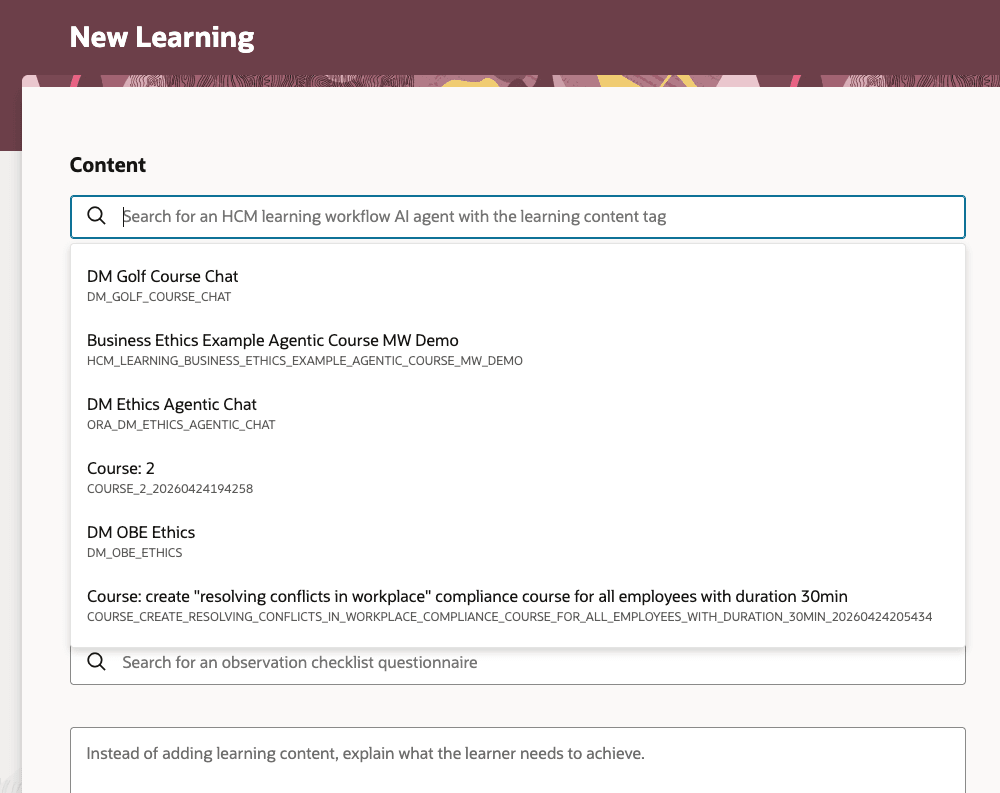
New Self-Paced Learning Page with a Search for an AI Agent Studio Workflow Agent
The delivered Business Ethics Example Agentic Course shows how agentic learning can teach in chunks, check understanding, remediate gaps, recap learning, and identify completion.
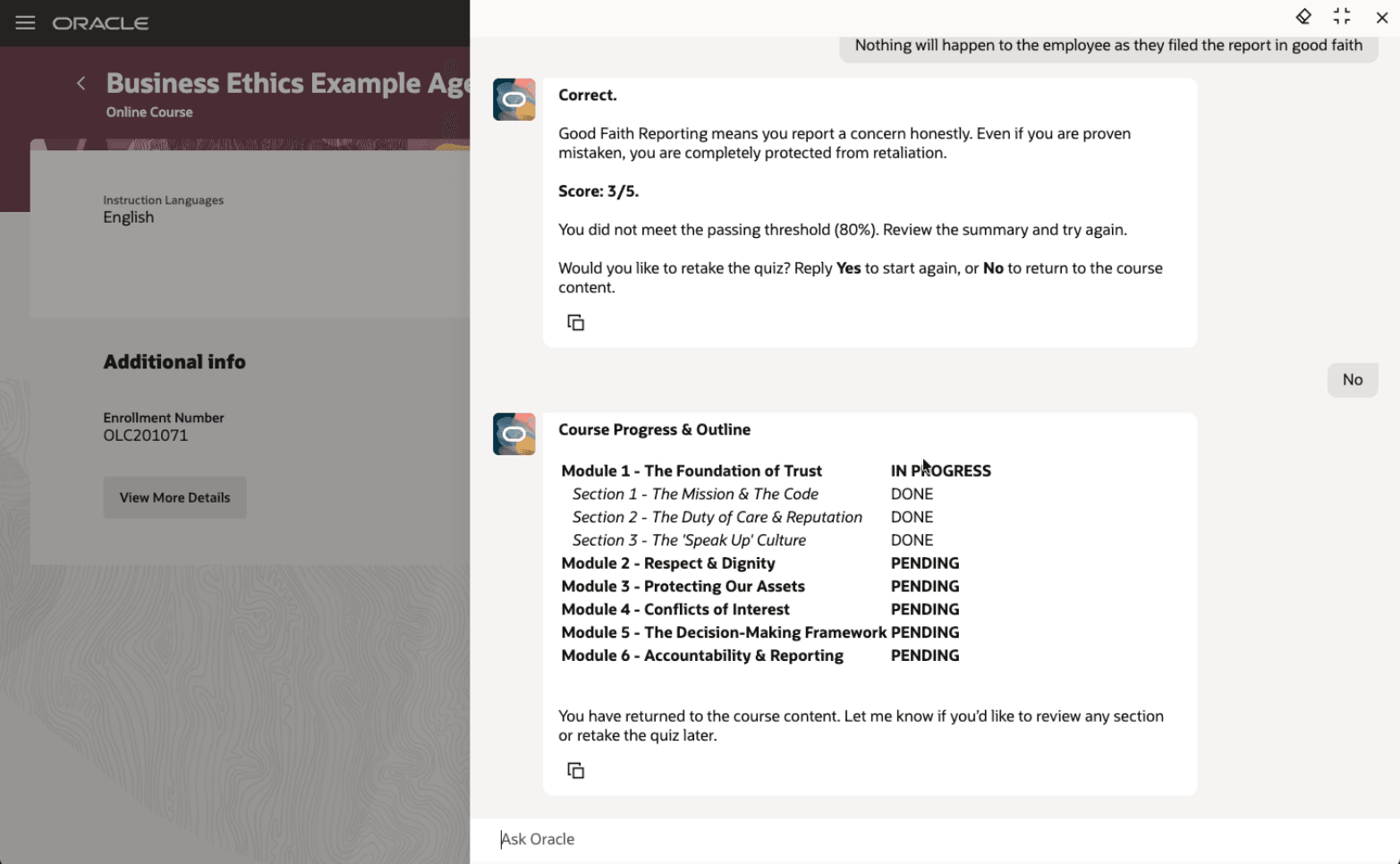
A Learner taking the Business Ethics Example Agentic Learning
Improve training effectiveness by adapting instruction to each learner while preserving required outcomes. Give teams a reusable agentic learning pattern instead of building from scratch.
Steps to enable and configure
- Sign in to AI Agent Studio.
- Deploy the AI agent team using the delivered template.
- Find the Business Ethics Example Agentic Course template.
- Copy the template to create your agent.
- Set LLM to GPT OSS (Oracle Standard).
- Tag the agent with Learning Content.
- Save the configuration.
- Publish the agent.
- Create a self-paced learning.
- Search for and select the name you gave your copy of the Business Ethics template.
- Complete the required fields and any optional fields you want to use.
- Assign the course or share the self-enrollment link.
Tips and considerations
-
If the agent doesn't appear in the Self-Paced Learning list, confirm that it's tagged with Learning Content.
-
You can use other LLMs in AI Agent Studio, but the agent is optimized for GPT OSS.
Key resources
Access requirements
Learning specialists need these Spectra Authorization Service duty roles to invoke the AI agents. Add them to your applicable job roles.
| Role Name | Code | Description |
|---|---|---|
| Learning Content Provider Skills Assignment Duty | ORA_DR_WLF_LEARNING_CONTENT_PROVIDER_SKILLS_ASSISTANT_DUTY | Grants access to the skills assistants for learning content providers |
| Skills Normalization Analyst Duty | ORA_DR_HRT_SKILLS_NORMALIZATION_DUTY | Grants access to Skills Normalization Analyst |