Multiple instructors support for Microsoft Teams events
You can add multiple instructors to Microsoft Teams online meetings for learning events. Instructors who meet the account or email criteria are added as co-organizers.
Added instructors receive a join URL in event alerts or Outlook notifications, and they can start or join the meeting from the event activity page or the Instructor Activity Center calendar. You can also set how attendance is calculated by configuring when online meetings end on the Microsoft Teams setup page.
Meeting start time continues to use the scheduled activity start time.
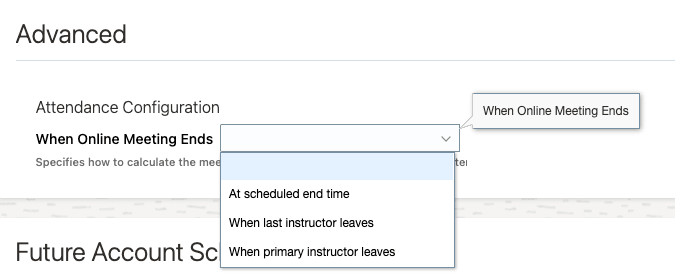
When Online Meeting Ends Options
Improve reliability for Microsoft Teams VILT sessions with multiple instructors. Support attendance calculations that better match how sessions are actually facilitated.
Steps to enable and configure
Set the site-level profile value to Yes for the ORA_WLF_ENABLE_ADVANCED_MEETING_OPTIONS profile option. The default value is No.
Tips and considerations
-
This feature applies only to event activities that use Microsoft Teams.
-
Existing activities aren't updated when the feature becomes available.
-
For existing implementations, the default end-time strategy is When Primary Instructor Leaves to preserve current behavior.
-
If a selected instructor can't be added to the meeting, the reason is logged and the create or update process continues.
-
External participants can't be co-organizers.
-
The When online meeting ends setting is global for all Microsoft Teams meetings using that account.
-
If the configuration is When Primary Instructor Leaves but the primary instructor doesn't join, the meeting uses When Last Instructor Leaves instead.